- 対象年齢4+
- カテゴリユーティリティ
- 開発元Dmytro Hrebeniuk
- 言語英語
- サイズ3.1 MB
App Storeの公式ページにリンクしています
Download.orgはWave Audio Editorのファイルを一切ホストしていません。ボタンを押すと、Dmytro Hrebeniukが公開しているApp Storeのアプリページが開きます。ページの最終確認:2026/11/13。
スクリーンショット
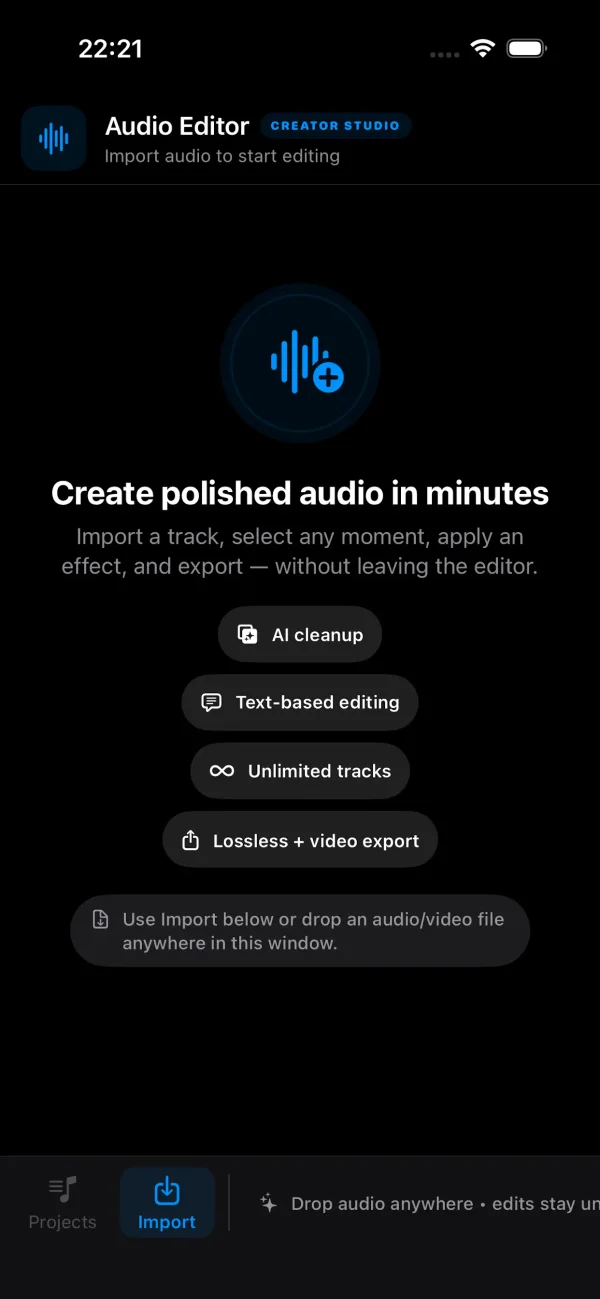
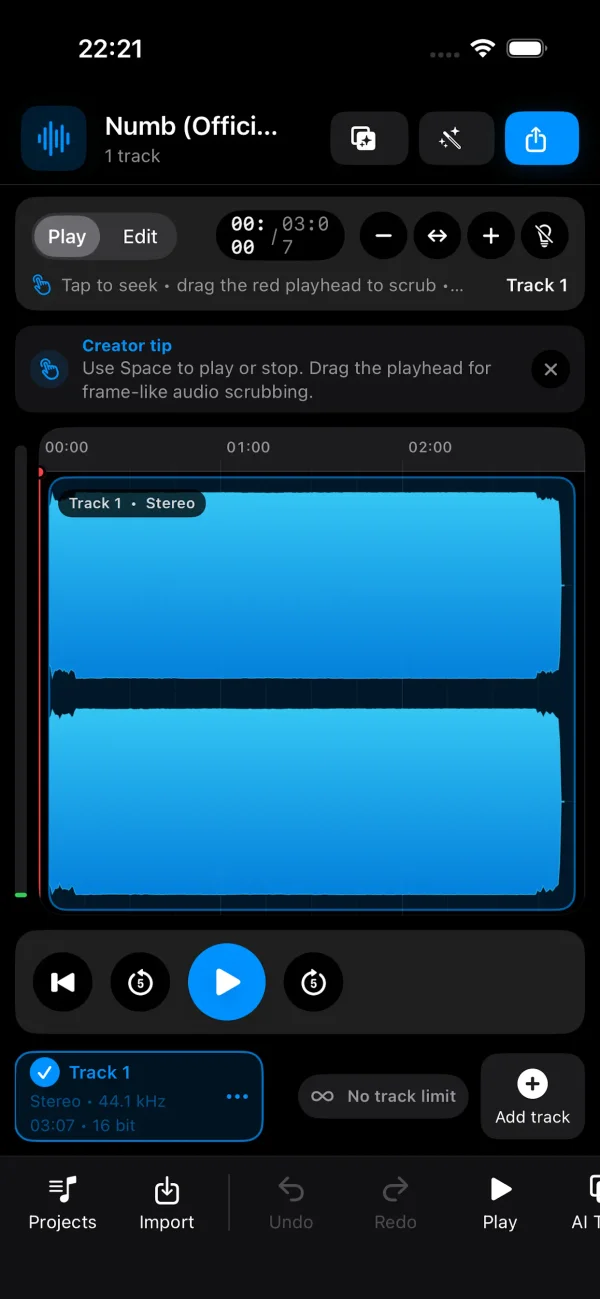
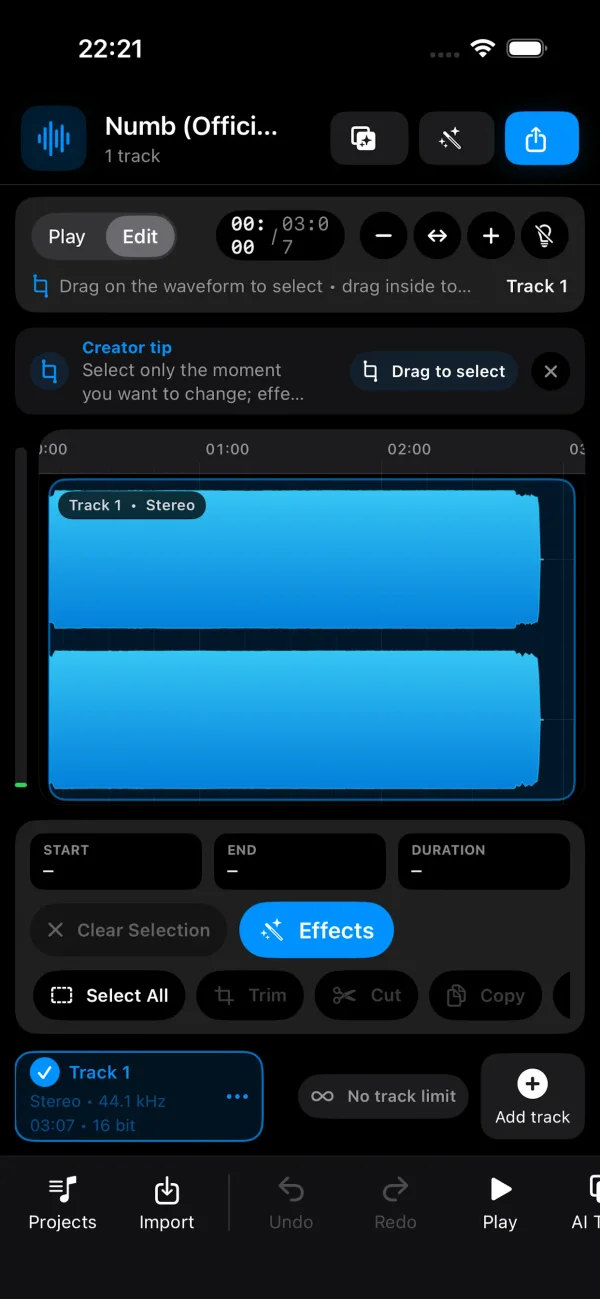

概要
開発元はこのテキストをお使いの言語で提供していません。
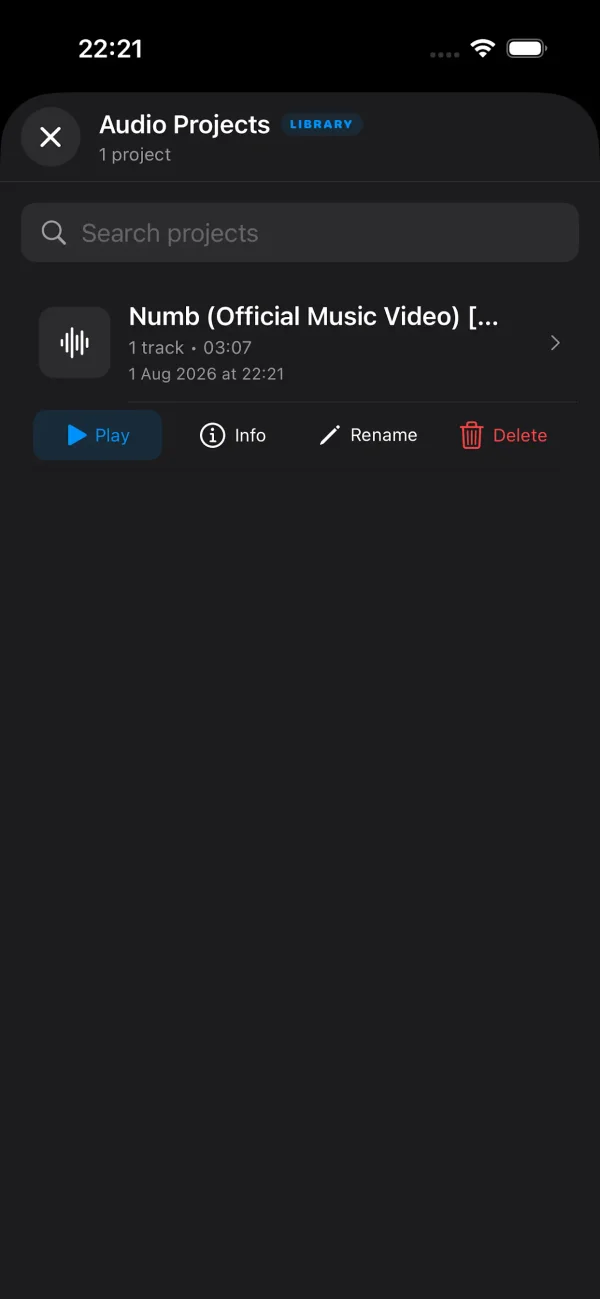
AudioEditor is a simple but powerful audio editor for iPhone and iPad.
Record, cut, trim, split, move, and combine audio across multiple tracks. The waveform editor makes precise changes easy, while the landscape layout gives you more room for detailed work.
Clean up recordings with noise reduction, voice enhancement, normalization, compression, limiting, and automatic pause removal. You can also transcribe speech and remove words or phrases directly from the transcript.
Keep listening while using other apps or when your device is locked. Playback controls let you pause, seek, and switch between projects from the Lock Screen or Control Center.
Export your work as WAV, AIFF, CAF, FLAC, ALAC, AAC, M4R, or MOV. You can also create shareable videos with an animated waveform, timecode, and subtitles.
AudioEditor is useful for podcasts, interviews, voice notes, music, narration, and everyday audio editing.
Key features:
• Multitrack editing
• Noise and voice cleanup
• Automatic pause removal
• Transcript-based editing
• Background playback
• Batch project processing
• Professional audio formats
• Waveform video export
• Effects for vocals, podcasts, music, and more
• No artificial track limit
Edit quickly, keep your audio private, and export in the format you need.
新機能
バージョン 1.5.0 · 2026/8/9
• Faster Undo and Redo for smoother editing
• Background playback with Lock Screen and Control Center controls
• Switch between projects using Previous and Next controls
• Improved landscape layout for a more comfortable editing workflow
• Option to hide Creator Tips
• AI-assisted noise removal and voice cleanup
• Automatic silence and pause removal
• Transcription-based editing with word-level selection
• Batch processing for multiple tracks
• Support for WAV, AIFF, CAF, FLAC, ALAC, AAC, M4R, and MOV
• No artificial limit on the number of tracks
• New premium effect packs for vocals, podcasts, bass, cinematic audio, and more
• Export videos with animated waveforms, playheads, timecodes, and subtitles
We also improved performance, stability, project navigation, and the overall editing experience.
アプリのプライバシー
このアプリのデータの取り扱いについて、Dmytro HrebeniukがApp Storeで申告している内容です。
-
データの収集なし
開発元はこのアプリからデータを収集しません。
プライバシーの取り扱いは、ご利用の機能やお客様の年齢などに応じて異なる場合があります。
情報
- 販売元
- Dmytro Hrebeniuk
- カテゴリ
- ユーティリティ
- バージョン
- 1.5.0
- 更新日
- 2026/8/9
- リリース
- 2020/3/22
- サイズ
- 3.1 MB
- 必要条件
- iOS 17.0以降
- 対象年齢
- 4+
- 価格
- 無料
- 言語
- 英語
- 著作権
- © Dmytro Hrebeniuk 2026
こちらもおすすめ
-
 ボイスレコーダー・ノイズ除去AIで録音をクリアに
-
 Music Editor: Mp3 Converterユーティリティ
-
 Audio Editor オーディオ編集 - MP3カッター音声を変換・結合・トリミング・着信音作成・ボイスチェンジャー
-
 オーディオエディターオーディオコンバーター、オーディオミキサー。
-
 ノイズ除去AI:声をクリアに高音質動画・音声の雑音をAIで消す
-
 AI Background Noise Reducerユーティリティ
-
 AI Background Noise Removerユーティリティ
-
 音声カット・変換・結合MP3 WAV M4A AAC FLAC 圧縮
-
 Podcast Cleaner:AIノイズ除去・音声をクリアボイスメモ・会議・取材の録音を修復して、音量も自動で均一化!
-
 Crop audio: 音声編集MP3切り取り・音量調節・編集