Database Designer1.3.0 for macOS
Design SQLite and MySQL databases with a graphical interface on Mac
Free · GPL 3.0
You are on Windows — this is the macOS version. See the Windows version
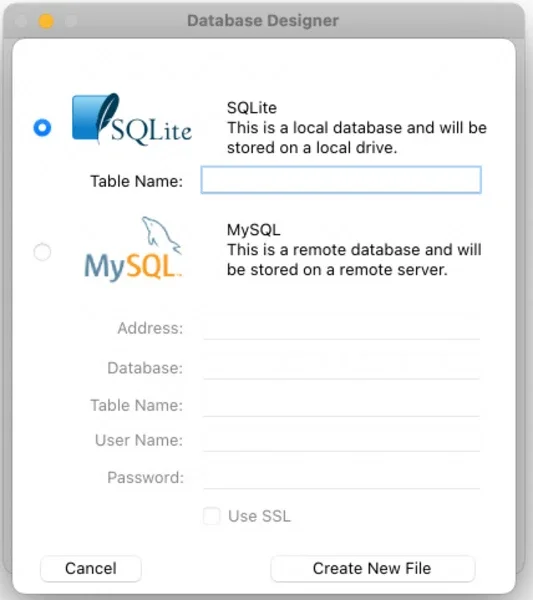
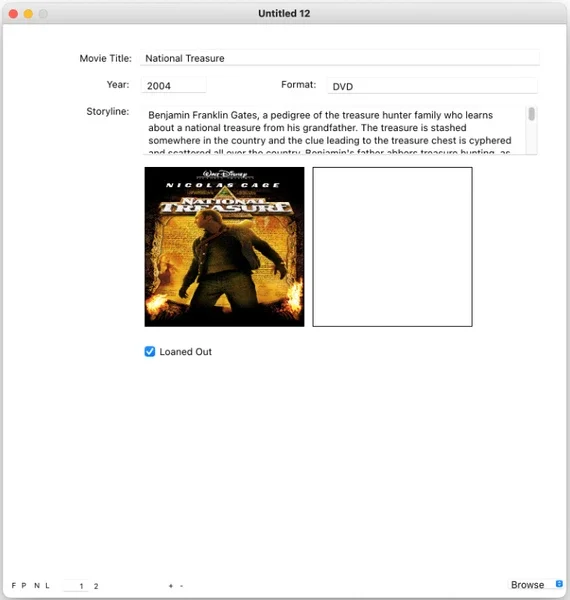
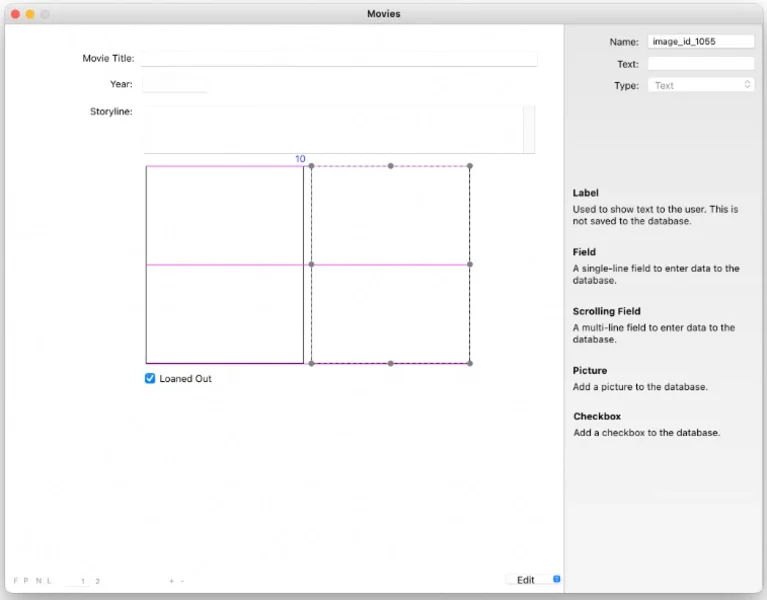
On opening Database Designer, you first choose the database type. The app is a free, open-source tool for designing databases through a graphical interface on the Mac. A local database uses SQLite and only requires entering its name. A remote database is managed with MySQL, where you enter the address, table name, username, and password.
Editing and storage
After creating a database, you edit it by double-clicking elements in the left column. The interface lets you edit contents, add tags, and create fields. You can add images, fields, tags, and checkboxes. Switching from Edit Mode to Browse Mode lets you enter information into the database.
The local database is stored in the Mac's memory, in the same directory where the app was unzipped. No advanced computer knowledge is needed to administer a database with the app. A PDF tutorial of three pages is included with the software.
[Release notes coming soon]
Verify the file
Compare the SHA-256 of the file you downloaded with the value below. Files exactly as the publisher released them.
-
1.3.0
1.3.0 · ZIP · 13.9 MB
SHA-256
8bb790c68b4afbc757c2768a5f77db019d4c9fe85c32868e04937f7f4689c3f2Check on VirusTotal Get
Files exactly as the publisher released them.
Information
- Seller
- Emily Elizabeth
- Size
- 13.9 MB
- Category
- Maintenance
- Compatibility
macOS 10.4 Tiger or later
- Languages
Afrikaans and 47 more
- Afrikaans, Amharic, Arabic, Armenian, Belarusian, Bulgarian, Catalan, Chinese, Croatian, Czech, Danish, Dutch, English, Estonian, Farsi, Finnish, French, German, Greek, Hebrew, Hindi, Hungarian, Icelandic, Indonesian, Italian, Japanese, Kazakh, Korean, Latvian, Lithuanian, Malay, Norwegian, Polish, Portuguese, Romanian, Russian, Serbian, Slovak, Slovenian, Spanish, Swahili, Swedish, Tagalog, Thai, Turkish, Ukrainian, Vietnamese, Zulu
- Age rating
- All ages
- License
- GPL 3.0
- Price
- Free
- Platform
- Also available on Windows