DirEqual7.7.2 for macOS
Compare folders side by side and sync them, with snapshots and a difference minimap
Trial · Proprietary
You are on Windows — this is the macOS version.
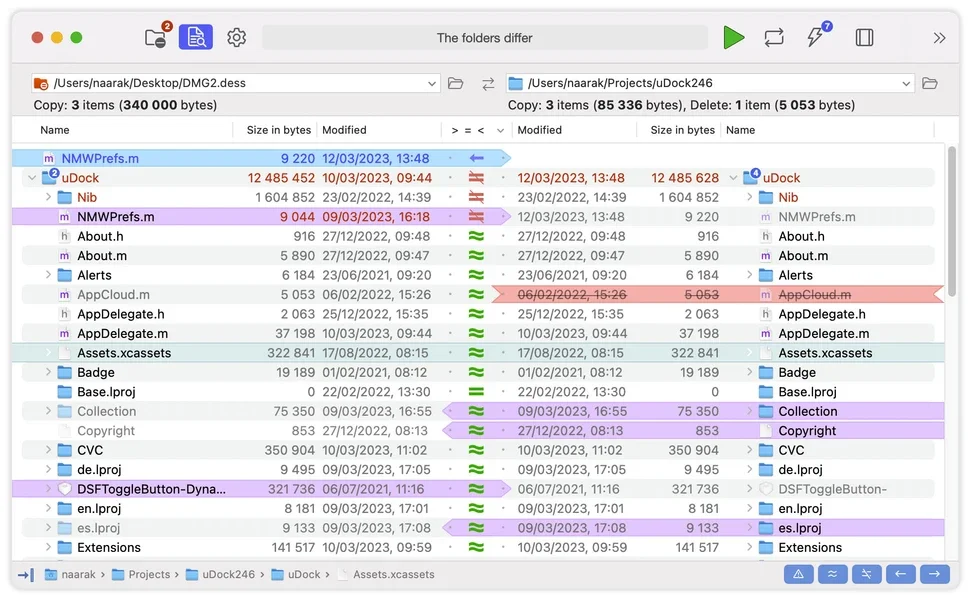
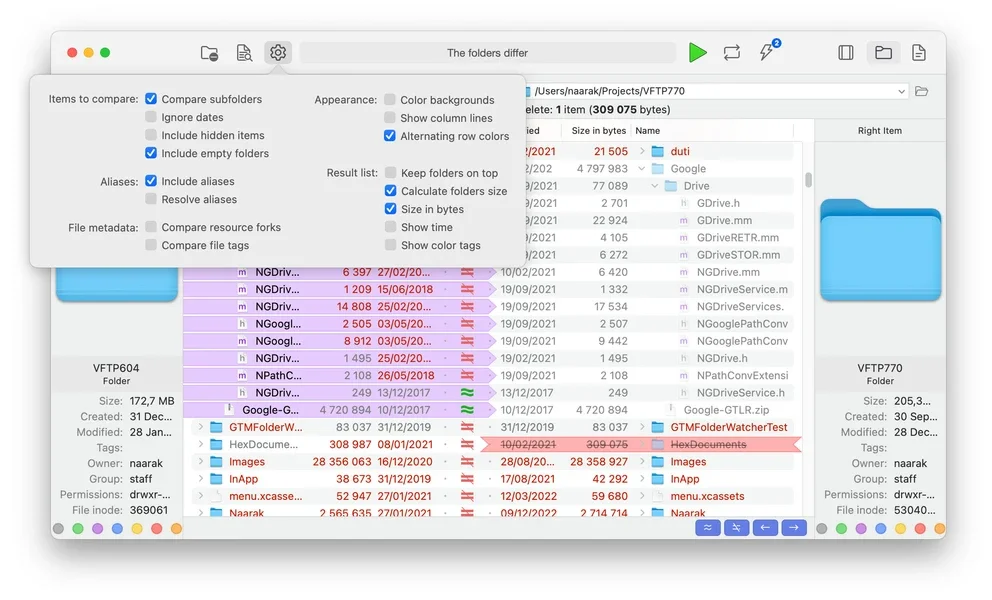
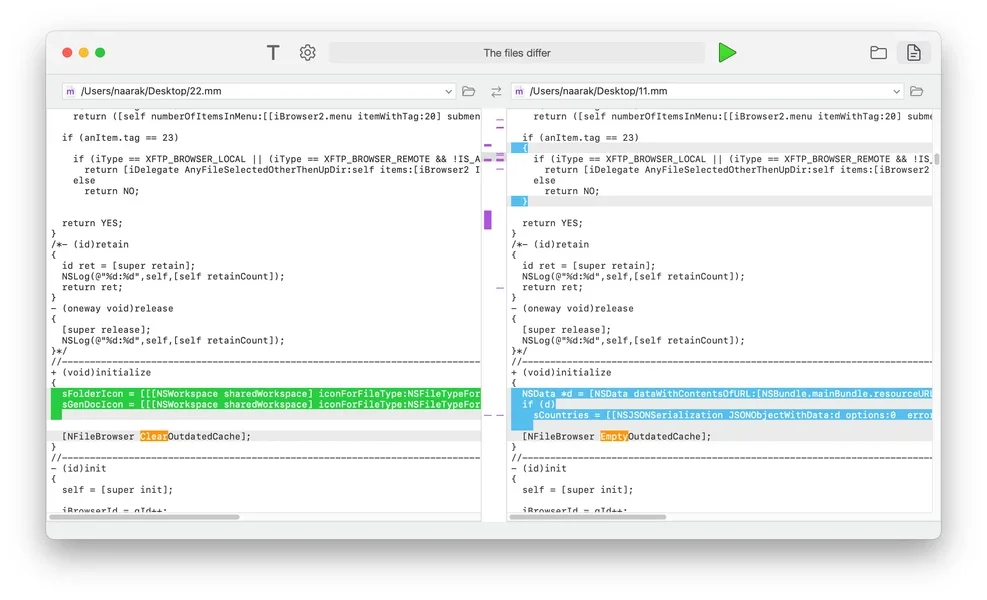
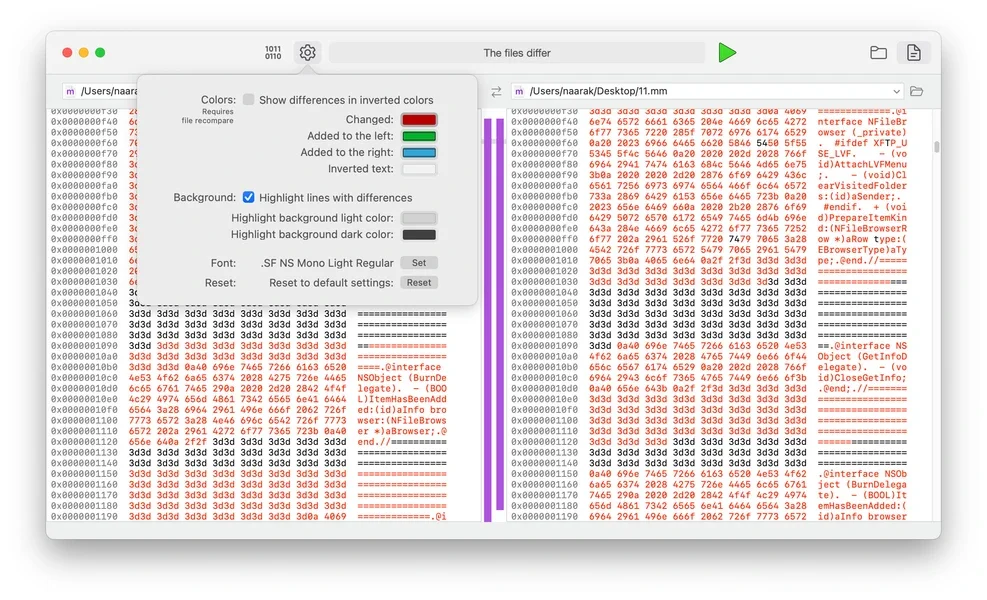
Two folders open as expandable trees, side by side. DirEqual marks each difference with color and an icon that tells you if it's size, date, or content. Every item lists its size and date. A minimap between the two panes plots every difference across both files, so you can see where they diverge at a glance.
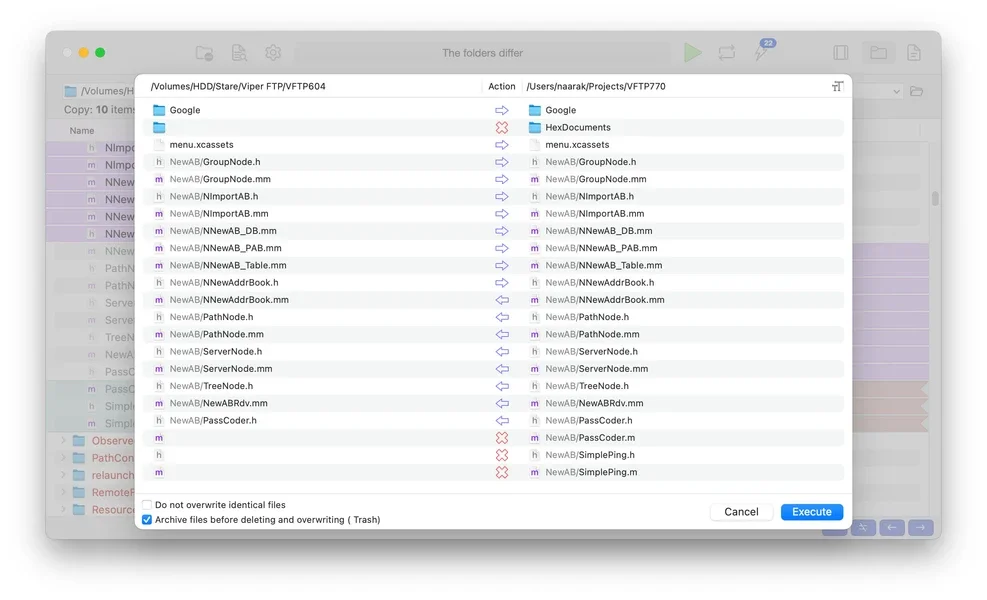
When you compare files, DirEqual shows the differing lines and highlights changes down to individual words and characters. Even very small changes between folders are detected. Pick a file or folder, choose to copy or delete it, and the chosen action appears with a red or blue arrow. Click Execute to carry it out. For whole folders, click Synchronize.
Snapshots let you capture any folder as it is now. Later you can compare that snapshot with other folders, or use it to see what changed in the folder over time.
[Release notes coming soon]
Verify the file
Compare the SHA-256 of the file you downloaded with the value below. Files exactly as the publisher released them.
-
DirEqual_V7.7.2.dmg
7.7.2 · DMG · 13.6 MB
SHA-256
c60b45f81d970422a95dd5d383a09e0b175ec6979f7f171b05a9bb581607346aCheck on VirusTotal Get
Files exactly as the publisher released them.
Information
- Seller
- Naarak Studio
- Size
- 13.6 MB
- Category
- Desktop Tools
- Compatibility
macOS macOS 10.15 or later
- Age rating
- All ages
- License
- Proprietary
- Price
- Trial