Fastfetch2.69.0 for macOS
Shows your Mac's OS, CPU, GPU, display, processes and more in the terminal
Free · MIT
You are on Windows — this is the macOS version. See the Windows version
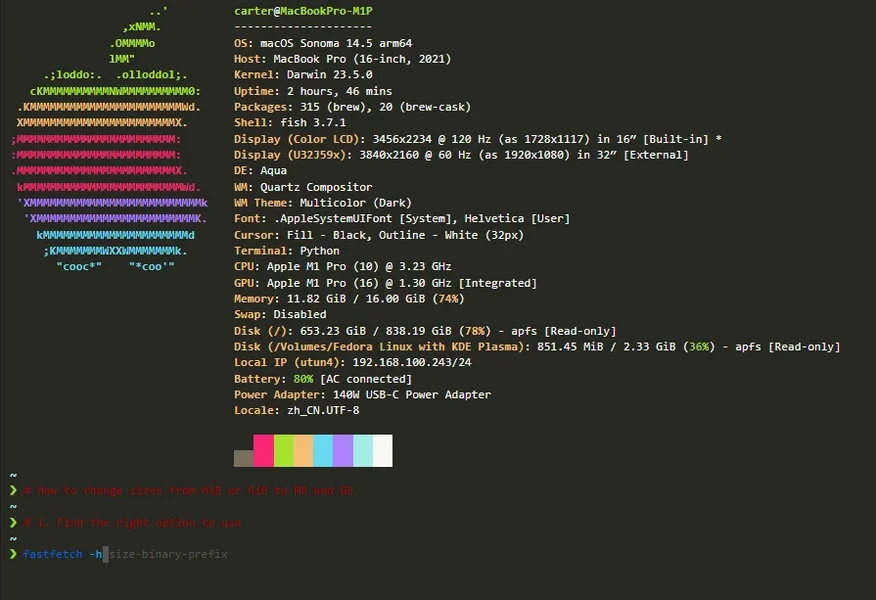
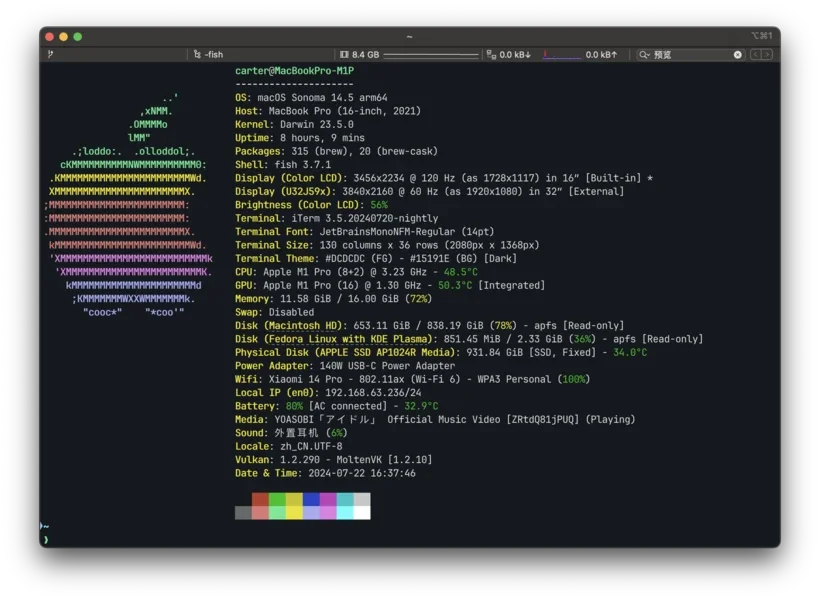
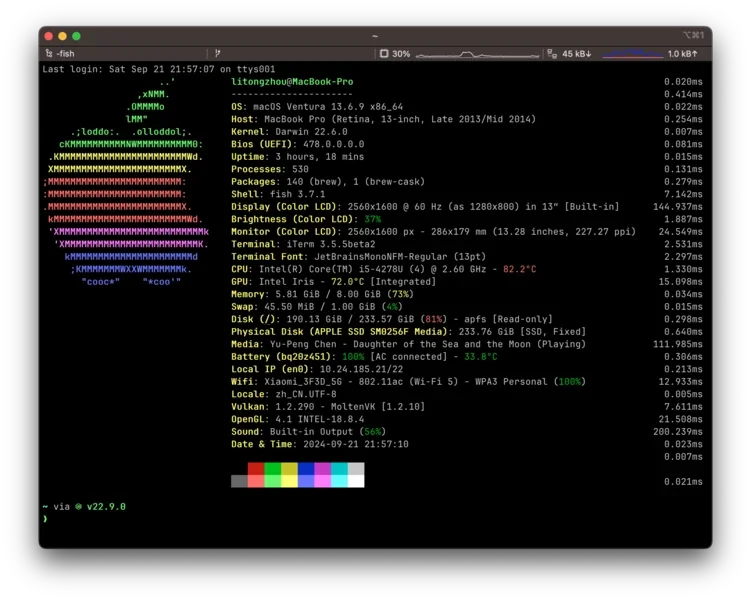
Fastfetch is a lightweight utility that prints information about your Mac. It reports the OS version, how many packages are installed, the display's native resolution, processor and graphics models, and the count of running processes. No options need to be adjusted to use it. The information appears within five seconds of launching the executable.
Customization and documentation
Nearly all parameters can be customized by entering lines in the Mac terminal. Font, colors, and the types of fields displayed can be changed. The logos shown next to the information can also be customized. Documentation and video tutorials for customization are on the developer's official website. Fastfetch is similar to Neofetch, which is no longer developed or maintained.
[Release notes coming soon]
Verify the file
Compare the SHA-256 of the file you downloaded with the value below. Files exactly as the publisher released them.
-
fastfetch-2-69-0.zip
2.69.0 · ZIP · 1.1 MB
SHA-256
db8292c5bd7906e6b08fdf956ad5198188d69f21c7ec590443f328371f6d896dCheck on VirusTotal Get
Files exactly as the publisher released them.
Information
- Seller
- Carter Li
- Size
- 1.1 MB
- Category
- Maintenance
- Compatibility
macOS 10.4 Tiger or later
- Languages
Afrikaans and 47 more
- Afrikaans, Amharic, Arabic, Armenian, Belarusian, Bulgarian, Catalan, Chinese, Croatian, Czech, Danish, Dutch, English, Estonian, Farsi, Finnish, French, German, Greek, Hebrew, Hindi, Hungarian, Icelandic, Indonesian, Italian, Japanese, Kazakh, Korean, Latvian, Lithuanian, Malay, Norwegian, Polish, Portuguese, Romanian, Russian, Serbian, Slovak, Slovenian, Spanish, Swahili, Swedish, Tagalog, Thai, Turkish, Ukrainian, Vietnamese, Zulu
- Age rating
- All ages
- License
- MIT
- Price
- Free
- Platform
- Also available on Windows