MEGASync6.7.1.0 for macOS
Syncs files between a local folder and MEGA cloud automatically
Free · Proprietary
You are on Windows — this is the macOS version. See the Windows version
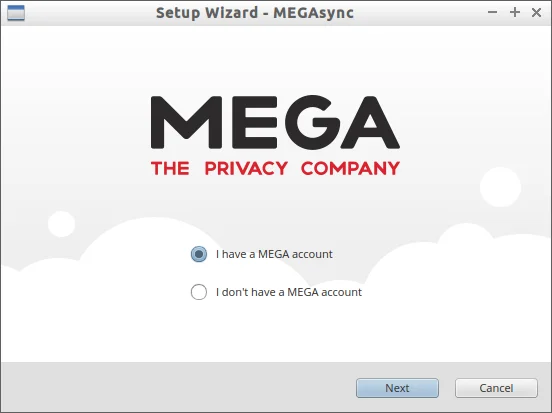
MEGAsync keeps a folder on your Mac and your MEGA cloud drive in step. It is a file synchronization app from Mega Limited. You need to create an account and sign up before using its functions. After you log in, you copy or update files in the local dedicated folder, and the transfer happens instantly. Automated sync works by creating a path between a local source folder and the MEGA cloud drive. Any type of file can be synced.
Choosing what syncs and how
When syncing, you can either update the whole cloud account or send files to selected folders only. You can create specific directories to sort files, make new folders, and set bandwidth limits for your cloud space. Transfers, network parameters, and mega links are managed in the app. A MEGAsync account supports up to 50GB of storage. Synchronization is continuous and runs in the background without interfering with other apps' performance, and you can pause or cancel it at any time. You can check the status of file synchronization from time to time. Files can also stream straight from the MEGA cloud or from a file link. Backups, online storage, and duplicates of documents, executables, databases, and other items are all covered. The interface is simple and straightforward for beginners and non-tech-savvy users.
[Release notes coming soon]
Verify the file
Compare the SHA-256 of the file you downloaded with the value below. Files exactly as the publisher released them.
-
megasync-6-7-1-0.dmg
6.7.1.0 · DMG · 84.2 MB
SHA-256
684159291e508523db42ae7c63f03c071eb40a52180f8f2662daa5e2c8dce882Check on VirusTotal Get
Files exactly as the publisher released them.
Information
- Seller
- Mega Limited
- Size
- 84.2 MB
- Category
- Disc/Files
- Compatibility
macOS
- Languages
Afrikaans and 47 more
- Afrikaans, Amharic, Arabic, Armenian, Belarusian, Bulgarian, Catalan, Chinese, Croatian, Czech, Danish, Dutch, English, Estonian, Farsi, Finnish, French, German, Greek, Hebrew, Hindi, Hungarian, Icelandic, Indonesian, Italian, Japanese, Kazakh, Korean, Latvian, Lithuanian, Malay, Norwegian, Polish, Portuguese, Romanian, Russian, Serbian, Slovak, Slovenian, Spanish, Swahili, Swedish, Tagalog, Thai, Turkish, Ukrainian, Vietnamese, Zulu
- Age rating
- All ages
- License
- Proprietary
- Price
- Free
- Platform
- Also available on Windows