Skip to content

Ocenaudio3.22.2 for macOS

Edits single audio tracks, previews VST effects live and batch-processes files

Ocenaudio

Free · Proprietary

Download 3.22.2 · 97.1 MB
  • Age rating
    0+
    All ages
  • Category
    Design & editing
  • Developer
    Ocenaudio
  • Languages
    1
    English
  • Size
    97.1
    MB

Mac

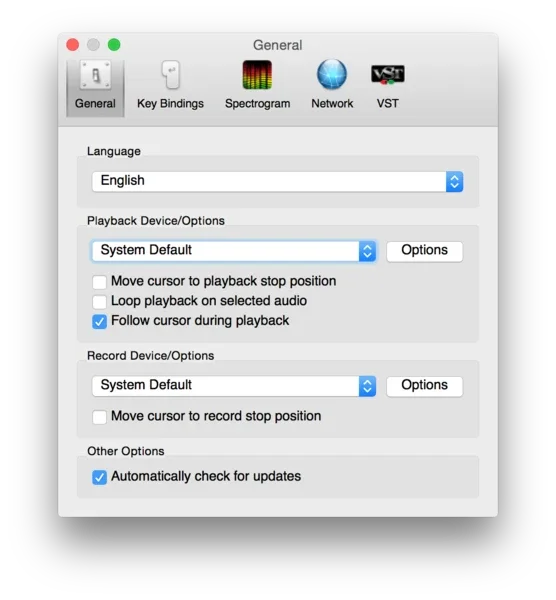
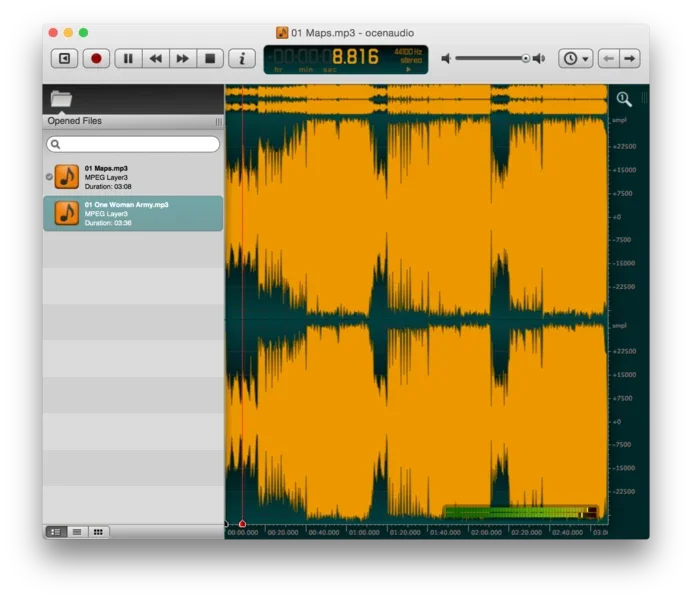
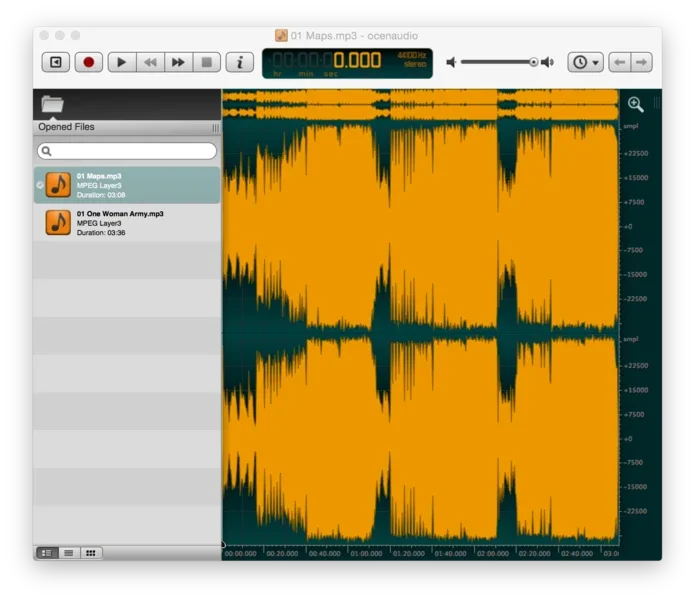
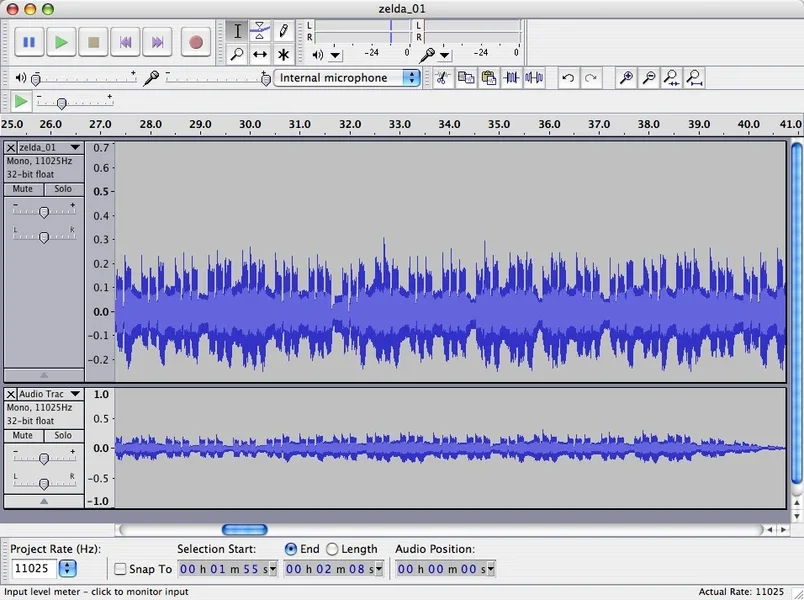
Ocenaudio opens an audio file for editing: you cut, trim and fix a single track, with waveform and spectrogram views to work from. It is a free audio editor for macOS, Windows and Linux.

VST plugins are supported for reverb, compression, equalization and other effects, and any effect can be previewed in real time before you apply it. Batch processing covers several files at once: trimming silence, normalizing volume, or applying an effect across a folder of clips. Large and high-bitrate files are handled without trouble, and the program launches quickly and stays stable with them. Editing is single-track, though. There is no true multitrack editing, and the advanced production tools for complex sound layering or mixing are not there.

It is aimed at single-track editing and quick fixes, and the batch tasks are set up the same way as the edits themselves.

[Release notes coming soon]

Version 3.22.2

Verify the file

Compare the SHA-256 of the file you downloaded with the value below. Files exactly as the publisher released them.

  • ocenaudio-3-22-2.dmg

    3.22.2 · DMG · 97.1 MB

    SHA-256

    377f9c3e90b7c4bb27f6f07a42dbe84cacfa133d65ce9b17275386f86274af0b Check on VirusTotal Get

Files exactly as the publisher released them.

Information

Seller
Ocenaudio
Size
97.1 MB
Compatibility
macOS
Languages
English
Age rating
All ages
License
Proprietary
Price
Free

Version history

  • [Release notes coming soon]

    3.22.2
  • [Release notes coming soon]

    3.22.1
  • [Release notes coming soon]

    3.22.0
  • [Release notes coming soon]

    3.21.4
  • [Release notes coming soon]

    3.21.3
  • [Release notes coming soon]

    3.21.0
  • [Release notes coming soon]

    3.20.5
  • [Release notes coming soon]

    3.20.4
  • [Release notes coming soon]

    3.20.3
  • [Release notes coming soon]

    3.20.2
  • [Release notes coming soon]

    3.20.1
  • [Release notes coming soon]

    3.20.0
  • [Release notes coming soon]

    3.19.5
  • [Release notes coming soon]

    3.19.4
  • [Release notes coming soon]

    3.19.3
  • [Release notes coming soon]

    3.19.2
  • [Release notes coming soon]

    3.19.1
  • [Release notes coming soon]

    3.19.0
  • [Release notes coming soon]

    3.18.2
  • [Release notes coming soon]

    3.18.0
  • [Release notes coming soon]

    3.17.3
  • [Release notes coming soon]

    3.17.2
  • [Release notes coming soon]

    3.17.1
  • [Release notes coming soon]

    3.17.0
  • [Release notes coming soon]

    3.16.5
  • [Release notes coming soon]

    3.16.5
  • [Release notes coming soon]

    3.16.4
  • [Release notes coming soon]

    3.16.3
  • [Release notes coming soon]

    3.16.2
  • [Release notes coming soon]

    3.16.1
  • [Release notes coming soon]

    3.16.0
  • [Release notes coming soon]

    3.15.3
  • [Release notes coming soon]

    3.15.2
  • [Release notes coming soon]

    3.15.1
  • [Release notes coming soon]

    3.15.0
  • [Release notes coming soon]

    3.14.11
  • [Release notes coming soon]

    3.14.10
  • [Release notes coming soon]

    3.14.9
  • [Release notes coming soon]

    3.14.6
  • [Release notes coming soon]

    3.14.5
  • [Release notes coming soon]

    3.14.4
  • [Release notes coming soon]

    3.14.3
  • [Release notes coming soon]

    3.14.2
  • [Release notes coming soon]

    3.14.1
  • [Release notes coming soon]

    3.14
  • [Release notes coming soon]

    3.13.8
  • [Release notes coming soon]

    3.13.7
  • [Release notes coming soon]

    3.13.5
  • [Release notes coming soon]

    3.13.4
  • [Release notes coming soon]

    3.13.3

All versions ›