Skip to content

OnyX5.0.1 for macOS

Maintains and optimizes macOS with cleanup and verification tools

Titanium

Free · Proprietary

Download 5.0.1 · 7.3 MB
  • Age rating
    0+
    All ages
  • Category
    Maintenance
  • Developer
    Titanium
  • Languages
    5
    English
  • Size
    7.3
    MB

Mac

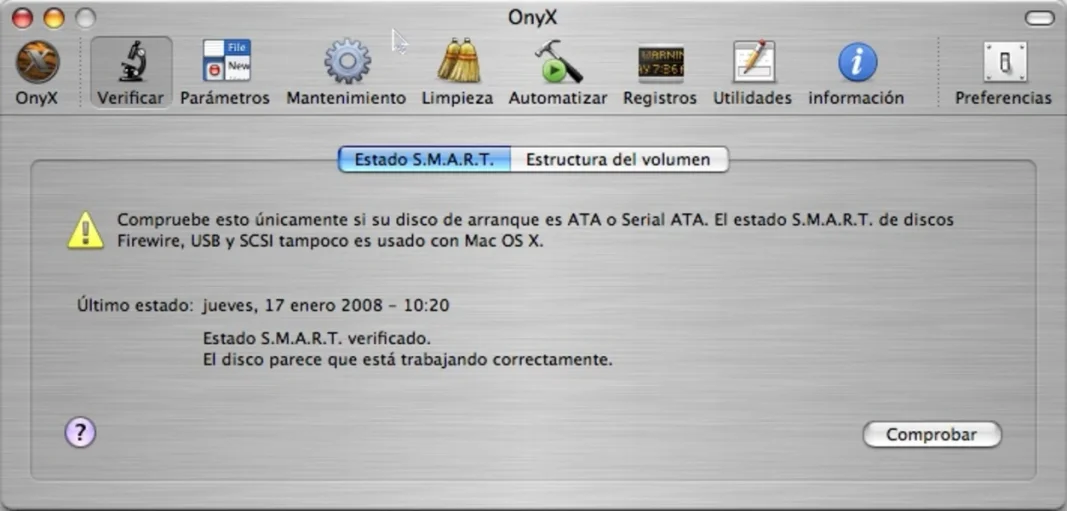
OnyX checks and repairs the parts of macOS that tend to slow down or misbehave. It verifies system permissions and checks the hard disk's start-up volume for errors. You can rebuild the Spotlight index when search stops returning what it should. The records section gives access to many reports generated by Mac, detailing tasks performed and any errors that occurred.

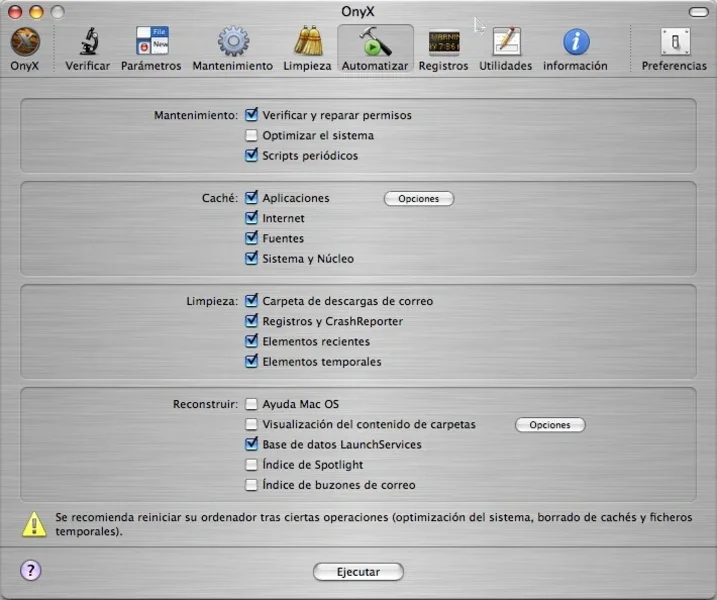
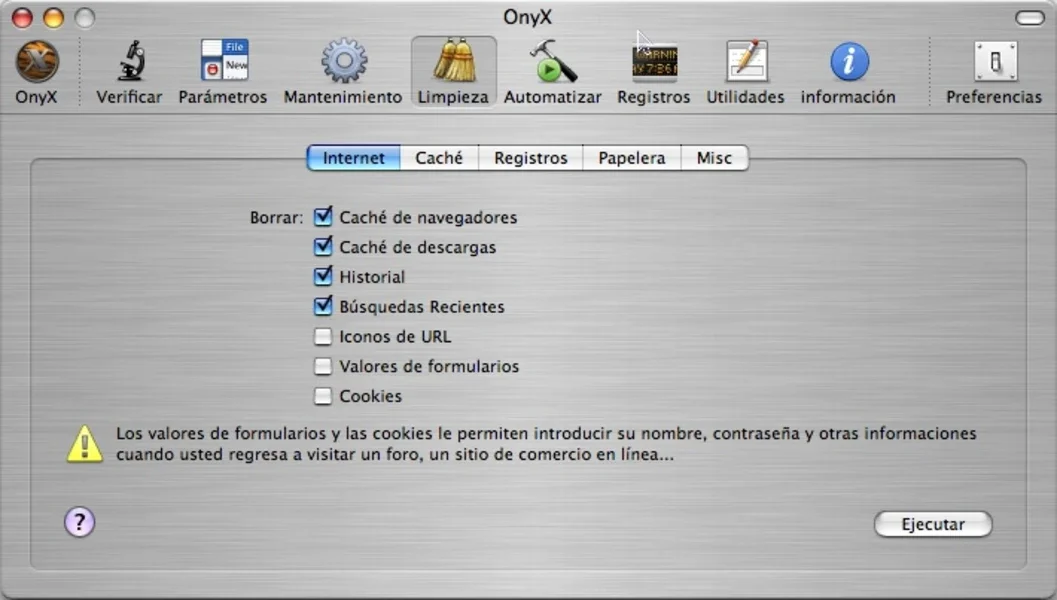
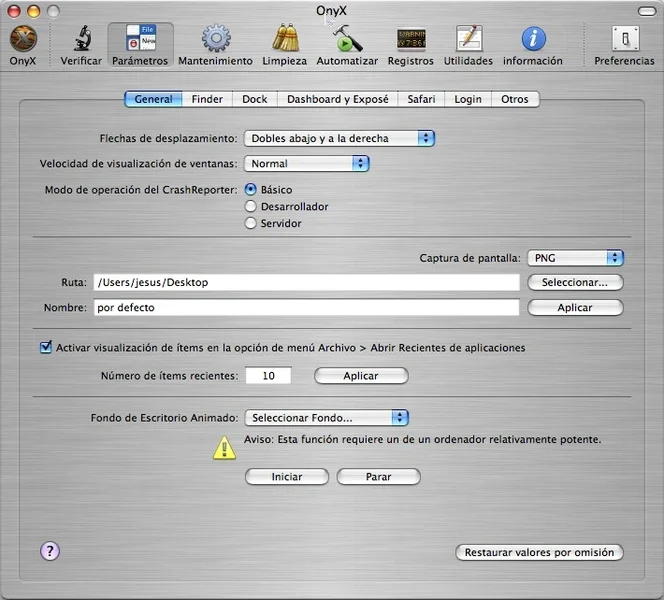
Housekeeping covers caches from browsers and other applications, and you can change where screenshots are saved and which format they use. In the Finder, it can raise or lower the window viewing speed. It can also turn off graphic effects.

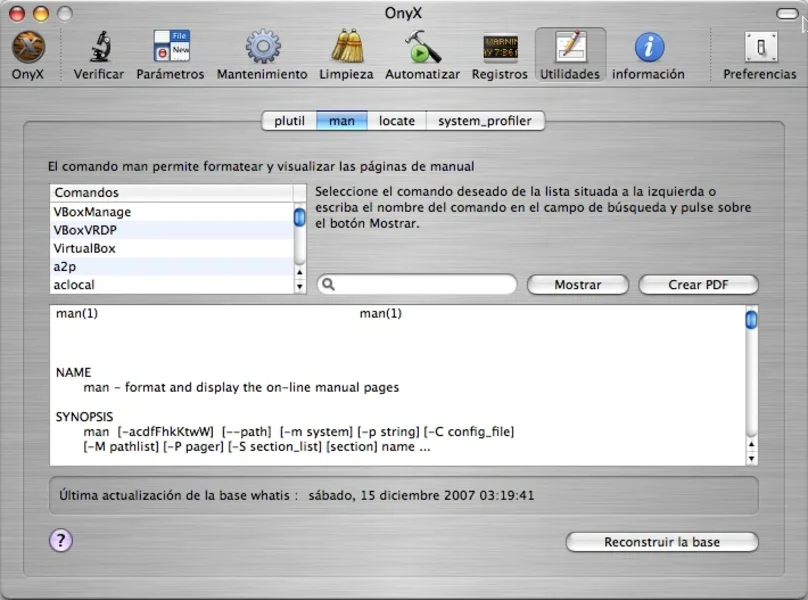
The information module shows data about the device's hardware and users. It has a free proprietary license from Titanium, and the latest version is 5.1.1.

[Release notes coming soon]

Version 5.0.1

Verify the file

Compare the SHA-256 of the file you downloaded with the value below. Files exactly as the publisher released them.

  • 5.0.1

    5.0.1 · DMG · 7.3 MB

    SHA-256

    78e0197f19b5d85434b6e8cba8c032f00bf0b8b69140daeb8e73964fb34698d3 Check on VirusTotal Get

Files exactly as the publisher released them.

Information

Seller
Titanium
Size
7.3 MB
Category
Maintenance
Compatibility
macOS Mac OS X or later
Languages
English and 4 more
Age rating
All ages
License
Proprietary
Price
Free

Version history

  • [Release notes coming soon]

    5.0.1
  • [Release notes coming soon]

    5.1.2
  • [Release notes coming soon]

    5.1.1
  • [Release notes coming soon]

    5.1.0
  • [Release notes coming soon]

    5.0.5
  • [Release notes coming soon]

    5.0.4
  • [Release notes coming soon]

    5.0.3
  • [Release notes coming soon]

    5.0.1
  • [Release notes coming soon]

    5.0.0
  • [Release notes coming soon]

    4.9.9
  • [Release notes coming soon]

    4.9.8
  • [Release notes coming soon]

    4.9.7
  • [Release notes coming soon]

    4.9.6
  • [Release notes coming soon]

    4.9.5
  • [Release notes coming soon]

    4.9.3
  • [Release notes coming soon]

    4.9.2
  • [Release notes coming soon]

    4.9.1
  • [Release notes coming soon]

    4.8.5
  • [Release notes coming soon]

    4.8.3
  • [Release notes coming soon]

    4.8.2
  • [Release notes coming soon]

    4.8.1
  • [Release notes coming soon]

    4.8.0
  • [Release notes coming soon]

    4.7.7
  • [Release notes coming soon]

    4.7.5
  • [Release notes coming soon]

    4.7.4
  • [Release notes coming soon]

    4.7.3
  • [Release notes coming soon]

    4.7.2
  • [Release notes coming soon]

    4.7.1
  • [Release notes coming soon]

    4.6.2
  • [Release notes coming soon]

    4.6.0
  • [Release notes coming soon]

    4.5.9
  • [Release notes coming soon]

    4.5.8
  • [Release notes coming soon]

    4.5.6
  • [Release notes coming soon]

    4.5.3
  • [Release notes coming soon]

    4.5.2
  • [Release notes coming soon]

    4.5.1
  • [Release notes coming soon]

    4.5.0
  • [Release notes coming soon]

    4.4.2
  • [Release notes coming soon]

    4.4.0
  • [Release notes coming soon]

    4.3.9
  • [Release notes coming soon]

    4.3.8
  • [Release notes coming soon]

    4.3.7
  • [Release notes coming soon]

    4.3.6
  • [Release notes coming soon]

    4.1.6
  • [Release notes coming soon]

    4.1.5
  • [Release notes coming soon]

    4.1.4
  • [Release notes coming soon]

    3.9.9
  • [Release notes coming soon]

    3.9.7
  • [Release notes coming soon]

    3.9.6
  • [Release notes coming soon]

    3.9.5

All versions ›