OpenRGB1.1 for macOS
Controls RGB lighting on a Mac from one interface
Free · GPL 2.0
You are on Windows — this is the macOS version. See the Windows version
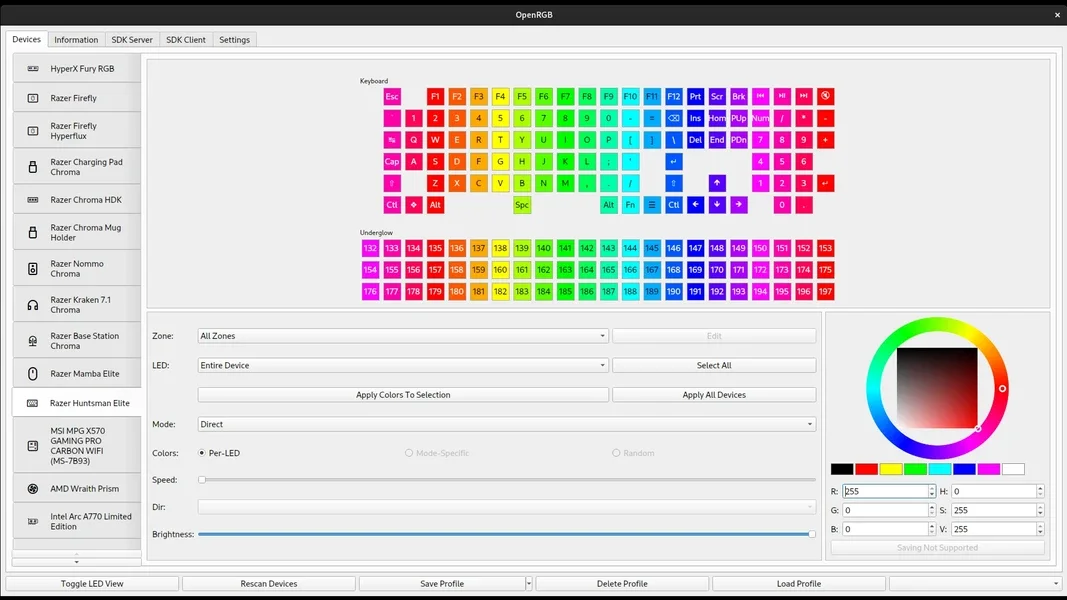
OpenRGB lets you control RGB devices on a Mac from a single interface, so you set colors in one place instead of juggling vendor tools. The main screen is where you build lighting profiles. To get color combinations right, you select the number of lights each component has. You can also add light effects that sync with the computer's sound. Save the configurations you like so you don't have to redo them.
Add-ons extend the program's features and let you manage more aspects of each component's RGB lighting. They download for free from the official website.
OpenRGB is open-source. A PC version is also available.
[Release notes coming soon]
Verify the file
Compare the SHA-256 of the file you downloaded with the value below. Files exactly as the publisher released them.
-
openrgb-1-1.zip
1.1 · ZIP · 42.4 MB
SHA-256
b370d3365eaae8b6a9217e7d1b1ffd5fb6ddffaaff3395fd3cac3673df83191fCheck on VirusTotal Get
Files exactly as the publisher released them.
Information
- Seller
- OpenRGB
- Size
- 42.4 MB
- Category
- Maintenance
- Compatibility
macOS 10.4 Tiger or later
- Languages
Afrikaans and 47 more
- Afrikaans, Amharic, Arabic, Armenian, Belarusian, Bulgarian, Catalan, Chinese, Croatian, Czech, Danish, Dutch, English, Estonian, Farsi, Finnish, French, German, Greek, Hebrew, Hindi, Hungarian, Icelandic, Indonesian, Italian, Japanese, Kazakh, Korean, Latvian, Lithuanian, Malay, Norwegian, Polish, Portuguese, Romanian, Russian, Serbian, Slovak, Slovenian, Spanish, Swahili, Swedish, Tagalog, Thai, Turkish, Ukrainian, Vietnamese, Zulu
- Age rating
- All ages
- License
- GPL 2.0
- Price
- Free
- Platform
- Also available on Windows