- Classificação etária4+
- CategoriaUtilidades
- DesenvolvedorYasuko Shikiuchi
- IdiomasInglêse mais 1
- Tamanho12,0 MB
Leva à página oficial na App Store
O Download.org não hospeda nenhum arquivo de DeferDeck. O botão abre a página do app na App Store, onde Yasuko Shikiuchi o publica. Página verificada pela última vez em 17/11/2026.
Capturas de tela

Sobre
O desenvolvedor não forneceu este texto no seu idioma.
Organizing your photos has never been easier.
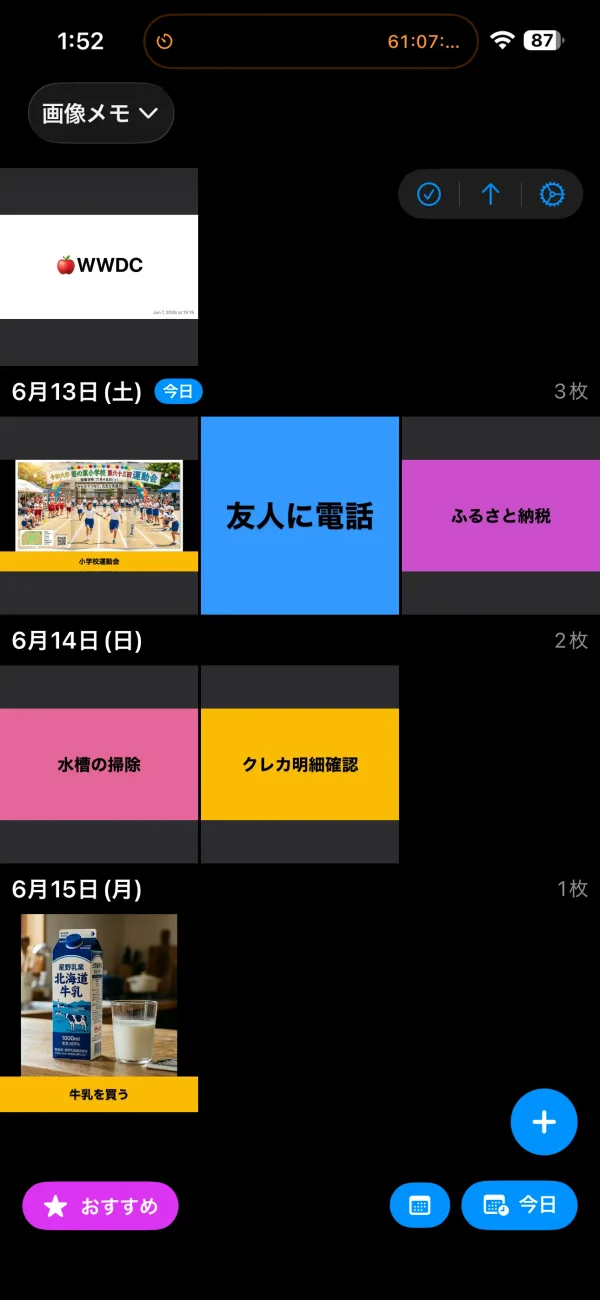
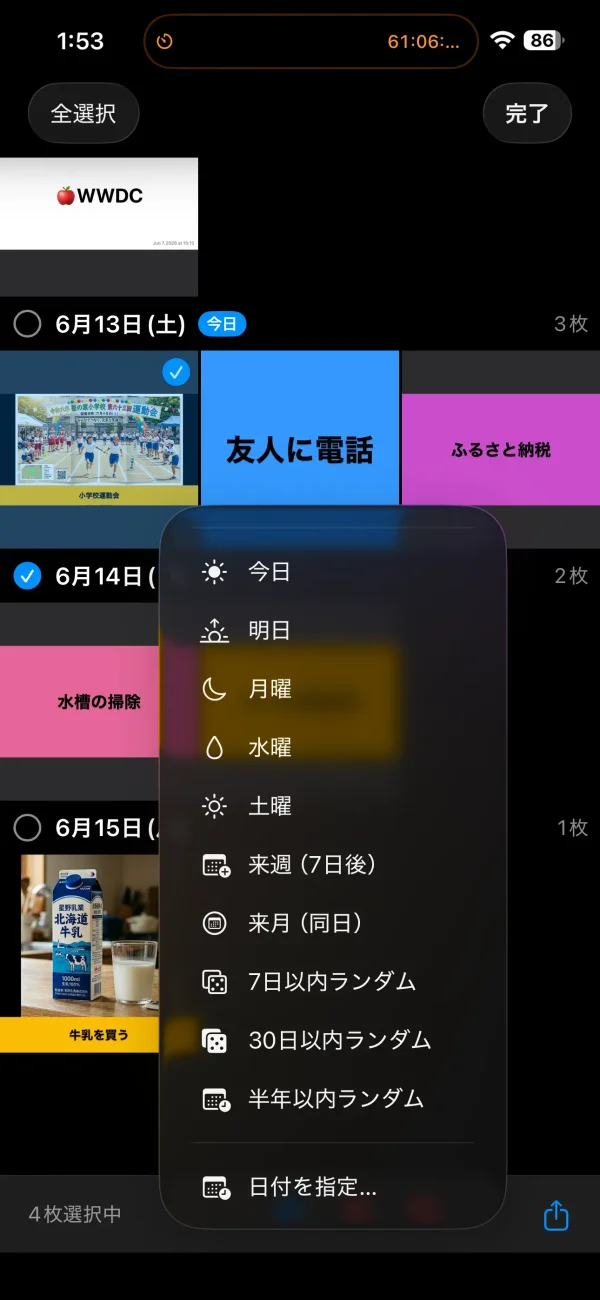
DeferDeck lays out your Photo Library albums in clean, date-by-date sections—your "deck"—so you can organize, browse, and even defer photos to the future, all in one simple place.
**What you can do**
Clear out screenshots in bulk
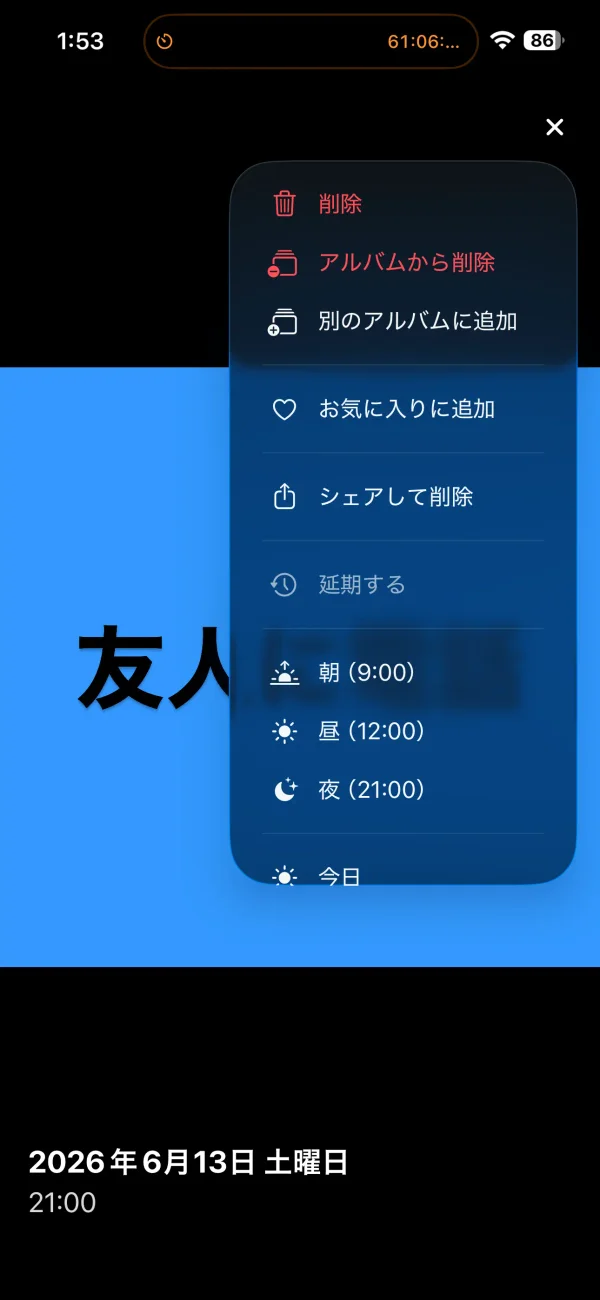
Select all those piled-up screenshots at once and delete them in a tap. Align several photos to the same date or move them into other albums together—no more one-by-one. Got a photo to send a friend? Share & Delete shares it and tidies up in a single step.
Turn images into reminders
A sale flyer, a school-event pamphlet, a concert announcement—just set a photo's date to the day it matters, and it'll quietly catch your eye every time you open Photos. Anything you'd rather handle later? Defer it to tomorrow, next Saturday, next month, a specific time of day, or even a random future date. Deferred by mistake? Undo it right after, straight from the toast.
Build daily routines
Add a photo to Routine and its date rolls forward to today automatically, every day—perfect for a medication note, a stretching routine, or anything you want in front of you daily. Check or remove routine photos anytime from Quick Access.
Copy text from screenshots
A Wi-Fi password, an order number, a URL—copy any text you spot in a screenshot straight from the detail view, no retyping required.
Create images with text
Tap the + button and choose Create Memo to turn a note into a photo. Add a label and it's automatically filed into a matching album, so it's easy to find later.
Relive your memories
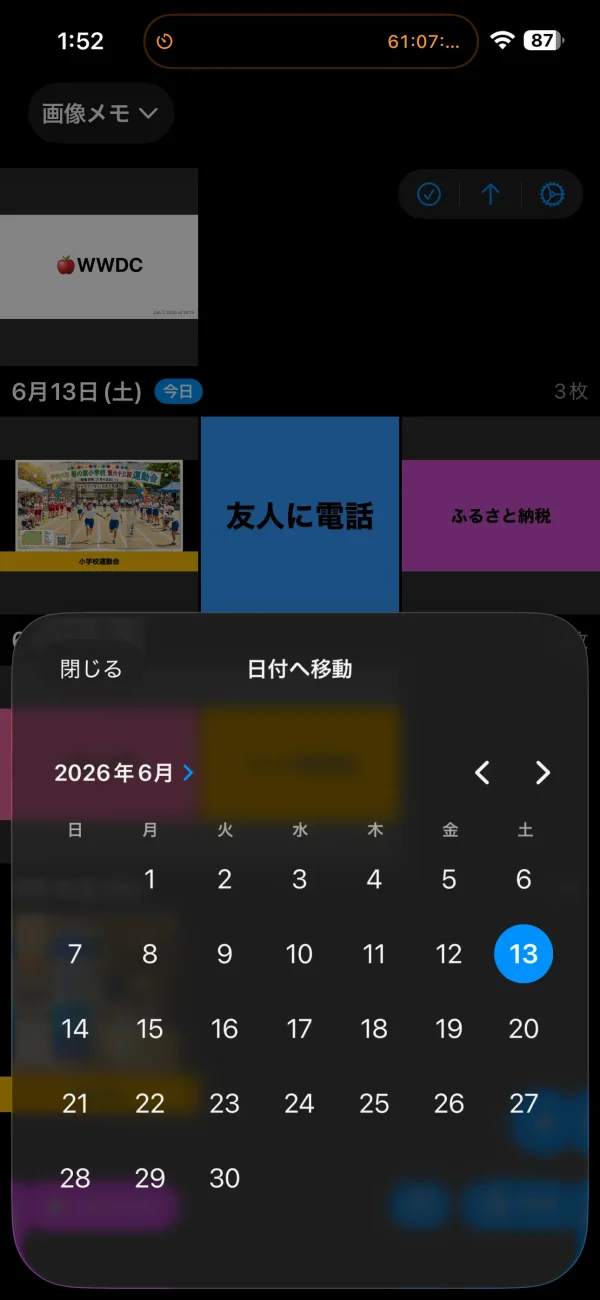
Open an album from a trip or a special day, choose a date, and jump straight to that day's photos. The moments you're looking for, right at your fingertips.
**Key features**
- Albums shown in date-by-date sections
- One-tap jump to any date
- Bulk select, delete, and add to albums
- Share & Delete—share and organize at once
- Batch-change or defer photo dates, with time-of-day and random options
- Undo a postpone right after you make it
- Routine photos roll forward to today automatically
- Copy text from screenshots in one tap
- Create text images, auto-filed by label
Novidades
Versão 1.0.22 · 21/10/2026
- Improved stability
Privacidade do app
O que Yasuko Shikiuchi declara na App Store sobre como este app lida com os dados.
-
Dados usados para rastrear você
Podem ser usados para rastrear você em apps e sites de outras empresas.
- Identificadores
- Dados de uso
-
Dados vinculados a você
Podem ser coletados e vinculados à sua identidade.
- Identificadores
-
Dados não vinculados a você
Podem ser coletados, mas não são vinculados à sua identidade.
- Dados de uso
- Diagnóstico
As práticas de privacidade podem variar, por exemplo, com base nos recursos que você usa ou na sua idade.
Informações
- Vendedor
- Yasuko Shikiuchi
- Categoria
- Utilidades
- Versão
- 1.0.22
- Atualizado
- 21/10/2026
- Lançamento
- 18/06/2026
- Tamanho
- 12,0 MB
- Requer
- iOS 18.0 ou posterior
- Classificação etária
- 4+
- Preço
- Grátis
- Idiomas
- Inglês, Japonês
- Copyright
- © yaas.jp 2026
Você também pode gostar
-
 ScreenPenguin: Photo OrganizerUtilidades
-
 New ToDo List & Tasks & PhotoUtilidades
-
 ImageBlocker: Contents BlockerUtilidades
-
 Wristwatch calendarUtilidades
-
 Tagged Notes App - Tag PadUtilidades
-
 Multi Counter - Acima abaixoCrie contador acima abaixo
-
 VisiMarks: Bookmark ManagerUtilidades
-
 CIO 公式アプリUtilidades
-
 EZ Sign(TM) NFCUtilidades
-
 裁判官マップUtilidades