edEdit – Markdown & Notes
Markdown, Code, and Notes
Projetado para iPhone, iPad
Grátis · Compras no app
- Classificação etária4+
- CategoriaUtilidades
- DesenvolvedorCHING FENG WANG
- IdiomasChinês tradicionale mais 4
- Tamanho17,1 MB
Leva à página oficial na App Store
O Download.org não hospeda nenhum arquivo de edEdit – Markdown & Notes. O botão abre a página do app na App Store, onde CHING FENG WANG o publica. Página verificada pela última vez em 08/11/2026.
Capturas de tela


Sobre
O desenvolvedor não forneceu este texto no seu idioma.
edEdit is a native text editor for Mac and iPhone/iPad that brings notes, Markdown, and source code editing into one app.
WHY edEdit
• Truly native: AppKit on macOS, SwiftUI on iOS — no web view sluggishness.
• Consistent across platforms: your notes and files sync between Mac, iPhone, and iPad via iCloud.
• Standard file formats only: everything is .md / .txt / .swift / .json — open elsewhere whenever you want.
KEY FEATURES
Notes — Apple Notes-style organization, with plain Markdown content:
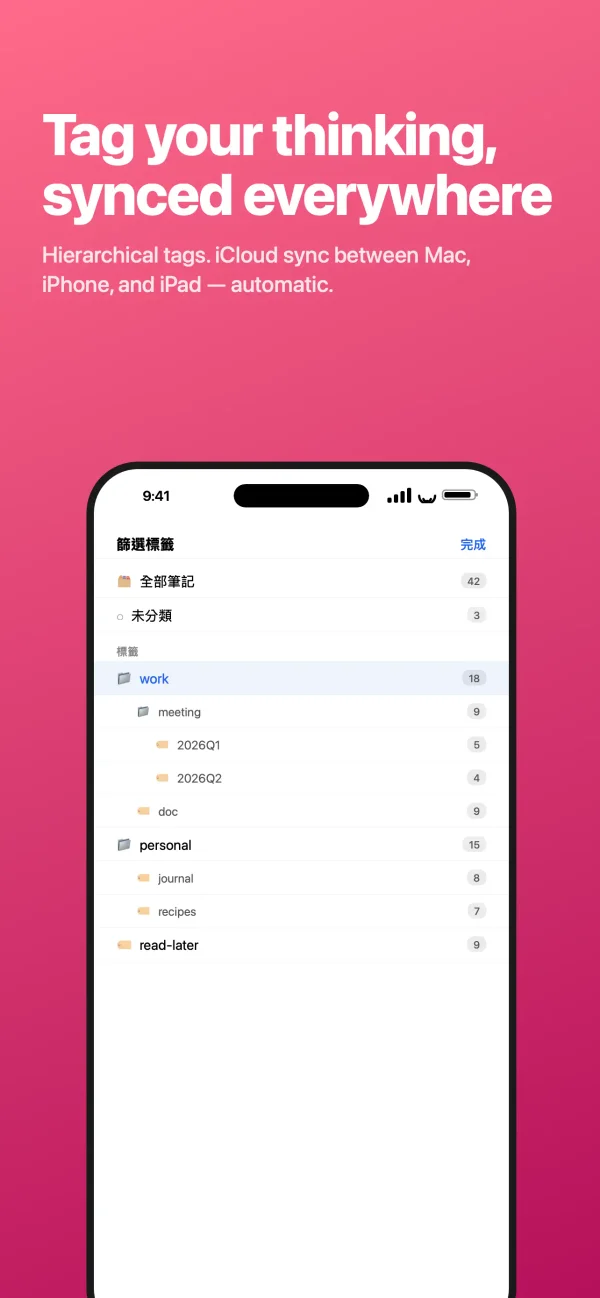
• Hierarchical tags (work/meeting/2026Q1)
• iCloud sync across devices
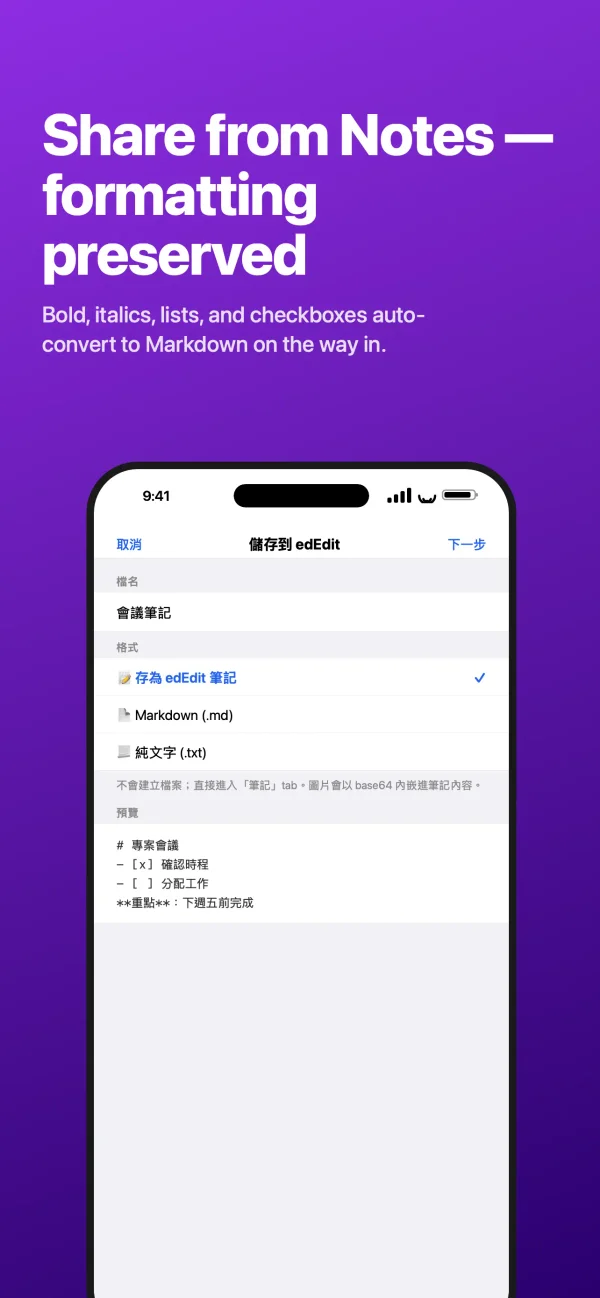
• Share from Apple Notes and we'll auto-convert formatting to Markdown — bold, italic, headings, lists, and checklists are preserved.
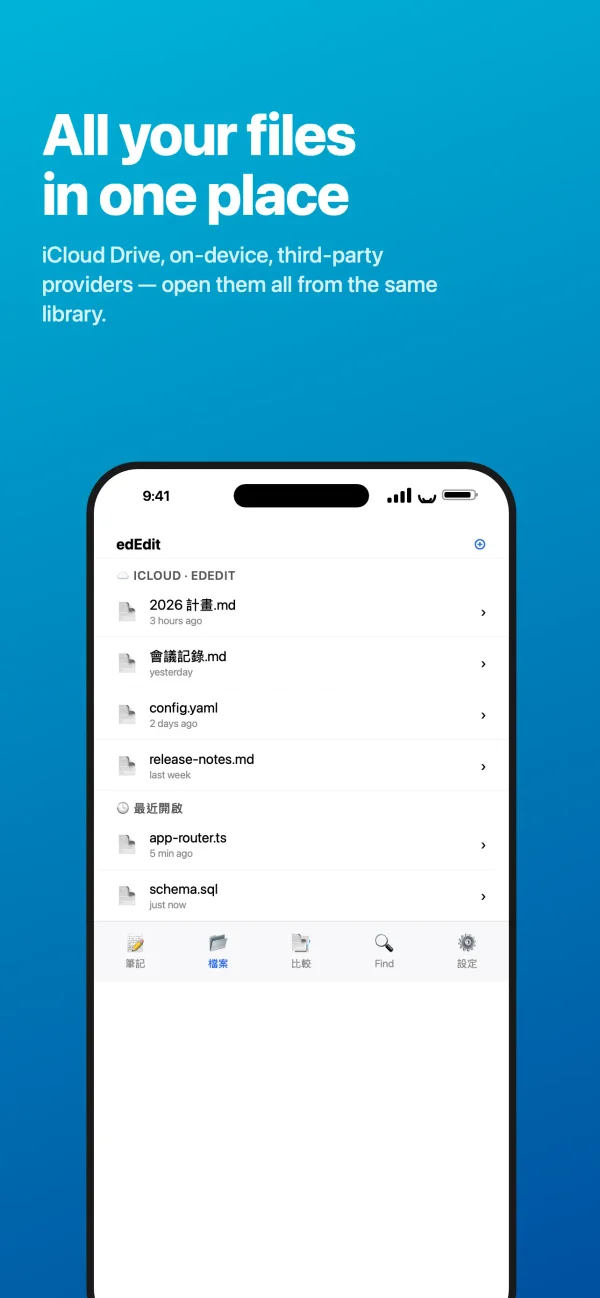
Files — Open and edit any text file on your device:
• Pull from the Files app, iCloud Drive, On My iPhone, or any provider
• Automatic encoding detection (UTF-8, Big5, Shift-JIS, GB18030, …)
• Syntax highlighting for Swift, JavaScript, TypeScript, Python, Go, Rust, C/C++, Java, HTML, JSON, YAML, Shell, Markdown, and more
• Line numbers, light and dark themes
• Save edits back to the original location
iCloud Drive integration — Automatically creates an "edEdit" folder in iCloud Drive that syncs across all your devices.
Dedicated Markdown editing:
• Keyboard accessory bar: headings, bold, italic, lists, tasks, quotes, links, images
• Hardware keyboard shortcuts: ⌘B (bold) / ⌘I (italic) / ⌘K (link) / ⌘E (code) / ⌘1-6 (headings)
• Smart list continuation: pressing Enter in a list line auto-continues; pressing Enter on an empty item exits the list
• Paste an image straight from the clipboard — we save it next to the .md file and insert a Markdown reference
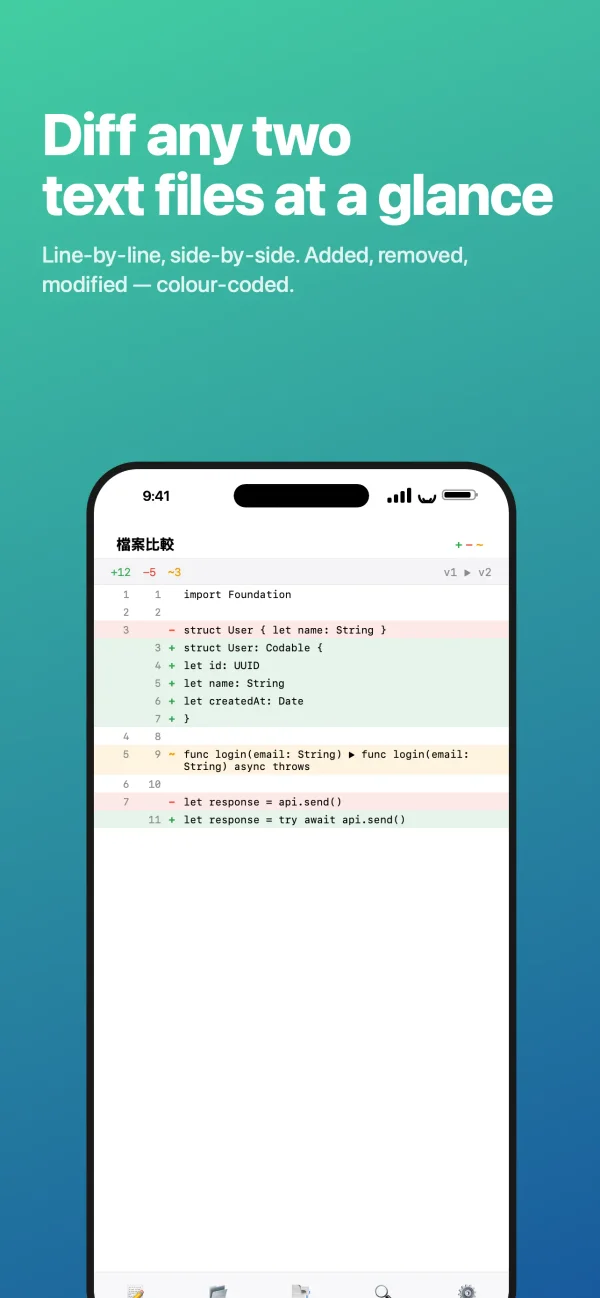
File compare — Visualize the differences between two files line-by-line, with added/removed/modified highlights.
Find in Files — Recursively search a folder you pick, filterable by filename glob.
Share & print — Built-in ShareLink, with AirPrint support.
WHO IT'S FOR
• Developers writing docs, reading logs, editing config files
• Writers using Markdown for blog posts and drafts
• Anyone who wants their files to stay theirs — no proprietary lock-in
• People who switch between editing on Mac and quick capture on iPhone
PRIVACY & COMPLIANCE
• Notes, files, and images stay on your device or in your own iCloud — our servers never see them
• Free tier includes ads served by Google AdMob (shown on app launch and occasionally when closing the note editor)
• Upgrade to Pro to remove all ads
Novidades
Versão 1.3 · 24/06/2026
1. Bugs fixed
2. Enable CSV file previewing and adjusting column width and height
Privacidade do app
O que CHING FENG WANG declara na App Store sobre como este app lida com os dados.
-
Dados usados para rastrear você
Podem ser usados para rastrear você em apps e sites de outras empresas.
- Identificadores
- Dados de uso
-
Dados vinculados a você
Podem ser coletados e vinculados à sua identidade.
- Compras
- Conteúdo do usuário
-
Dados não vinculados a você
Podem ser coletados, mas não são vinculados à sua identidade.
- Identificadores
- Dados de uso
- Diagnóstico
As práticas de privacidade podem variar, por exemplo, com base nos recursos que você usa ou na sua idade.
Informações
- Vendedor
- CHING FENG WANG
- Categoria
- Utilidades
- Versão
- 1.3
- Atualizado
- 24/06/2026
- Lançamento
- 13/05/2026
- Tamanho
- 17,1 MB
- Requer
- iOS 17.0 ou posterior
- Classificação etária
- 4+
- Preço
- Grátis
- Compras no app
- Sim
- Idiomas
- Chinês tradicional, Japonês, Chinês simplificado, Inglês, Coreano
- Copyright
- © MomoSoft