- Classificação etária4+
- CategoriaNegócios
- DesenvolvedorDM Design
- IdiomasInglêse mais 6
- Tamanho63,6 MB
Leva à página oficial na App Store
O Download.org não hospeda nenhum arquivo de Week Timer. O botão abre a página do app na App Store, onde DM Design o publica. Página verificada pela última vez em 12/11/2026.
Capturas de tela

Sobre
O desenvolvedor não forneceu este texto no seu idioma.
Check In, Check Out, Select & Send...
- It’s that simple.
+ + + + Macworld.se
"Convenient help for reporting your time"
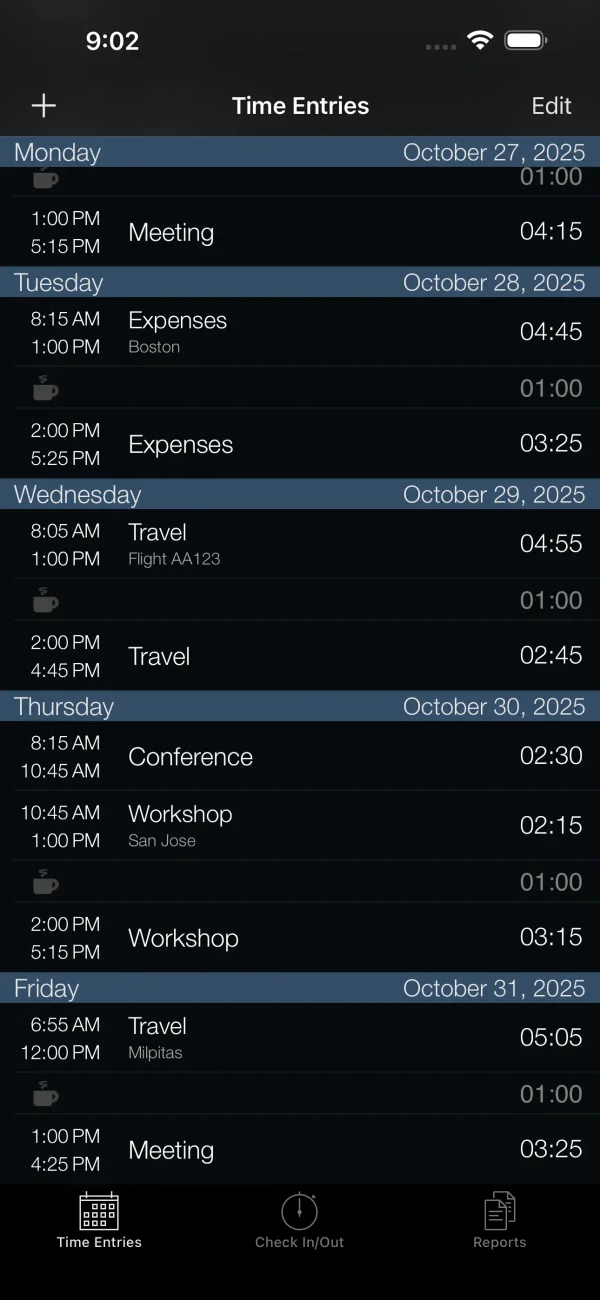
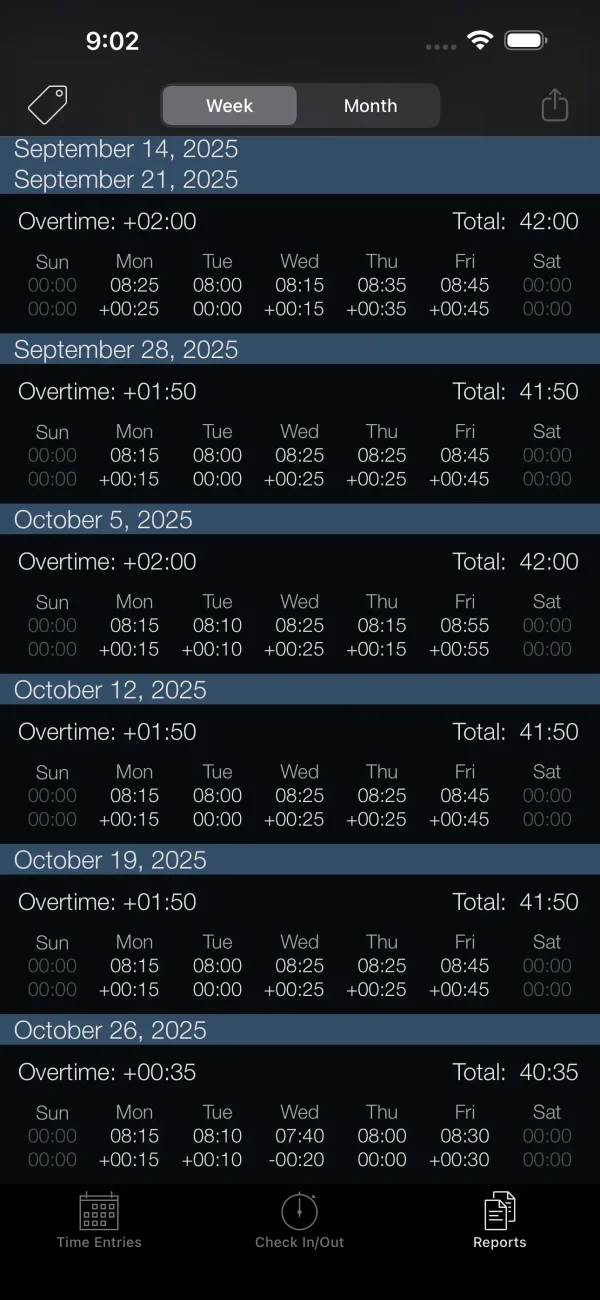
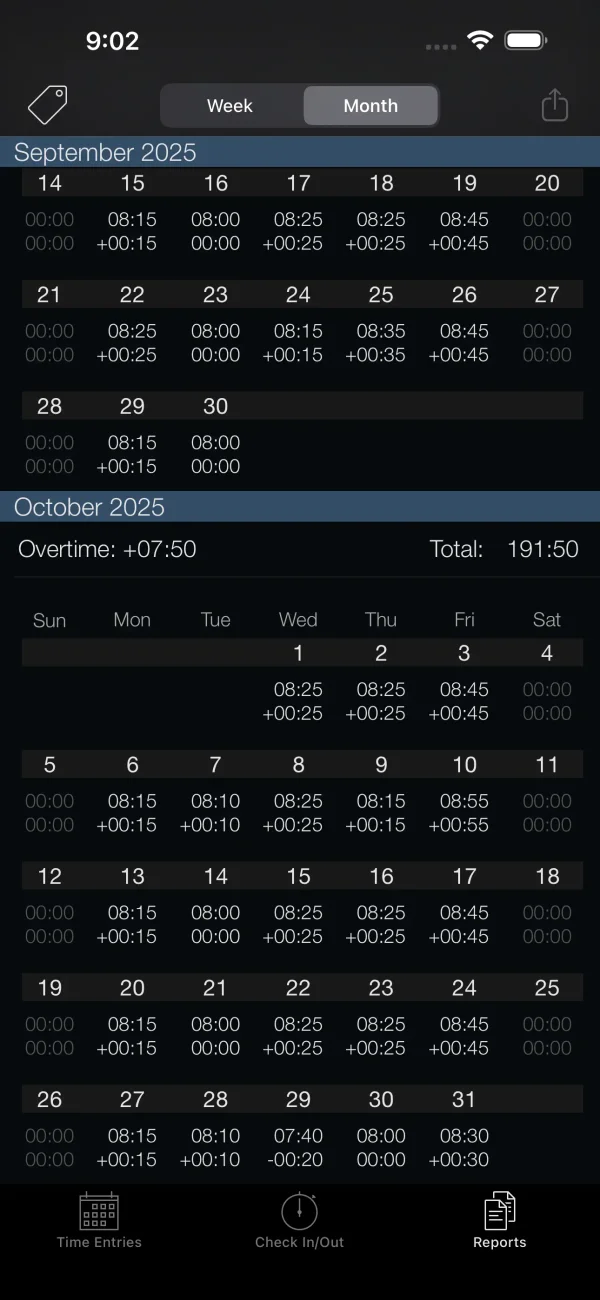
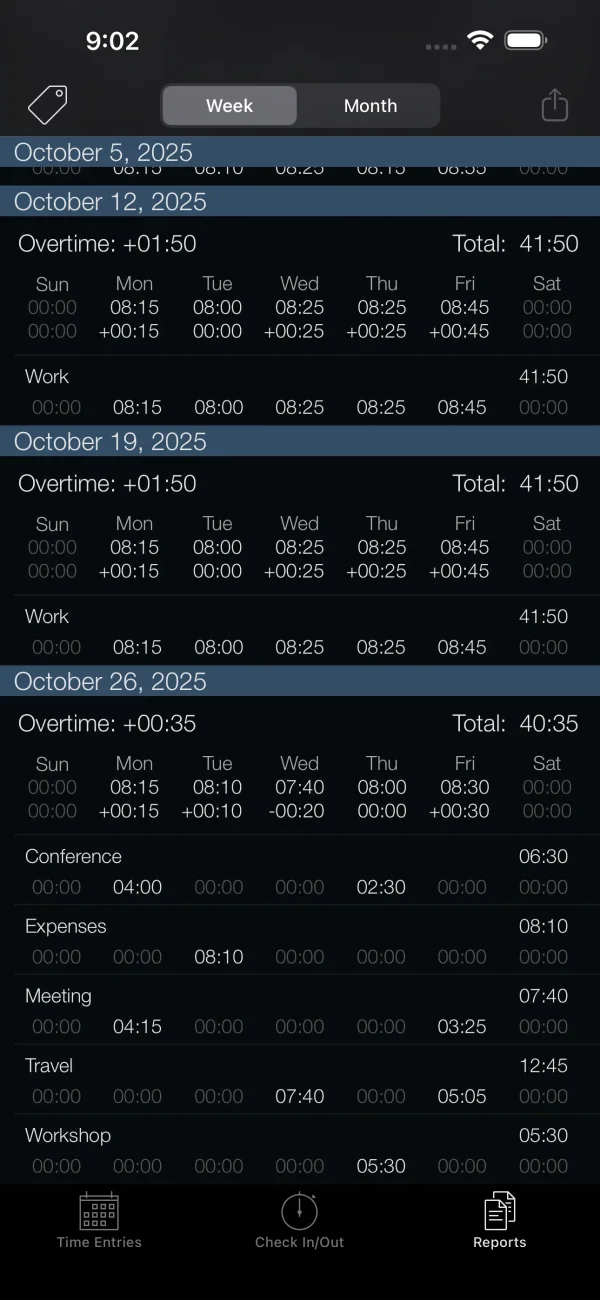
Simply check in when you arrive, check out when you leave and track your work time totals on a daily basis. At the end of the week or month select one or more reports and email them to your work so you can update your timesheet in an efficient manner using either the text (HTML) or spreadsheet (CSV) format.
Features: (followed by some Tips below!)
▸ Streamlined design to efficiently track your time
▸ Day and week hours overview at a glance
▸ Easy export by email both in text (HTML) and spreadsheet (CSV) format
▸ Tags to easily categorize hours in reports
▸ Lunchtime “set and forget”
▸ Decimal or minute notation in reports so you don't need to convert durations yourself e.g. 08.75 vs 08:45
▸ Week number support (European & US)*
▸ Timer runs in background
▸ Icon badge on home screen
▸ Overtime tracking on daily, weekly and monthly basis
▸ Predicted check out time
▸ Irregular daily target hours supported
▸ First day of week automatically set based on location, but can be customized
▸ Tap timer to toggle between overtime, time today, and time since last check in
▸ Quickedit for smooth adjustments of your latest check in, just slide up or down
▸ Tag Quick-Switching: switch a tag in 2 simple taps!
▸ Notes so no details are forgotten
▸ Check out reminders, so you don’t forget to go home...
▸ Backup and restore to easily transfer your data to a new device
▸ Photo themes to personalize your app in a beautiful way
* Week numbers can be disabled in settings if desired
Tips!
• Archive any Tags that you no longer use to shorten your tag list
• Tap the title bar of the timer to pre-select or quick switch a tag.
• Slide your finger to the right on a break or time entry to delete it
• Sort your Tags in your preferred order for quick access using the custom button in the tag list view
• Did you know you can select more than one week at a time and send it by email?
• Customize your screen with your own photo!
Check out the website for some more details and screenshots!
http://www.dmdesign.se
Novidades
Versão 3.8.3 · 26/01/2026
Bug fixes
Privacidade do app
O que DM Design declara na App Store sobre como este app lida com os dados.
-
Dados não coletados
O desenvolvedor não coleta nenhum dado deste app.
As práticas de privacidade podem variar, por exemplo, com base nos recursos que você usa ou na sua idade.
Informações
- Vendedor
- DM Design
- Categoria
- Negócios
- Versão
- 3.8.3
- Atualizado
- 26/01/2026
- Lançamento
- 10/11/2010
- Tamanho
- 63,6 MB
- Requer
- iOS 15.6 ou posterior
- Classificação etária
- 4+
- Preço
- R$ 19,90
- Idiomas
- Inglês, Holandês, Francês, Alemão, Italiano, Espanhol, Sueco
- Copyright
- © 2026 DM Design