Week Timer
Simple Work Hours Tracker
Được thiết kế cho iPhone, iPod touch
99.000đ
- Độ tuổi4+
- Danh mụcKinh Doanh
- Nhà phát triểnDM Design
- Ngôn ngữTiếng Anh+ 6 ngôn ngữ khác
- Kích thước63,6 MB
Liên kết đến trang App Store chính thức
Download.org không lưu trữ tệp nào của Week Timer. Nút này mở trang ứng dụng trên App Store, nơi DM Design phát hành ứng dụng. Trang được kiểm tra lần cuối: 12/11/2026.
Ảnh chụp màn hình

Giới thiệu
Nhà phát triển chưa cung cấp nội dung này bằng ngôn ngữ của bạn.
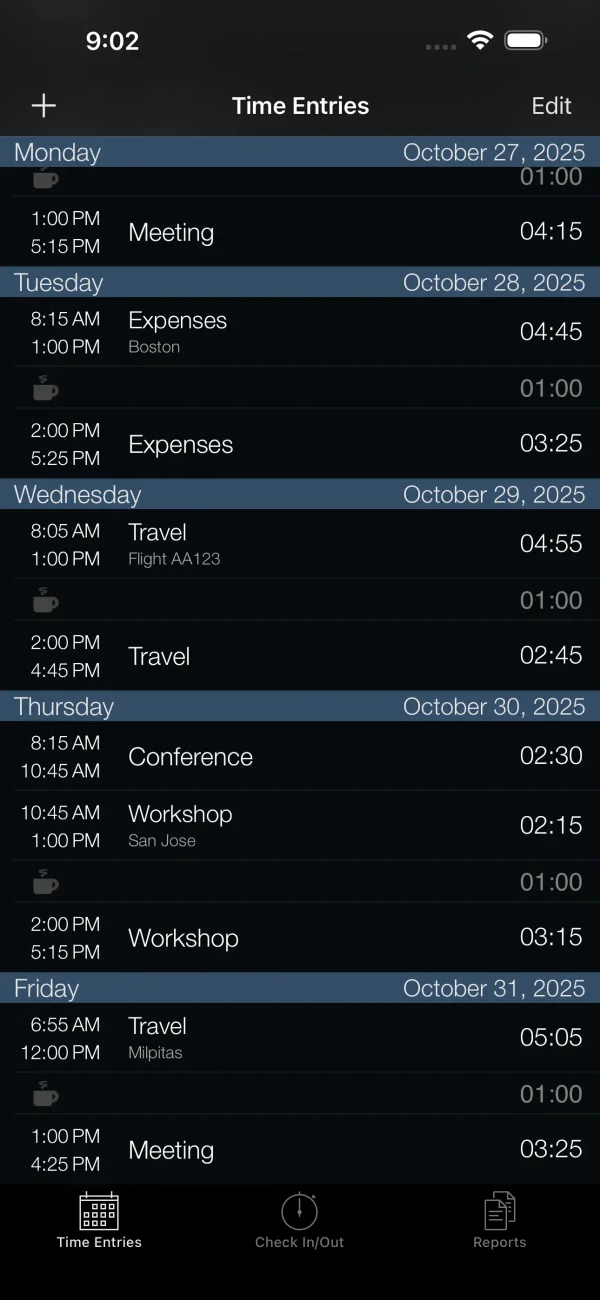
Check In, Check Out, Select & Send...
- It’s that simple.
+ + + + Macworld.se
"Convenient help for reporting your time"
Simply check in when you arrive, check out when you leave and track your work time totals on a daily basis. At the end of the week or month select one or more reports and email them to your work so you can update your timesheet in an efficient manner using either the text (HTML) or spreadsheet (CSV) format.
Features: (followed by some Tips below!)
▸ Streamlined design to efficiently track your time
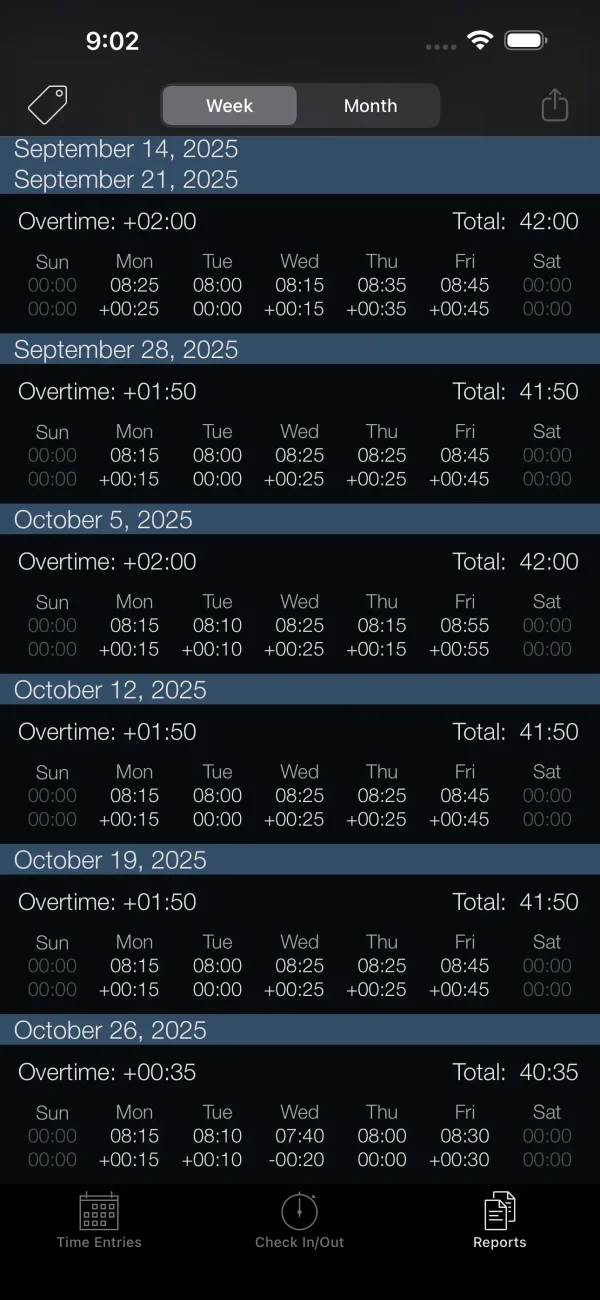
▸ Day and week hours overview at a glance
▸ Easy export by email both in text (HTML) and spreadsheet (CSV) format
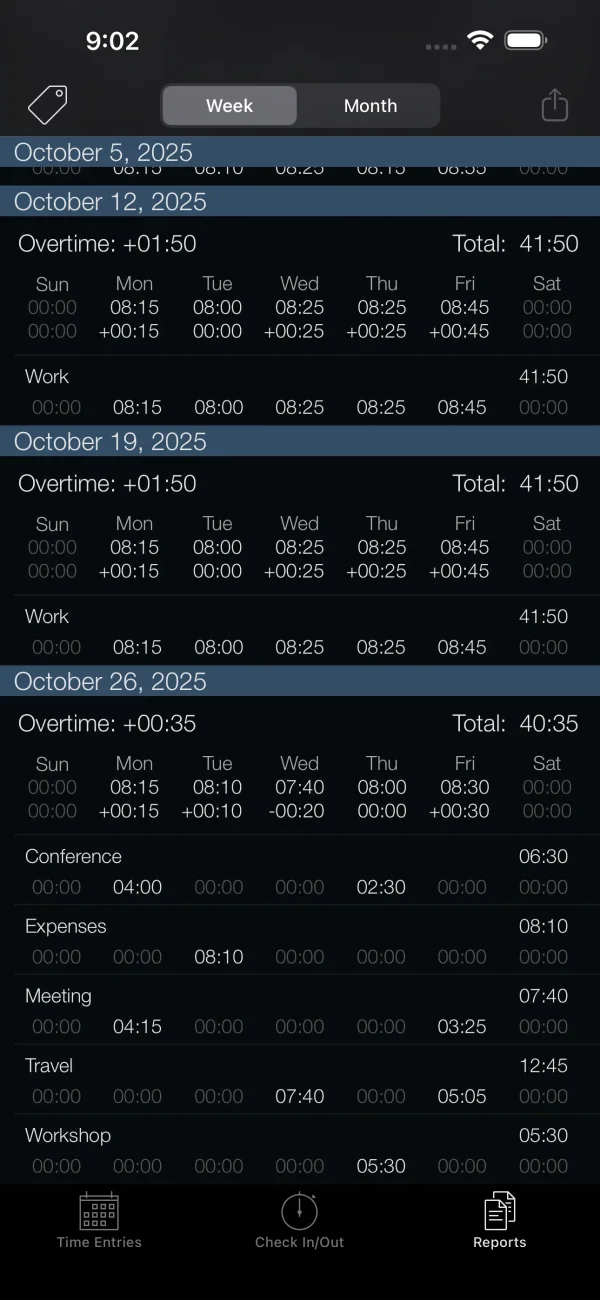
▸ Tags to easily categorize hours in reports
▸ Lunchtime “set and forget”
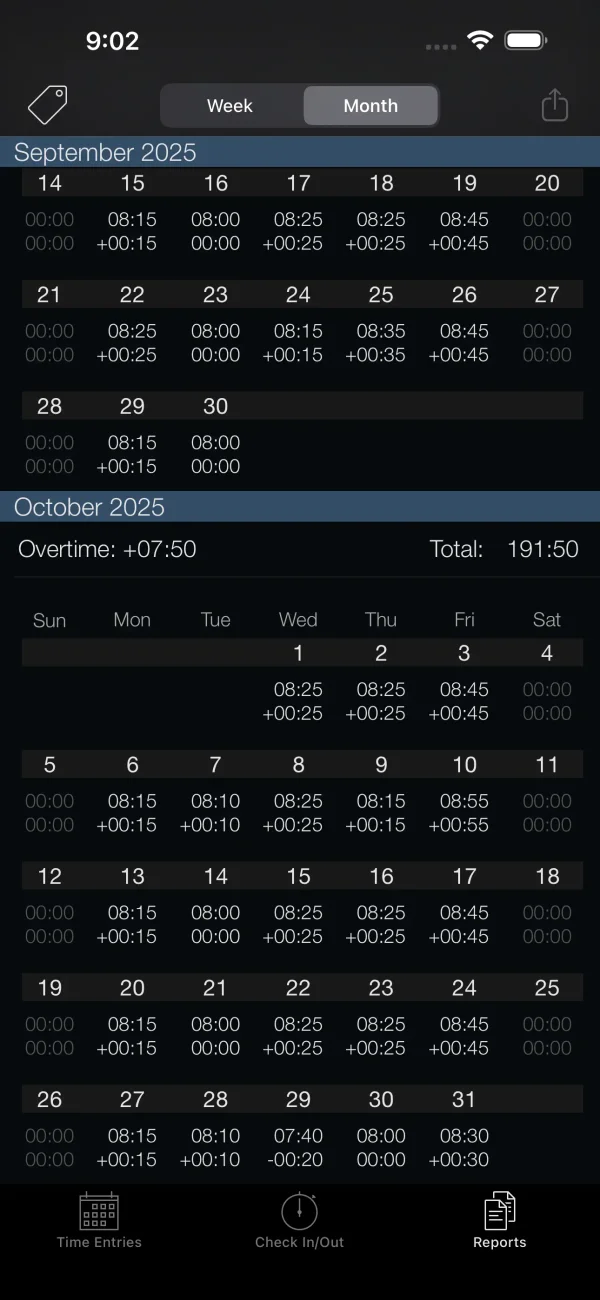
▸ Decimal or minute notation in reports so you don't need to convert durations yourself e.g. 08.75 vs 08:45
▸ Week number support (European & US)*
▸ Timer runs in background
▸ Icon badge on home screen
▸ Overtime tracking on daily, weekly and monthly basis
▸ Predicted check out time
▸ Irregular daily target hours supported
▸ First day of week automatically set based on location, but can be customized
▸ Tap timer to toggle between overtime, time today, and time since last check in
▸ Quickedit for smooth adjustments of your latest check in, just slide up or down
▸ Tag Quick-Switching: switch a tag in 2 simple taps!
▸ Notes so no details are forgotten
▸ Check out reminders, so you don’t forget to go home...
▸ Backup and restore to easily transfer your data to a new device
▸ Photo themes to personalize your app in a beautiful way
* Week numbers can be disabled in settings if desired
Tips!
• Archive any Tags that you no longer use to shorten your tag list
• Tap the title bar of the timer to pre-select or quick switch a tag.
• Slide your finger to the right on a break or time entry to delete it
• Sort your Tags in your preferred order for quick access using the custom button in the tag list view
• Did you know you can select more than one week at a time and send it by email?
• Customize your screen with your own photo!
Check out the website for some more details and screenshots!
http://www.dmdesign.se
Có gì mới
Phiên bản 3.8.3 · 26/01/2026
Bug fixes
Quyền riêng tư của ứng dụng
Những gì DM Design khai báo trên App Store về cách ứng dụng này xử lý dữ liệu.
-
Dữ liệu không được thu thập
Nhà phát triển không thu thập bất kỳ dữ liệu nào từ ứng dụng này.
Phương thức đảm bảo quyền riêng tư có thể khác nhau, chẳng hạn như tuỳ theo các tính năng bạn sử dụng hoặc độ tuổi của bạn.
Thông tin
- Người bán
- DM Design
- Danh mục
- Kinh Doanh
- Phiên bản
- 3.8.3
- Cập nhật
- 26/01/2026
- Phát hành
- 10/11/2010
- Kích thước
- 63,6 MB
- Yêu cầu
- iOS 15.6 trở lên
- Độ tuổi
- 4+
- Giá
- 99.000đ
- Ngôn ngữ
- Tiếng Anh, Tiếng Hà Lan, Tiếng Pháp, Tiếng Đức, Tiếng Ý, Tiếng Tây Ban Nha, Tiếng Thụy Điển
- Bản quyền
- © 2026 DM Design