
Camera for OBS Studio
Turn your device into a webcam
iPhone, iPad için tasarlandı
Ücretsiz · Uygulama içi satın alma
- Yaş sınırı4+
- KategoriÜretkenlik
- GeliştiriciLoft Labs Interactive Inc
- Dillerİngilizce
- Boyut24,5 MB
Resmi App Store sayfasına bağlanır
Download.org, Camera for OBS Studio için hiçbir dosya barındırmaz. Düğme, uygulamanın App Store üzerindeki sayfasını açar; uygulamayı orada Loft Labs Interactive Inc yayınlar. Sayfanın son kontrolü: 22.11.2026.
Ekran görüntüleri

Hakkında
Geliştirici bu metni dilinizde sunmamış.
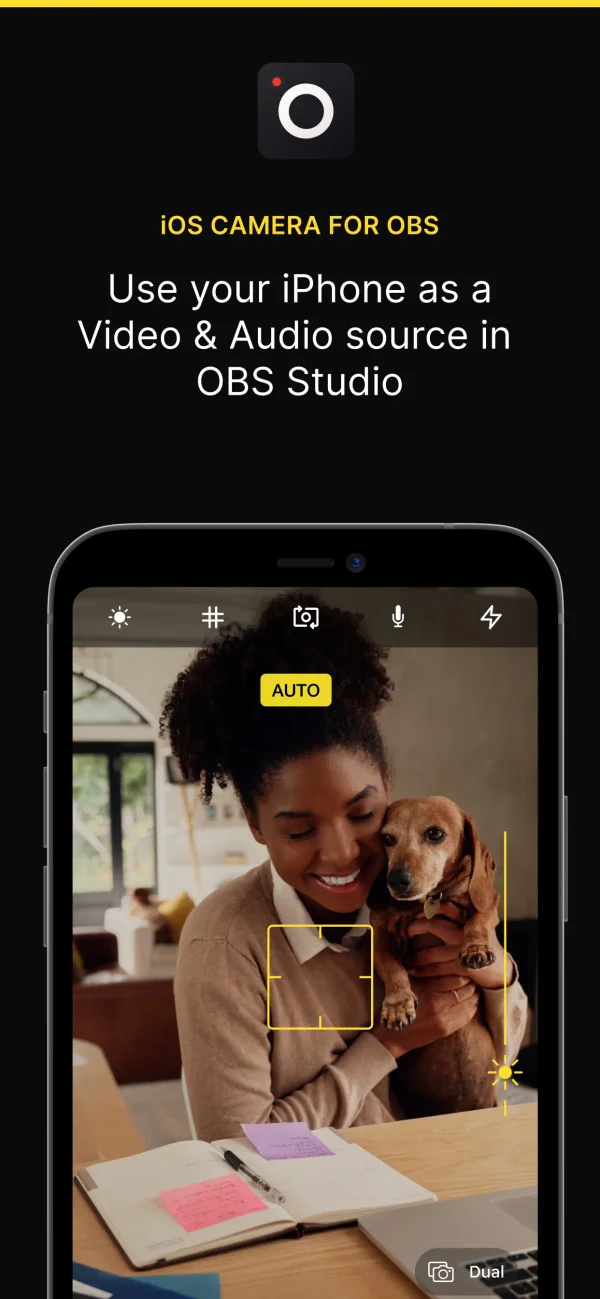
If you've ever wanted to use your iPhone camera as a video & audio input to stream using OBS Studio, we've got you covered. We've tried all the apps that let you do it over WiFi, but they're not fast enough, so we also allow you to use a wired USB connection.
The original one.
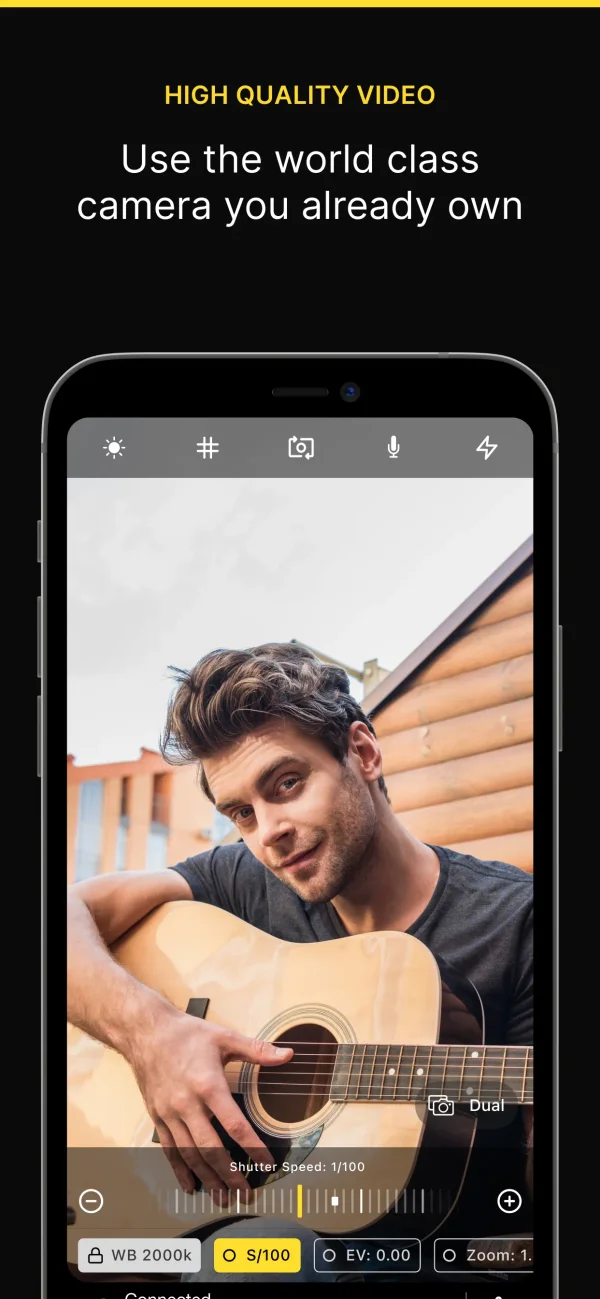
QUALITY VIDEO
Your iPhone/iPad camera's are good, really good. In fact, there’s no comparison between the highly recommended streaming webcam, the Logitech C922 HD Pro and the iPhone 6 Camera. Stream Landscape or Portrait video.
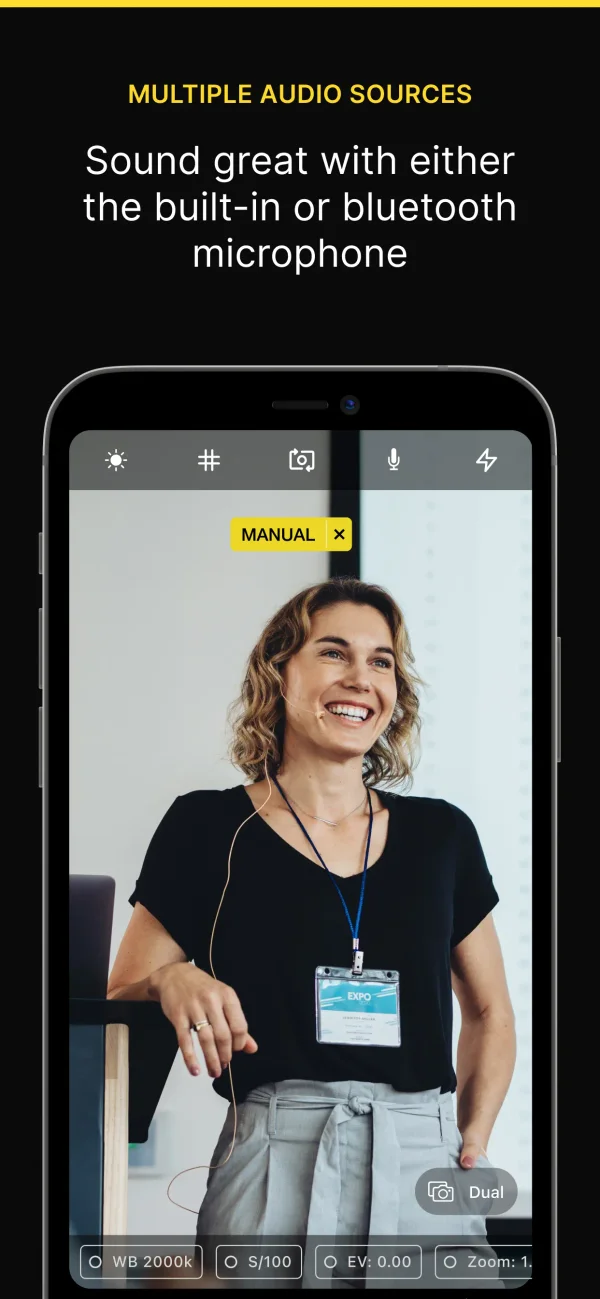
AUDIO
If you don't have a separate mic for your streaming setup, you can now use the microphone on your iOS device to stream audio & video.
FRONT CAMERA
Stream a selfie with the front camera support. Switch anytime during the stream with the familiar camera switch button.
TAP TO FOCUS, PINCH TO ZOOM
Controls just like you're used to from the Camera app.
MANUAL CONTROLS
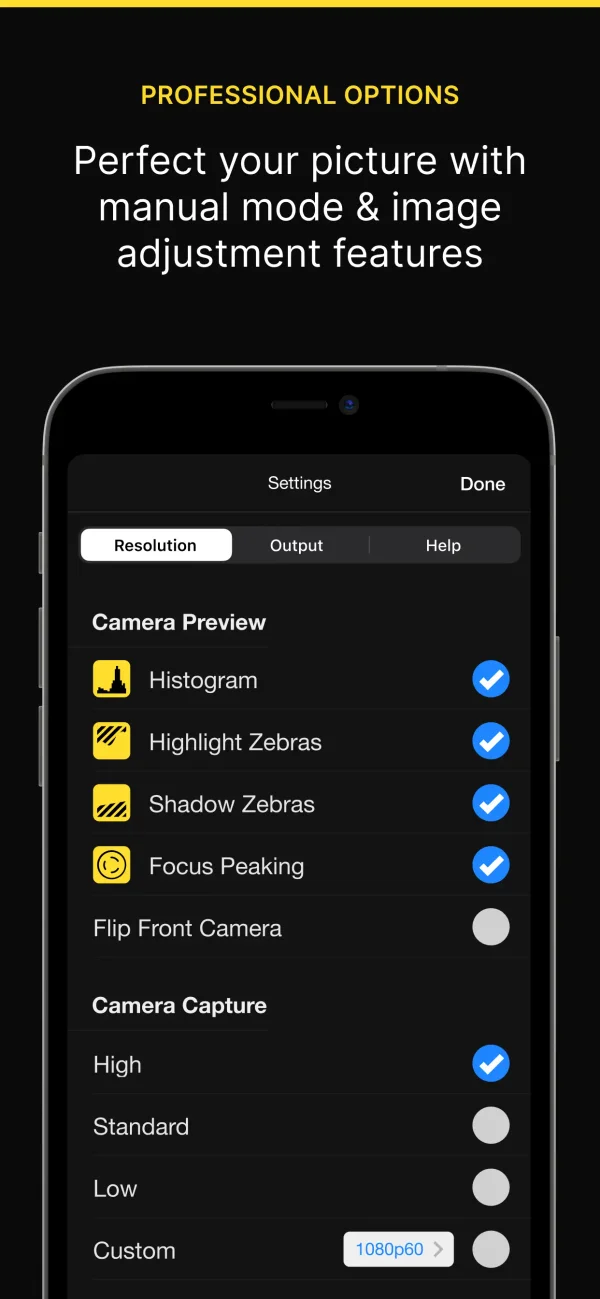
Take control of the focus, exposure, white balance as you would on a manual DSLR camera.
LOW LATENCY
Stream video over a wired USB connection. This avoids the issue of delay over wifi, as many other solutions suffer from. This is just as fast as a USB webcam!
USB & WIFI
Choose the connection type. If you want low latency, use USB, if you'd like portability then use WiFi. WiFi is done using the NewTek™ NDI® protocol, so you can use Camera for OBS Studio with any NewTek™ NDI® compatible receiver.
REMOTE CONTROL
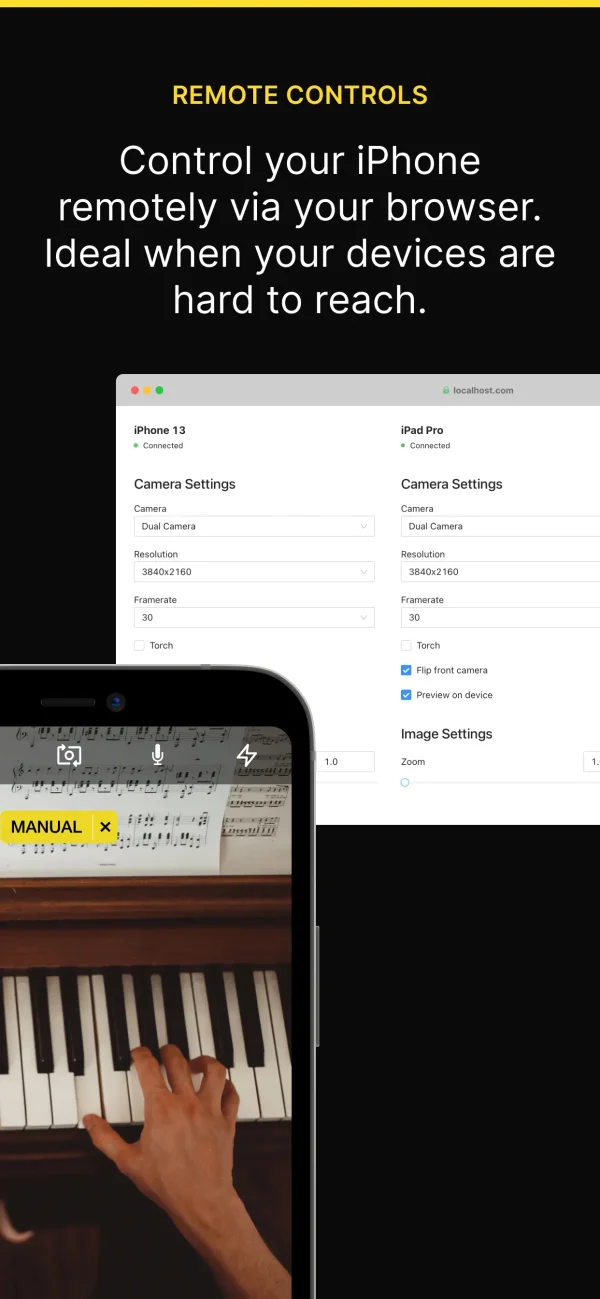
Control the app from your web browser on your computer. No need to have access to the device anymore to line up that shot perfectly.
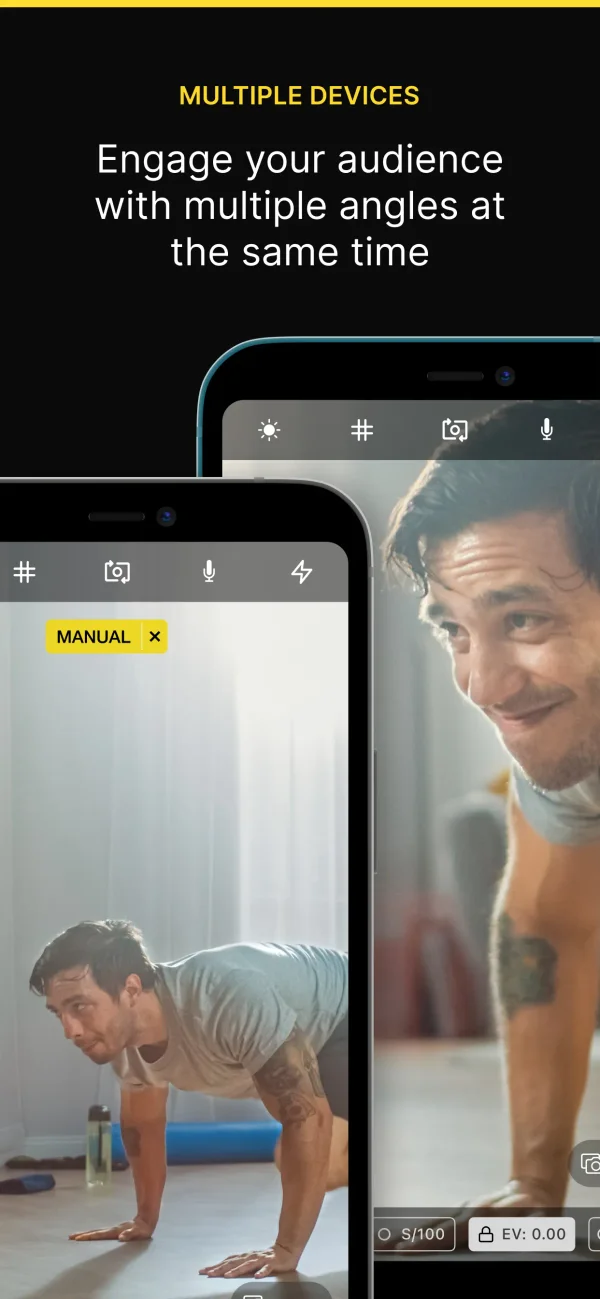
MULTIPLE DEVICES
If you're lucky enough to own multiple iOS devices, use them together and produce a multi-camera stream.
MAC AND PC
Supports OBS Studio running on macOS and Windows.
You will need to install the OBS Studio iOS Camera Plugin from our website, or use an NDI compatible receiver to use this app.
For the best possible experience make sure your device is listed on our website https://obs.camera/docs/faqs/#what-ios-hardware-do-i-need
MORE
Subscriptions will be charged to your iTunes account at confirmation of purchase. Your subscription will automatically renew unless automatic renewal is turned off at least 24 hours before the end of the current period. Your account will be charged for renewal within 24 hours prior to the end of the current period. You can manage your subscriptions and automatic renewal status in Account Settings after purchase. Any unused portion of the free trial period will be forfeited when you purchase a subscription. Price may vary by location.
Terms & Conditions/EULA: https://obs.camera/docs/terms-and-conditions/
Privacy Policy: https://obs.camera/docs/privacy-policy/
Yenilikler
Sürüm 3.6.4 · 15.09.2026
...continuing the trope - this update contains more bug fixes and performance improvements.
Uygulama gizliliği
Bu uygulamanın verileri nasıl işlediği hakkında Loft Labs Interactive Inc tarafından App Store üzerinde yapılan beyan.
-
Sizinle ilişkilendirilmeyen veriler
Toplanabilir ancak kimliğinizle ilişkilendirilmez.
- Satın alımlar
- Tanımlayıcılar
- Kullanım verileri
Gizlilik uygulamaları, örneğin kullandığınız özelliklere veya yaşınıza göre değişiklik gösterebilir.
Bilgiler
- Satıcı
- Loft Labs Interactive Inc
- Kategori
- Üretkenlik
- Sürüm
- 3.6.4
- Güncellendi
- 15.09.2026
- Yayın tarihi
- 15.03.2018
- Boyut
- 24,5 MB
- Gereksinim
- iOS 16.0 veya sonrası
- Yaş sınırı
- 4+
- Fiyat
- Ücretsiz
- Uygulama içi satın alma
- Evet
- Diller
- İngilizce
- Telif hakkı
- © Loft Labs Interactive Inc.
Bunları da beğenebilirsiniz
-
 Teleprompter.comAutocue Video Prompter Pro
-
 TeamViewer Remote ControlÜretkenlik
-
 ASUS GlideXÜretkenlik
-
 WordPress – Site OluşturucuSiteni tasarla, blog oluştur
-
 Fare · KlavyeMac veya PC için
-
 TeamViewer QuickSupportÜretkenlik
-
 Teleprompter - VILOPrompter & Video Caption
-
 Teleprompter ProÜretkenlik
-
 WordPress için JetpackWordPress'inize güç katın
-
 AirDroid - File Transfer&ShareÜretkenlik