CC Pocket: Code Anywhere
Codex, Claude & Antigravity
iPhone, iPad, iPod touch için tasarlandı
Ücretsiz · Uygulama içi satın alma
- Yaş sınırı4+
- KategoriGeliştirici Araçları
- GeliştiriciKota Hayashi
- Dillerİngilizce+ 3 dil daha
- Boyut107,1 MB
Resmi App Store sayfasına bağlanır
Download.org, CC Pocket: Code Anywhere için hiçbir dosya barındırmaz. Düğme, uygulamanın App Store üzerindeki sayfasını açar; uygulamayı orada Kota Hayashi yayınlar. Sayfanın son kontrolü: 25.11.2026.
Ekran görüntüleri
Hakkında
Geliştirici bu metni dilinizde sunmamış.
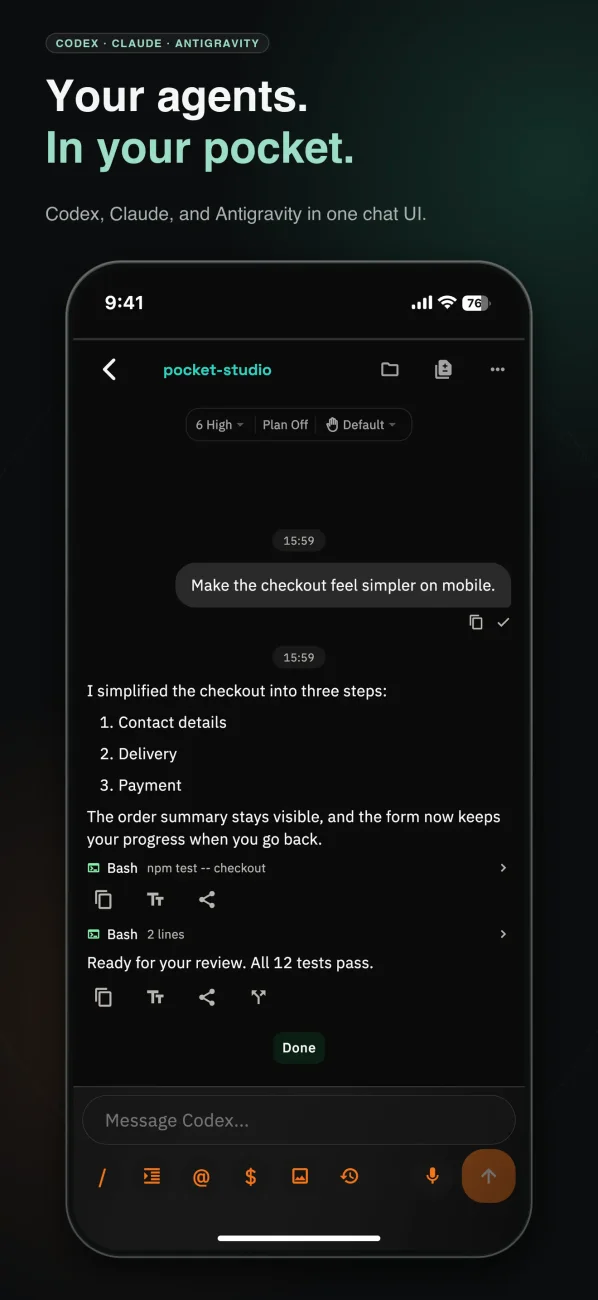
Your agents. In your pocket.
CC Pocket brings Codex, Claude, and Antigravity into one chat-first workspace built for your phone, tablet, and Mac. Your agents run on your own machine through a self-hosted Bridge Server—while you steer tasks, approve actions, review diffs, and ship changes from anywhere.
THREE AGENTS, ONE POCKET
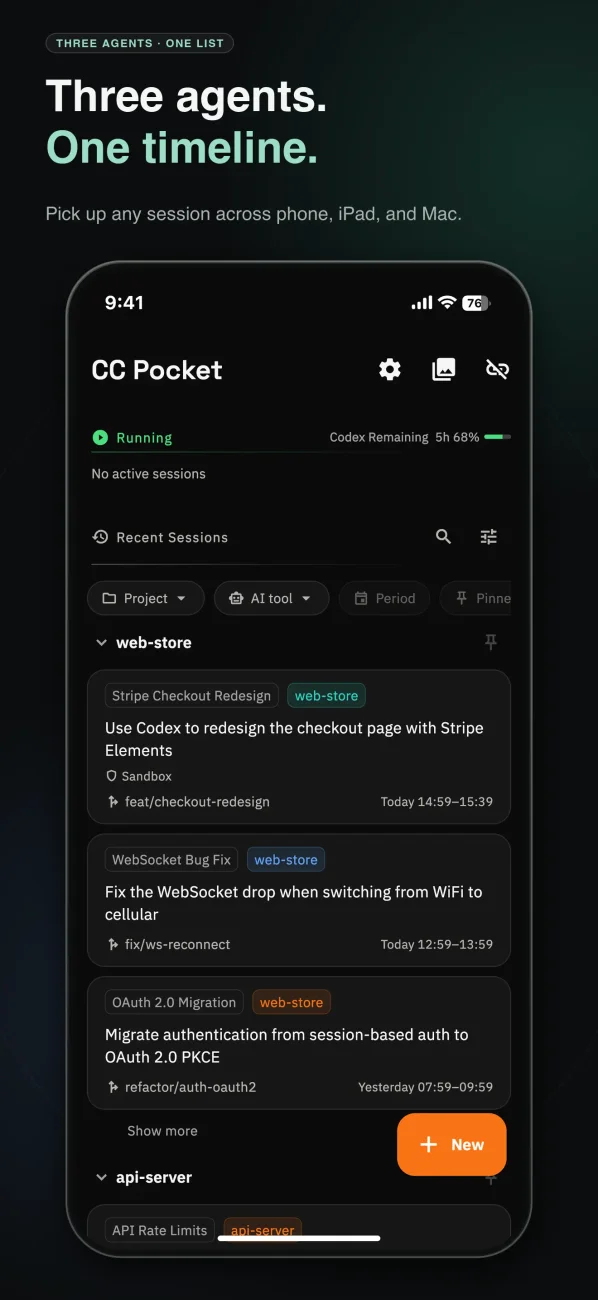
Start and resume Codex, Claude, and Antigravity sessions side by side. Switch models, thinking levels, and approval modes per session, check 5-hour/weekly plan usage and context usage at a glance, and enable only the agents you use.
CHAT-FIRST WITH LIVE ACTIVITY
Every session is a dedicated room for prompts, replies, structured questions, and plan reviews. Follow what your agent is doing in real time—thinking previews, running commands, editing files, and background task progress. Attach images or sketches, dictate with voice input, and write with Markdown completions.
ONE-TAP APPROVALS
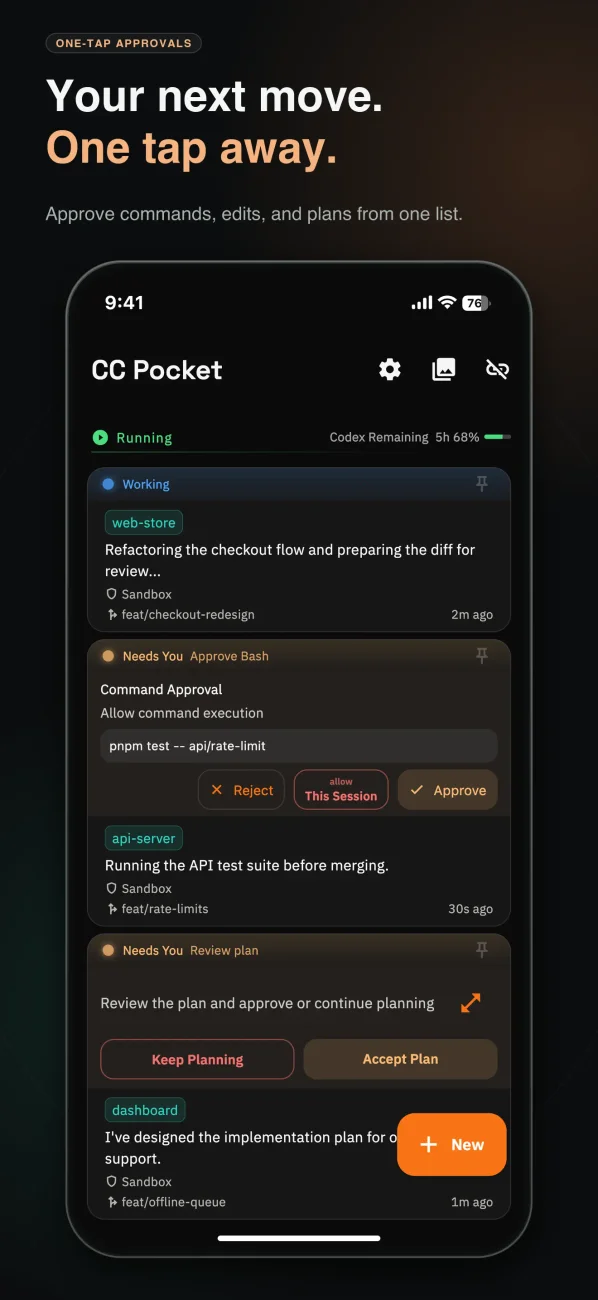
Handle waiting approvals across multiple running sessions from a single list. Approve commands, file edits, MCP requests, and implementation plans without switching back to your desk.
REVIEW DIFFS, GIT & GITHUB ISSUES/PRS
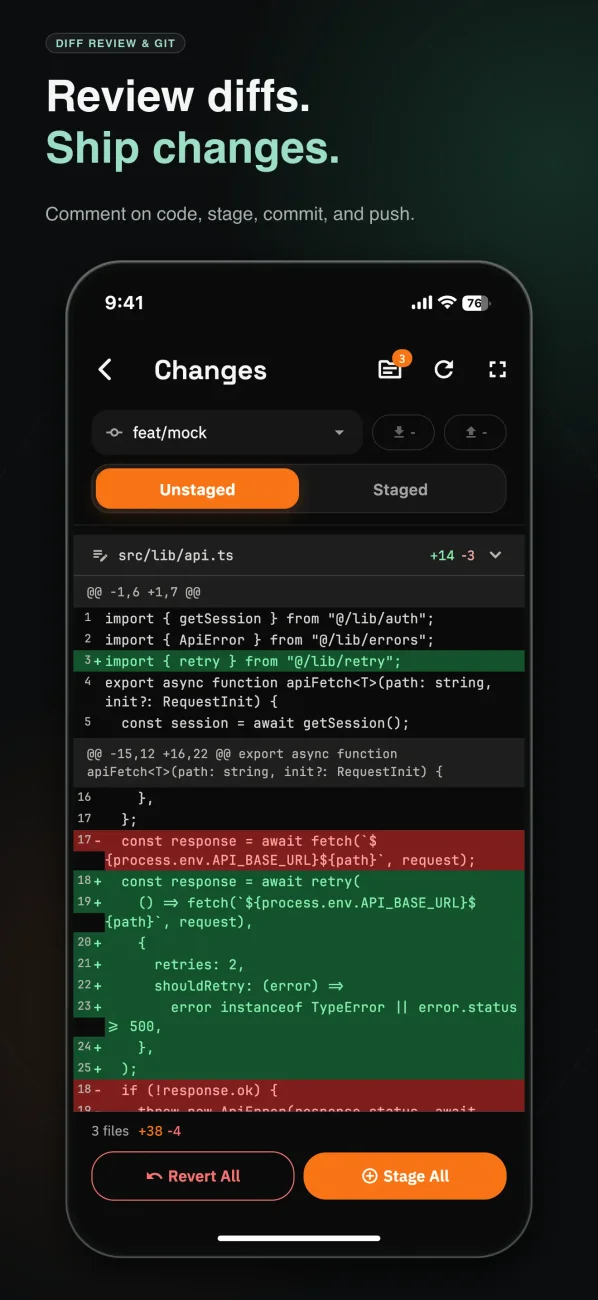
Explore project files and inspect syntax-highlighted code and image diffs. Comment on multiple diff lines to send focused feedback to your agent, then stage, commit, push, or revert—or isolate parallel work with git worktrees. Browse open GitHub Issues and PRs (with CI status and draft badges) and start a session straight from them.
BUILT FOR MOBILE NETWORKS
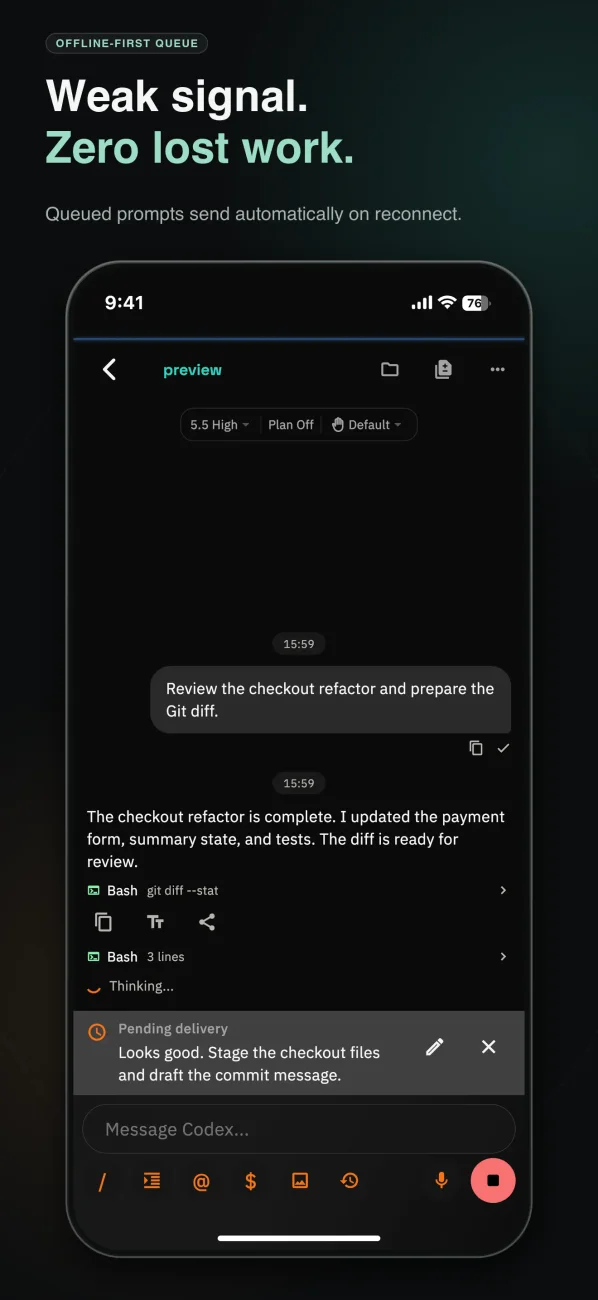
Bad signal on the train or reached a usage limit? Outgoing messages wait in a queue and send automatically once you reconnect or limits reset, while missed streaming updates catch up seamlessly.
SAME WORK ON EVERY SCREEN
Move fluidly between iPhone, iPhone Duo, Android, iPad, and macOS (with experimental Linux and Windows builds). Resume sessions created in the CLI or desktop apps, and open chat, sessions, Explorer, and Git changes side by side on large screens.
GENERATE & PREVIEW MEDIA
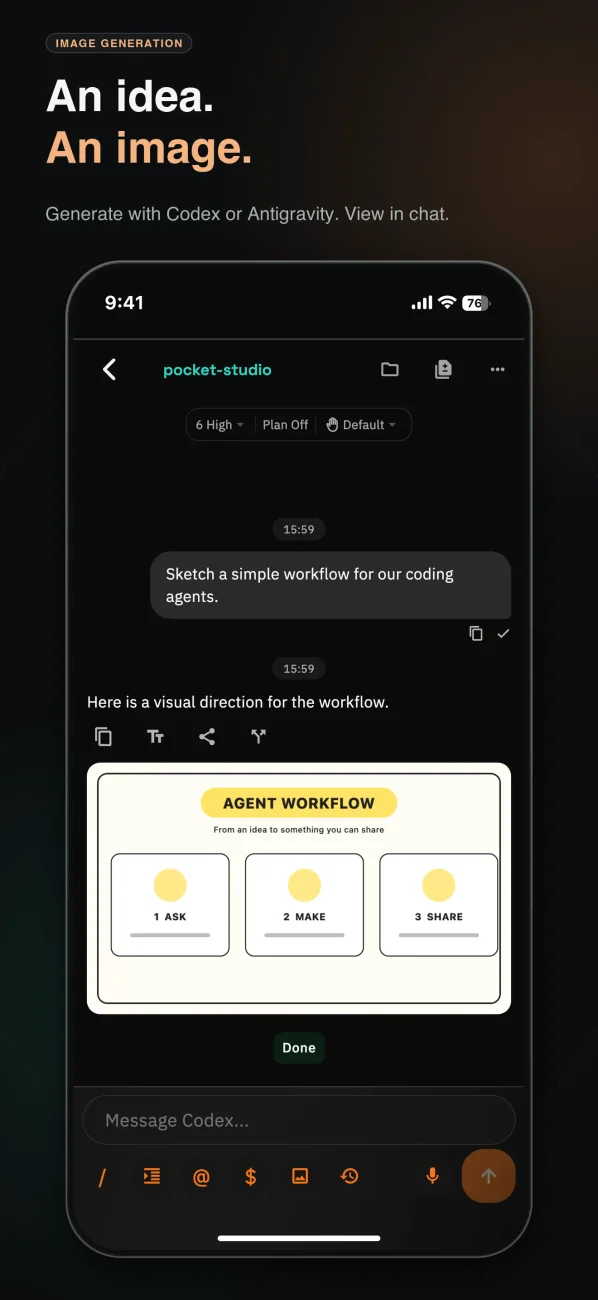
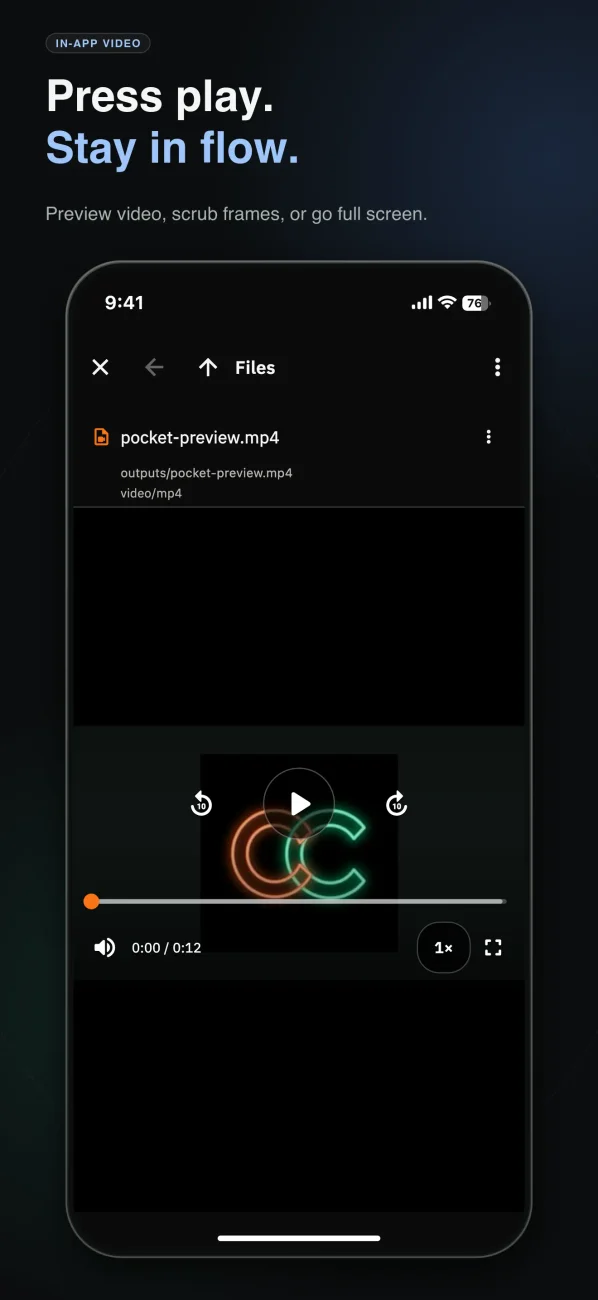
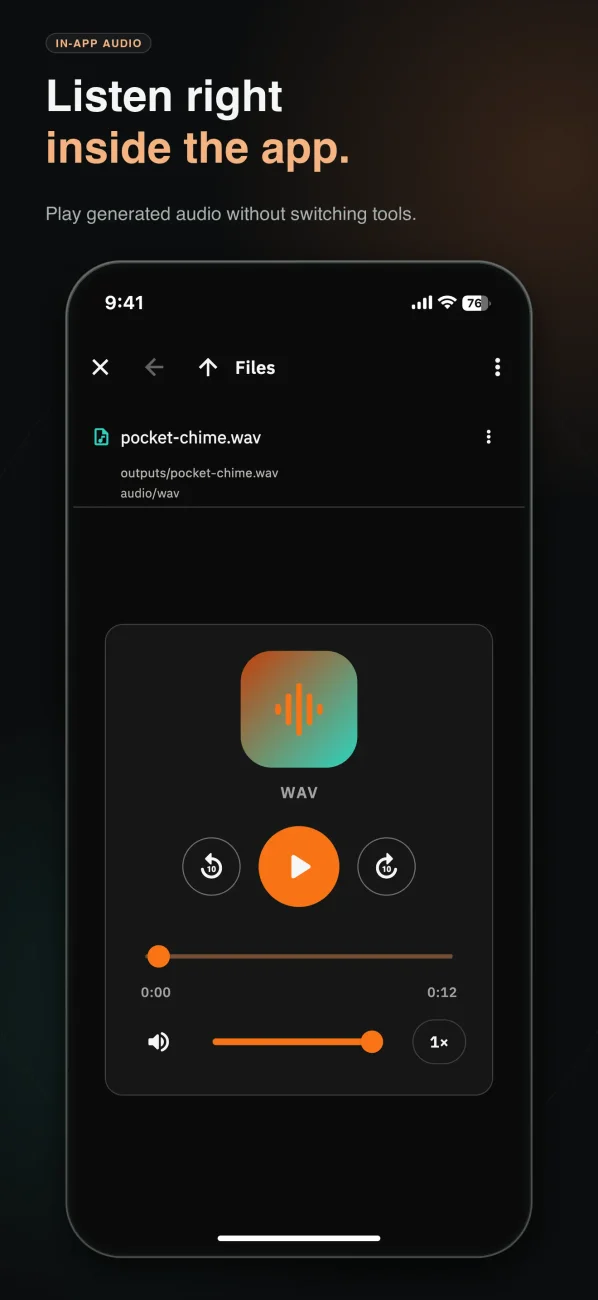
Generate images with Codex Imagegen or Antigravity and inspect them right in chat and your gallery. Preview video (MP4/MOV) and audio (WAV/MP3) files without leaving the app.
SELF-HOSTED ON YOUR MACHINES
Run the Bridge Server on Mac, Linux, or Windows. Connect by QR code or saved host, access securely away from home over Tailscale, and manage your Bridge remotely via SSH.
GET STARTED
1. Install Node.js 22.19.0+ and Codex, Claude, or Antigravity on your computer.
2. Run: npx @ccpocket/bridge@latest
3. Scan the QR code in CC Pocket and pick a project.
A reachable Bridge Server and a configured agent account are required. CC Pocket is free to use, with optional Supporter purchases. Agent service fees are separate.
CC Pocket is open source and is not affiliated with OpenAI, Anthropic, or Google.
https://github.com/K9i-0/ccpocket
TERMS OF USE
https://www.apple.com/legal/internet-services/itunes/dev/stdeula/
Yenilikler
Sürüm 1.180.0 · 23.11.2026
• The setup guide is redesigned and shorter: four steps, from what CC Pocket is to scanning the QR code.
• If your computer is a Mac, the guide recommends CC Pocket for macOS, which starts and manages the Bridge without terminal commands (Apple silicon, macOS 13 or later). It shows the download page and the Homebrew command, and "Send to Mac" passes the link to your Mac.
• The terminal steps for Linux, Windows and Intel Macs are on a second tab of the same page, with the auto-start and agent sign-in notes. Tailscale is explained on the connection page.
• The last page of the guide opens the QR scanner directly.
• The guide now covers Antigravity alongside Codex and Claude, and is easier to read in dark mode.
• Fixed: Settings showed the API key as part of the connection address after connecting through a pairing link.
Uygulama gizliliği
Bu uygulamanın verileri nasıl işlediği hakkında Kota Hayashi tarafından App Store üzerinde yapılan beyan.
-
Sizinle ilişkilendirilmeyen veriler
Toplanabilir ancak kimliğinizle ilişkilendirilmez.
- Tanımlayıcılar
Gizlilik uygulamaları, örneğin kullandığınız özelliklere veya yaşınıza göre değişiklik gösterebilir.
Bilgiler
- Satıcı
- Kota Hayashi
- Kategori
- Geliştirici Araçları
- Sürüm
- 1.180.0
- Güncellendi
- 23.11.2026
- Yayın tarihi
- 06.03.2026
- Boyut
- 107,1 MB
- Gereksinim
- iOS 15.0 veya sonrası
- Yaş sınırı
- 4+
- Fiyat
- Ücretsiz
- Uygulama içi satın alma
- Evet
- Diller
- İngilizce, Japonca, Korece, Basitleştirilmiş Çince
- Telif hakkı
- © 2026 Kota Hayashi
Bunları da beğenebilirsiniz
-
 LunelGeliştirici Araçları
-
 Clawdex: Code from PhoneGeliştirici Araçları
-
 Happier - Remote Claude, CodexGeliştirici Araçları
-
 Onepilot: SSH Shell TerminalGeliştirici Araçları
-
 AgmenteGeliştirici Araçları
-
 KittyLitterGeliştirici Araçları
-
 Btelo Coding – AI Vibe RemoteGeliştirici Araçları
-
 RawClawGeliştirici Araçları
-
 ServerCC - Claude Code & CodexGeliştirici Araçları
-
 Pievra: Jules & Stitch AIGeliştirici Araçları