CC Pocket: Code Anywhere
Codex, Claude & Antigravity
Designed for iPhone, iPad, iPod touch
Free · In-app purchases
- Age rating4+
- CategoryDeveloper Tools
- DeveloperKota Hayashi
- LanguagesEnglish+ 3 more
- Size106.8 MB
Links to the official App Store page
Download.org hosts no file of CC Pocket: Code Anywhere. The button opens its official App Store page, published by Kota Hayashi. Listing last checked on Nov 24, 2026.
Screenshots


About
Your agents. In your pocket.
CC Pocket brings Codex, Claude, and Antigravity into one chat-first workspace built for your phone, tablet, and Mac. Your agents run on your own machine through a self-hosted Bridge Server—while you steer tasks, approve actions, review diffs, and ship changes from anywhere.
THREE AGENTS, ONE POCKET
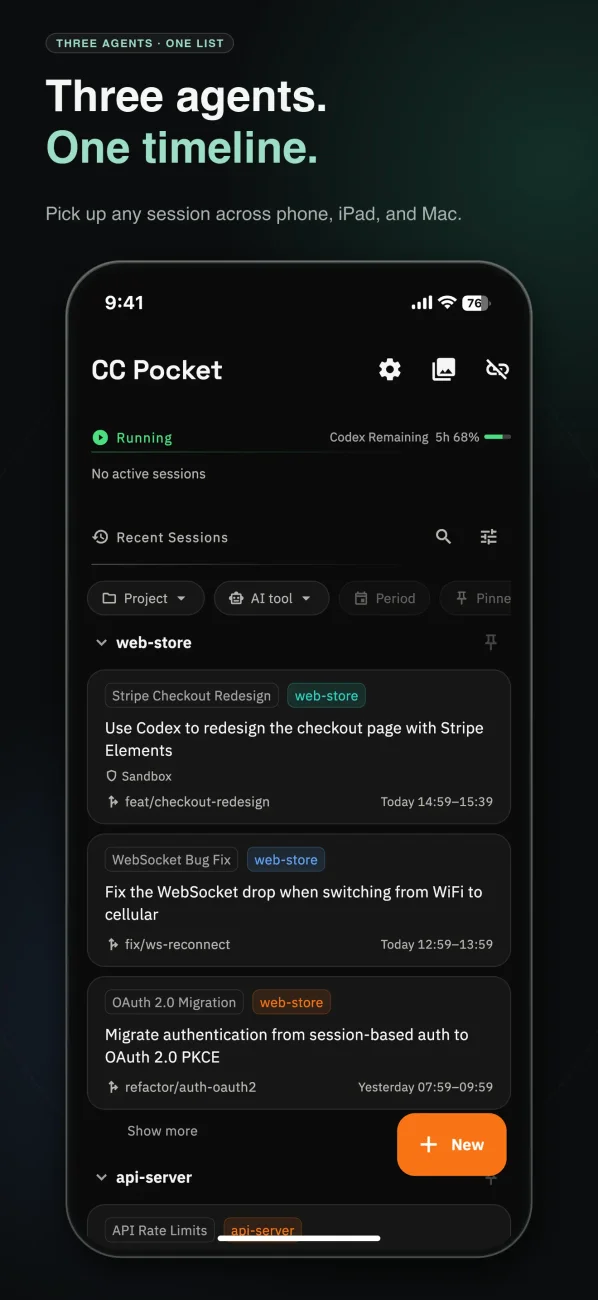
Start and resume Codex, Claude, and Antigravity sessions side by side. Switch models, thinking levels, and approval modes per session, check 5-hour/weekly plan usage and context usage at a glance, and enable only the agents you use.
CHAT-FIRST WITH LIVE ACTIVITY
Every session is a dedicated room for prompts, replies, structured questions, and plan reviews. Follow what your agent is doing in real time—thinking previews, running commands, editing files, and background task progress. Attach images or sketches, dictate with voice input, and write with Markdown completions.
ONE-TAP APPROVALS
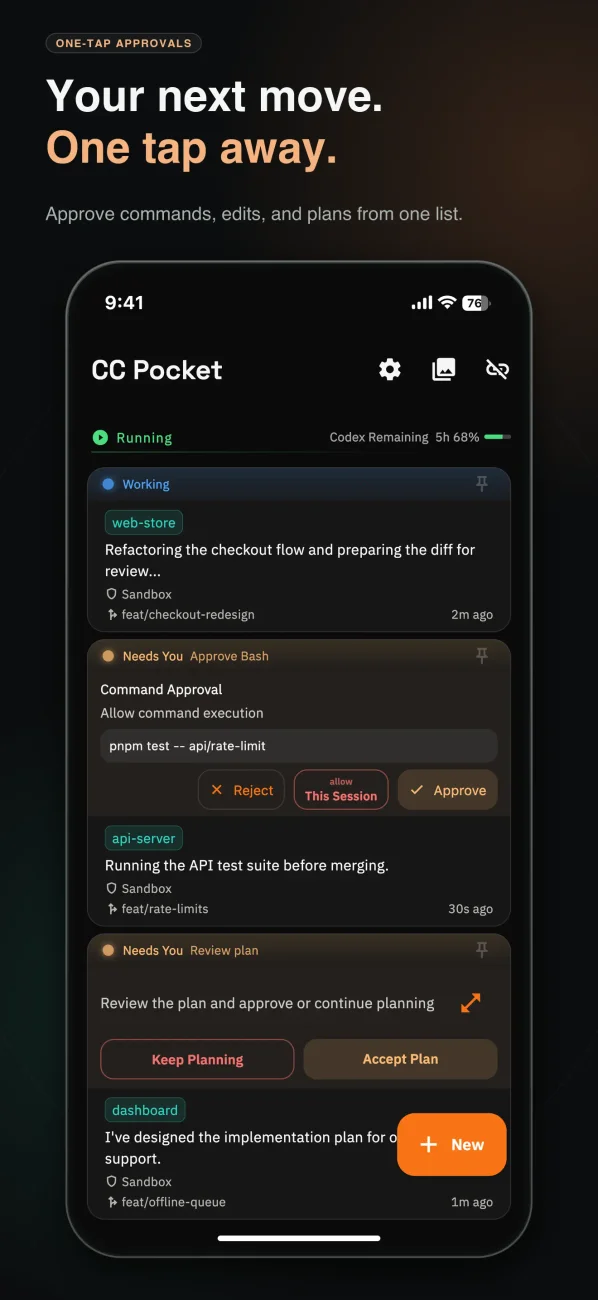
Handle waiting approvals across multiple running sessions from a single list. Approve commands, file edits, MCP requests, and implementation plans without switching back to your desk.
REVIEW DIFFS, GIT & GITHUB ISSUES/PRS
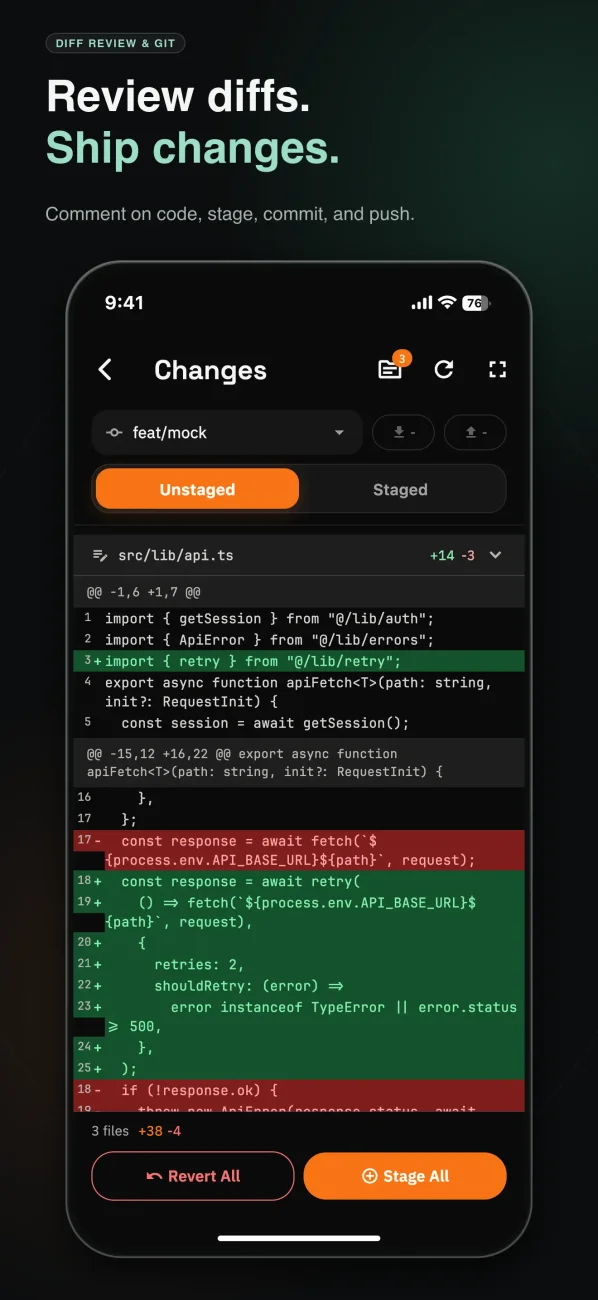
Explore project files and inspect syntax-highlighted code and image diffs. Comment on multiple diff lines to send focused feedback to your agent, then stage, commit, push, or revert—or isolate parallel work with git worktrees. Browse open GitHub Issues and PRs (with CI status and draft badges) and start a session straight from them.
BUILT FOR MOBILE NETWORKS
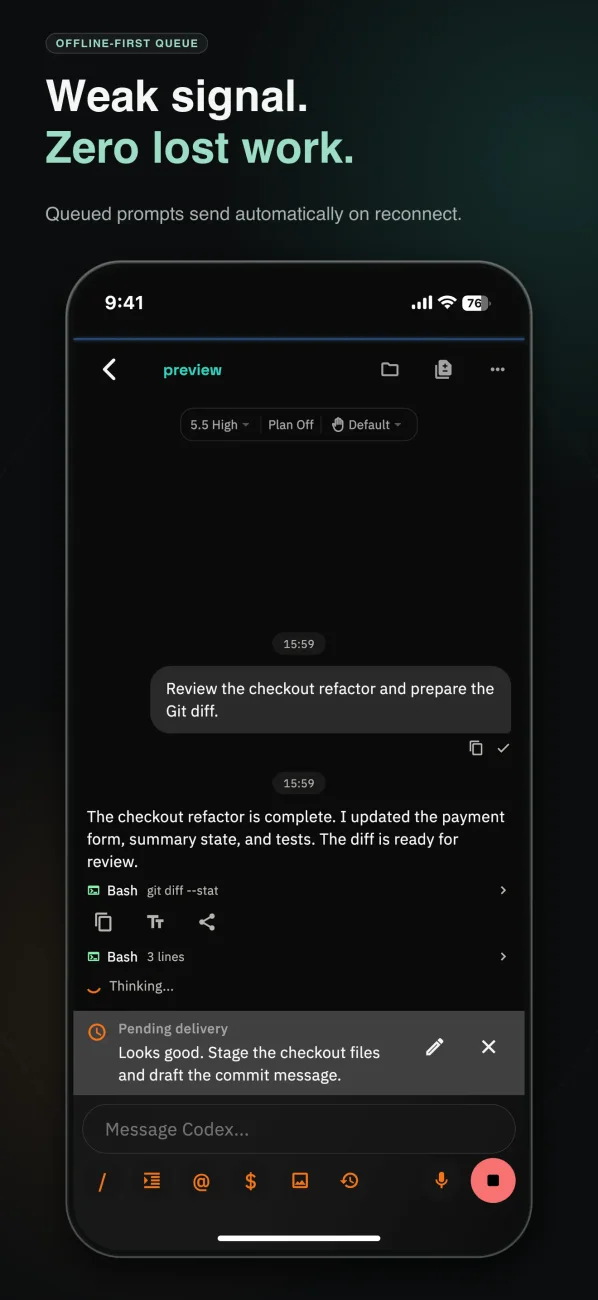
Bad signal on the train or reached a usage limit? Outgoing messages wait in a queue and send automatically once you reconnect or limits reset, while missed streaming updates catch up seamlessly.
SAME WORK ON EVERY SCREEN
Move fluidly between iPhone, iPhone Duo, Android, iPad, and macOS (with experimental Linux and Windows builds). Resume sessions created in the CLI or desktop apps, and open chat, sessions, Explorer, and Git changes side by side on large screens.
GENERATE & PREVIEW MEDIA
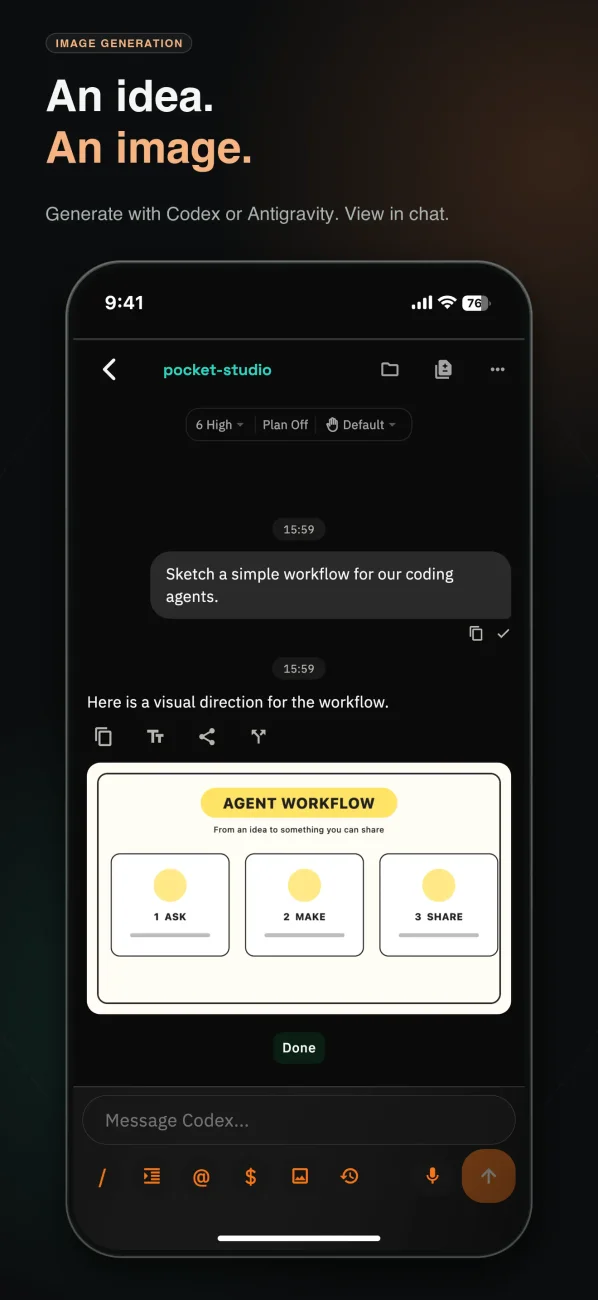
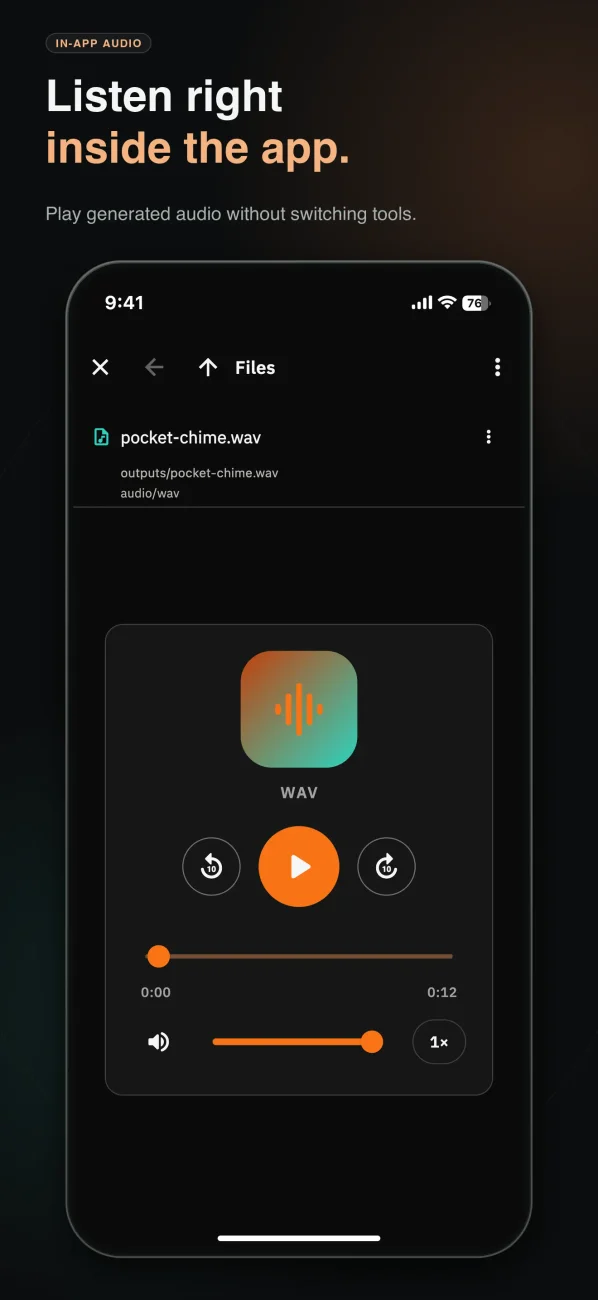
Generate images with Codex Imagegen or Antigravity and inspect them right in chat and your gallery. Preview video (MP4/MOV) and audio (WAV/MP3) files without leaving the app.
SELF-HOSTED ON YOUR MACHINES
Run the Bridge Server on Mac, Linux, or Windows. Connect by QR code or saved host, access securely away from home over Tailscale, and manage your Bridge remotely via SSH.
GET STARTED
1. Install Node.js 22.19.0+ and Codex, Claude, or Antigravity on your computer.
2. Run: npx @ccpocket/bridge@latest
3. Scan the QR code in CC Pocket and pick a project.
A reachable Bridge Server and a configured agent account are required. CC Pocket is free to use, with optional Supporter purchases. Agent service fees are separate.
CC Pocket is open source and is not affiliated with OpenAI, Anthropic, or Google.
https://github.com/K9i-0/ccpocket
TERMS OF USE
https://www.apple.com/legal/internet-services/itunes/dev/stdeula/
What’s new
Version 1.178.0 · Nov 22, 2026
• Hand a session over to another agent: the chat menu now offers "Hand off to …" for Claude, Codex and Antigravity. The current agent writes a handoff note, and the other agent continues the task in the same directory. You can add an instruction for the new agent. The permission mode carries over where the other agent has the same one (auto stays auto); the model comes from your last start settings for that agent. Requires Bridge 1.119.0 or later.
• Antigravity swarms (/swarm): posts on the swarm's board appear in the chat as compact cards, each worker has its own colour, and a Swarm bar above the input lists the workers and what they are doing. Approval requests say which worker is asking. Requires Bridge 1.119.0 or later.
• Shared between your devices through the Bridge: pinned sessions and projects, read marks, the Claude settings of each session, and the options the new-session sheet starts with. Requires Bridge 1.117.0 or later.
• Opening a notification or a session link no longer leaves the screen you are on while the session is looked up. If the session is no longer available, a message tells you so instead of a full-screen error.
• Fixed: the Codex session menu showed Rename, Screenshot and Gallery in English regardless of the app's language.
• Fixed: list numbering in the message input restarted at 1 after a code block inside a list item.
• Fixed: several cases where the diff viewer showed file paths incorrectly (paths with spaces or quotes, lines starting with "-- ").
• Fixed: with Antigravity, a prompt you just sent could appear above output that arrived before it.
App privacy
What Kota Hayashi declares on the App Store about how this app handles data.
-
Data not linked to you
May be collected but is not linked to your identity.
- Identifiers
Privacy practices may vary, for example with the features you use or your age.
Information
- Seller
- Kota Hayashi
- Category
- Developer Tools
- Version
- 1.178.0
- Updated
- Nov 22, 2026
- Released
- Mar 6, 2026
- Size
- 106.8 MB
- Requires
- iOS 15.0 or later
- Age rating
- 4+
- Price
- Free
- In-app purchases
- Yes
- Languages
- English, Japanese, Korean, Simplified Chinese
- Copyright
- © 2026 Kota Hayashi
You might also like
-
 LunelShip from anywhere
-
 Clawdex: Code from PhoneCodex, Cursor, OpenCode
-
 Happier - Remote Claude, CodexOpenCode, Pi, Grok coding app
-
 Onepilot: SSH Shell TerminalClient, VPS & Linux servers
-
 AgmenteAgent Client Protocol client
-
 KittyLitterCodex on your phone
-
 Btelo Coding – AI Vibe RemoteProfessional Vibe Coding Dev
-
 RawClawDeveloper Tools
-
 ServerCC - Claude Code & CodexRemote Coding · SSH · tmux
-
 Pievra: Jules & Stitch AIAI Coding Agent & UI Design