- Yaş sınırı4+
- KategoriYardımcılar
- GeliştiriciDYAL SINGH
- Dillerİngilizce
- Boyut2,2 MB
Resmi App Store sayfasına bağlanır
Download.org, Docksy: Macro Deck için hiçbir dosya barındırmaz. Düğme, uygulamanın App Store üzerindeki sayfasını açar; uygulamayı orada DYAL SINGH yayınlar. Sayfanın son kontrolü: 15.11.2026.
Ekran görüntüleri

Hakkında
Geliştirici bu metni dilinizde sunmamış.
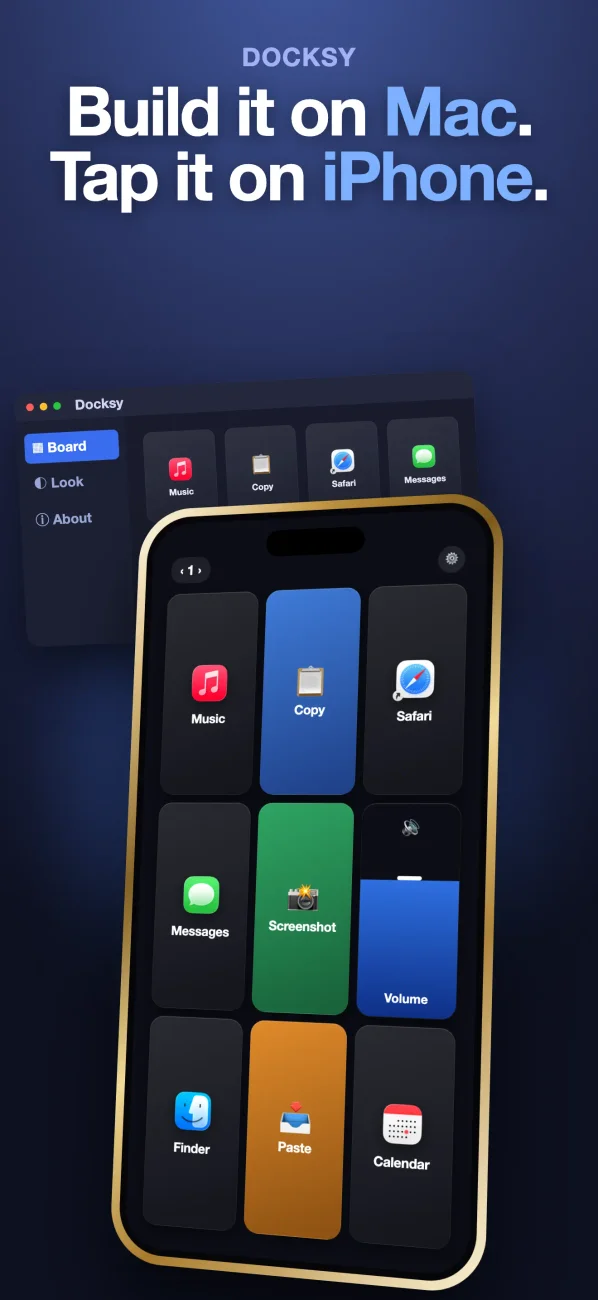
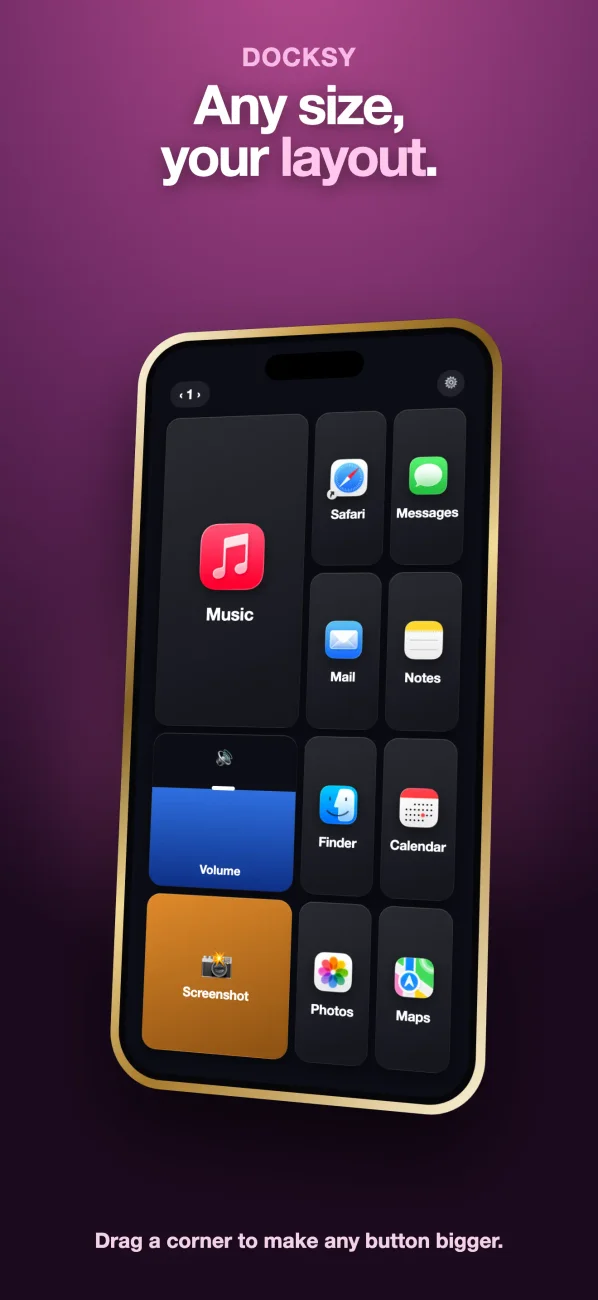
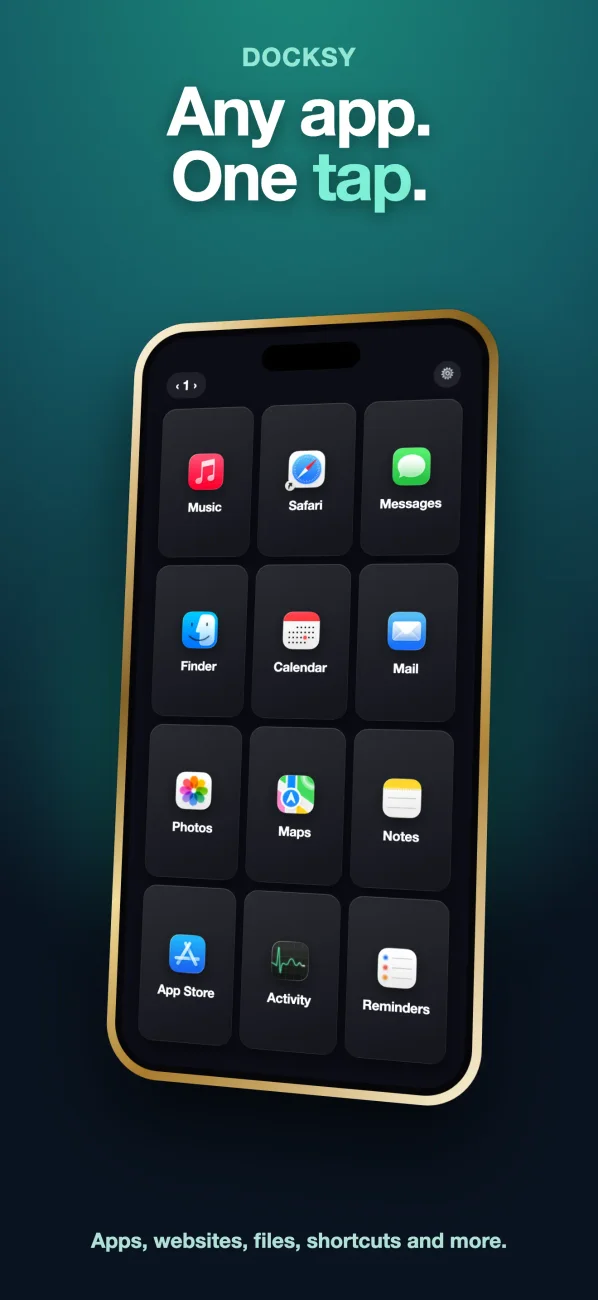
Docksy turns a spare iPhone or iPad into a control deck for your Mac. Think of a grid of glossy glass keys, each one a button you set up to do something useful the moment you tap it.
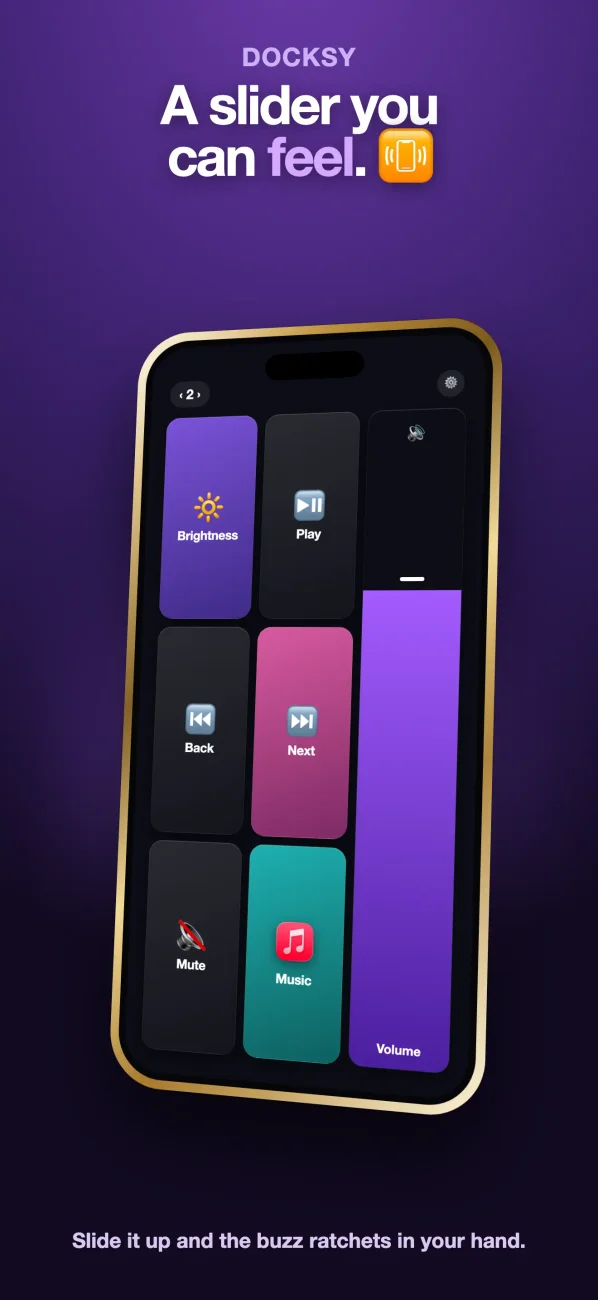
Want to take a screenshot, paste plain text, mute a call, or jump to your next slide? Put it on a key. Tap it. Docksy tells your Mac to do it. Every press answers back with a little haptic tap, and the volume slider ratchets as it rises, so it feels real under your thumb.
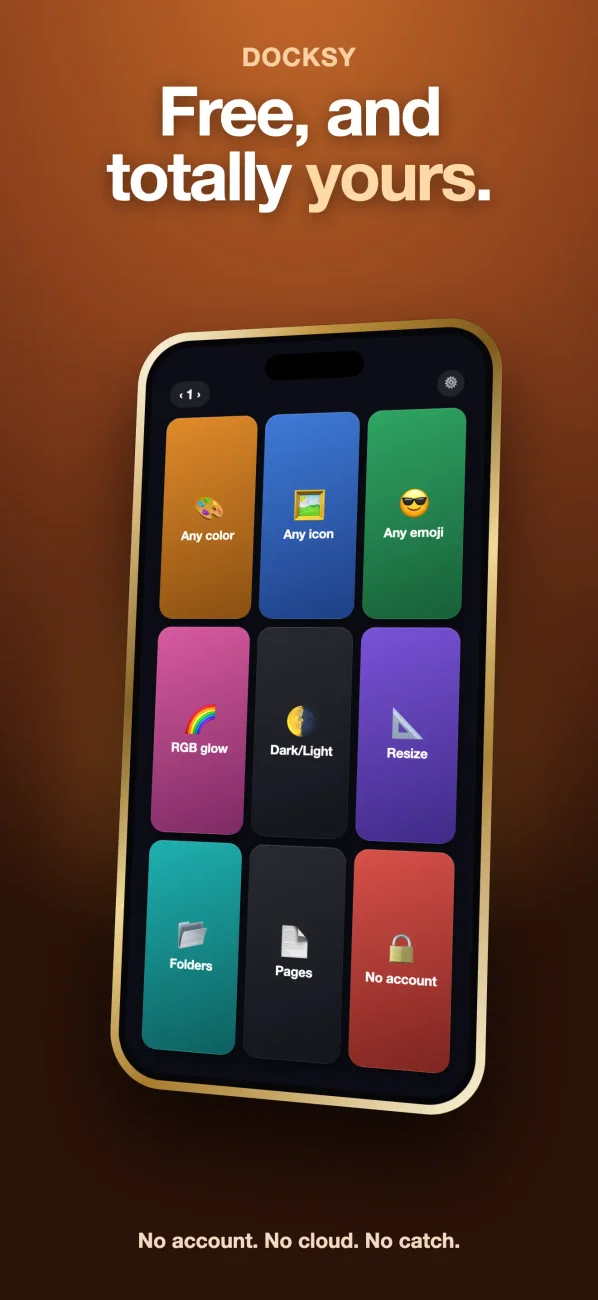
Docksy is free and open source. There are no accounts, no sign-ins, no ads, and no tracking. Nothing you do leaves your own devices.
HOW IT WORKS
Docksy needs the free companion Mac app. Your iPhone or iPad and your Mac find each other over your local Wi-Fi, with no setup beyond approving the Local Network prompt. The phone sends your taps to the Mac, and the Mac runs them. Both devices must be on the same Wi-Fi network.
WHAT YOU CAN PUT ON A KEY
- Keyboard shortcuts, like Copy, Paste, or any combo you choose
- Open an app, a website, a file, or a folder
- Close, minimize, or quit a window
- Play, pause, skip, or mute media
- A volume slider with haptics
- Countdown timers
- Type a saved snippet of text
- Folders and pages, so you can hold far more than one screen of keys
MAKE IT YOURS
Resize keys, set your own images, and group actions into folders and pages. Build one layout for editing video, another for calls, another for music. Switch between them in a tap.
WHAT YOU NEED
- The free Docksy app for Mac, running on the Mac you want to control
- Both devices on the same local Wi-Fi network
- Permission to use the Local Network, so the two apps can find each other
PRIVACY
Docksy collects no data. It has no servers and no cloud. Your keys, your actions, and your taps stay on your own devices and travel only across your own local network. The project is open source, so anyone can read exactly what it does.
Docksy is built for anyone who wants quick, physical control of their Mac, whether you stream, edit, present, take a lot of calls, or just like a tidy set of buttons within reach.
Uygulama gizliliği
Bu uygulamanın verileri nasıl işlediği hakkında DYAL SINGH tarafından App Store üzerinde yapılan beyan.
-
Veri toplanmıyor
Geliştirici bu uygulamadan hiçbir veri toplamıyor.
Gizlilik uygulamaları, örneğin kullandığınız özelliklere veya yaşınıza göre değişiklik gösterebilir.
Bilgiler
- Satıcı
- DYAL SINGH
- Kategori
- Yardımcılar
- Sürüm
- 1.0
- Güncellendi
- 08.07.2026
- Yayın tarihi
- 08.07.2026
- Boyut
- 2,2 MB
- Gereksinim
- iOS 17.0 veya sonrası
- Yaş sınırı
- 4+
- Fiyat
- Ücretsiz
- Diller
- İngilizce
- Telif hakkı
- © 2026 Dyal Singh
Bunları da beğenebilirsiniz
-
 Macro Deck CompanionYardımcılar
-
 Virtual Stream DeckYardımcılar
-
 Coast: Macros & TrackpadYardımcılar
-
 KeyBindControlMakro ve shortcut kontrol
-
 eTrackPad: Kablosuz TrackpadKlavye, kumanda, gestures
-
 Padme - Custom keypad for MacYardımcılar
-
 Local DeskTelefonundan PC kontrolü
-
 DeskTap Stream DeckBilgisayar & Yayın Kontrolü
-
 FlexBoard: Smart WorkFlowYardımcılar
-
 Drops TrackerYardımcılar