- Độ tuổi4+
- Danh mụcTiện Ích
- Nhà phát triểnDYAL SINGH
- Ngôn ngữTiếng Anh
- Kích thước2,2 MB
Liên kết đến trang App Store chính thức
Download.org không lưu trữ tệp nào của Docksy: Macro Deck. Nút này mở trang ứng dụng trên App Store, nơi DYAL SINGH phát hành ứng dụng. Trang được kiểm tra lần cuối: 15/11/2026.
Ảnh chụp màn hình

Giới thiệu
Nhà phát triển chưa cung cấp nội dung này bằng ngôn ngữ của bạn.
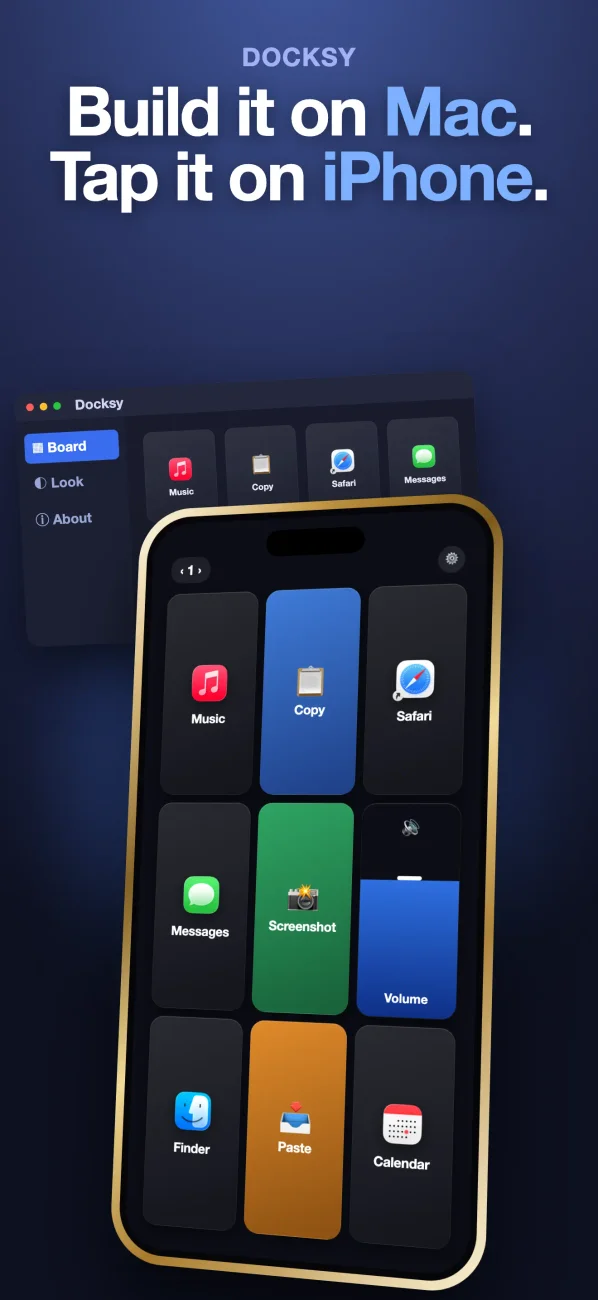
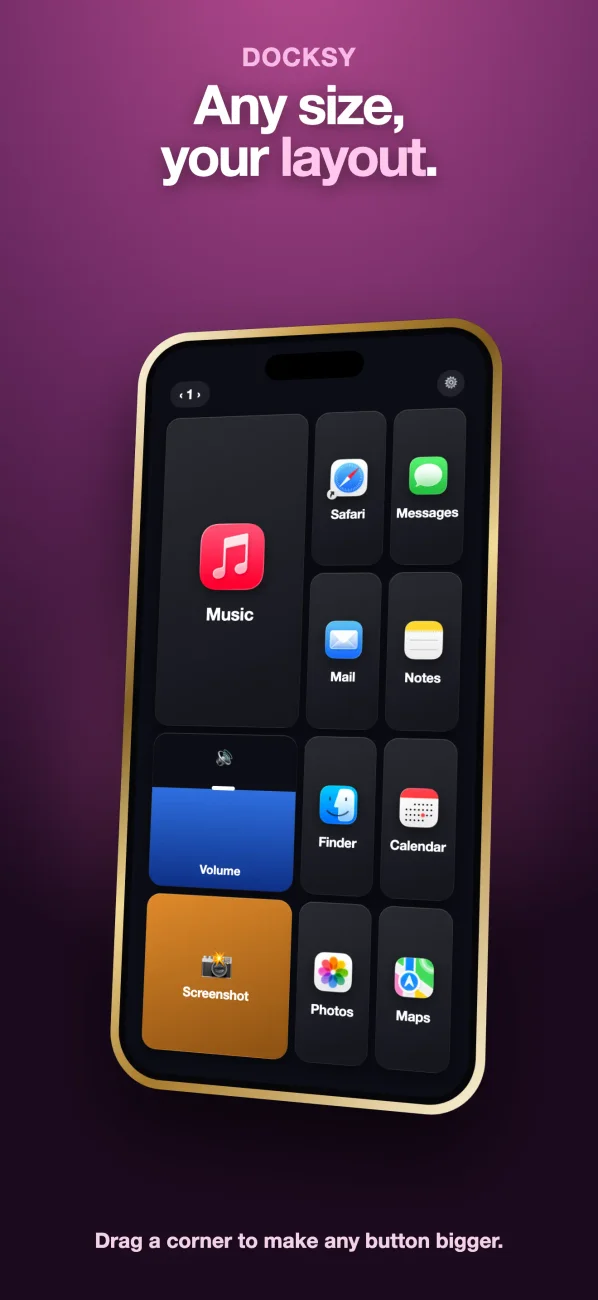
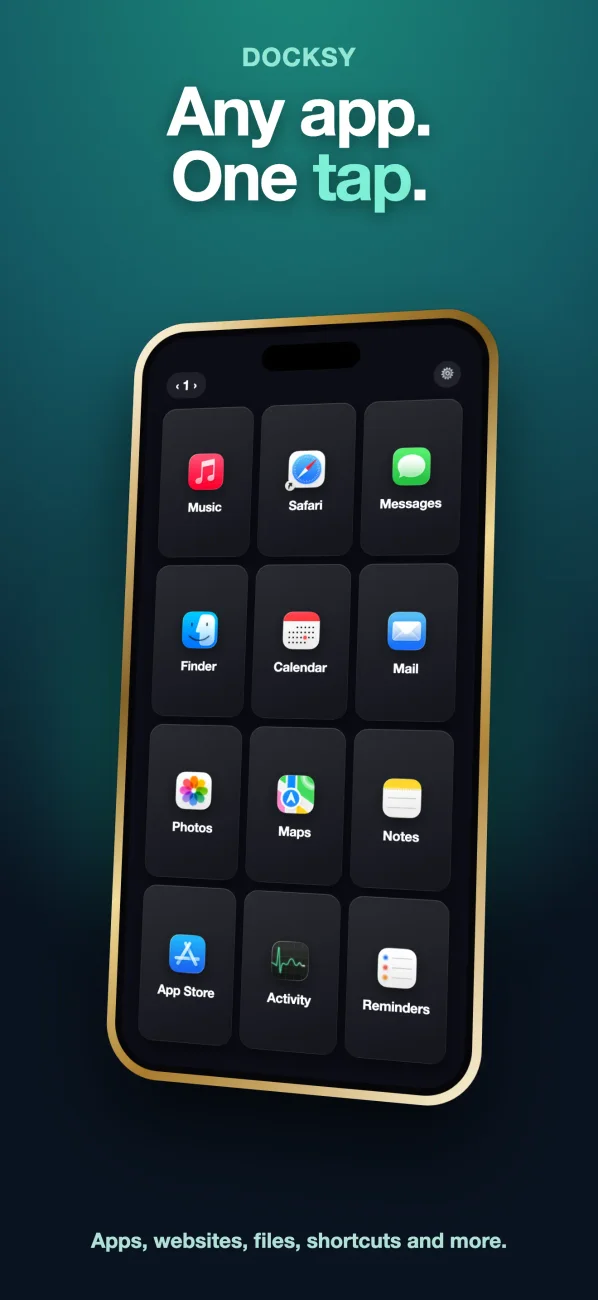
Docksy turns a spare iPhone or iPad into a control deck for your Mac. Think of a grid of glossy glass keys, each one a button you set up to do something useful the moment you tap it.
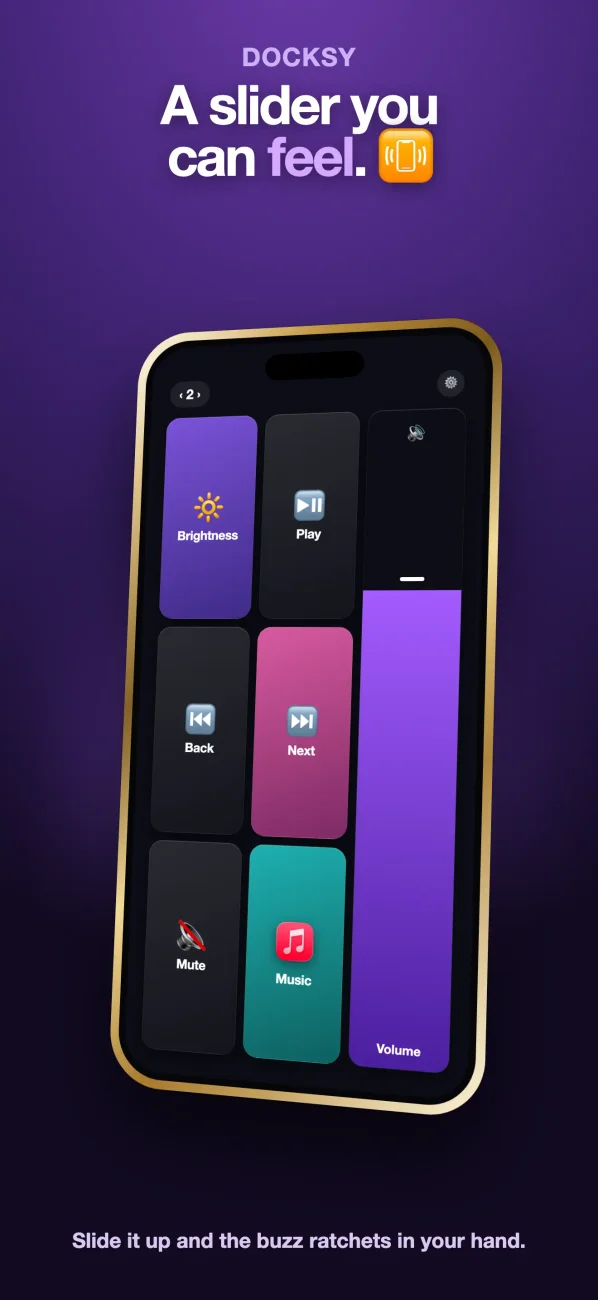
Want to take a screenshot, paste plain text, mute a call, or jump to your next slide? Put it on a key. Tap it. Docksy tells your Mac to do it. Every press answers back with a little haptic tap, and the volume slider ratchets as it rises, so it feels real under your thumb.
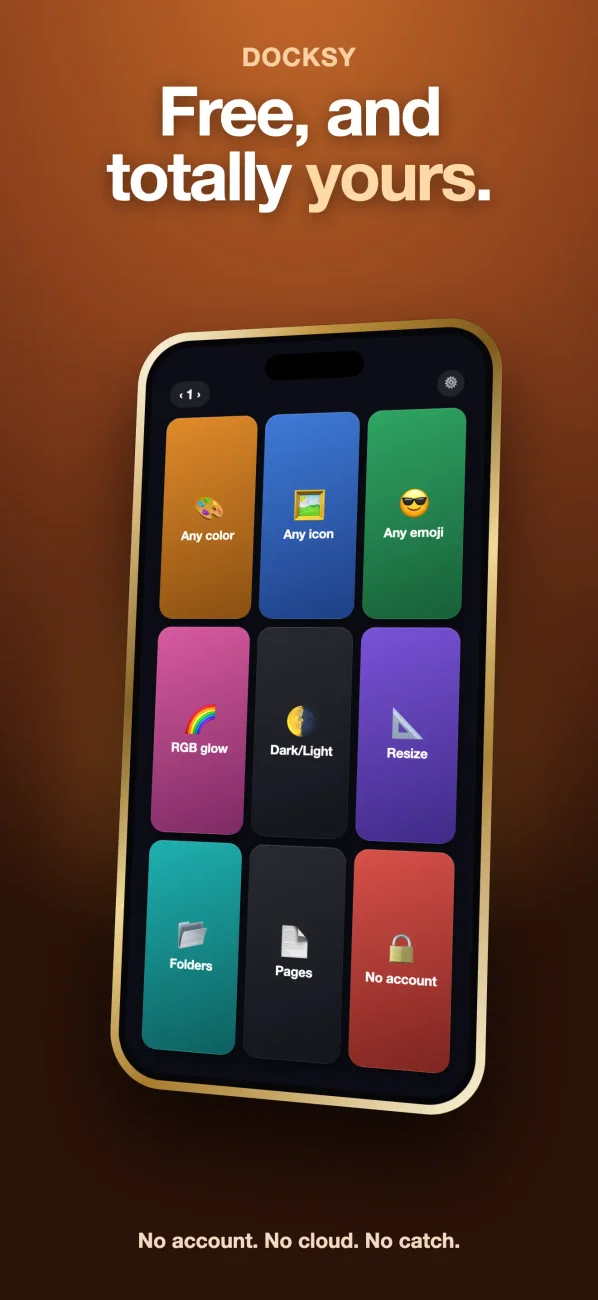
Docksy is free and open source. There are no accounts, no sign-ins, no ads, and no tracking. Nothing you do leaves your own devices.
HOW IT WORKS
Docksy needs the free companion Mac app. Your iPhone or iPad and your Mac find each other over your local Wi-Fi, with no setup beyond approving the Local Network prompt. The phone sends your taps to the Mac, and the Mac runs them. Both devices must be on the same Wi-Fi network.
WHAT YOU CAN PUT ON A KEY
- Keyboard shortcuts, like Copy, Paste, or any combo you choose
- Open an app, a website, a file, or a folder
- Close, minimize, or quit a window
- Play, pause, skip, or mute media
- A volume slider with haptics
- Countdown timers
- Type a saved snippet of text
- Folders and pages, so you can hold far more than one screen of keys
MAKE IT YOURS
Resize keys, set your own images, and group actions into folders and pages. Build one layout for editing video, another for calls, another for music. Switch between them in a tap.
WHAT YOU NEED
- The free Docksy app for Mac, running on the Mac you want to control
- Both devices on the same local Wi-Fi network
- Permission to use the Local Network, so the two apps can find each other
PRIVACY
Docksy collects no data. It has no servers and no cloud. Your keys, your actions, and your taps stay on your own devices and travel only across your own local network. The project is open source, so anyone can read exactly what it does.
Docksy is built for anyone who wants quick, physical control of their Mac, whether you stream, edit, present, take a lot of calls, or just like a tidy set of buttons within reach.
Quyền riêng tư của ứng dụng
Những gì DYAL SINGH khai báo trên App Store về cách ứng dụng này xử lý dữ liệu.
-
Dữ liệu không được thu thập
Nhà phát triển không thu thập bất kỳ dữ liệu nào từ ứng dụng này.
Phương thức đảm bảo quyền riêng tư có thể khác nhau, chẳng hạn như tuỳ theo các tính năng bạn sử dụng hoặc độ tuổi của bạn.
Thông tin
- Người bán
- DYAL SINGH
- Danh mục
- Tiện Ích
- Phiên bản
- 1.0
- Cập nhật
- 08/07/2026
- Phát hành
- 08/07/2026
- Kích thước
- 2,2 MB
- Yêu cầu
- iOS 17.0 trở lên
- Độ tuổi
- 4+
- Giá
- Miễn phí
- Ngôn ngữ
- Tiếng Anh
- Bản quyền
- © 2026 Dyal Singh
Có thể bạn cũng thích
-
 Macro Deck CompanionHiệu Suất
-
 Virtual Stream DeckTiện Ích
-
 Coast: Macros & TrackpadTiện Ích
-
 KeyBindControlMacro và shortcut nhanh
-
 eTrackPad: Wireless TrackpadTiện Ích
-
 Padme - Custom keypad for MacTiện Ích
-
 Local DeskTiện Ích
-
 DeskTap Stream DeckTiện Ích
-
 FlexBoard: Smart WorkFlowTiện Ích
-
 Drops TrackerTiện Ích