Easy Reverse Video Maker
Create Backwards / Rewind Vids
iPhone, iPod touch için tasarlandı
Ücretsiz · Uygulama içi satın alma
- Yaş sınırı4+
- KategoriFotoğraf ve Video
- GeliştiriciOsawa Shunsuke
- Dillerİngilizce+ 9 dil daha
- Boyut28,8 MB
Resmi App Store sayfasına bağlanır
Download.org, Easy Reverse Video Maker için hiçbir dosya barındırmaz. Düğme, uygulamanın App Store üzerindeki sayfasını açar; uygulamayı orada Osawa Shunsuke yayınlar. Sayfanın son kontrolü: 24.11.2026.
Ekran görüntüleri
Hakkında
Geliştirici bu metni dilinizde sunmamış.
Easy Reverse Video Maker turns any video on your iPhone into a reverse (backwards) video in one tap. Add rewind, ping-pong loop, and slow-motion replay effects, then save or share straight to social media and short-form video apps. Free to use, no account required.
■ Perfect for
- Reverse video tricks: splashes, jumps, and falls that magically undo themselves
- Boomerang-style loops that play forward and backward again and again
- "Watch that again" rewind clips for sports, dance, magic tricks, and pets
- Dramatic slow-motion reverse replays
- Converting videos from your Photos library to reverse playback without a complicated editor
■ Key features
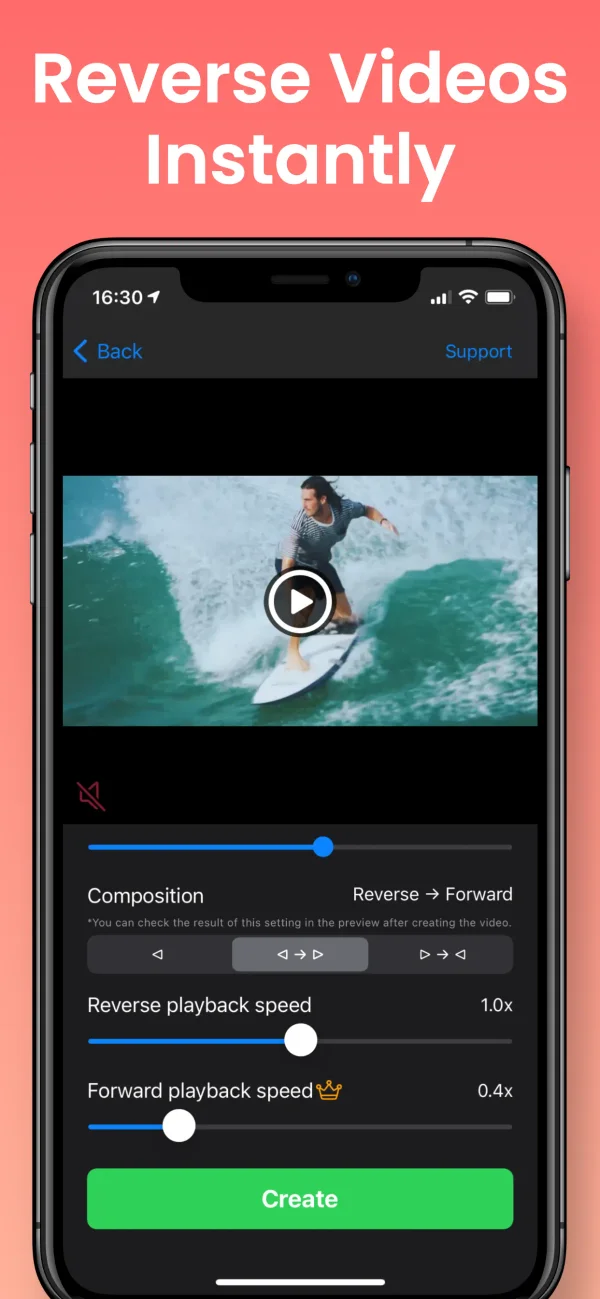
- Reverse video: pick a video, tap Create, and you are done. No timeline, no learning curve
- Reverse then forward: rewind a clip and play it again in a single video
- "Rewind" effect preset: play → rewind at 3x speed → play again (free)
- Audio on/off: keep the reversed sound, or mute it
- Resolution: 720p or 1080p (Pro keeps the original resolution)
- Record with the camera and reverse it on the spot
- Instant preview, then save to Photos or share to any app
- Supports videos from Files and iCloud Drive
■ Pro (one-time purchase, no subscription)
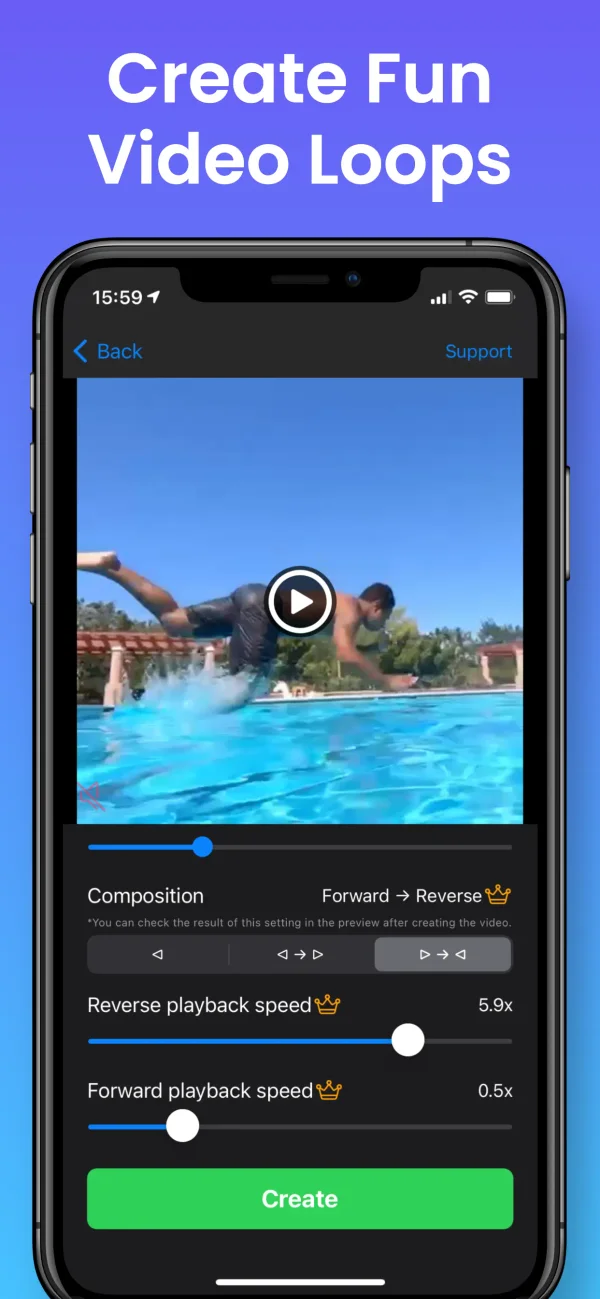
- Forward then reverse
- "Ping-pong" preset: forward and reverse, twice, for seamless loop posts
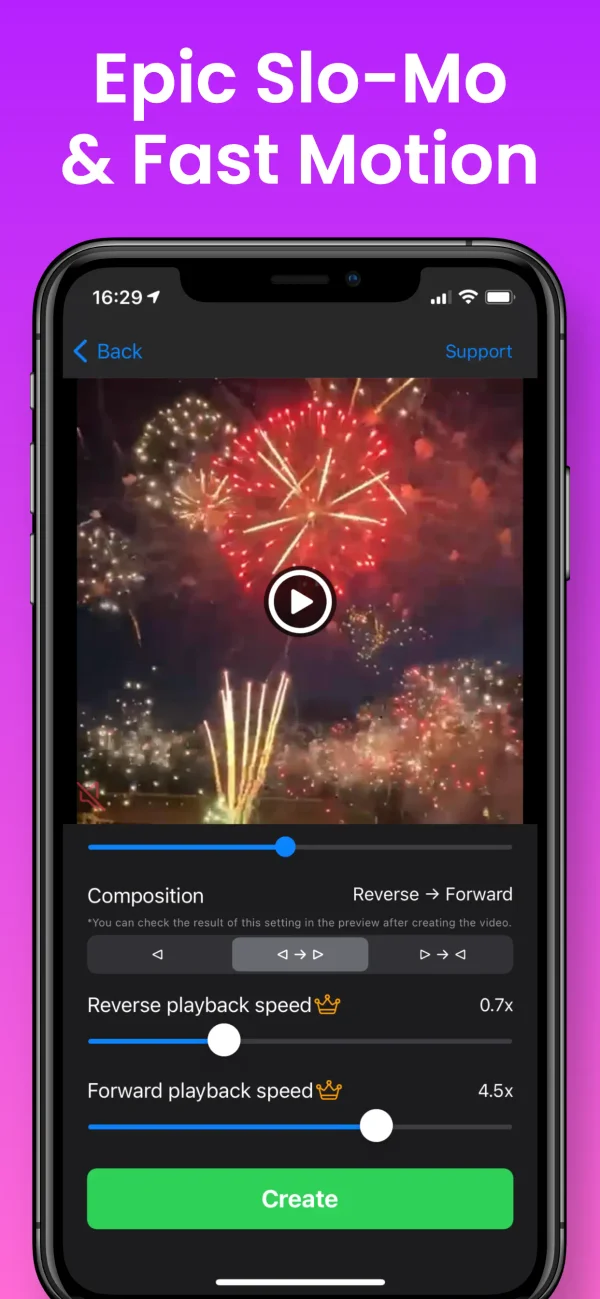
- "Replay" preset: play → rewind at 2x → play again in 0.5x slow motion
- Custom speed from 0.1x to 10x, set separately for the reverse and forward parts
- Save videos longer than 30 seconds
- Keep the original resolution (4K and HDR supported)
- Choose the file format (MP4)
- Keep capture info (date, location, camera)
- No ads
■ How it works
1. Choose a video from your library (or record one)
2. Pick a pattern or effect preset, audio, and resolution
3. Tap Create, check the preview, then save or share
■ Free vs. Pro
The free version lets you create and save reverse-only, reverse-then-forward, and Rewind videos up to 1080p (clips up to 30 seconds). Pro unlocks longer videos, custom speed, the Ping-pong and Replay presets, and full-quality 4K/HDR export. Pro is a one-time purchase that you keep forever.
■ FAQ
Q. Are my videos uploaded anywhere?
A. No. All processing happens on your device. Your videos never leave your phone.
Q. Is the audio reversed too?
A. Yes. With audio enabled, the sound is reversed along with the video. You can also mute it.
Q. Does it support 4K and HDR?
A. Yes. Pro exports at the original resolution with HDR preserved. The free version exports at 720p or 1080p.
Reverse, rewind, backwards, boomerang loop, slow-motion reverse: every "play it backwards" effect in one simple app. Try it free and reverse your favorite video today.
Yenilikler
Sürüm 4.2 · 28.10.2026
■ Preview the result before you create
Changes to the Rewind, Back & forth, and Replay presets, as well as speed and trim settings, now show up right in the editor preview.
■ Refreshed home screen
"Select From Library" is now the big button at the top, so you can pick a video right away.
Uygulama gizliliği
Bu uygulamanın verileri nasıl işlediği hakkında Osawa Shunsuke tarafından App Store üzerinde yapılan beyan.
-
Sizi izlemek için kullanılan veriler
Başka şirketlere ait uygulamalarda ve web sitelerinde sizi izlemek için kullanılabilir.
- Tanımlayıcılar
- Kullanım verileri
- Tanılama
-
Sizinle ilişkilendirilen veriler
Toplanabilir ve kimliğinizle ilişkilendirilebilir.
- Tanımlayıcılar
- Kullanım verileri
- Tanılama
-
Sizinle ilişkilendirilmeyen veriler
Toplanabilir ancak kimliğinizle ilişkilendirilmez.
- Tanılama
Gizlilik uygulamaları, örneğin kullandığınız özelliklere veya yaşınıza göre değişiklik gösterebilir.
Bilgiler
- Satıcı
- Osawa Shunsuke
- Kategori
- Fotoğraf ve Video
- Sürüm
- 4.2
- Güncellendi
- 28.10.2026
- Yayın tarihi
- 27.06.2021
- Boyut
- 28,8 MB
- Gereksinim
- iOS 16 veya sonrası
- Yaş sınırı
- 4+
- Fiyat
- Ücretsiz
- Uygulama içi satın alma
- Evet
- Diller
- İngilizce, Fransızca, Almanca, Endonezce, Japonca, Korece, Portekizce, Basitleştirilmiş Çince, İspanyolca, Geleneksel Çince
- Telif hakkı
- © Shunsuke Osawa
Bunları da beğenebilirsiniz
-
 RevMov - Reverse Video EditorFotoğraf ve Video
-
 Reverse Video - Play BackwardsFotoğraf ve Video
-
 Video Reverse – Play BackwardsFotoğraf ve Video
-
 Video Reverse: rewind videosFotoğraf ve Video
-
 Reverse Video Editor - FunnyFotoğraf ve Video
-
 Reverse Movie FX - SihirliArkadaşlarına bir video hilesi
-
 Ters Video DüzenleyiciKomik Ters Video Oluşturucu
-
 Reverse Vid: Video TersineGeri sar, tersten oynat
-
 Video Speed Editor - VBoosterFotoğraf ve Video
-
 Video Speed - Change & EditFotoğraf ve Video