Easy Reverse Video Maker
Create Backwards / Rewind Vids
Được thiết kế cho iPhone, iPod touch
Miễn phí · Mua hàng trong ứng dụng
- Độ tuổi4+
- Danh mụcẢnh & Video
- Nhà phát triểnOsawa Shunsuke
- Ngôn ngữTiếng Anh+ 9 ngôn ngữ khác
- Kích thước28,8 MB
Liên kết đến trang App Store chính thức
Download.org không lưu trữ tệp nào của Easy Reverse Video Maker. Nút này mở trang ứng dụng trên App Store, nơi Osawa Shunsuke phát hành ứng dụng. Trang được kiểm tra lần cuối: 24/11/2026.
Ảnh chụp màn hình
Giới thiệu
Nhà phát triển chưa cung cấp nội dung này bằng ngôn ngữ của bạn.
Easy Reverse Video Maker turns any video on your iPhone into a reverse (backwards) video in one tap. Add rewind, ping-pong loop, and slow-motion replay effects, then save or share straight to social media and short-form video apps. Free to use, no account required.
■ Perfect for
- Reverse video tricks: splashes, jumps, and falls that magically undo themselves
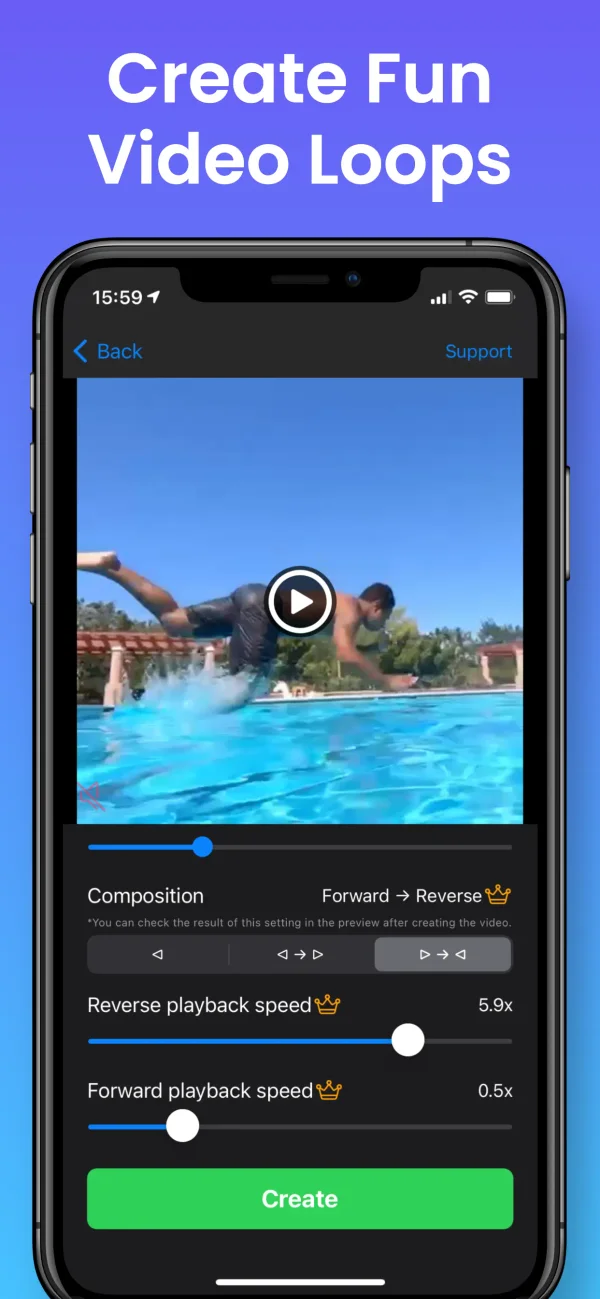
- Boomerang-style loops that play forward and backward again and again
- "Watch that again" rewind clips for sports, dance, magic tricks, and pets
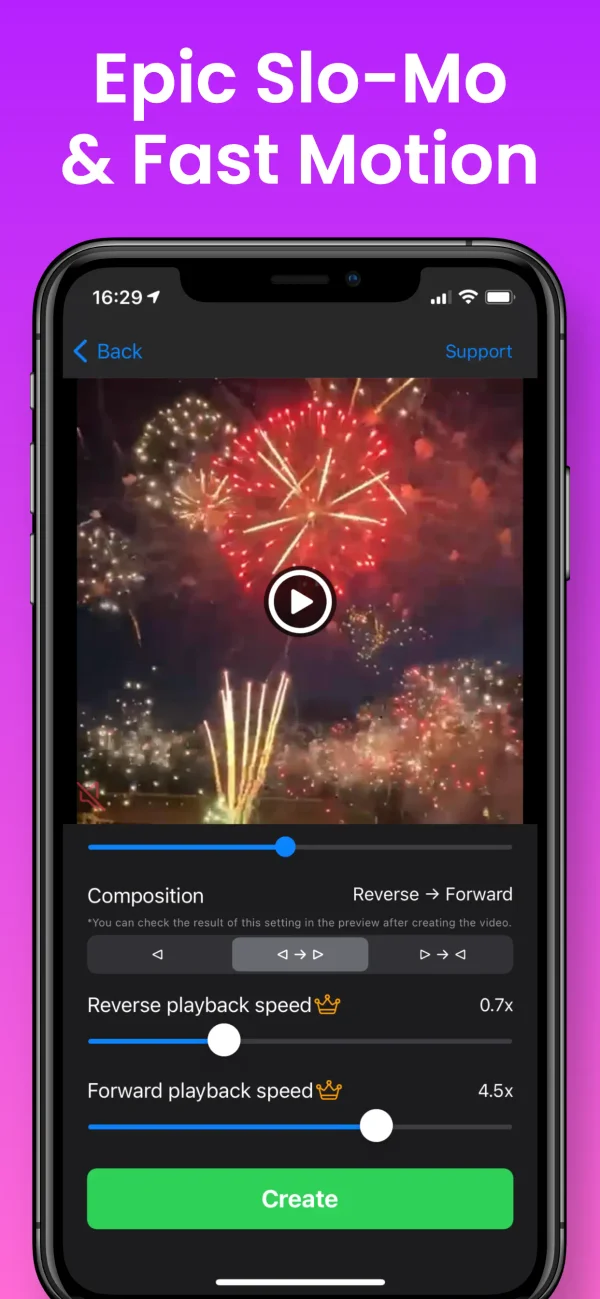
- Dramatic slow-motion reverse replays
- Converting videos from your Photos library to reverse playback without a complicated editor
■ Key features
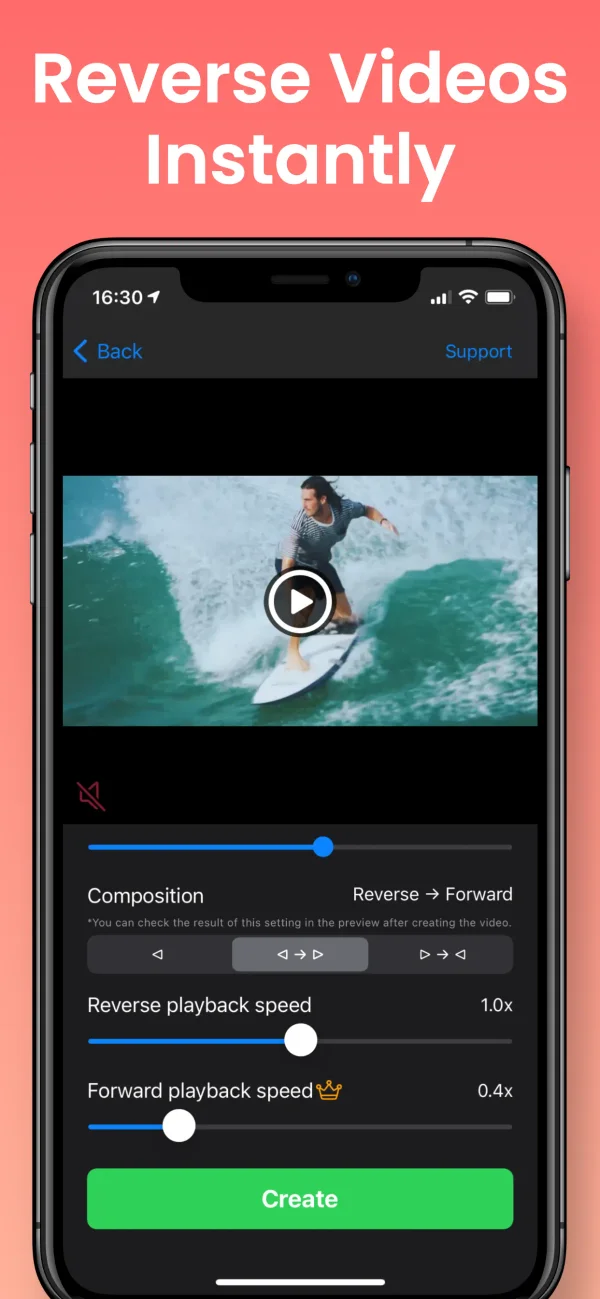
- Reverse video: pick a video, tap Create, and you are done. No timeline, no learning curve
- Reverse then forward: rewind a clip and play it again in a single video
- "Rewind" effect preset: play → rewind at 3x speed → play again (free)
- Audio on/off: keep the reversed sound, or mute it
- Resolution: 720p or 1080p (Pro keeps the original resolution)
- Record with the camera and reverse it on the spot
- Instant preview, then save to Photos or share to any app
- Supports videos from Files and iCloud Drive
■ Pro (one-time purchase, no subscription)
- Forward then reverse
- "Ping-pong" preset: forward and reverse, twice, for seamless loop posts
- "Replay" preset: play → rewind at 2x → play again in 0.5x slow motion
- Custom speed from 0.1x to 10x, set separately for the reverse and forward parts
- Save videos longer than 30 seconds
- Keep the original resolution (4K and HDR supported)
- Choose the file format (MP4)
- Keep capture info (date, location, camera)
- No ads
■ How it works
1. Choose a video from your library (or record one)
2. Pick a pattern or effect preset, audio, and resolution
3. Tap Create, check the preview, then save or share
■ Free vs. Pro
The free version lets you create and save reverse-only, reverse-then-forward, and Rewind videos up to 1080p (clips up to 30 seconds). Pro unlocks longer videos, custom speed, the Ping-pong and Replay presets, and full-quality 4K/HDR export. Pro is a one-time purchase that you keep forever.
■ FAQ
Q. Are my videos uploaded anywhere?
A. No. All processing happens on your device. Your videos never leave your phone.
Q. Is the audio reversed too?
A. Yes. With audio enabled, the sound is reversed along with the video. You can also mute it.
Q. Does it support 4K and HDR?
A. Yes. Pro exports at the original resolution with HDR preserved. The free version exports at 720p or 1080p.
Reverse, rewind, backwards, boomerang loop, slow-motion reverse: every "play it backwards" effect in one simple app. Try it free and reverse your favorite video today.
Có gì mới
Phiên bản 4.2 · 28/10/2026
■ Preview the result before you create
Changes to the Rewind, Back & forth, and Replay presets, as well as speed and trim settings, now show up right in the editor preview.
■ Refreshed home screen
"Select From Library" is now the big button at the top, so you can pick a video right away.
Quyền riêng tư của ứng dụng
Những gì Osawa Shunsuke khai báo trên App Store về cách ứng dụng này xử lý dữ liệu.
-
Dữ liệu được sử dụng để theo dõi bạn
Có thể được sử dụng để theo dõi bạn trên các ứng dụng và trang web do công ty khác sở hữu.
- Mã định danh
- Dữ liệu sử dụng
- Chẩn đoán
-
Dữ liệu liên kết với bạn
Có thể được thu thập và liên kết với danh tính của bạn.
- Mã định danh
- Dữ liệu sử dụng
- Chẩn đoán
-
Dữ liệu không liên kết với bạn
Có thể được thu thập nhưng không liên kết với danh tính của bạn.
- Chẩn đoán
Phương thức đảm bảo quyền riêng tư có thể khác nhau, chẳng hạn như tuỳ theo các tính năng bạn sử dụng hoặc độ tuổi của bạn.
Thông tin
- Người bán
- Osawa Shunsuke
- Danh mục
- Ảnh & Video
- Phiên bản
- 4.2
- Cập nhật
- 28/10/2026
- Phát hành
- 27/06/2021
- Kích thước
- 28,8 MB
- Yêu cầu
- iOS 16 trở lên
- Độ tuổi
- 4+
- Giá
- Miễn phí
- Mua hàng trong ứng dụng
- Có
- Ngôn ngữ
- Tiếng Anh, Tiếng Pháp, Tiếng Đức, Tiếng Indonesia, Tiếng Nhật, Tiếng Hàn, Tiếng Bồ Đào Nha, Tiếng Trung Giản thể, Tiếng Tây Ban Nha, Tiếng Trung Phồn thể
- Bản quyền
- © Shunsuke Osawa
Có thể bạn cũng thích
-
 RevMov - Reverse Video EditorẢnh & Video
-
 Reverse Video - Play BackwardsẢnh & Video
-
 Video Reverse – Play BackwardsẢnh & Video
-
 Video Reverse: rewind videosẢnh & Video
-
 Reverse Video Editor - FunnyẢnh & Video
-
 Reverse Movie FXPhim đảo chiều: video ma thuật
-
 Reversed Videos EditorMake a video play in reversal
-
 Reverse Video: Audio ReverserSlow motion, trim & warp clip
-
 Video Speed Editor - VBoosterẢnh & Video
-
 Video Speed - Change & EditẢnh & Video