- Yaş sınırı4+
- KategoriÜretkenlik
- GeliştiriciCatalystwo
- Dillerİngilizce+ 1 dil daha
- Boyut30,3 MB
Resmi App Store sayfasına bağlanır
Download.org, FastFinga 3 için hiçbir dosya barındırmaz. Düğme, uygulamanın App Store üzerindeki sayfasını açar; uygulamayı orada Catalystwo yayınlar. Sayfanın son kontrolü: 23.11.2026.
Ekran görüntüleri
Hakkında
Geliştirici bu metni dilinizde sunmamış.
FastFinga is a fantastic, fast and easy handwriting application for iPhone/iPod touch and iPad.
This #1 selling app has evolved since its creation and continues to get better with each update.
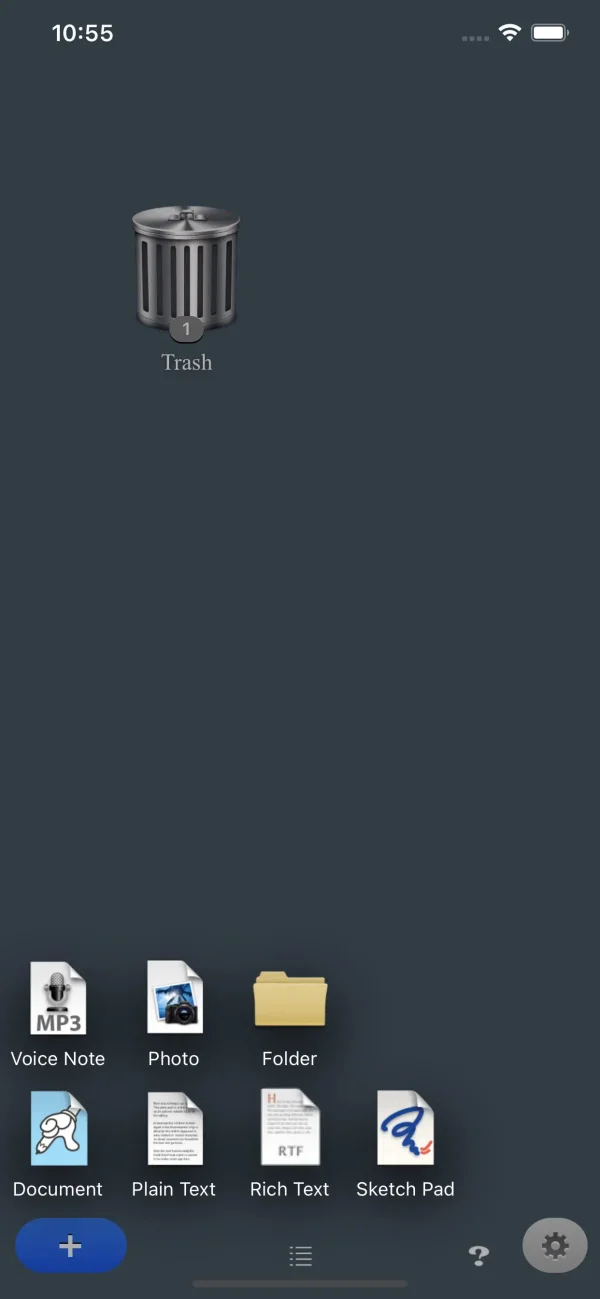
FastFinga 3 includes our other very popular Sketch Pad 3 app so you can now choose to create FastFinga documents or SketchPad documents.
■ SHARE YOUR THOUGHTS and IDEAS... FastFinga's amazing inking enables you to…
- Make fast hand-written notes
- Send personalized emails in YOUR handwriting
- Create hand-written Tweets
- Post hand-written notes direct to Evernote, Twitter and Dropbox
■ SIMPLE AND EASY TO USE…
- Choose a pen size and color and write a word on the screen
- Use Cut and Paste to reorganize document.
■ SIMPLE FEATURES…
- 3 pen size
- 4 pen color palette allowing unlimited customization.
- Easy eraser
- Undoable pen strokes
- Undoable editing
- Cut & paste
- Fast and simple inserting of photos
- Fast and fun inserting of emojis
- Customizable button locations
- Customizable background colors
- Customizable Fonts
- Choose left-to-right/right-to-left directions setting for each document depending on your language preference
- Organize by folders.
■ FEATURES IN DETAIL…
- Universal binary… works on both iPad and iPhone.
- Built-in emoji keyboard.
- Keyboard for inserting typed text.
- Quick number and special character popup keys above keyboard. You can quickly insert special characters.
- Special character popup keys is customizable.
- Customizable font… more than 40 font families, or install your favorite font via iTunes.
- Compatible with left-to-right and right-to-left writing direction.
- Insert handwritten note
- Handwriting pad contains palm-rest in iPad version which prevents unwanted smudging. … suitable for both left-handed and right-handed.
- Tap enter to insert handwritten word into document, or enable automatic inserting.
- Handwriting pad is customizable for your preferred writing size.
- Insert checkbox
- Insert "Quote" … you can quickly copy frequently used sentences such as email template.
- Insert alarm
- Insert voice note (mp3, both in a note and as a separate file)
- Insert time stamp … in customizable format
- Insert photo (both in a note and as a separate file)
- Insert Sketch Pad (both in a note and as a separate file)
- Landscape and portrait compatible both on iPad and iPhone version.
- Create standard note with styled text, plain-text, Sketch Pad, voice note, and photo.
- Export note to printer, other apps including "Photos" app, Evernote, Twitter, Google docs, Google Picasa web, Dropbox.
- Pre-set email recipients.
- Synchronization with Dropbox … sync in both directions.
- Import files from Dropbox.
- Voice recorder can record MP3.
- Built in photo browser for jpeg and png files.
- Built in movie browser for videos.
- Search by contents and filename.
- Selectable from thumbnail style browser and list style browser.
- Rocket start for note… customizable so the app creates new blank note when opened.
** Sketch Pad features **
- Unlimited canvas size
- Trackpad for easy scrolling
- Detach and position tool-bar where you want
- Customizable grid lines
- Customizable background color
- Smooth line with rounded ends
- Organizing document folders
- Export to Twitter, Evernote, Google docs, Picasa, Dropbox, printer, other apps, email, photo library and Mac.
- Flag a sketch or note
- Assign Alarm to a sketch or note
- Palm Rest (ideal for stylus users)... Fully adjustable for either right-handed or left-handed users (iPad only)
- Two finger scrolling in writing mode
- Zooming in/out by double tapping in browse mode
- Zooming by pinching gesture can also be selectable
--------
iPad 3rd generation with Retina Display requires free upgrade to iOS 6 to use this app.
With Love by Tony on the Moon
http://homepage.ntlworld.com/tonyonthemoon/Poem-index.html
Yenilikler
Sürüm 3.9.13 · 22.11.2026
Fixes an issue where the Rename menu did not appear when touching and holding a document.
Uygulama gizliliği
Bu uygulamanın verileri nasıl işlediği hakkında Catalystwo tarafından App Store üzerinde yapılan beyan.
-
Veri toplanmıyor
Geliştirici bu uygulamadan hiçbir veri toplamıyor.
Gizlilik uygulamaları, örneğin kullandığınız özelliklere veya yaşınıza göre değişiklik gösterebilir.
Bilgiler
- Satıcı
- Catalystwo, LLC
- Kategori
- Üretkenlik
- Sürüm
- 3.9.13
- Güncellendi
- 22.11.2026
- Yayın tarihi
- 03.08.2011
- Boyut
- 30,3 MB
- Gereksinim
- iOS 15.0 veya sonrası
- Yaş sınırı
- 4+
- Fiyat
- ₺499,99
- Diller
- İngilizce, Japonca
- Telif hakkı
- © Catalystwo Limited
Bunları da beğenebilirsiniz
-
 Plana - Handwriting PlannerÜretkenlik
-
 Haritada ÇizimNotlar, Çizimler, Açıklamalar
-
 SketchMapÜretkenlik
-
 TIME REC. - Record Your TimeÜretkenlik
-
 Pocket Note - Handwritten noteÜretkenlik
-
 Remote KeyboardÜretkenlik
-
 ATracker PRO - Zaman TakipçisiGünlük alışkanlık Hedef Rutin
-
 BusyCal: Calendar & TasksÜretkenlik
-
 FirstSeed Calendar for iPadÜretkenlik
-
 Neo Studio 2Üretkenlik