- Age rating4+
- CategoryProductivity
- DeveloperCatalystwo
- LanguagesEnglish+ 1 more
- Size30.3 MB
Links to the official App Store page
Download.org hosts no file of FastFinga 3. The button opens its official App Store page, published by Catalystwo. Listing last checked on Nov 23, 2026.
Screenshots
About
FastFinga is a fantastic, fast and easy handwriting application for iPhone/iPod touch and iPad.
This #1 selling app has evolved since its creation and continues to get better with each update.
FastFinga 3 includes our other very popular Sketch Pad 3 app so you can now choose to create FastFinga documents or SketchPad documents.
■ SHARE YOUR THOUGHTS and IDEAS... FastFinga's amazing inking enables you to…
- Make fast hand-written notes
- Send personalized emails in YOUR handwriting
- Create hand-written Tweets
- Post hand-written notes direct to Evernote, Twitter and Dropbox
■ SIMPLE AND EASY TO USE…
- Choose a pen size and color and write a word on the screen
- Use Cut and Paste to reorganize document.
■ SIMPLE FEATURES…
- 3 pen size
- 4 pen color palette allowing unlimited customization.
- Easy eraser
- Undoable pen strokes
- Undoable editing
- Cut & paste
- Fast and simple inserting of photos
- Fast and fun inserting of emojis
- Customizable button locations
- Customizable background colors
- Customizable Fonts
- Choose left-to-right/right-to-left directions setting for each document depending on your language preference
- Organize by folders.
■ FEATURES IN DETAIL…
- Universal binary… works on both iPad and iPhone.
- Built-in emoji keyboard.
- Keyboard for inserting typed text.
- Quick number and special character popup keys above keyboard. You can quickly insert special characters.
- Special character popup keys is customizable.
- Customizable font… more than 40 font families, or install your favorite font via iTunes.
- Compatible with left-to-right and right-to-left writing direction.
- Insert handwritten note
- Handwriting pad contains palm-rest in iPad version which prevents unwanted smudging. … suitable for both left-handed and right-handed.
- Tap enter to insert handwritten word into document, or enable automatic inserting.
- Handwriting pad is customizable for your preferred writing size.
- Insert checkbox
- Insert "Quote" … you can quickly copy frequently used sentences such as email template.
- Insert alarm
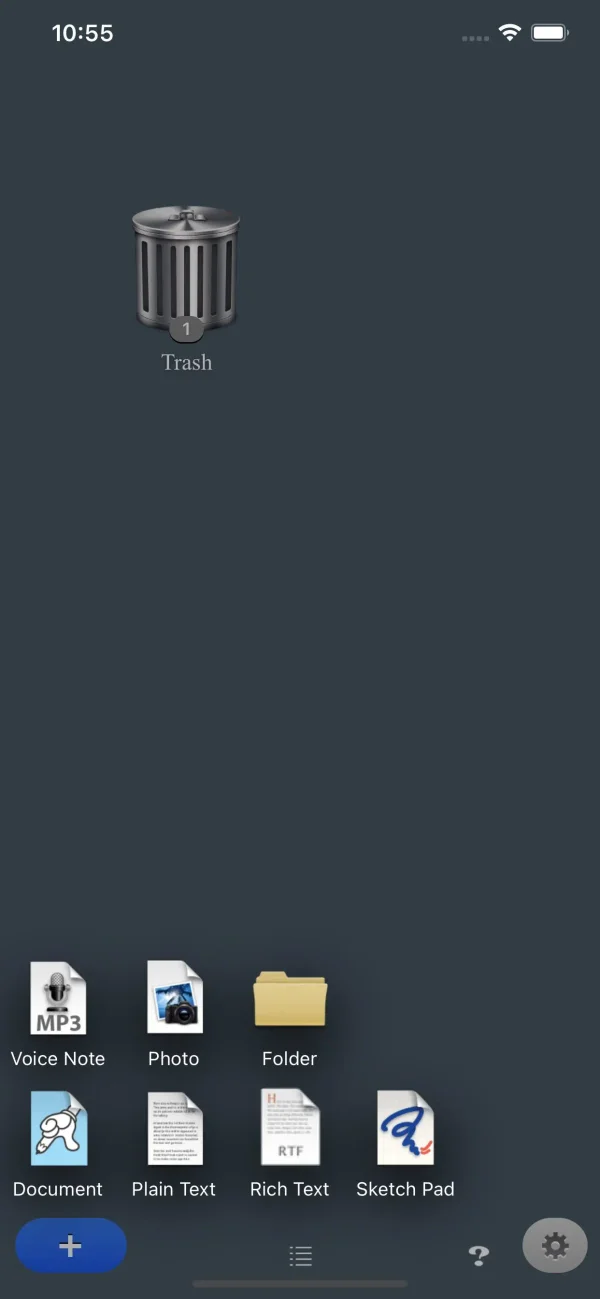
- Insert voice note (mp3, both in a note and as a separate file)
- Insert time stamp … in customizable format
- Insert photo (both in a note and as a separate file)
- Insert Sketch Pad (both in a note and as a separate file)
- Landscape and portrait compatible both on iPad and iPhone version.
- Create standard note with styled text, plain-text, Sketch Pad, voice note, and photo.
- Export note to printer, other apps including "Photos" app, Evernote, Twitter, Google docs, Google Picasa web, Dropbox.
- Pre-set email recipients.
- Synchronization with Dropbox … sync in both directions.
- Import files from Dropbox.
- Voice recorder can record MP3.
- Built in photo browser for jpeg and png files.
- Built in movie browser for videos.
- Search by contents and filename.
- Selectable from thumbnail style browser and list style browser.
- Rocket start for note… customizable so the app creates new blank note when opened.
** Sketch Pad features **
- Unlimited canvas size
- Trackpad for easy scrolling
- Detach and position tool-bar where you want
- Customizable grid lines
- Customizable background color
- Smooth line with rounded ends
- Organizing document folders
- Export to Twitter, Evernote, Google docs, Picasa, Dropbox, printer, other apps, email, photo library and Mac.
- Flag a sketch or note
- Assign Alarm to a sketch or note
- Palm Rest (ideal for stylus users)... Fully adjustable for either right-handed or left-handed users (iPad only)
- Two finger scrolling in writing mode
- Zooming in/out by double tapping in browse mode
- Zooming by pinching gesture can also be selectable
--------
iPad 3rd generation with Retina Display requires free upgrade to iOS 6 to use this app.
With Love by Tony on the Moon
http://homepage.ntlworld.com/tonyonthemoon/Poem-index.html
What’s new
Version 3.9.13 · Nov 22, 2026
Fixes an issue where the Rename menu did not appear when touching and holding a document.
App privacy
What Catalystwo declares on the App Store about how this app handles data.
-
Data not collected
The developer does not collect any data from this app.
Privacy practices may vary, for example with the features you use or your age.
Information
- Seller
- Catalystwo, LLC
- Category
- Productivity
- Version
- 3.9.13
- Updated
- Nov 22, 2026
- Released
- Aug 3, 2011
- Size
- 30.3 MB
- Requires
- iOS 15.0 or later
- Age rating
- 4+
- Price
- $9.99
- Languages
- English, Japanese
- Copyright
- © Catalystwo Limited
You might also like
-
 Plana - Handwriting PlannerHandwritten planner & calendar
-
 Drawing On MapNotes, Sketches, Annotations
-
 SketchMapDraw your ideas on the map!
-
 TIME REC. - Record Your TimeManage with timestamps
-
 Pocket Note - Handwritten noteNotepad for handwriting
-
 Remote KeyboardType Faster From Desktop
-
 ATracker PRO Time TrackerDaily Task Habit Goal Routine
-
 BusyCal: Calendar & TasksPlanner, Agenda & Reminders
-
 FirstSeed Calendar for iPadCalendars and widgets
-
 Neo Studio 2Digitize Your Handwriting