- Yaş sınırı4+
- KategoriMüzik
- GeliştiriciAlexander Douglass
- Dillerİngilizce
- Boyut26,6 MB
Resmi App Store sayfasına bağlanır
Download.org, FretWizard için hiçbir dosya barındırmaz. Düğme, uygulamanın App Store üzerindeki sayfasını açar; uygulamayı orada Alexander Douglass yayınlar. Sayfanın son kontrolü: 13.11.2026.
Ekran görüntüleri
Hakkında
Geliştirici bu metni dilinizde sunmamış.
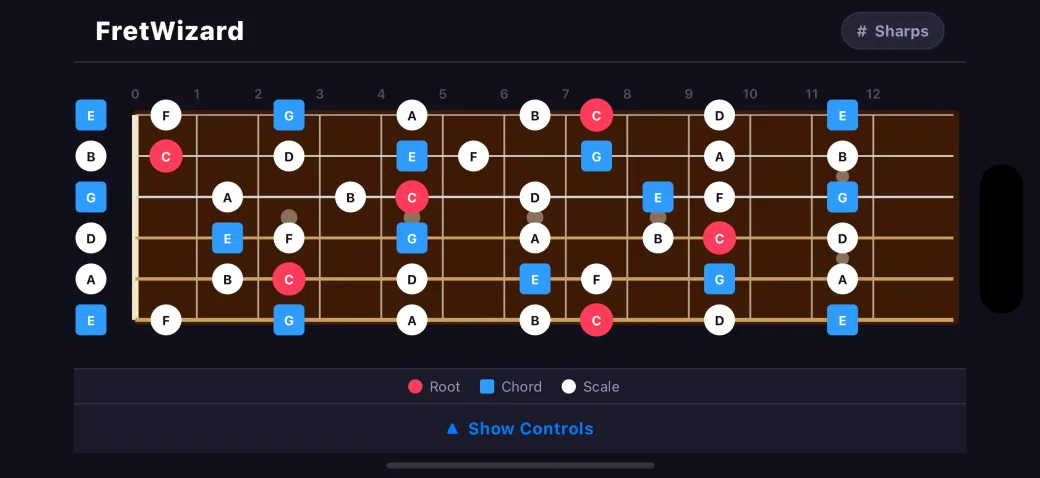
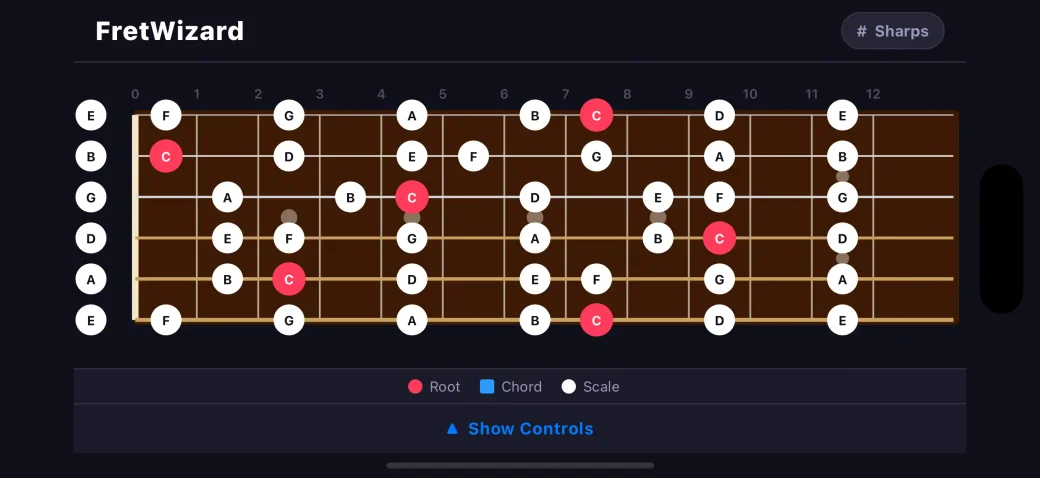
FretWizard is the ultimate fretboard visualization tool for guitarists, bassists, and players of all stringed instruments. Whether you're a beginner learning your first scales or an experienced player deepening your music theory knowledge, FretWizard makes it easy to see exactly where every note lives on the neck.
INSTRUMENTS
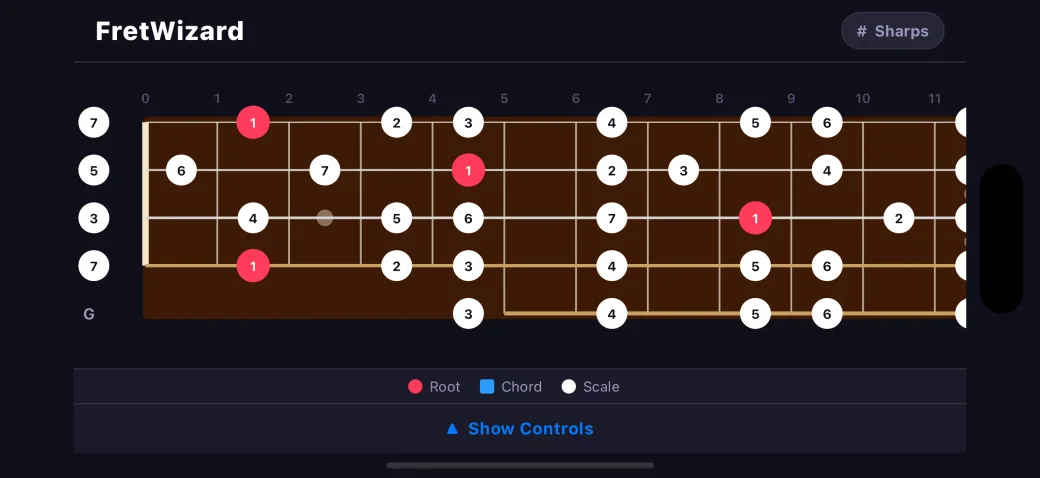
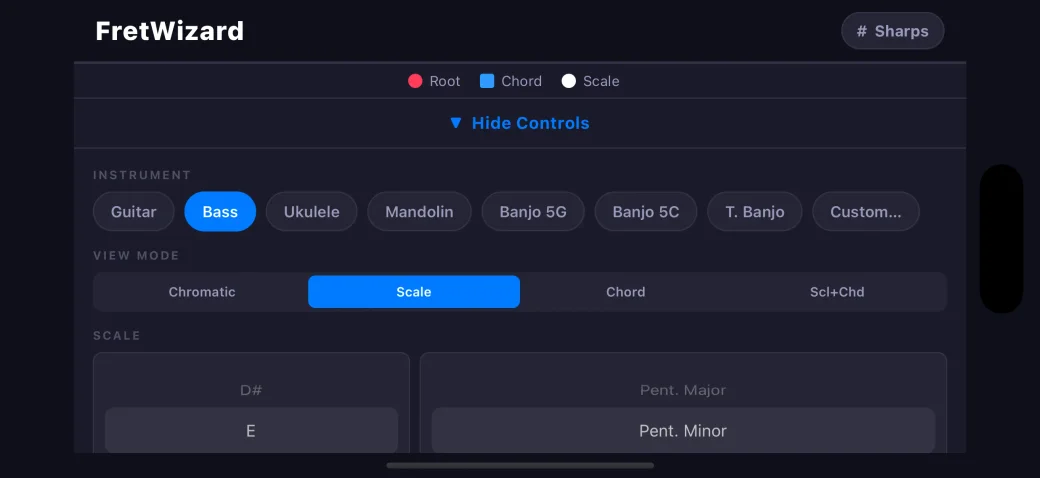
Visualize scales and chords across 7 pre-defined instruments, or create your own custom instrument or tuning:
• Guitar
• Bass Guitar
• Ukulele
• Mandolin
• 5-String Banjo (Open G)
• 5-String Banjo (Double C)
• Tenor Banjo
• Custom — build any instrument with your own tuning (up to 12 strings)
SCALES
• Major & Minor
• Pentatonic Major & Minor
• Blues
• Dorian, Phrygian, Lydian, Mixolydian
• Harmonic Minor
• Chromatic
CHORDS
• Major, Minor
• Dom 7, Maj 7, Min 7
• Augmented, Diminished
• Aug 7, Dim 7
• 6th, 9th, 11th, 13th
• Sus2, Sus4
POWERFUL VIEW MODES
Switch between four views to explore music theory your way:
• Chromatic — see all 12 notes across the entire neck
• Scale — highlight every note in your chosen scale
• Chord — see all chord tones up and down the fretboard
• Scale + Chord — overlay both at once to understand how chords live inside scales
FLEXIBLE NOTE LABELS
Choose how notes are labeled on the fretboard:
• Note Name (C, D, F#...)
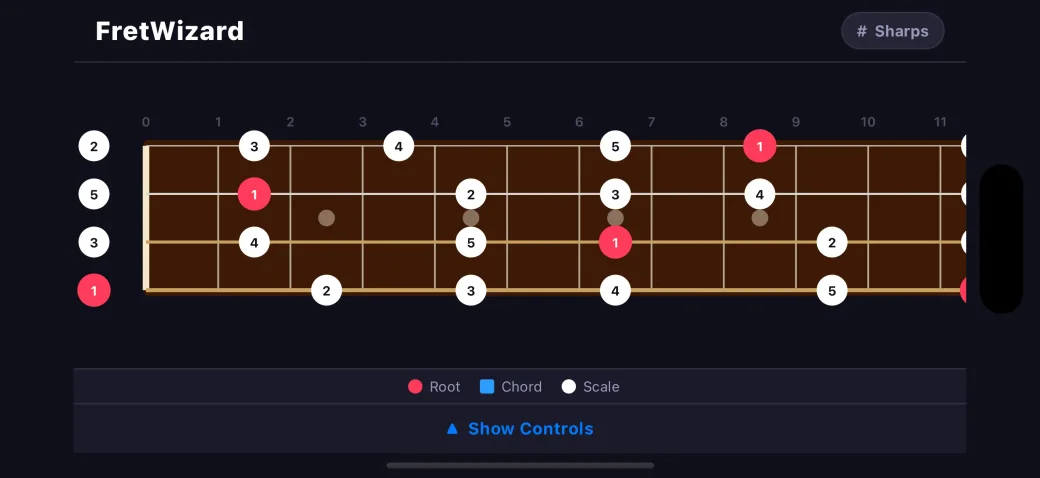
• Scale Degree (1, 2, 3, 4...)
• Interval (R, M3, P5...)
MORE FEATURES
• Sharp/flat toggle for your preferred notation
• Pinch-to-zoom for detailed fret inspection
• Landscape mode for a wider fretboard view
• Full tablet support
• Clean dark interface designed for readability on stage or in the studio
Yenilikler
Sürüm 1.01 · 16.07.2026
Fixed a bug that did not update to "degrees" when in "chord" mode. Added the ability to name custom instruments and save them. Made the custom instrument field "sticky". Added a half diminished chord option. Changed the order that chords are listed in. Fixed a layout issue in landscape mode that sometimes cut off the top of an instrument fretboard.
Uygulama gizliliği
Bu uygulamanın verileri nasıl işlediği hakkında Alexander Douglass tarafından App Store üzerinde yapılan beyan.
-
Veri toplanmıyor
Geliştirici bu uygulamadan hiçbir veri toplamıyor.
Gizlilik uygulamaları, örneğin kullandığınız özelliklere veya yaşınıza göre değişiklik gösterebilir.
Bilgiler
- Satıcı
- Alexander Douglass
- Kategori
- Müzik
- Sürüm
- 1.01
- Güncellendi
- 16.07.2026
- Yayın tarihi
- 26.03.2026
- Boyut
- 26,6 MB
- Gereksinim
- iOS 15.1 veya sonrası
- Yaş sınırı
- 4+
- Fiyat
- Ücretsiz
- Diller
- İngilizce
- Telif hakkı
- © 2026 Alex Douglass