
Kiriwake: Split Photos for X
One wide photo, four big tiles
iPhone için tasarlandı
Ücretsiz · Uygulama içi satın alma
- Yaş sınırı4+
- KategoriFotoğraf ve Video
- GeliştiriciMASATO MORITA
- DillerJaponca+ 1 dil daha
- Boyut37,3 MB
Resmi App Store sayfasına bağlanır
Download.org, Kiriwake: Split Photos for X için hiçbir dosya barındırmaz. Düğme, uygulamanın App Store üzerindeki sayfasını açar; uygulamayı orada MASATO MORITA yayınlar. Sayfanın son kontrolü: 23.11.2026.
Ekran görüntüleri

Hakkında
Geliştirici bu metni dilinizde sunmamış.
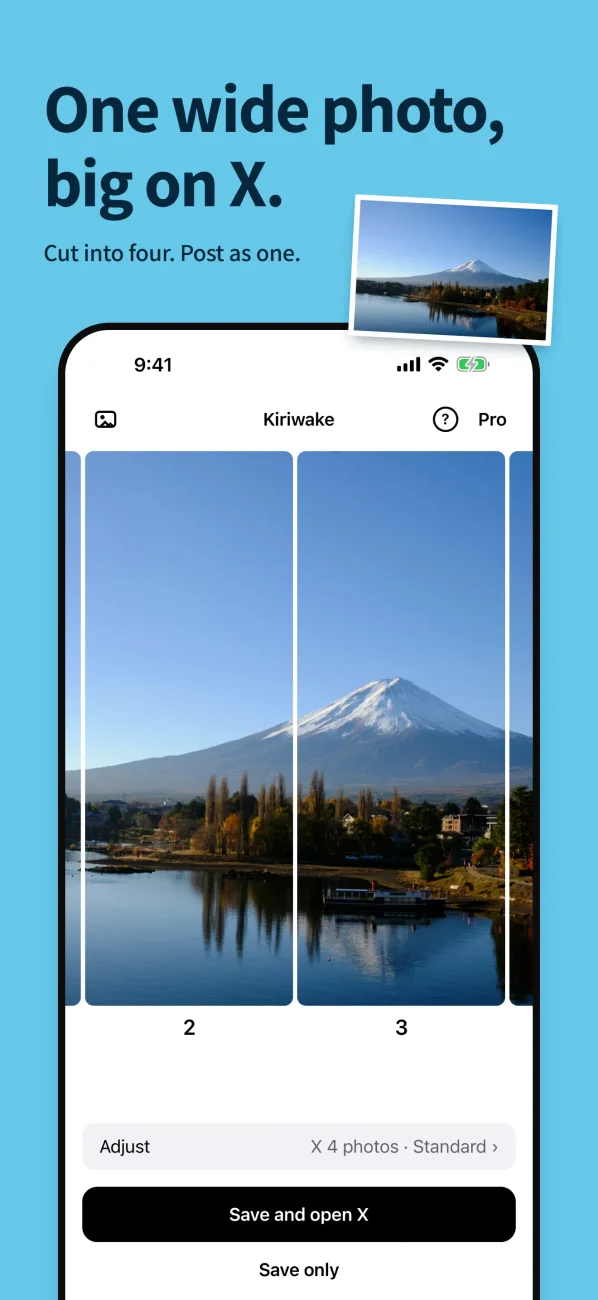
Kiriwake makes a wide photo show up big on X.
Posted as it is, a wide photo looks small in the timeline. Cut it into slender tiles with Kiriwake, attach them to one post, and X lines them up side by side as one large image you can swipe across. Choose anywhere from 2 to 20 tiles.
■ How it works
1. Pick one photo
2. Check the result at the size it will appear on X
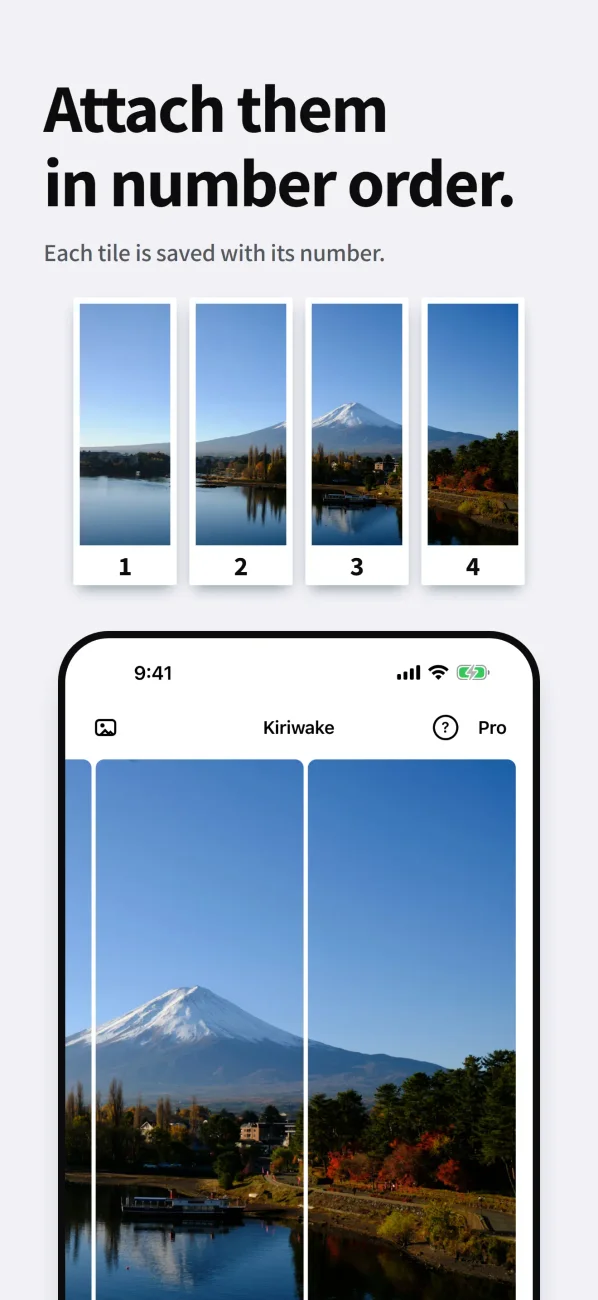
3. Tap "Save and open X". Attach the tiles in number order and the picture joins up
■ Line up separate photos too
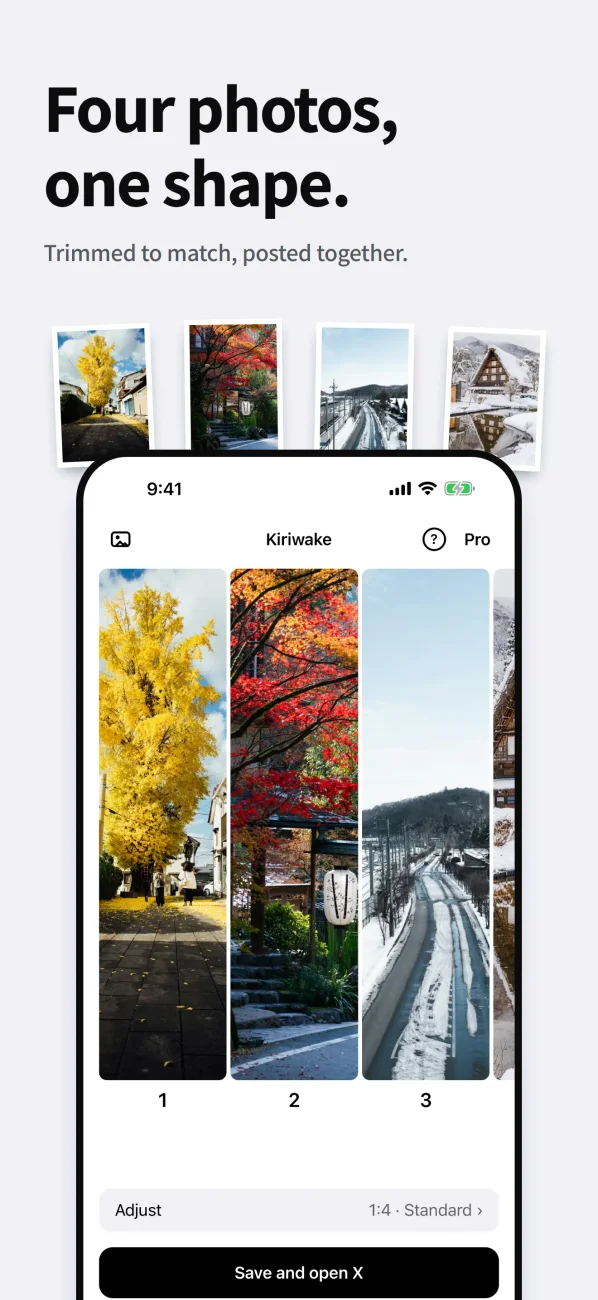
A full-length outfit shot, four cuts from an event, four favorites. Kiriwake trims 2 to 4 separate photos to the same slender shape so they sit together in one post.
■ Included
- Split one photo into 2 to 20 tiles (X allows up to 20 images in one post)
- Align separate photos to the same shape (1:4)
- Rotate, remove and add photos
- Save at standard quality (2048 px on the long edge) and share
- Layouts for Instagram (grid, carousel)
■ Pro (one-time purchase)
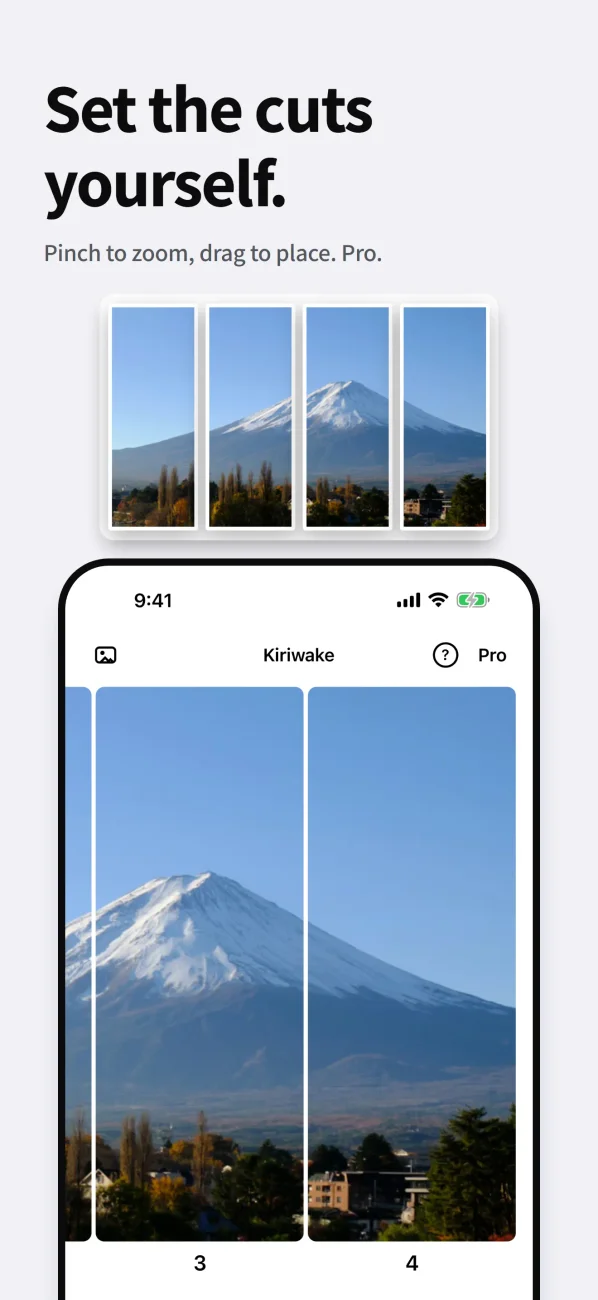
- Adjust position: pinch to zoom and decide where the cuts fall, or move the cuts one at a time
- Keep color: choose the tiles that stay in color, and the rest turn black and white
- Replace photos and change their order
- Change how slender each photo is (1:2 to 1:8)
- Save in full size
No monthly payments.
■ Private by design
- No ads, no watermark
- Photos are processed on your phone and never uploaded
- No account
- Location and other capture data are removed from saved images
How four-image posts look on X was checked on the iOS app and the web in November 2026; posts with five or more images were checked on the web. It may change with updates to X or with the viewer's device.
Yenilikler
Sürüm 1.7.1 · 19.11.2026
- You can now combine separate photos into one image. Pick photos with "Align four photos", then in Adjust choose "Combine into one" under Result. Up to 9 photos (16 with Pro)
- Choose from 6 background colors for combined images
- Choose from 7 colors for the start screen, including white and black (Pro)
Uygulama gizliliği
Bu uygulamanın verileri nasıl işlediği hakkında MASATO MORITA tarafından App Store üzerinde yapılan beyan.
-
Sizinle ilişkilendirilmeyen veriler
Toplanabilir ancak kimliğinizle ilişkilendirilmez.
- Tanımlayıcılar
- Kullanım verileri
Gizlilik uygulamaları, örneğin kullandığınız özelliklere veya yaşınıza göre değişiklik gösterebilir.
Bilgiler
- Satıcı
- MASATO MORITA
- Kategori
- Fotoğraf ve Video
- Sürüm
- 1.7.1
- Güncellendi
- 19.11.2026
- Yayın tarihi
- 07.09.2026
- Boyut
- 37,3 MB
- Gereksinim
- iOS 16.4 veya sonrası
- Yaş sınırı
- 4+
- Fiyat
- Ücretsiz
- Uygulama içi satın alma
- Evet
- Diller
- Japonca, İngilizce
- Telif hakkı
- © 2026 Masato Morita
Bunları da beğenebilirsiniz
-
 PictOrb Movable Lens CameraFotoğraf ve Video
-
 LAMUNE - Film Photo EditorFotoğraf ve Video
-
 Slicer: Photo Grid & CarouselFotoğraf ve Video
-
 PETZINE - ペット写真の雑誌風コラージュFotoğraf ve Video
-
 Photo Splitter for X TrendFotoğraf ve Video
-
 Swapscape: Photo ExchangeFotoğraf ve Video
-
 SNS Video Fixer - FPSuke -Fotoğraf ve Video
-
 Pitatto Video CompressorFotoğraf ve Video
-
 Swipescape: Panorama CarouselFotoğraf ve Video
-
 しゃしんシュレッダーFotoğraf ve Video