
Kiriwake: Split Photos for X
One wide photo, four big tiles
Được thiết kế cho iPhone
Miễn phí · Mua hàng trong ứng dụng
- Độ tuổi4+
- Danh mụcẢnh & Video
- Nhà phát triểnMASATO MORITA
- Ngôn ngữTiếng Nhật+ 1 ngôn ngữ khác
- Kích thước37,3 MB
Liên kết đến trang App Store chính thức
Download.org không lưu trữ tệp nào của Kiriwake: Split Photos for X. Nút này mở trang ứng dụng trên App Store, nơi MASATO MORITA phát hành ứng dụng. Trang được kiểm tra lần cuối: 23/11/2026.
Ảnh chụp màn hình

Giới thiệu
Nhà phát triển chưa cung cấp nội dung này bằng ngôn ngữ của bạn.
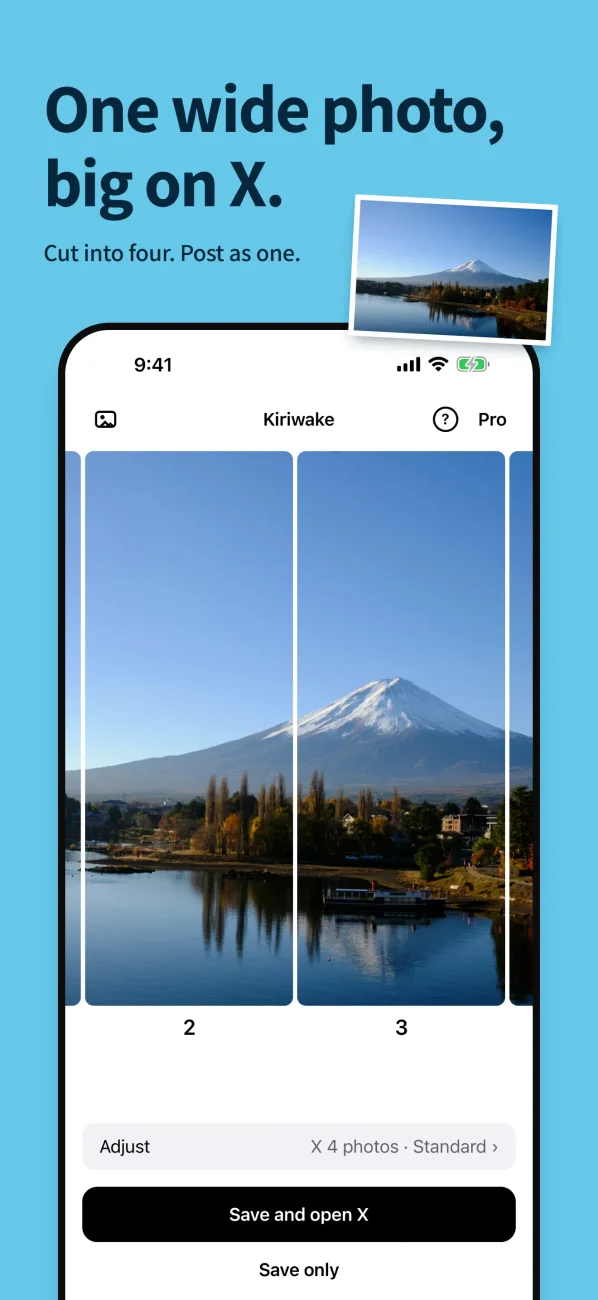
Kiriwake makes a wide photo show up big on X.
Posted as it is, a wide photo looks small in the timeline. Cut it into slender tiles with Kiriwake, attach them to one post, and X lines them up side by side as one large image you can swipe across. Choose anywhere from 2 to 20 tiles.
■ How it works
1. Pick one photo
2. Check the result at the size it will appear on X
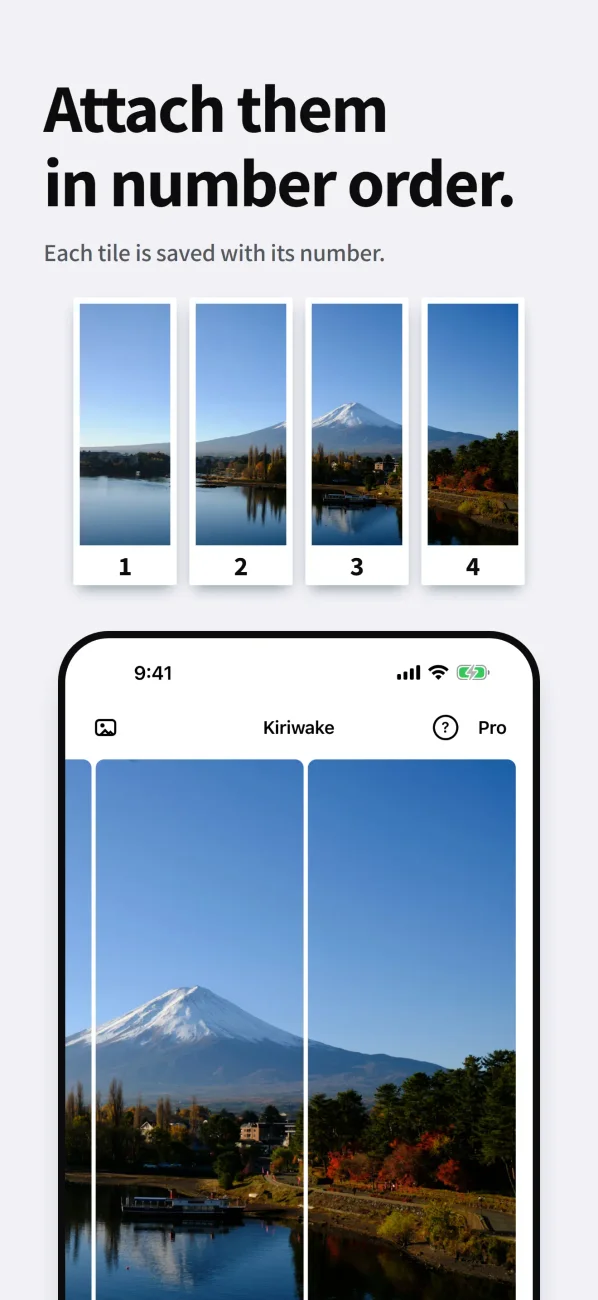
3. Tap "Save and open X". Attach the tiles in number order and the picture joins up
■ Line up separate photos too
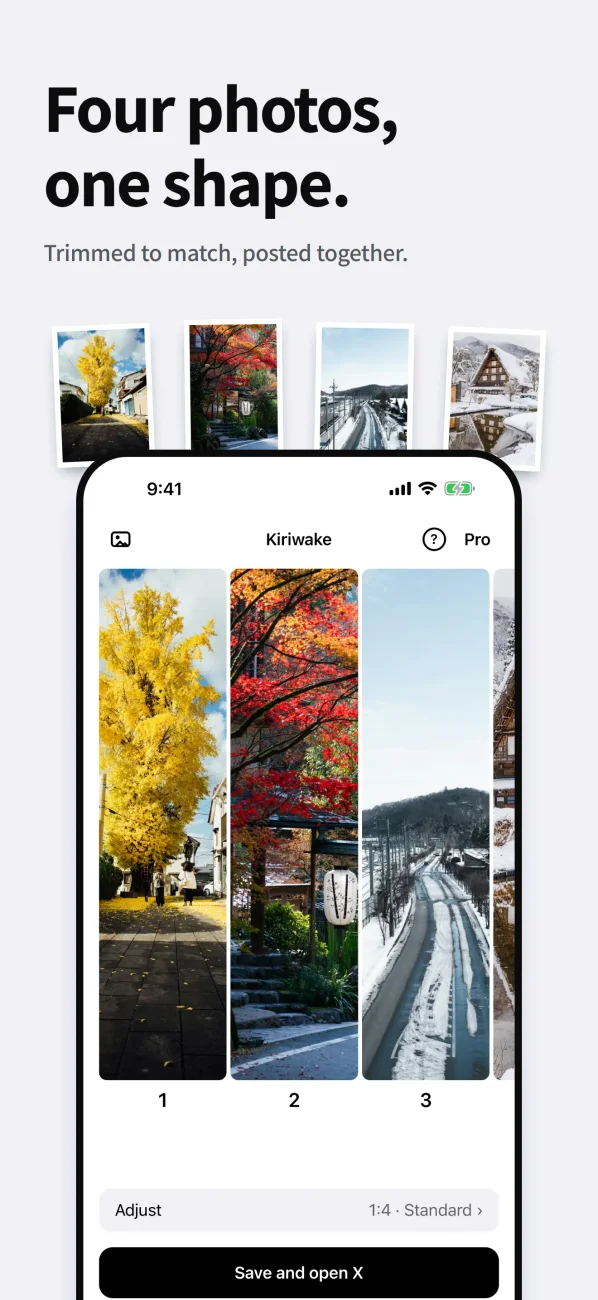
A full-length outfit shot, four cuts from an event, four favorites. Kiriwake trims 2 to 4 separate photos to the same slender shape so they sit together in one post.
■ Included
- Split one photo into 2 to 20 tiles (X allows up to 20 images in one post)
- Align separate photos to the same shape (1:4)
- Rotate, remove and add photos
- Save at standard quality (2048 px on the long edge) and share
- Layouts for Instagram (grid, carousel)
■ Pro (one-time purchase)
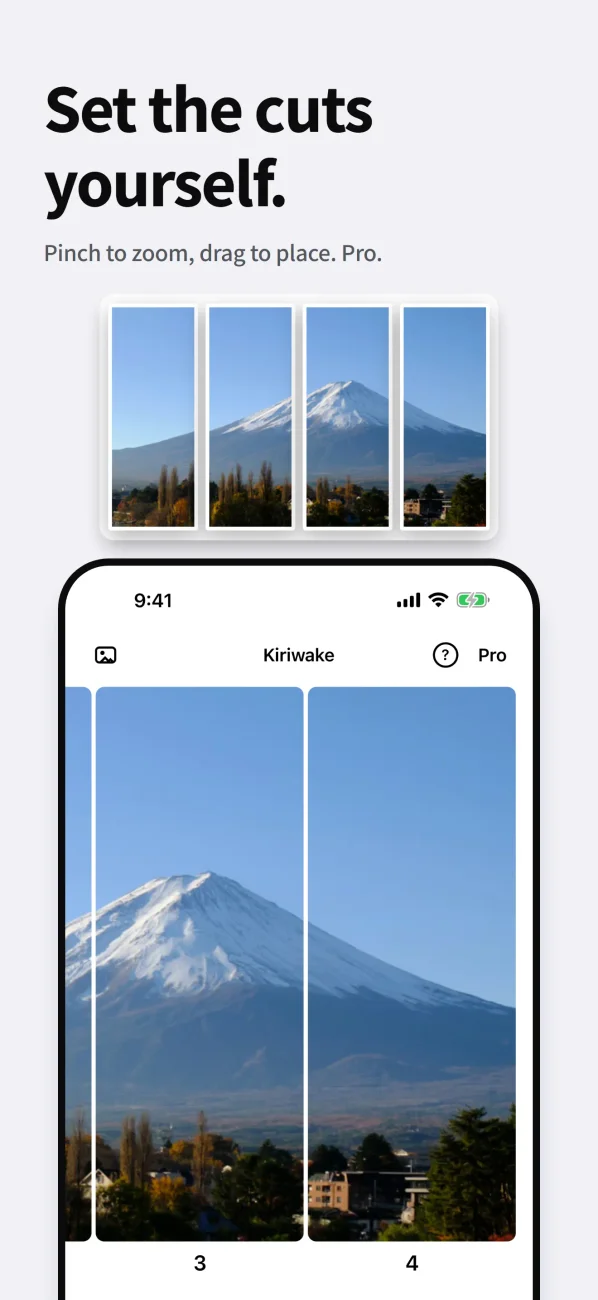
- Adjust position: pinch to zoom and decide where the cuts fall, or move the cuts one at a time
- Keep color: choose the tiles that stay in color, and the rest turn black and white
- Replace photos and change their order
- Change how slender each photo is (1:2 to 1:8)
- Save in full size
No monthly payments.
■ Private by design
- No ads, no watermark
- Photos are processed on your phone and never uploaded
- No account
- Location and other capture data are removed from saved images
How four-image posts look on X was checked on the iOS app and the web in November 2026; posts with five or more images were checked on the web. It may change with updates to X or with the viewer's device.
Có gì mới
Phiên bản 1.7.1 · 19/11/2026
- You can now combine separate photos into one image. Pick photos with "Align four photos", then in Adjust choose "Combine into one" under Result. Up to 9 photos (16 with Pro)
- Choose from 6 background colors for combined images
- Choose from 7 colors for the start screen, including white and black (Pro)
Quyền riêng tư của ứng dụng
Những gì MASATO MORITA khai báo trên App Store về cách ứng dụng này xử lý dữ liệu.
-
Dữ liệu không liên kết với bạn
Có thể được thu thập nhưng không liên kết với danh tính của bạn.
- Mã định danh
- Dữ liệu sử dụng
Phương thức đảm bảo quyền riêng tư có thể khác nhau, chẳng hạn như tuỳ theo các tính năng bạn sử dụng hoặc độ tuổi của bạn.
Thông tin
- Người bán
- MASATO MORITA
- Danh mục
- Ảnh & Video
- Phiên bản
- 1.7.1
- Cập nhật
- 19/11/2026
- Phát hành
- 07/09/2026
- Kích thước
- 37,3 MB
- Yêu cầu
- iOS 16.4 trở lên
- Độ tuổi
- 4+
- Giá
- Miễn phí
- Mua hàng trong ứng dụng
- Có
- Ngôn ngữ
- Tiếng Nhật, Tiếng Anh
- Bản quyền
- © 2026 Masato Morita
Có thể bạn cũng thích
-
 PictOrb Movable Lens CameraẢnh & Video
-
 LAMUNE - Film Photo EditorẢnh & Video
-
 Slicer: Photo Grid & CarouselẢnh & Video
-
 PETZINE - ペット写真の雑誌風コラージュẢnh & Video
-
 Photo Splitter for X TrendẢnh & Video
-
 Swapscape: Photo ExchangeẢnh & Video
-
 SNS Video Fixer - FPSuke -Ảnh & Video
-
 Pitatto Video CompressorẢnh & Video
-
 Swipescape: Panorama CarouselẢnh & Video
-
 しゃしんシュレッダーẢnh & Video