Lab Channels
Edit tone and color apart
iPhone, iPad için tasarlandı
Ücretsiz
- Yaş sınırı4+
- KategoriFotoğraf ve Video
- GeliştiriciGreg Anderson
- Dillerİngilizce
- Boyut655,0 KB
Resmi App Store sayfasına bağlanır
Download.org, Lab Channels için hiçbir dosya barındırmaz. Düğme, uygulamanın App Store üzerindeki sayfasını açar; uygulamayı orada Greg Anderson yayınlar. Sayfanın son kontrolü: 18.11.2026.
Ekran görüntüleri

Hakkında
Geliştirici bu metni dilinizde sunmamış.
ab Channels converts your photograph into CIE L*a*b* and lets you work the three channels separately.
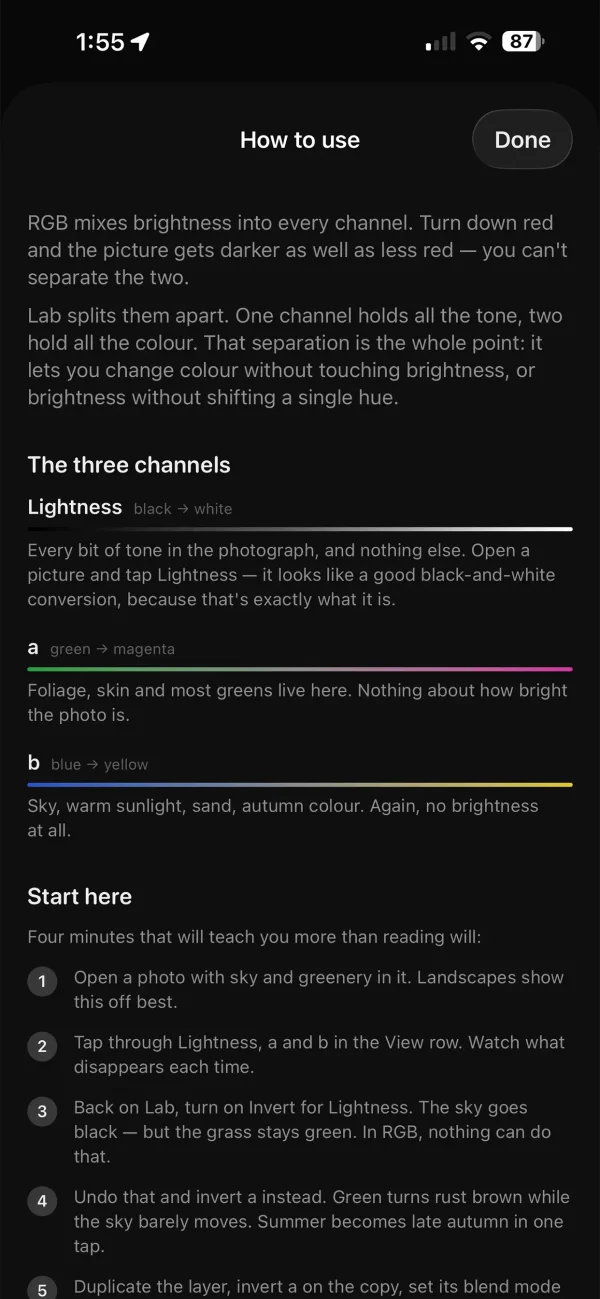
In RGB, brightness is baked into every channel. Turn down red and the picture gets darker as well as less red — the two cannot be separated. Lab splits them apart. One channel carries all the tone. Two carry all the colour: one running green to magenta, the other blue to yellow. That separation is the point. It lets you change colour without touching brightness, or brightness without shifting a single hue.
WHAT YOU CAN DO
• View any channel on its own as greyscale
• Invert, brighten, or add contrast to each channel independently
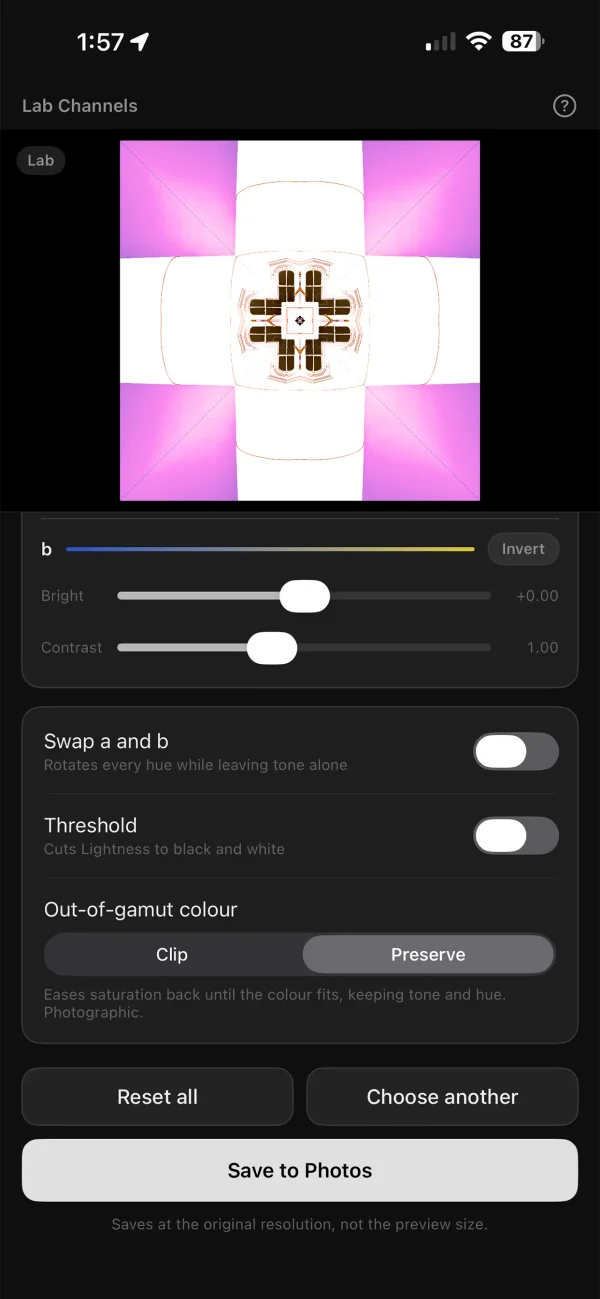
• Swap the two colour channels to rotate every hue at once
• Threshold the tone channel down to pure black and white
• Stack copies of the photo and blend them together
• Choose how colour that falls outside your screen's range is handled
WORKING WITH CHANNELS
Invert the tone channel and light and dark flip while hue stays put — clouds go black, grass stays green. Invert the green–magenta channel and summer foliage turns rust brown while a blue sky barely moves, because sky lives on the other axis. Knowing which channel a colour sits on is most of the skill, and the built-in help page walks through it with real before-and-after swatches.
LAYERS AND BLENDING
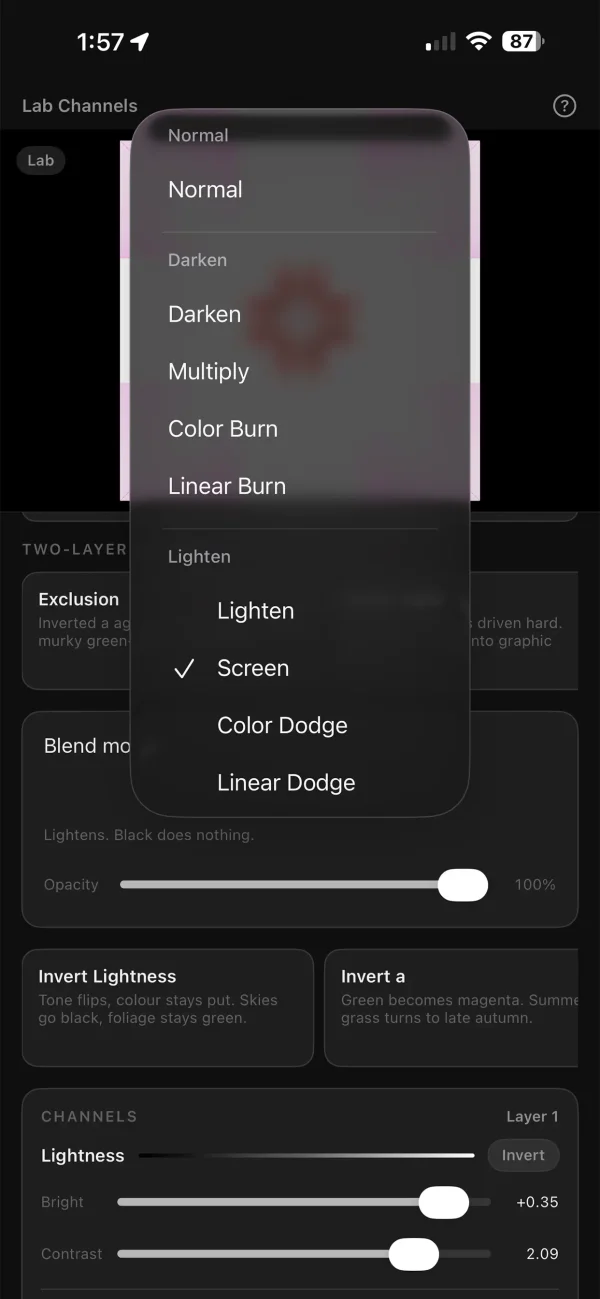
Duplicate the photo, edit the copy's channels, then choose how the two meet. All 24 blend modes are here, from Multiply and Screen through the contrast group to Luminosity and Colour. Luminosity takes tone from one layer and colour from the other, which is the cleanest way to change contrast without shifting a hue anywhere in the frame.
COLOUR THAT FALLS OUT OF RANGE
The colour channels have no limits but your screen does, so pushing one sends many colours outside what can be displayed. What happens to them is a real choice, so it is yours to make. Preserve eases saturation back toward neutral until the colour fits, holding its brightness and hue, which keeps gradation in skies and foliage. Clip cuts at the boundary instead, which flattens detail into solid blocks and is the right answer when you want that.
BUILT TO BE ACCURATE
Conversion uses the D50 white point, so channel values line up with what other professional tools report for the same pixel. Editing happens on a downscaled preview so adjustments stay immediate, and saving re-runs everything against your original full-size photo.
PRIVACY
No account, no sign-in, no network access of any kind. Your photos are read when you pick them and written back only when you ask. Nothing is collected, and nothing leaves your device.
Uygulama gizliliği
Bu uygulamanın verileri nasıl işlediği hakkında Greg Anderson tarafından App Store üzerinde yapılan beyan.
-
Veri toplanmıyor
Geliştirici bu uygulamadan hiçbir veri toplamıyor.
Gizlilik uygulamaları, örneğin kullandığınız özelliklere veya yaşınıza göre değişiklik gösterebilir.
Bilgiler
- Satıcı
- Greg Anderson
- Kategori
- Fotoğraf ve Video
- Sürüm
- 1.0
- Güncellendi
- 02.09.2026
- Yayın tarihi
- 01.09.2026
- Boyut
- 655,0 KB
- Gereksinim
- iOS 17.0 veya sonrası
- Yaş sınırı
- 4+
- Fiyat
- Ücretsiz
- Diller
- İngilizce
- Telif hakkı
- © Greg Anderson
Bunları da beğenebilirsiniz
-
 Vaiya: Product DemosFotoğraf ve Video
-
 Edit Text on Photos: GlyphswapFotoğraf ve Video
-
 EchoSense-AIFotoğraf ve Video
-
 Clipstack: Video EditorFotoğraf ve Video
-
 BlackCam - Black&White CameraFotoğraf ve Video
-
 Digicam Retro Y2K · FlashpixDijital Kamera, Tarih Damgası
-
 Relive Photo Stories - PhomusFotoğraf ve Video
-
 iCPainter: Photo to PaintingFotoğraf ve Video
-
 OneShot Record · Studio · ShipFotoğraf ve Video