LabelDash
Print 4×6 labels from PDFs
iPhone, iPad, Mac için tasarlandı
Ücretsiz
- Yaş sınırı4+
- Kategoriİş
- GeliştiriciYIYUAN JIN
- Dillerİngilizce+ 8 dil daha
- Boyut2,6 MB
Resmi App Store sayfasına bağlanır
Download.org, LabelDash için hiçbir dosya barındırmaz. Düğme, uygulamanın App Store üzerindeki sayfasını açar; uygulamayı orada YIYUAN JIN yayınlar. Sayfanın son kontrolü: 12.11.2026.
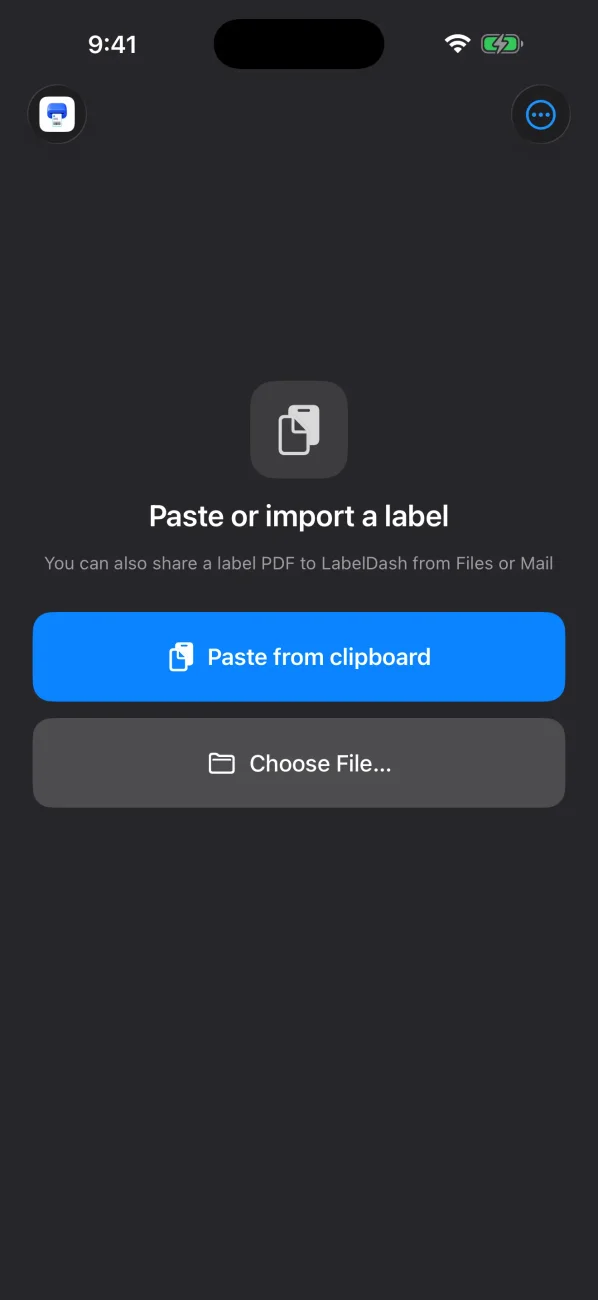
Ekran görüntüleri

Hakkında
Geliştirici bu metni dilinizde sunmamış.
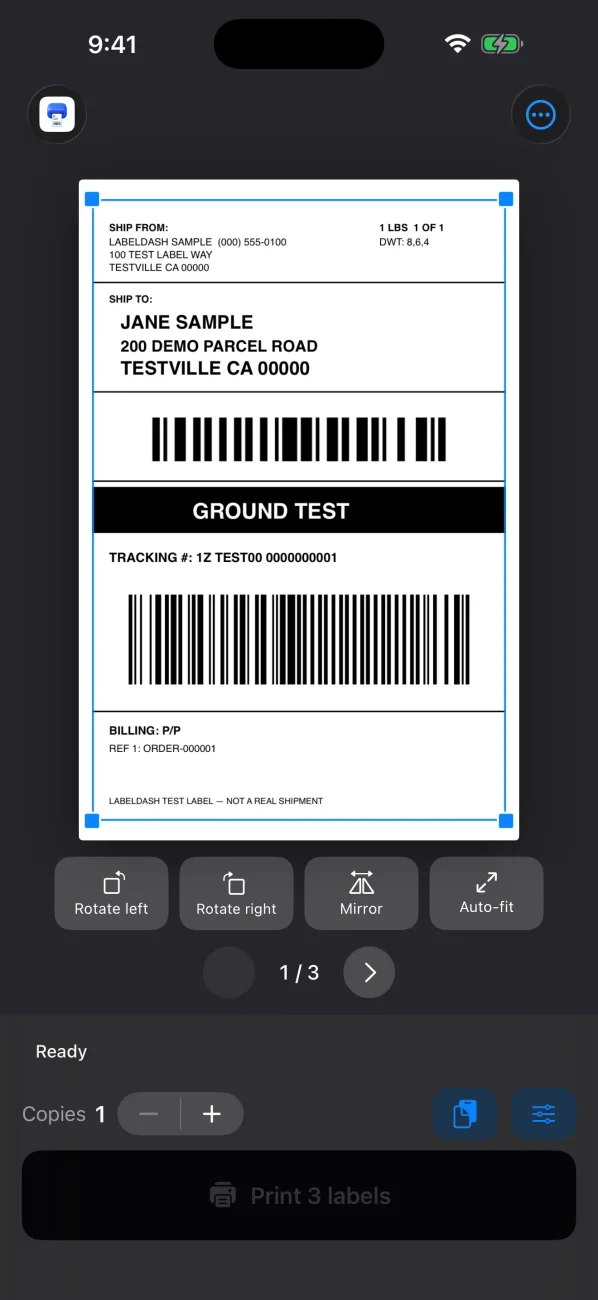
LabelDash prints 4×6 in shipping labels to a thermal label printer over Bluetooth LE or your local network. Paste a label, check it, print it — that is the whole app.
REQUIRES A COMPATIBLE PRINTER
TSPL/TSPL2 command set · 4×6 in gap stock · 203 dpi · Bluetooth LE or raw TCP port 9100.
Not supported: Zebra/ZPL, ESC/POS, EPL, USB-only models, 300 dpi, continuous stock, black-mark stock.
Check the compatibility page before you buy: https://labeldash.carljin.com/compatibility
PASTE OR IMPORT
Copy a label from your carrier portal, ERP, or email and paste it. Or drop in a PDF or image, open one from Files, or share it to LabelDash from another app. Multi-page PDFs load as a batch, one label per page.
AUTO-CROP THAT FINDS THE LABEL
Exported a full A4 or Letter page? LabelDash locates the 4×6 label inside it and frames it for print. You can always switch back to the full page.
PRE-PRINT CHECK
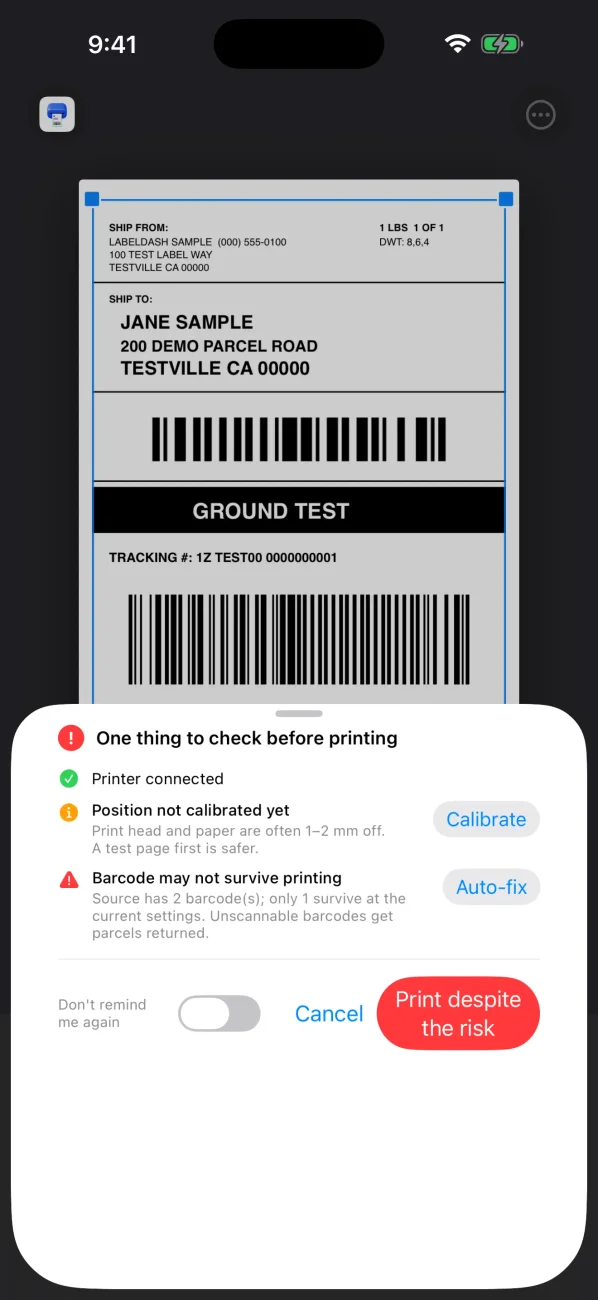
Before anything reaches the printer, LabelDash rasterizes the label and scans the result again. If a barcode on your source would come out unscannable at the current settings, it tells you — and can fix it — instead of wasting a label and getting the parcel returned. It also reminds you to calibrate the first time.
CALIBRATION THAT STICKS
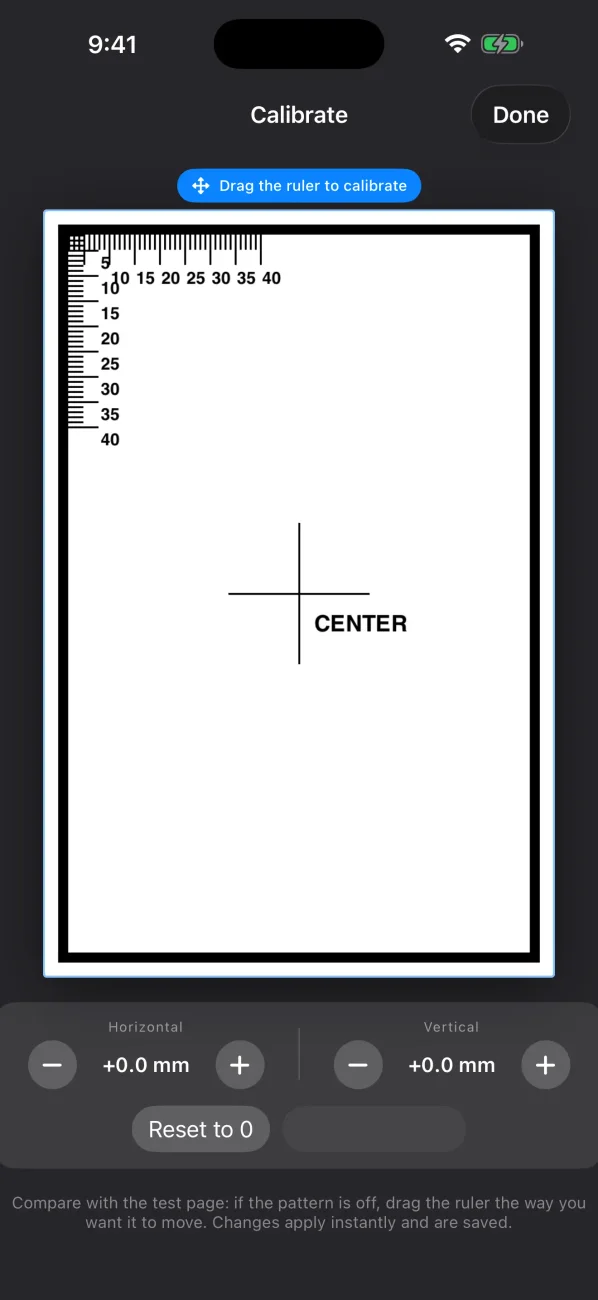
Print a test page, drag the on-screen ruler to match what came out, done. Offsets are remembered per printer.
BATCH PRINTING WITH A STOP BUTTON
Print a whole PDF in one go. Stop mid-run and resume from the exact page you left off — no duplicates, no reprinting the pages that already came out.
ADJUST WHAT MATTERS
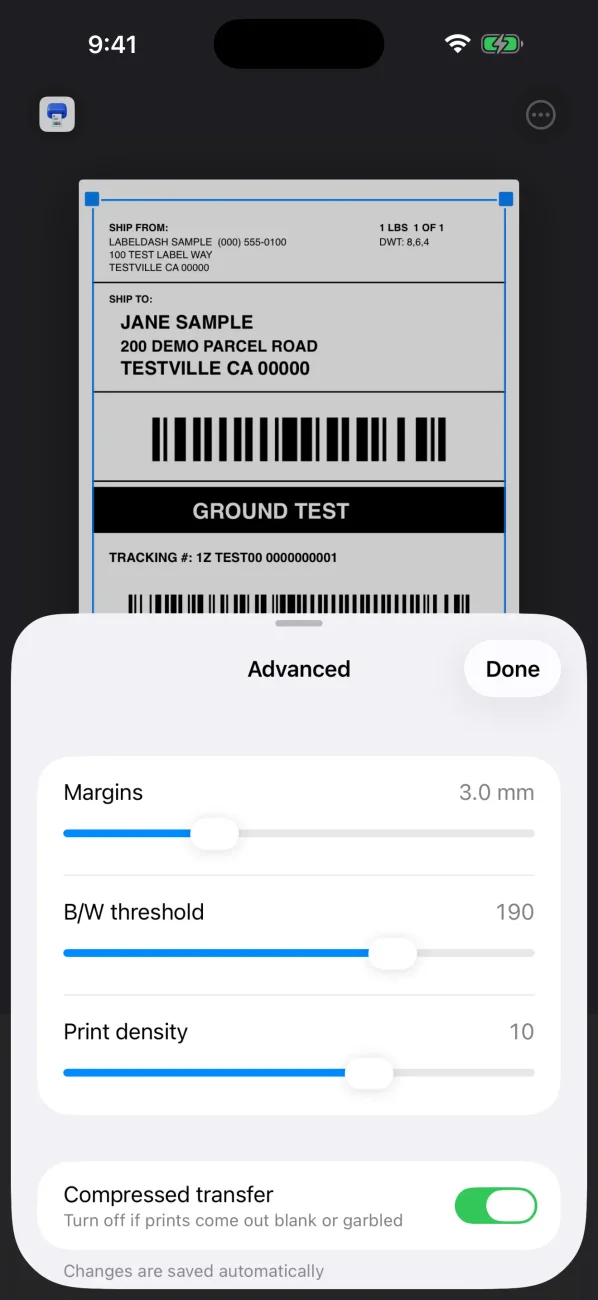
Margins, black-and-white threshold, print density, copies, rotate, mirror, auto-fit. Changes are saved automatically.
RECENT PRINTS
The last 7 days of prints stay on the device so you can reprint one without hunting for the original file. Clear them any time.
IPHONE, IPAD AND MAC
Buy once, use everywhere. On Mac paste with ⌘V and print with ⌘P. On iPhone everything sits in the thumb zone.
PRIVACY
No account, no ads, no analytics SDK, no tracking. Labels, addresses and tracking numbers are processed on your device and are never uploaded to the developer. Recent prints are stored locally and excluded from backups.
Nine languages: English, 简体中文, 繁體中文, 日本語, 한국어, Español, Français, Deutsch, Português (BR).
Support: https://labeldash.carljin.com/support
Yenilikler
Sürüm 1.0.2 · 10.09.2026
Fixed an issue where the first label could be skipped when printing after connecting to certain Bluetooth printers. Improved Bluetooth printer compatibility by avoiding unsupported status queries.
Uygulama gizliliği
Bu uygulamanın verileri nasıl işlediği hakkında YIYUAN JIN tarafından App Store üzerinde yapılan beyan.
-
Veri toplanmıyor
Geliştirici bu uygulamadan hiçbir veri toplamıyor.
Gizlilik uygulamaları, örneğin kullandığınız özelliklere veya yaşınıza göre değişiklik gösterebilir.
Bilgiler
- Satıcı
- YIYUAN JIN
- Kategori
- İş
- Sürüm
- 1.0.2
- Güncellendi
- 10.09.2026
- Yayın tarihi
- 03.09.2026
- Boyut
- 2,6 MB
- Gereksinim
- iOS 17.0 veya sonrası
- Yaş sınırı
- 4+
- Fiyat
- Ücretsiz
- Diller
- İngilizce, Fransızca, Almanca, Japonca, Korece, Portekizce, Basitleştirilmiş Çince, İspanyolca, Geleneksel Çince
- Telif hakkı
- © 2026 YIYUAN JIN