
- Yaş sınırı17+
- Kategoriİş
- GeliştiriciJuan Miguel Torres
- Dillerİngilizce
- Boyut14,5 MB
Resmi App Store sayfasına bağlanır
Download.org, Printlet için hiçbir dosya barındırmaz. Düğme, uygulamanın App Store üzerindeki sayfasını açar; uygulamayı orada Juan Miguel Torres yayınlar. Sayfanın son kontrolü: 06.11.2026.
Ekran görüntüleri
Hakkında
Geliştirici bu metni dilinizde sunmamış.
Printlet connects your own web app to a Bluetooth thermal printer.
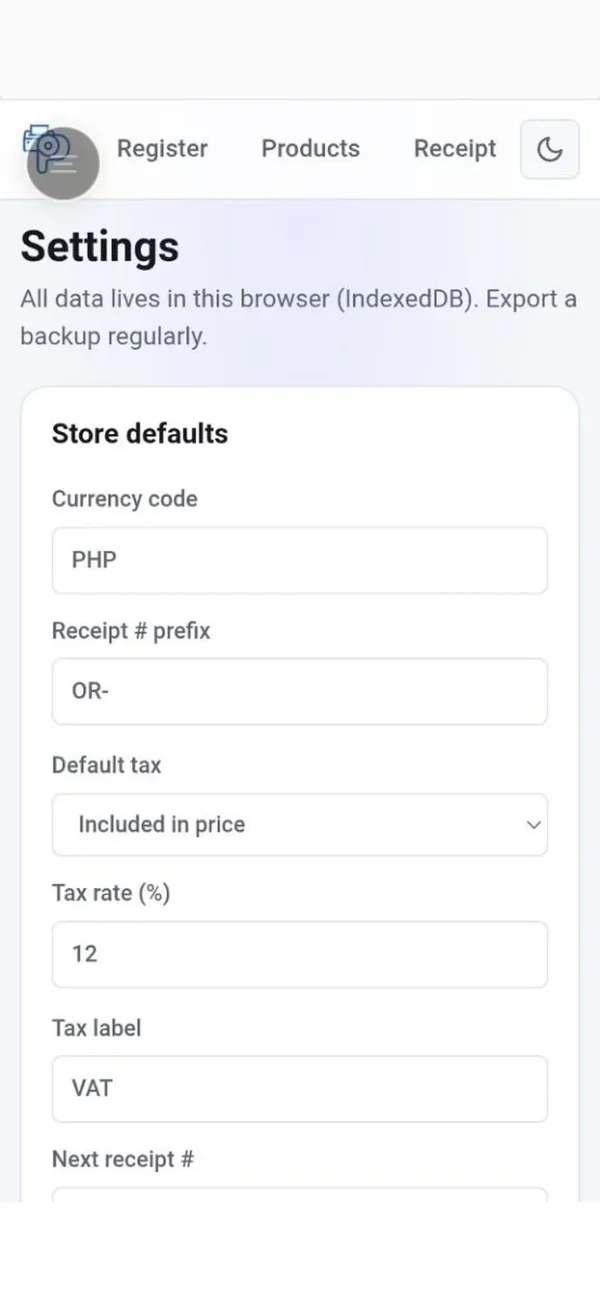
Open your point-of-sale, ordering or ticketing website inside Printlet, connect a receipt printer once, and print receipts, tickets and labels straight from the page. No printer drivers, no computer and no server in between: the image goes from your page directly to the printer.
HOW IT WORKS
1. Add your website address in Printlet and set it as the default page.
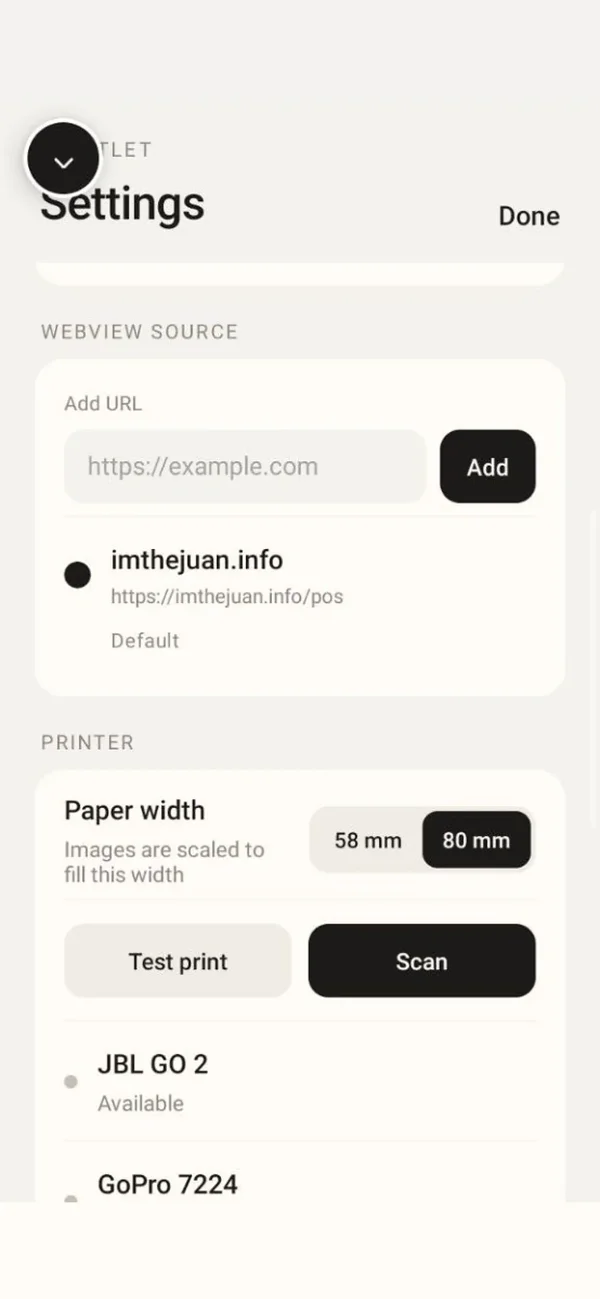
2. Scan for your Bluetooth thermal printer and tap it. Printlet reconnects automatically next time.
3. Print from your page. Your web app renders the receipt as an image and sends it to Printlet, which prints it and feeds the paper.
PRINTING THAT LOOKS RIGHT
• Works with ESC/POS Bluetooth thermal printers that support Bluetooth Low Energy (BLE)
• 58 mm (384 dots) and 80 mm (576 dots) paper
• Receipts are scaled to fill the paper width automatically, with blank side margins trimmed
• Crisp, solid text and clean logos, tuned for thermal paper
• Test print to check your printer in one tap
MADE FOR YOUR WEB APP
• Any http or https site, including localhost and local network addresses for testing
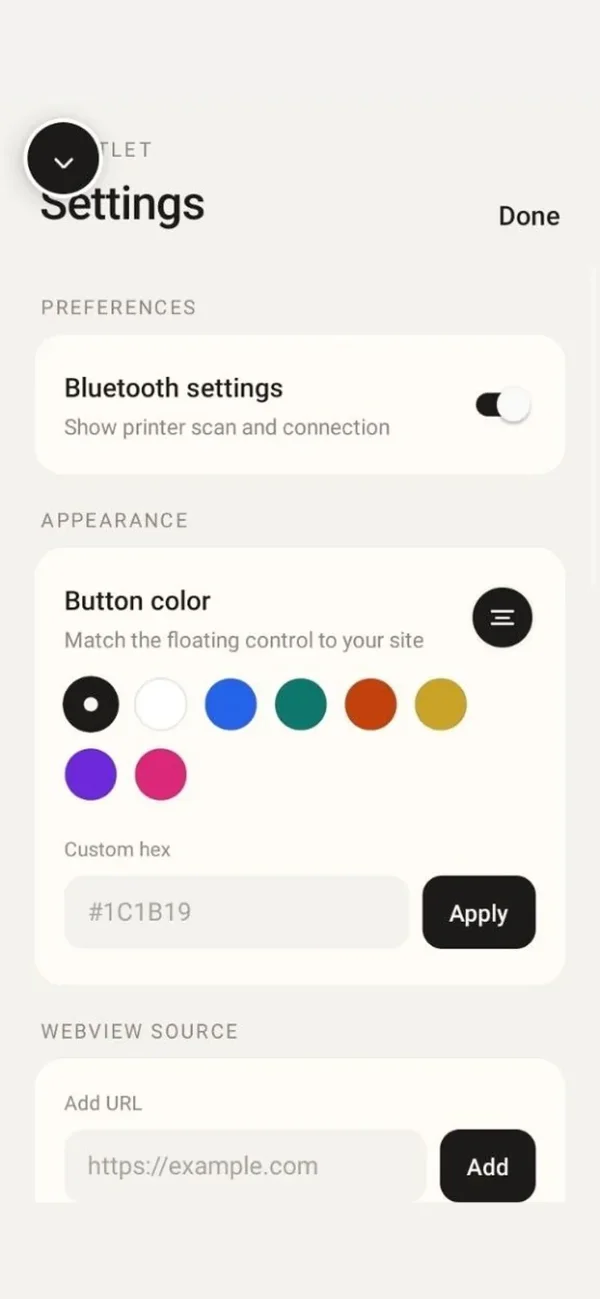
• Keep several sites and switch between them from settings
• A floating settings button you can drag to any screen edge, out of your app's way
• Match the button colour to your site's theme
• Reload the page from settings, and camera and photo uploads work inside your page
FOR DEVELOPERS: ONE MESSAGE
There is no SDK to install. Inside Printlet your page has a window.ReactNativeWebView object. Post a JSON message with your receipt as a PNG or JPEG data URL and Printlet prints it. Optional fields set the paper width or keep your side margins, and a second message opens Printlet's printer settings from your own UI.
Want to try it first? Add Pocket POS, a free browser-based point of sale built as a working example, at imthejuan.info/pos/, then complete a sale and tap Thermal Print. The full integration guide, message reference and image guidelines are at imthejuan.info/printlet/.
PRIVATE BY DESIGN
Printlet has no accounts and sends nothing to us. Your settings stay on your device, and print images go directly from your web page to your printer over Bluetooth. Printlet is free and shows Google AdMob banner ads.
Uygulama gizliliği
Bu uygulamanın verileri nasıl işlediği hakkında Juan Miguel Torres tarafından App Store üzerinde yapılan beyan.
-
Sizi izlemek için kullanılan veriler
Başka şirketlere ait uygulamalarda ve web sitelerinde sizi izlemek için kullanılabilir.
- Konum
- Tanımlayıcılar
- Kullanım verileri
-
Sizinle ilişkilendirilmeyen veriler
Toplanabilir ancak kimliğinizle ilişkilendirilmez.
- Konum
- Tanımlayıcılar
- Kullanım verileri
Gizlilik uygulamaları, örneğin kullandığınız özelliklere veya yaşınıza göre değişiklik gösterebilir.
Bilgiler
- Satıcı
- Juan Miguel Torres
- Kategori
- İş
- Sürüm
- 1.0
- Güncellendi
- 29.10.2026
- Yayın tarihi
- 28.10.2026
- Boyut
- 14,5 MB
- Gereksinim
- iOS 17.0 veya sonrası
- Yaş sınırı
- 17+
- Fiyat
- Ücretsiz
- Diller
- İngilizce
- Telif hakkı
- © 2026 Juan Miguel Torres
Bunları da beğenebilirsiniz
-
 MonoPress: Thermal Day PlannerÜretkenlik
-
 TaskPrint | Thermal PrinterPrint labels, notes & receipts
-
 Thermal Printer Simpleİş
-
 Print Fast: Termal YazıcıFiş, Barkod ve Etiket Yazdırma
-
 PrintBuddy: Fast, Secure Printİş
-
 Thermal Receipt Printer: POSİş
-
 Thermos Pro - Bluetooth PrintÜretkenlik
-
 Quick Print - Print & Scan PDFÜretkenlik
-
 Simple Bluetooth Printerİş
-
 Express Invoice Invoicingİş