
Markdown Viewer Editor
WYSIWYG & Source Markdown Tool
iPhone, iPad, Mac, iPod touch için tasarlandı
₺249,99
- Yaş sınırı4+
- KategoriÜretkenlik
- GeliştiriciHefei Yunyilian Intelligent Technology Co., Ltd
- Dillerİngilizce
- Boyut32,6 MB
Resmi App Store sayfasına bağlanır
Download.org, Markdown Viewer Editor için hiçbir dosya barındırmaz. Düğme, uygulamanın App Store üzerindeki sayfasını açar; uygulamayı orada Hefei Yunyilian Intelligent Technology Co., Ltd yayınlar. Sayfanın son kontrolü: 12.11.2026.
Ekran görüntüleri

Hakkında
Geliştirici bu metni dilinizde sunmamış.
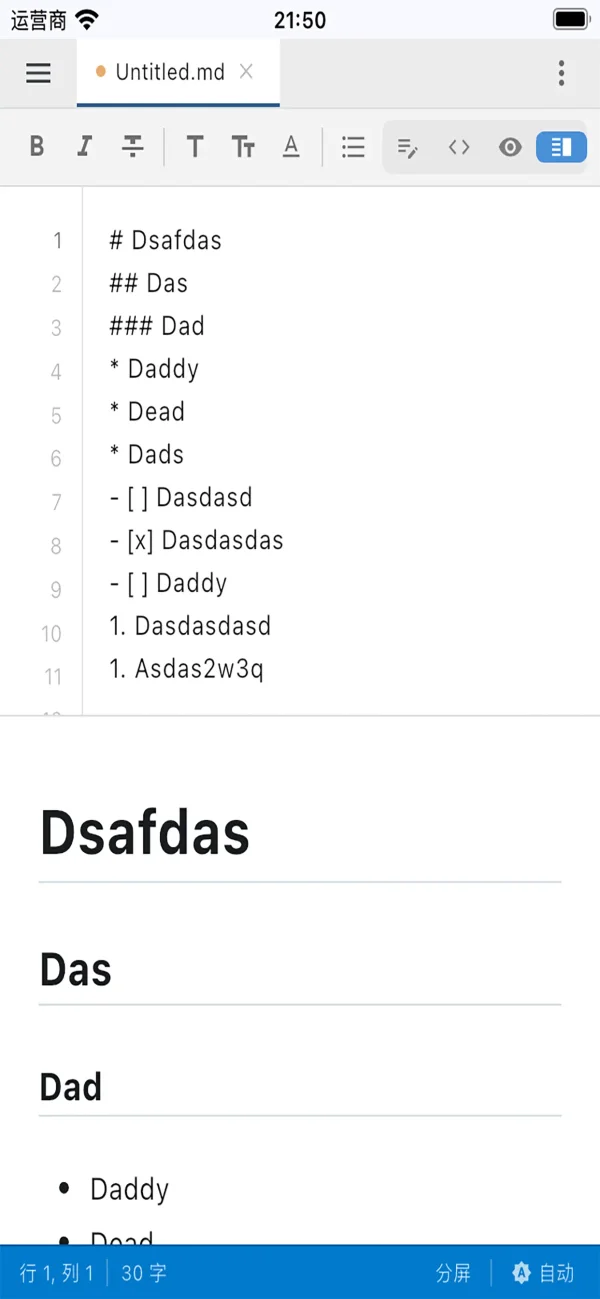
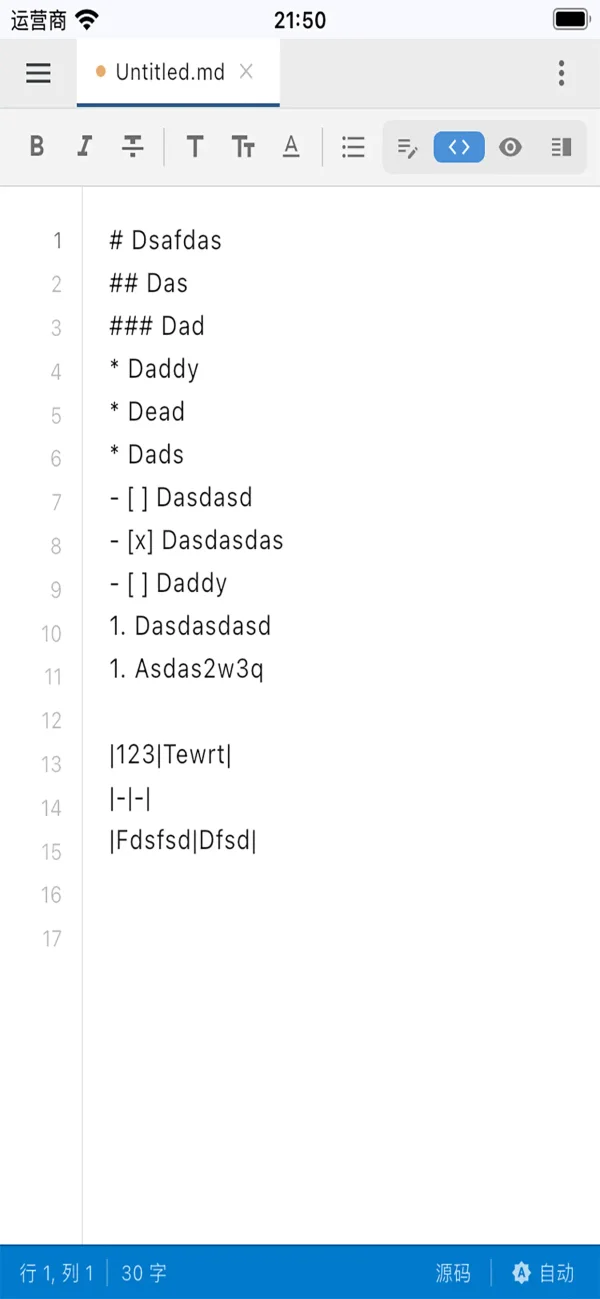
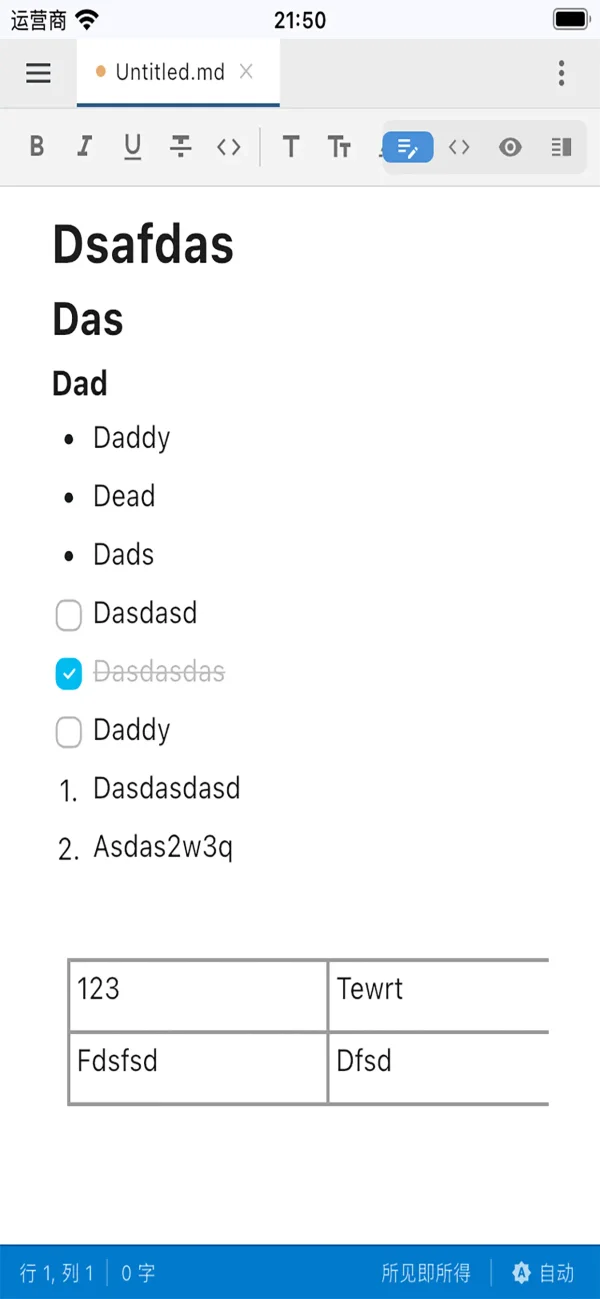
Markdown Viewer Editor is a powerful Markdown editor inspired by Typora. It offers a seamless writing experience across iPhone, iPad, and Mac with four flexible editing modes — WYSIWYG, Source, Preview, and Split View.
FOUR EDITING MODES
• WYSIWYG — Rich-text editing that renders Markdown as you type, just like Typora
• Source Mode — Raw Markdown editing with line numbers and synchronized scrolling
• Live Preview — High-quality rendered preview with full Markdown support
• Split View — Source code and preview side by side for instant feedback
FULL MARKDOWN & BEYOND
• Complete Markdown syntax: headings, lists, tables, code blocks with syntax highlighting, links, images, and more
• KaTeX math equations — inline ($...$) and block ($$...$$) formulas
• Mermaid diagrams — flowcharts, sequence diagrams, Gantt charts
• GitHub Alerts, footnotes, YAML front matter, [TOC] generation
• Highlight (==text==), superscript (^text^), subscript (~text~)
• HTML tags: iframe, video, audio, details, kbd, mark, and more
WRITING FOCUS
• Focus Mode — dims non-active lines so you can concentrate on your writing
• Typewriter Mode — keeps the current line centered on screen
• Full-screen mode for distraction-free writing
• Auto-pairing for brackets, quotes, and Markdown markers
AI-POWERED WRITING ASSISTANT
• Continue writing, summarize, translate, polish, or explain selected text
• Custom prompts for any AI instruction
• Real-time streaming output
POWERFUL FILE MANAGEMENT
• Folder browser with recursive directory tree
• Multi-tab editing — work on several documents at once
• Quick Open (Ctrl+P / Cmd+P) — fuzzy search across your workspace
• Auto-save with 3-second debounce
• Draft recovery after unexpected crashes
• Recent files on the welcome screen
IMAGE HANDLING
• Paste images from clipboard — auto-saved and inserted as Markdown reference
• Drag & drop image insertion
• Configurable image storage directory and path mode (relative / absolute)
• Image upload to image hosting via PicGo or custom shell command
FIND & REPLACE
• Find and replace with regex and case-sensitivity options
• Search across all open documents
EXPORT & IMPORT
• Export to PDF, HTML (GitHub-styled), Word (.docx), LaTeX (.tex), EPUB, and PNG long image
• Import from Word (.docx) to Markdown
• Custom export commands with {input}/{output} placeholders
• Mermaid diagram export to PNG
VERSION CONTROL & CLOUD SYNC
• Git commit history viewer for each file
• Auto Git sync — commit, pull --rebase, and push on save
• Real-time sync status in the status bar
• External file change detection with reload prompt
THEMES & CUSTOMIZATION
• 12 built-in themes — 6 light + 6 dark (GitHub, Dracula, Monokai, Nord, Tokyo Night, and more)
• Dark / Light mode — follow system or toggle manually
• Custom CSS themes for preview styling
• Adjustable font size and zoom level
• Customizable keyboard shortcuts with visual editor
OUTLINE & STATUS BAR
• Document outline panel — auto-extracted heading structure with click-to-navigate
• Status bar — line/column position, word count, character count, line count
PLUGIN SYSTEM
• Shell script preprocessors — configure a plugin directory and run .sh/.py/.js pipelines
LOCALIZATION
• English and more interface — switch in settings
Yenilikler
Sürüm 1.0.5 · 10.07.2026
Optimize Markdown display
Uygulama gizliliği
Bu uygulamanın verileri nasıl işlediği hakkında Hefei Yunyilian Intelligent Technology Co., Ltd tarafından App Store üzerinde yapılan beyan.
-
Veri toplanmıyor
Geliştirici bu uygulamadan hiçbir veri toplamıyor.
Gizlilik uygulamaları, örneğin kullandığınız özelliklere veya yaşınıza göre değişiklik gösterebilir.
Bilgiler
- Satıcı
- Hefei Yunyilian Intelligent Technology Co., Ltd
- Kategori
- Üretkenlik
- Sürüm
- 1.0.5
- Güncellendi
- 10.07.2026
- Yayın tarihi
- 25.04.2026
- Boyut
- 32,6 MB
- Gereksinim
- iOS 13.0 veya sonrası
- Yaş sınırı
- 4+
- Fiyat
- ₺249,99
- Diller
- İngilizce
- Telif hakkı
- © OpenIoTHub
Bunları da beğenebilirsiniz
-
 OTask: Task WidgetsÜretkenlik
-
 To Do List For WatchÜretkenlik
-
 Cal Dedup — No more duplicateÜretkenlik
-
 Sketella: AI TakvimSes, fotoğraf ve PDF'den plan
-
 OnePreview: File ViewerÜretkenlik
-
 Contextly NotesÜretkenlik
-
 Dawn - MarkdownÜretkenlik
-
 Marked — Markdown EditorÜretkenlik
-
 Markdot: MD Viewer & EditorÜretkenlik
-
 The No ListÜretkenlik