
Markdown Viewer Editor
WYSIWYG & Source Markdown Tool
Được thiết kế cho iPhone, iPad, Mac, iPod touch
149.000đ
- Độ tuổi4+
- Danh mụcHiệu Suất
- Nhà phát triểnHefei Yunyilian Intelligent Technology Co., Ltd
- Ngôn ngữTiếng Anh
- Kích thước32,6 MB
Liên kết đến trang App Store chính thức
Download.org không lưu trữ tệp nào của Markdown Viewer Editor. Nút này mở trang ứng dụng trên App Store, nơi Hefei Yunyilian Intelligent Technology Co., Ltd phát hành ứng dụng. Trang được kiểm tra lần cuối: 12/11/2026.
Ảnh chụp màn hình

Giới thiệu
Nhà phát triển chưa cung cấp nội dung này bằng ngôn ngữ của bạn.
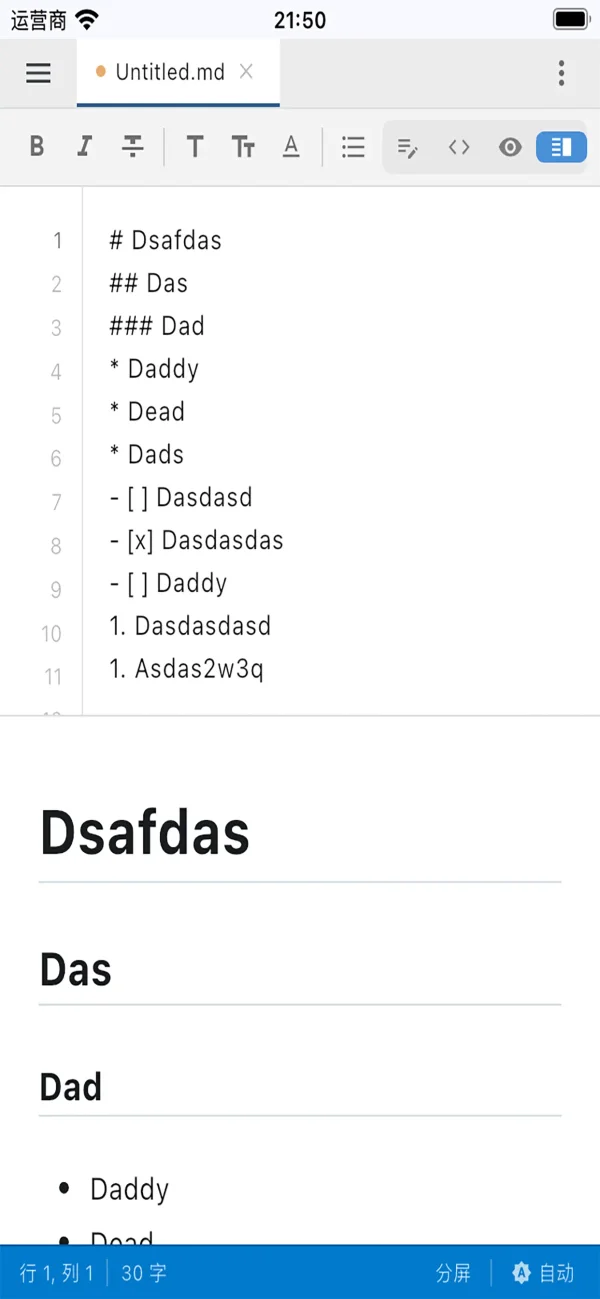
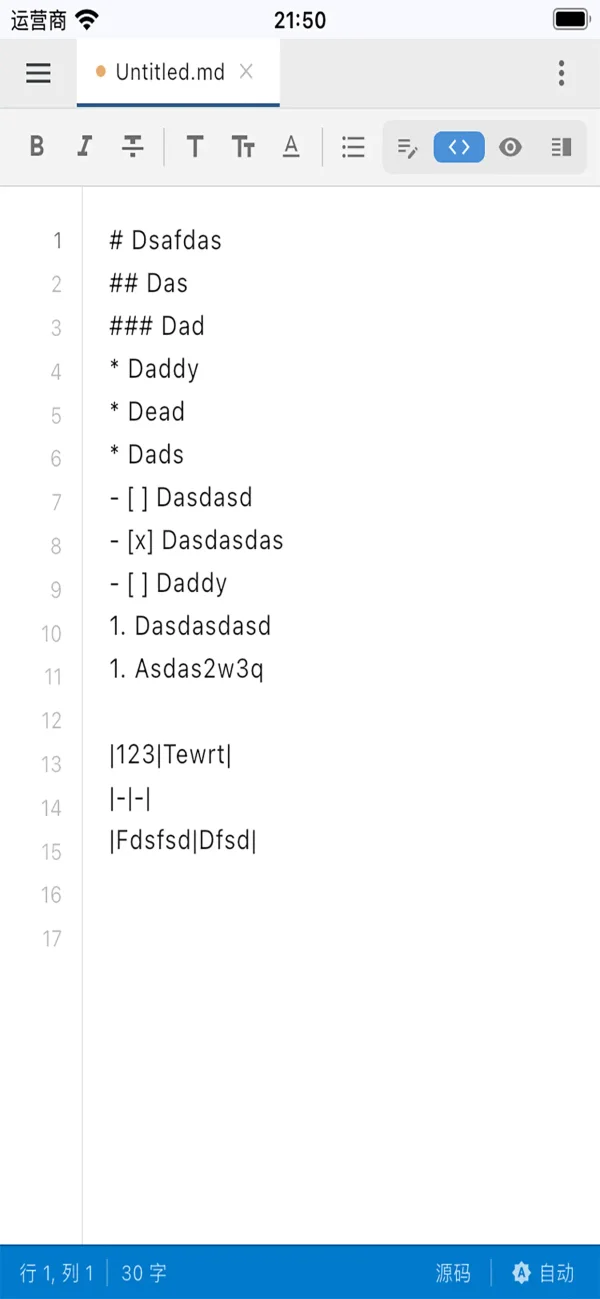
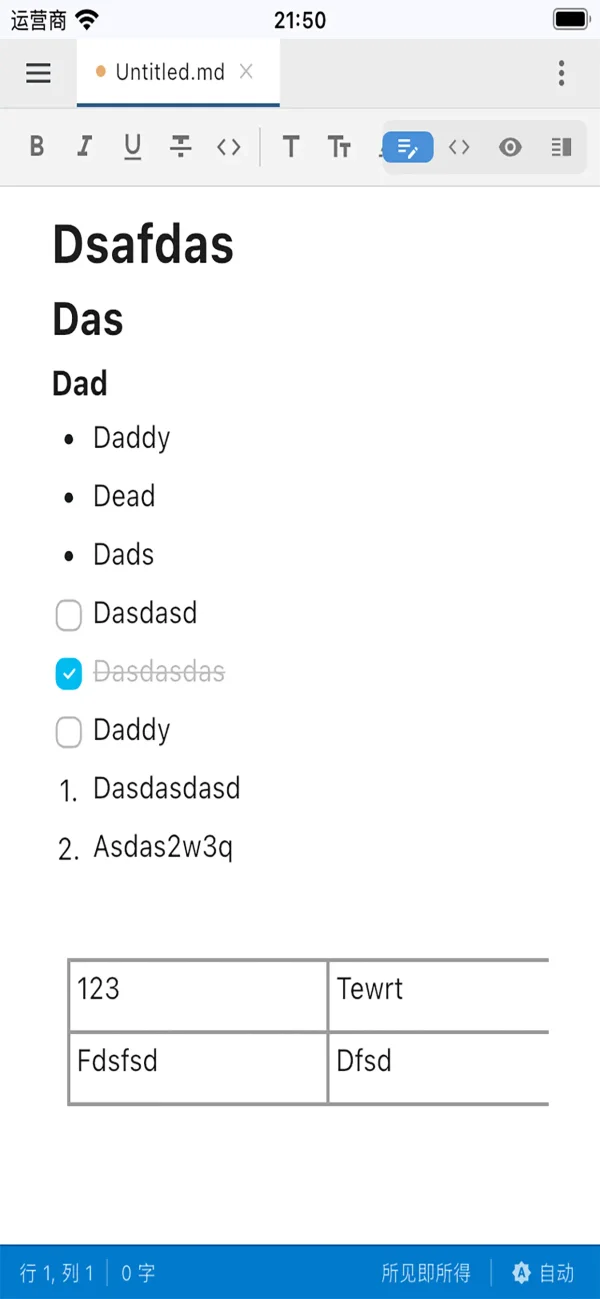
Markdown Viewer Editor is a powerful Markdown editor inspired by Typora. It offers a seamless writing experience across iPhone, iPad, and Mac with four flexible editing modes — WYSIWYG, Source, Preview, and Split View.
FOUR EDITING MODES
• WYSIWYG — Rich-text editing that renders Markdown as you type, just like Typora
• Source Mode — Raw Markdown editing with line numbers and synchronized scrolling
• Live Preview — High-quality rendered preview with full Markdown support
• Split View — Source code and preview side by side for instant feedback
FULL MARKDOWN & BEYOND
• Complete Markdown syntax: headings, lists, tables, code blocks with syntax highlighting, links, images, and more
• KaTeX math equations — inline ($...$) and block ($$...$$) formulas
• Mermaid diagrams — flowcharts, sequence diagrams, Gantt charts
• GitHub Alerts, footnotes, YAML front matter, [TOC] generation
• Highlight (==text==), superscript (^text^), subscript (~text~)
• HTML tags: iframe, video, audio, details, kbd, mark, and more
WRITING FOCUS
• Focus Mode — dims non-active lines so you can concentrate on your writing
• Typewriter Mode — keeps the current line centered on screen
• Full-screen mode for distraction-free writing
• Auto-pairing for brackets, quotes, and Markdown markers
AI-POWERED WRITING ASSISTANT
• Continue writing, summarize, translate, polish, or explain selected text
• Custom prompts for any AI instruction
• Real-time streaming output
POWERFUL FILE MANAGEMENT
• Folder browser with recursive directory tree
• Multi-tab editing — work on several documents at once
• Quick Open (Ctrl+P / Cmd+P) — fuzzy search across your workspace
• Auto-save with 3-second debounce
• Draft recovery after unexpected crashes
• Recent files on the welcome screen
IMAGE HANDLING
• Paste images from clipboard — auto-saved and inserted as Markdown reference
• Drag & drop image insertion
• Configurable image storage directory and path mode (relative / absolute)
• Image upload to image hosting via PicGo or custom shell command
FIND & REPLACE
• Find and replace with regex and case-sensitivity options
• Search across all open documents
EXPORT & IMPORT
• Export to PDF, HTML (GitHub-styled), Word (.docx), LaTeX (.tex), EPUB, and PNG long image
• Import from Word (.docx) to Markdown
• Custom export commands with {input}/{output} placeholders
• Mermaid diagram export to PNG
VERSION CONTROL & CLOUD SYNC
• Git commit history viewer for each file
• Auto Git sync — commit, pull --rebase, and push on save
• Real-time sync status in the status bar
• External file change detection with reload prompt
THEMES & CUSTOMIZATION
• 12 built-in themes — 6 light + 6 dark (GitHub, Dracula, Monokai, Nord, Tokyo Night, and more)
• Dark / Light mode — follow system or toggle manually
• Custom CSS themes for preview styling
• Adjustable font size and zoom level
• Customizable keyboard shortcuts with visual editor
OUTLINE & STATUS BAR
• Document outline panel — auto-extracted heading structure with click-to-navigate
• Status bar — line/column position, word count, character count, line count
PLUGIN SYSTEM
• Shell script preprocessors — configure a plugin directory and run .sh/.py/.js pipelines
LOCALIZATION
• English and more interface — switch in settings
Có gì mới
Phiên bản 1.0.5 · 10/07/2026
Optimize Markdown display
Quyền riêng tư của ứng dụng
Những gì Hefei Yunyilian Intelligent Technology Co., Ltd khai báo trên App Store về cách ứng dụng này xử lý dữ liệu.
-
Dữ liệu không được thu thập
Nhà phát triển không thu thập bất kỳ dữ liệu nào từ ứng dụng này.
Phương thức đảm bảo quyền riêng tư có thể khác nhau, chẳng hạn như tuỳ theo các tính năng bạn sử dụng hoặc độ tuổi của bạn.
Thông tin
- Người bán
- Hefei Yunyilian Intelligent Technology Co., Ltd
- Danh mục
- Hiệu Suất
- Phiên bản
- 1.0.5
- Cập nhật
- 10/07/2026
- Phát hành
- 25/04/2026
- Kích thước
- 32,6 MB
- Yêu cầu
- iOS 13.0 trở lên
- Độ tuổi
- 4+
- Giá
- 149.000đ
- Ngôn ngữ
- Tiếng Anh
- Bản quyền
- © OpenIoTHub
Có thể bạn cũng thích
-
 OTask: Task WidgetsHiệu Suất
-
 To Do List For WatchHiệu Suất
-
 Cal Dedup — No more duplicateHiệu Suất
-
 Sketella Trợ lý Lịch AIGiọng nói, ảnh, PDF thành lịch
-
 OnePreview: File ViewerHiệu Suất
-
 Contextly NotesHiệu Suất
-
 Dawn - MarkdownHiệu Suất
-
 Marked — Markdown EditorHiệu Suất
-
 Markdot: Trình đọc MarkdownSửa .md, AI, Mermaid, LaTeX
-
 The No ListHiệu Suất