- Yaş sınırı4+
- KategoriÜretkenlik
- GeliştiriciDavid M. Reed Software
- Dillerİngilizce
- Boyut3,5 MB
Resmi App Store sayfasına bağlanır
Download.org, reDraw Whiteboard için hiçbir dosya barındırmaz. Düğme, uygulamanın App Store üzerindeki sayfasını açar; uygulamayı orada David M. Reed Software yayınlar. Sayfanın son kontrolü: 20.11.2026.
Ekran görüntüleri
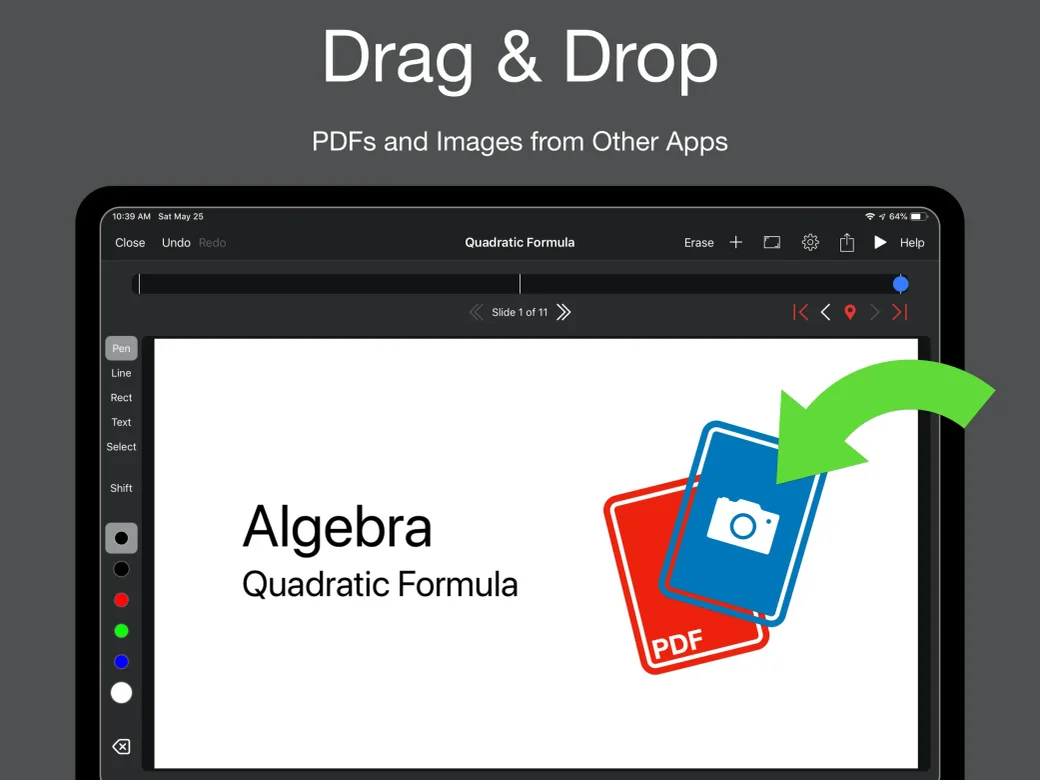

Hakkında
Geliştirici bu metni dilinizde sunmamış.
In addition to App Store video, there is a longer Introductory video (but with older UI style) at http://dave256apps.com/redraw
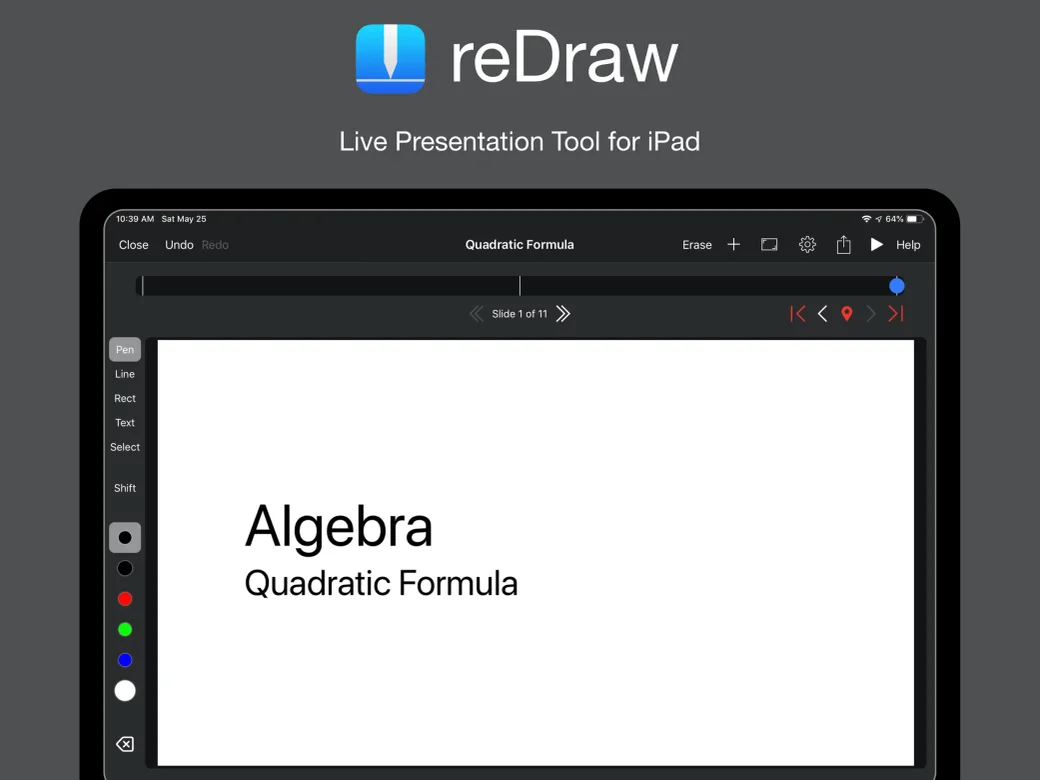
reDraw is a full-featured note-taking / presentation app for the iPad. It supports freehand drawing, text entry via a keyboard, pasting images, and importing PDFs that can be marked up using the drawing tools. reDraw was designed for use in a classroom, but is versatile enough to be used as a general purpose drawing or note taking app. A timeline with mark points allows you to step through the text and diagrams you’ve drawn before class, and you can add additional drawings / text based on discussion and questions. You can share your document with other reDraw users or export as PDF.
DRAW AND TYPE
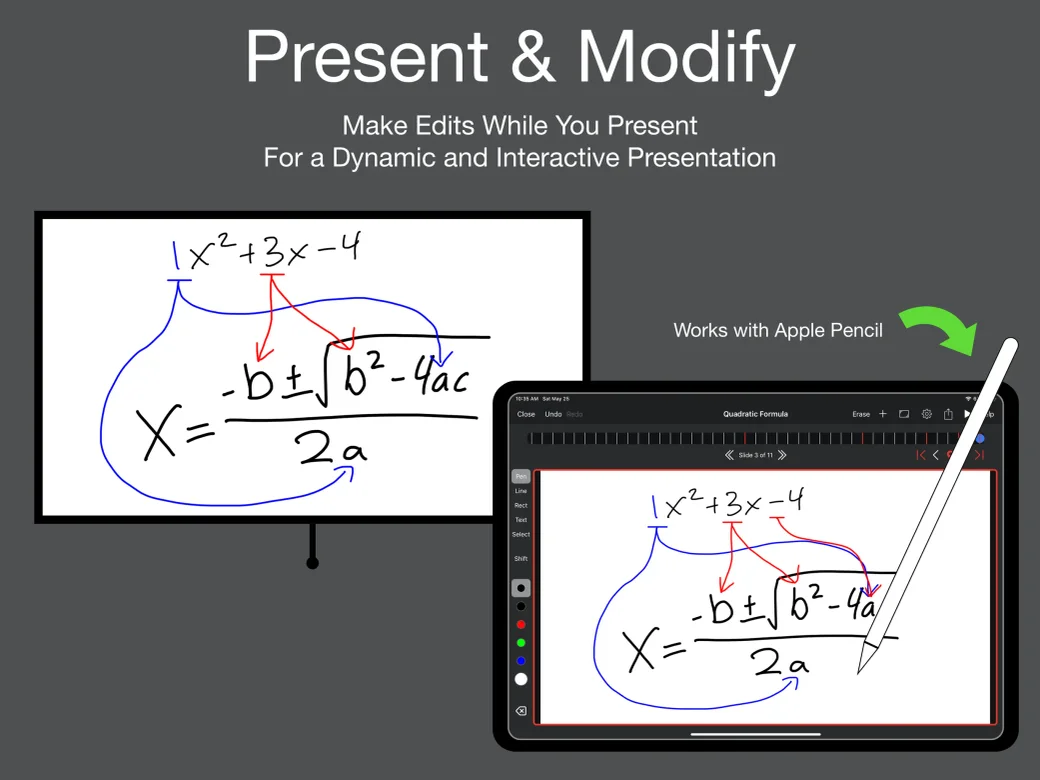
Create presentations using traditional text, or create hand written presentations using the built in drawing tools. Create drawings using your finger, a stylus, or the Apple Pencil for added precision (full support for Apple Pencil with palm rejection).
PRESENT YOUR WAY
Connect your iPad to a projector or second screen to share your presentations with a Lightning to HDMI adapter or AirPlay Mirroring. While presenting, you can make live changes to your presentation without exiting presentation mode, making a seamless experience for your audience.
TIMELINE AND MARK POINTS
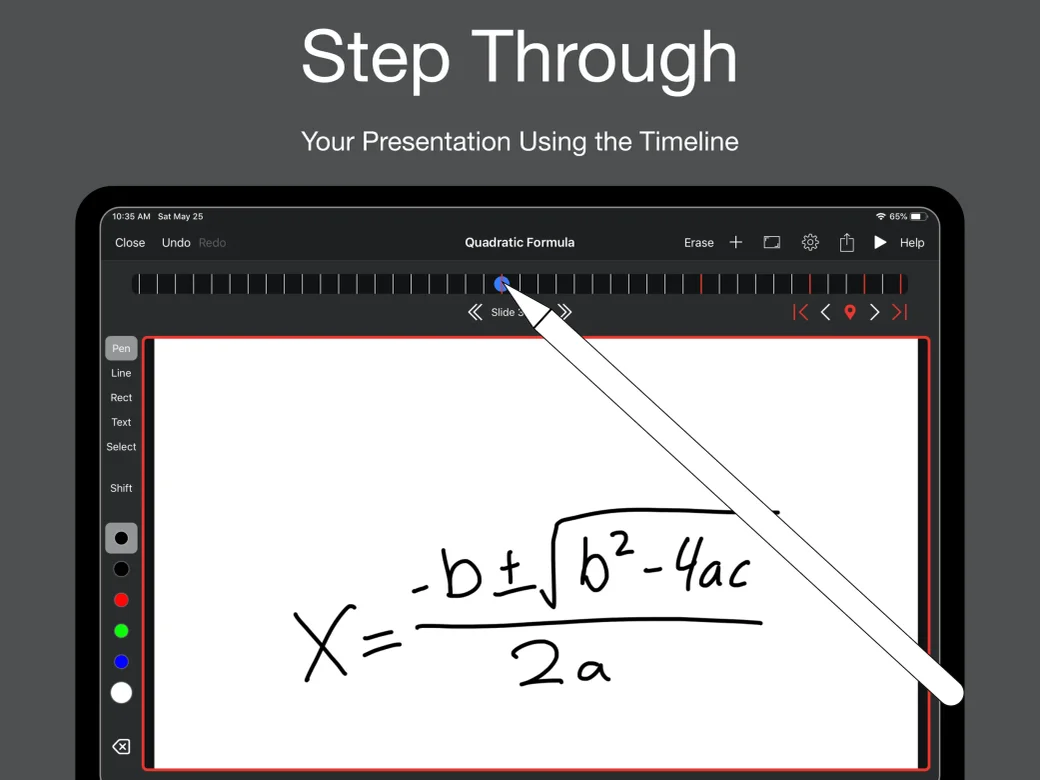
The timeline is the backbone of a reDraw presentation. The timeline shows the history for each slide in your document. Set mark points to quickly move to points on the timeline during a presentation.
STAY ORGANIZED
Organize your reDraw documents in folders within the app.
NEED HELP?
reDraw includes help within the app to describe how each feature works. Still need help? Send us an email at reDraw.app@gmail.com for additional support.
EDITING FEATURES
Freehand Drawing
Straight Lines and Rectangles
Text
Images
PDFs
SHARING OPTIONS
Export to PDF or reDraw Document
Share with Email, AirDrop, and more
Record video on iPad Air, Air 2, Pro, or new iPad.
QUESTIONS OR COMMENTS?
Send us an email at reDraw.app@gmail.com
Yenilikler
Sürüm 5.6 · 19.11.2026
Now requires iPadOS 26 or higher as adjustments for new UI style.
Improvements to PDF importing.
Bug fixes.
Updated help text - open/create a document and press Help button for more information on Keyboard Shortcuts options.
Uygulama gizliliği
Bu uygulamanın verileri nasıl işlediği hakkında David M. Reed Software tarafından App Store üzerinde yapılan beyan.
-
Veri toplanmıyor
Geliştirici bu uygulamadan hiçbir veri toplamıyor.
Gizlilik uygulamaları, örneğin kullandığınız özelliklere veya yaşınıza göre değişiklik gösterebilir.
Bilgiler
- Satıcı
- David Reed
- Kategori
- Üretkenlik
- Sürüm
- 5.6
- Güncellendi
- 19.11.2026
- Yayın tarihi
- 03.01.2017
- Boyut
- 3,5 MB
- Gereksinim
- iOS 26.6 veya sonrası
- Yaş sınırı
- 4+
- Fiyat
- ₺249,99
- Diller
- İngilizce
- Telif hakkı
- © David Reed and Jeremy Kemery 2016-
Bunları da beğenebilirsiniz
-
 Octo Notes - infinite canvasÜretkenlik
-
 Stylus Labs Write ProÜretkenlik
-
 Columns.appÜretkenlik
-
 Vesper AIÜretkenlik
-
 Upriser: Wake Up Alarm ClockÜretkenlik
-
 NoteApp, Mindmap, PDF: InkNodeÜretkenlik
-
 EazyDrawÜretkenlik
-
 Beyaz Tahta: Sonsuz PDF TuvaliÇizim, diyagram ve işaretleme
-
 Outliner: ScrollÜretkenlik
-
 SymEditor - Formula editorÜretkenlik