
Screen Forge
Chroma Key Screens For VFX
iPhone, iPad için tasarlandı
Ücretsiz · Uygulama içi satın alma
- Yaş sınırı4+
- KategoriFotoğraf ve Video
- GeliştiriciJOSE F DA SILVA NT
- DillerFransızca+ 5 dil daha
- Boyut1,2 MB
Resmi App Store sayfasına bağlanır
Download.org, Screen Forge için hiçbir dosya barındırmaz. Düğme, uygulamanın App Store üzerindeki sayfasını açar; uygulamayı orada JOSE F DA SILVA NT yayınlar. Sayfanın son kontrolü: 20.11.2026.
Ekran görüntüleri

Hakkında
Geliştirici bu metni dilinizde sunmamış.
The Ultimate Screen Preparation Tool for VFX
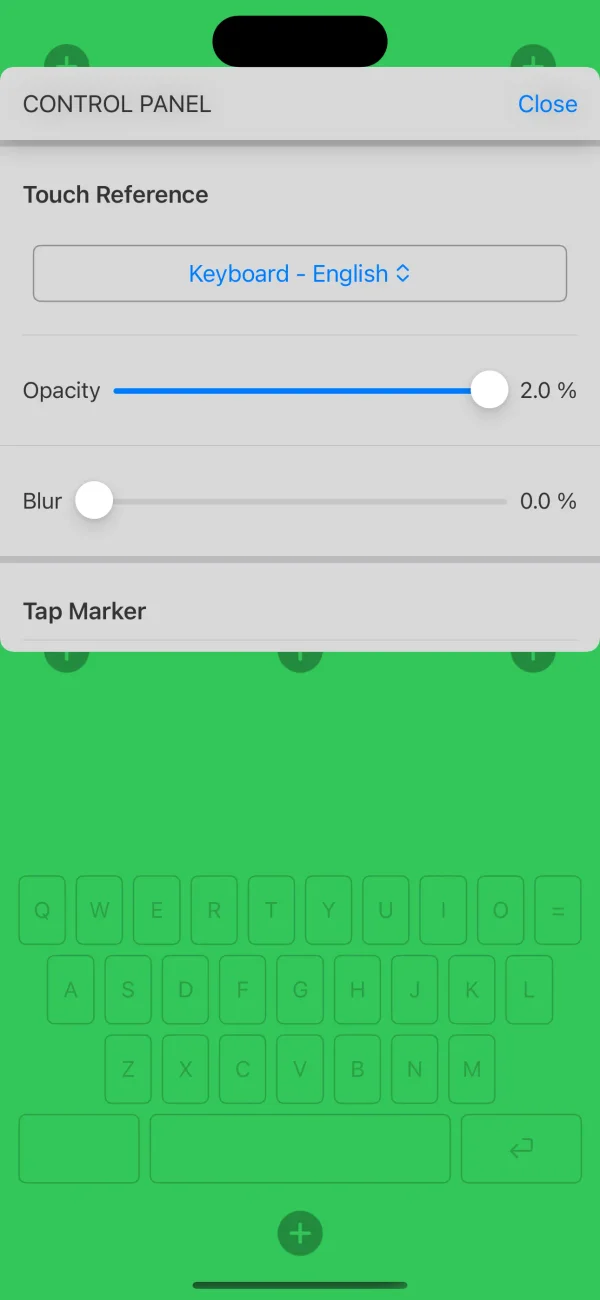
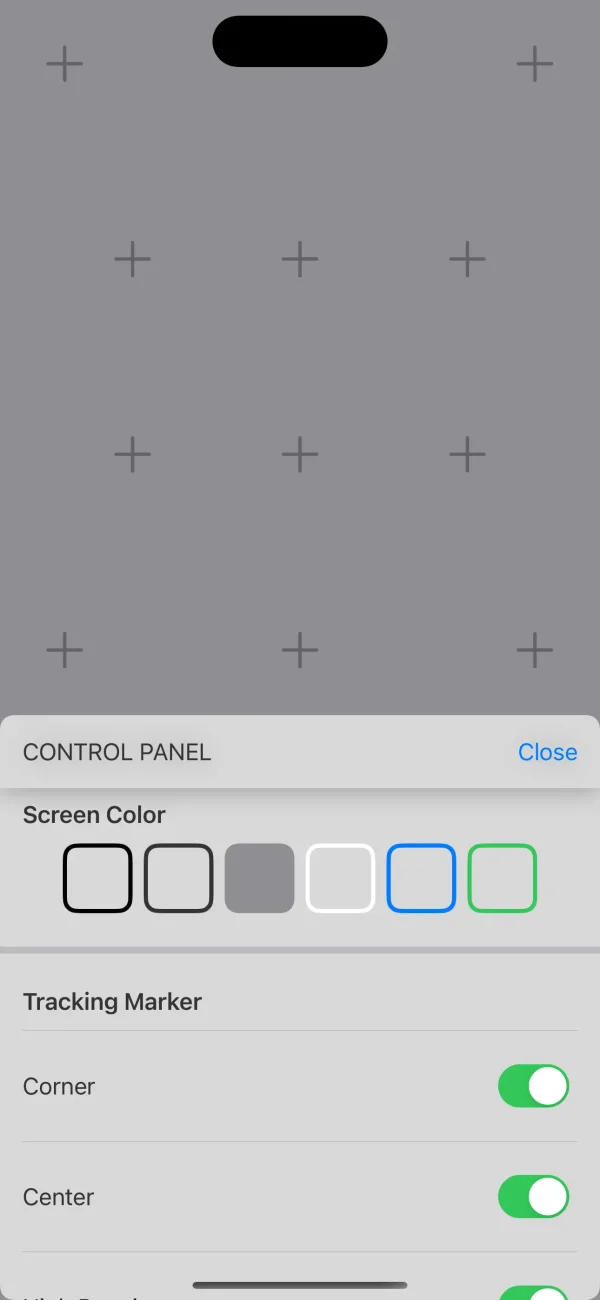
Screen Forge is a powerful tool designed for filmmakers using iPhones and iPads to shoot scenes where screens will later be replaced in VFX. Whether you’re using Chroma Key or other screen replacement techniques, Screen Forge helps you set up your screen for seamless post-production integration.
Key Features:
• Multiple Background Colors – Select from a range of colors to match any scene’s needs.
• Tracking Markers – Choose from various marker types to ensure precise alignment in post-production.
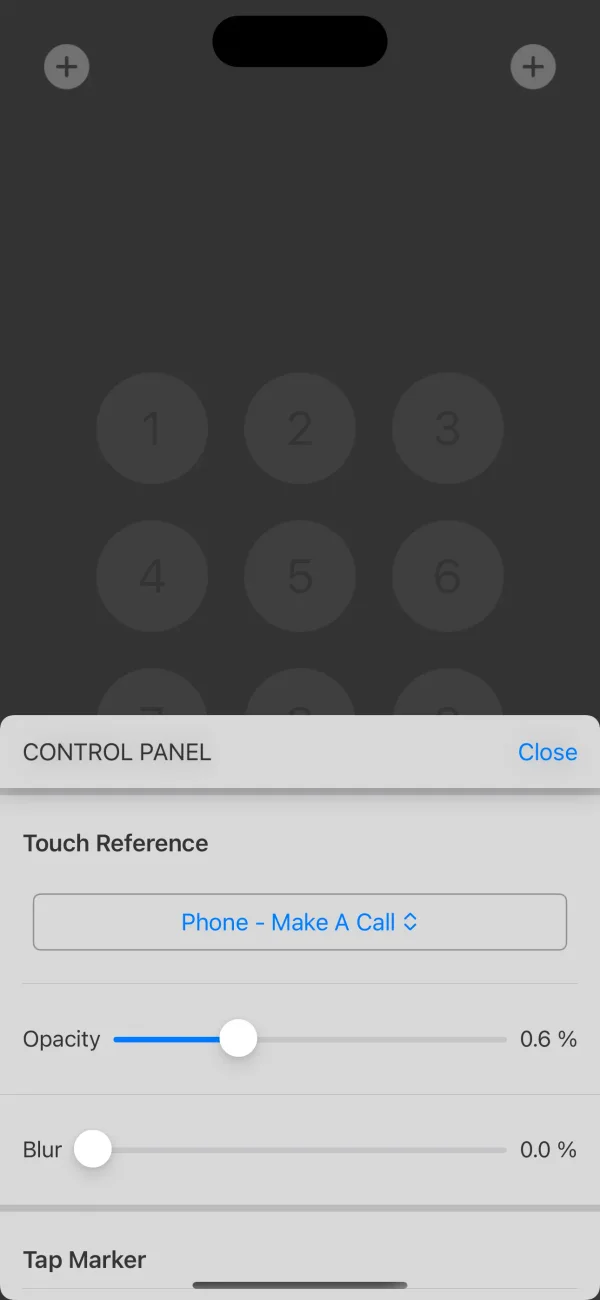
• Touch References – On-screen ‘Keyboard’ and ‘Phone’ guides help actors interact naturally with virtual interfaces.
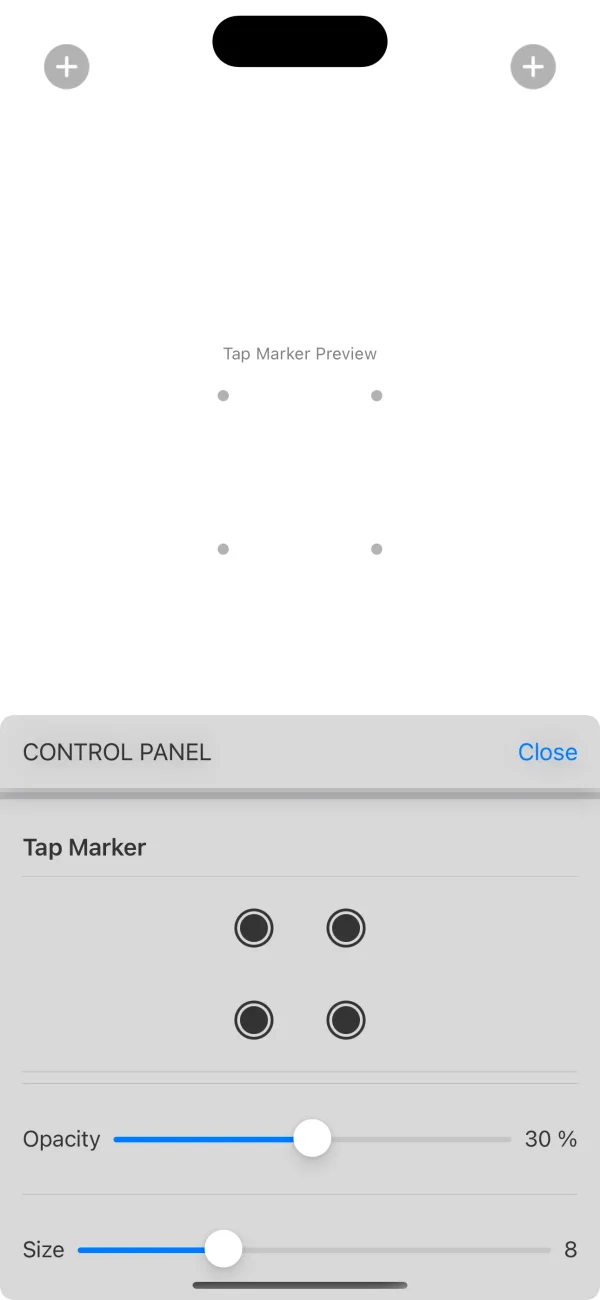
• Single Tap Track Marker – Custom markers for precise tap and drag tracking (not compatible with multiple touches).
• Custom Size & Opacity – Adjust tracking markers to balance visibility, reflections, and removal ease in VFX.
• Tips for Beginners – Get practical guidance on optimizing your screen for VFX.
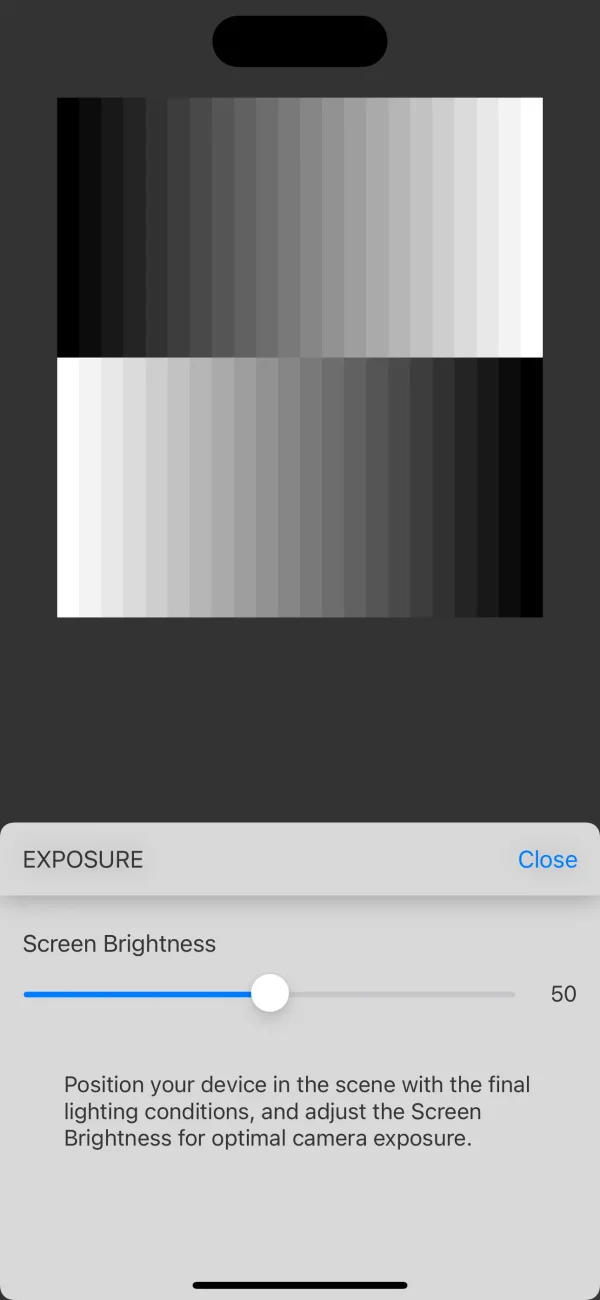
• Brightness Adjustment Chart – Fine-tune screen brightness to match scene exposure for optimal results.
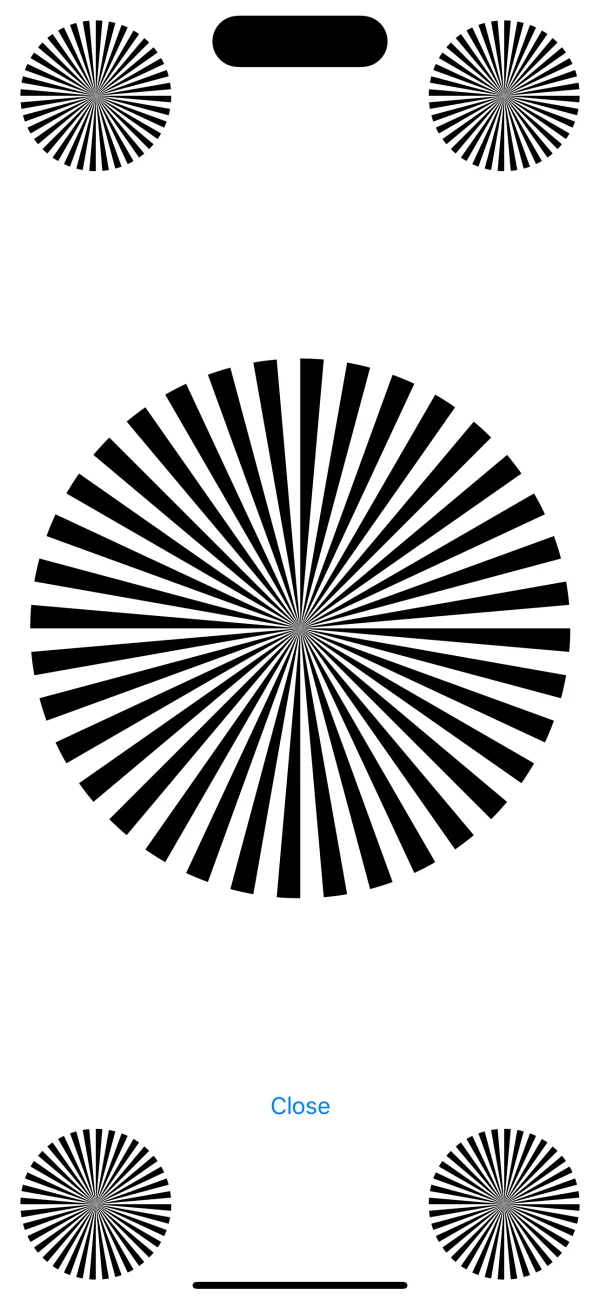
• Focus Chart – Ensure sharp focus on the screen during filming.
Designed for both beginners and professionals, Screen Forge simplifies screen preparation, making your VFX workflow smoother and more efficient.
Disclaimer:
Screen Forge is a pre-production tool and does not generate VFX or final composites. It assists filmmakers in setting up screens for filming, while actual VFX work should be done using professional post-production software.
Terms Of Use:
https://www.apple.com/legal/internet-services/itunes/dev/stdeula/
Privacy Policy:
https://www.dotcine.com.br/screenforge-privacy
Yenilikler
Sürüm 1.2.1 · 08.07.2025
Introducing Focus Assist to help focus pulley operation.
Adding rotating feature to the Tap Marker.
Uygulama gizliliği
Bu uygulamanın verileri nasıl işlediği hakkında JOSE F DA SILVA NT tarafından App Store üzerinde yapılan beyan.
-
Veri toplanmıyor
Geliştirici bu uygulamadan hiçbir veri toplamıyor.
Gizlilik uygulamaları, örneğin kullandığınız özelliklere veya yaşınıza göre değişiklik gösterebilir.
Bilgiler
- Satıcı
- JOSE F DA SILVA NT
- Kategori
- Fotoğraf ve Video
- Sürüm
- 1.2.1
- Güncellendi
- 08.07.2025
- Yayın tarihi
- 05.04.2024
- Boyut
- 1,2 MB
- Gereksinim
- iOS 17.0 veya sonrası
- Yaş sınırı
- 4+
- Fiyat
- Ücretsiz
- Uygulama içi satın alma
- Evet
- Diller
- Fransızca, Almanca, Japonca, Portekizce, Basitleştirilmiş Çince, İspanyolca
- Telif hakkı
- © 2025 JFNeto
Bunları da beğenebilirsiniz
-
 the VFX screenFotoğraf ve Video
-
 Slapp ProFotoğraf ve Video
-
 Camera with FiltersFotoğraf ve Video
-
 Fisheye Lens Camera - WarpyCamFotoğraf ve Video
-
 Albus: Photos Manager AdfreeFotoğraf ve Video
-
 Camera ReportFotoğraf ve Video
-
 Yeşil Ekran & Mavi EkranChroma Key.Yeşil, mavi sırt.
-
 Y2K 2000s Instant Photo EditorFotoğraf ve Video
-
 Disposable Camera DisCam 2000sFotoğraf ve Video
-
 Reeltime ViewerFotoğraf ve Video