SoundMeter X
Measure, Monitor, Record
iPhone, iPad için tasarlandı
Ücretsiz · Uygulama içi satın alma
- Yaş sınırı4+
- KategoriYardımcılar
- GeliştiriciFaber Acoustical, LLC
- Dillerİngilizce
- Boyut18,2 MB
Resmi App Store sayfasına bağlanır
Download.org, SoundMeter X için hiçbir dosya barındırmaz. Düğme, uygulamanın App Store üzerindeki sayfasını açar; uygulamayı orada Faber Acoustical, LLC yayınlar. Sayfanın son kontrolü: 20.11.2026.
Ekran görüntüleri



Hakkında
Geliştirici bu metni dilinizde sunmamış.
SoundMeter X turns your iPhone or iPad into a handheld data-logging sound level meter (SLM), data-logging noise dosimeter, stereo signal generator, multi-channel data recorder, and real-time whole or 1/3 octave band spectrum analyzer (subscription or perpetual license required for most features--14-day free trial available).
Input signals can be acquired from any available audio input path. Sensitivity calibration can also be performed for any audio input device and/or input channel. Direct hardware support (automatic sensitivity calibration, based on factory-defined values) for The Modal Shop’s 2-channel 485B39 USB-ICP interface and miniDSP’s UMIK-1, UMIK-2, and EARS microphones.
In addition to real-time sound level measurements, SoundMeter can stream raw sound data to audio files, and store acquired sound level data, including date, time, and location, in CSV or TXT (tab-delimited) files, MAT-files, or high-resolution PDF images for later retrieval from your device.
SoundMeter may be downloaded for free from the App Store. Additional tools and features are offered via in-app purchase.
The SoundMeter Pro subscription includes:
- User-defined custom metadata in saved audio and data files
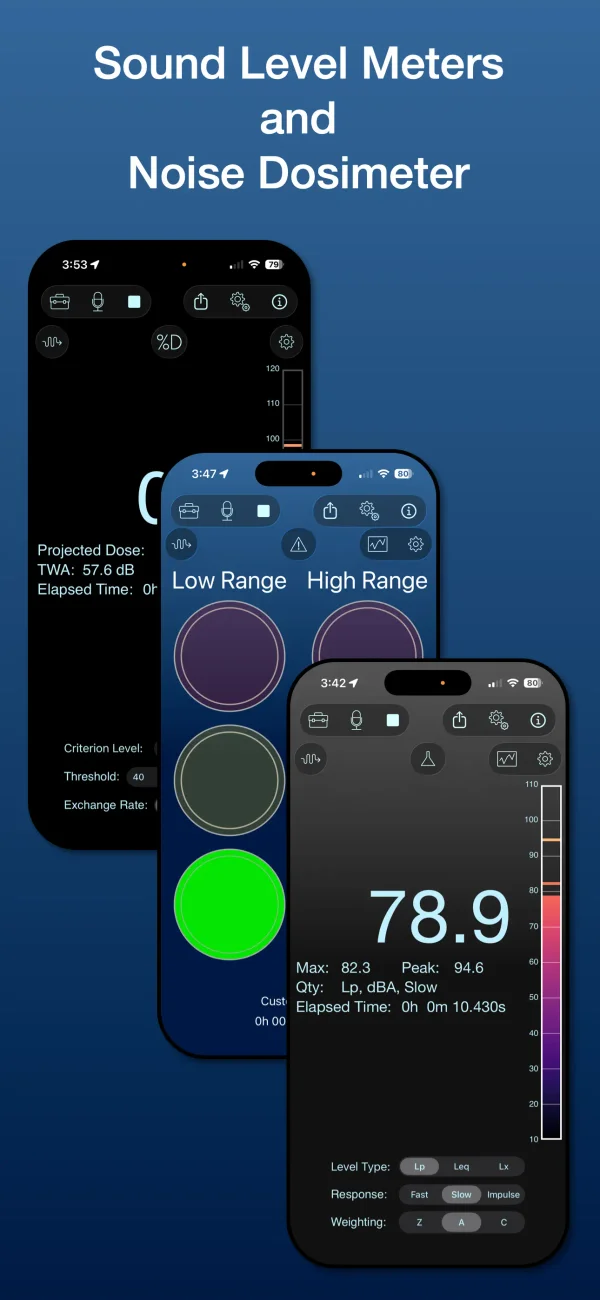
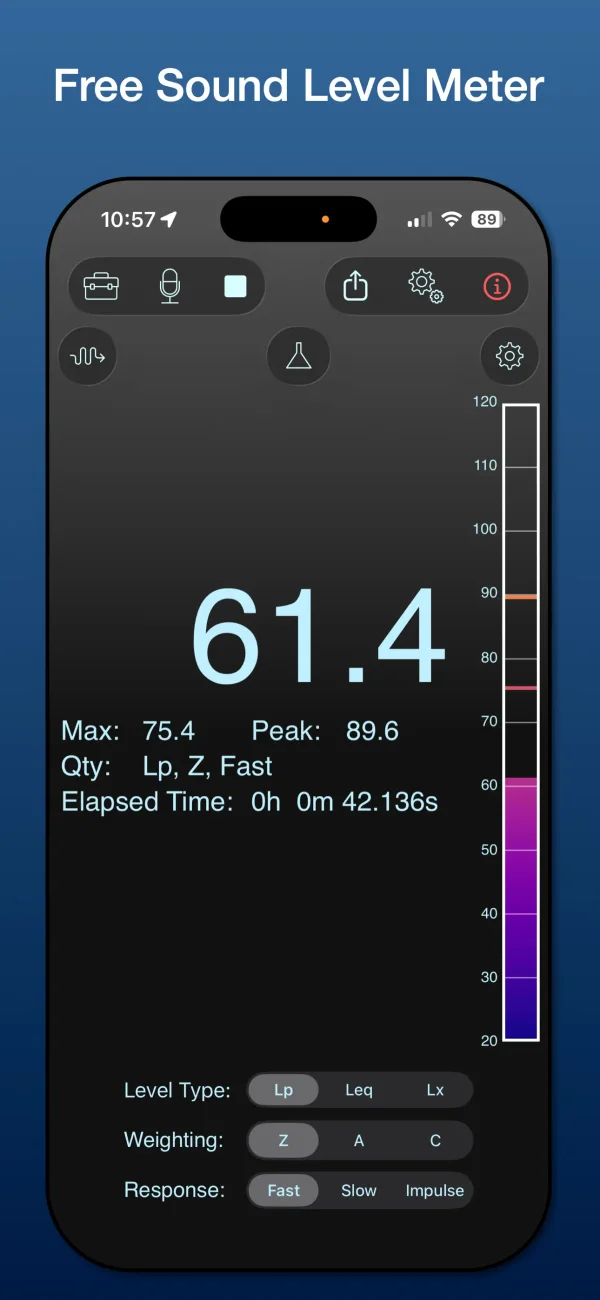
- Level MeterLp, Leq, Lx sound levels
-- Standard Flat, A, C frequency weighting
-- Standard Fast, Slow, Impulse time weighting
-- Data logging. Data can be logged as often as every 0.1 seconds for up to 8 hours, every second for up to 72 hours, or every 10 seconds for up to two weeks.
-- Event notifications
- Max Levels Meter
-- Traffic-light-style meters make it easy to monitor 2 separate sound level thresholds in 2 independent user-defined frequency bands.
-- Define lower (warning) and higher (limit) sound level thresholds for overall (full audio band) levels as well as for individual octave frequency bands.
-- Store user-defined thresholds in files for later recall.
- Noise Dosimeter
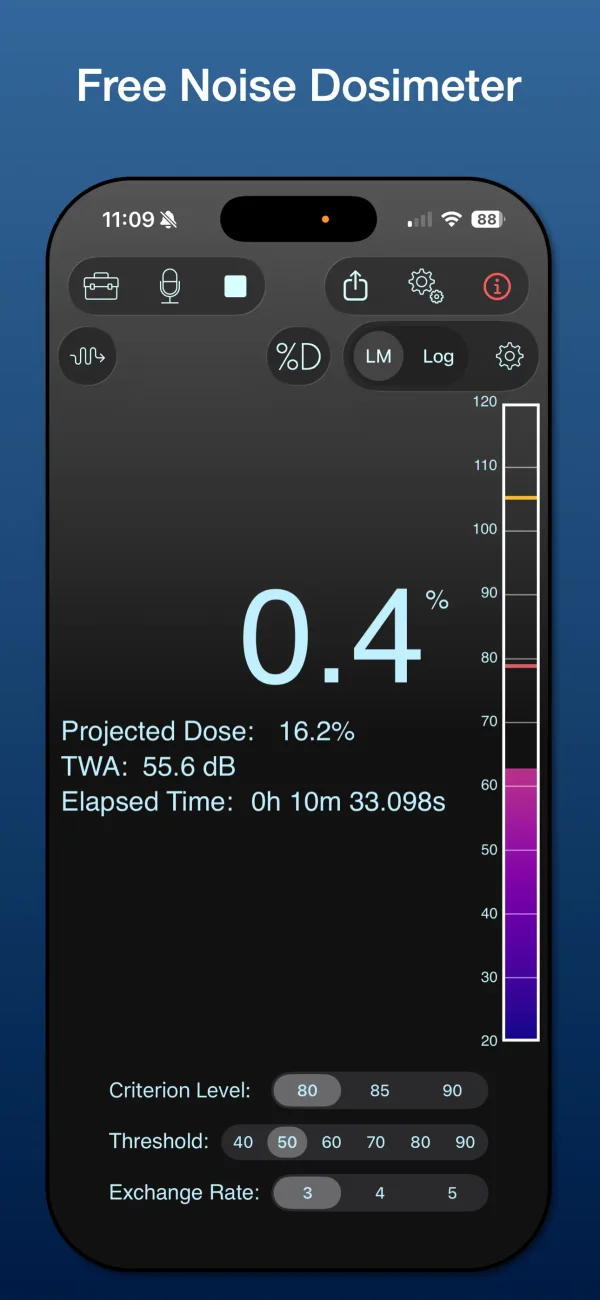
-- 8-hour Noise Dose, Projected Dose, TWA calculations
-- Criterion Levels: 80, 85, 90 dB
-- Exchange Rates: 3, 4, 5 dB
-- Data logging. Data can be logged as often as every 0.1 seconds for up to 8 hours, every second for up to 72 hours, or every 10 seconds for up to two weeks.
- Real-time Octave Spectrum Analyzer (RTA)
-- Lp, Leq, Lx sound levels
-- Supports whole or 1/3-octave frequency bands
-- Standard Flat, A, C frequency weighting
-- Standard Fast, Slow, Impulse time weighting
-- NC, RNC, and NR references curves, NC, SIL, and NR values
-- Data logging. Data can be logged as often as every 0.1 seconds for up to 8 hours, every second for up to 72 hours, or every 10 seconds for up to two weeks.
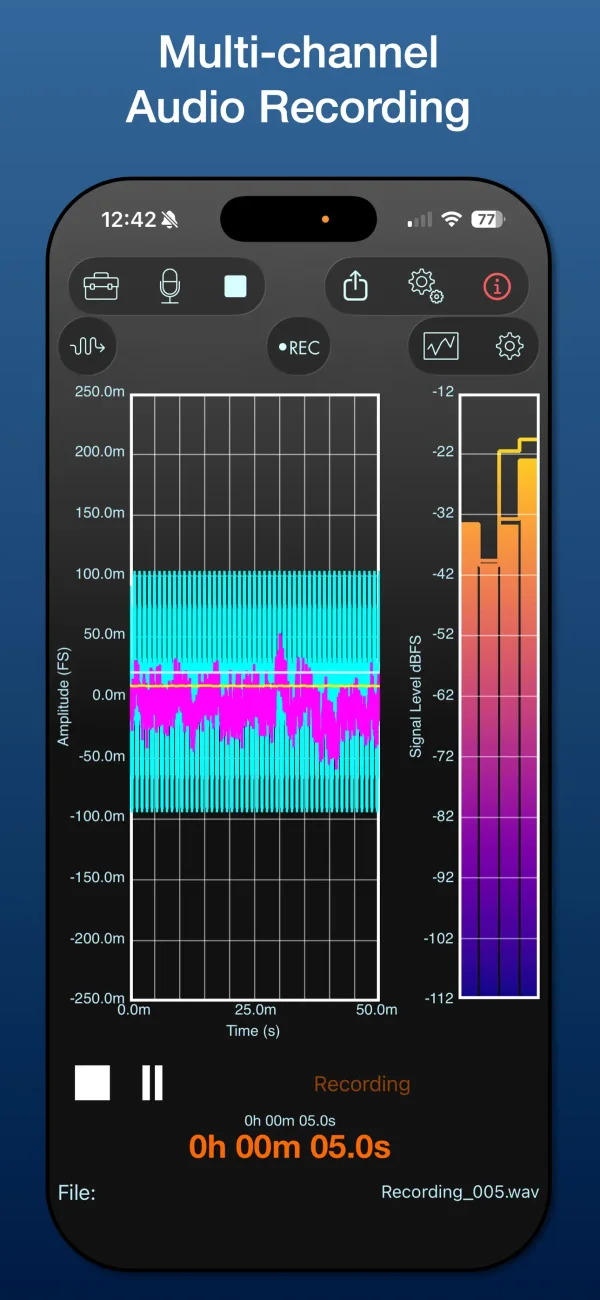
- Multi-channel Data Recorder
-- Supports up to 8 channels
-- Live monitoring of recorded data
-- Metadata (including calibrated sensitivity) embedded in audio file (AIF, CAF, WAV), optionally saved in separate data file
- Stereo Signal Generator
-- Left and right outputs assigned to arbitrary hardware output channels
-- Random and pseudorandom (periodic) noise sequences with white or pink spectrum
-- Linear and logarithmic frequency sweeps
-- Dual periodic waveforms with arbitrary frequency and phase difference
- MultiTool
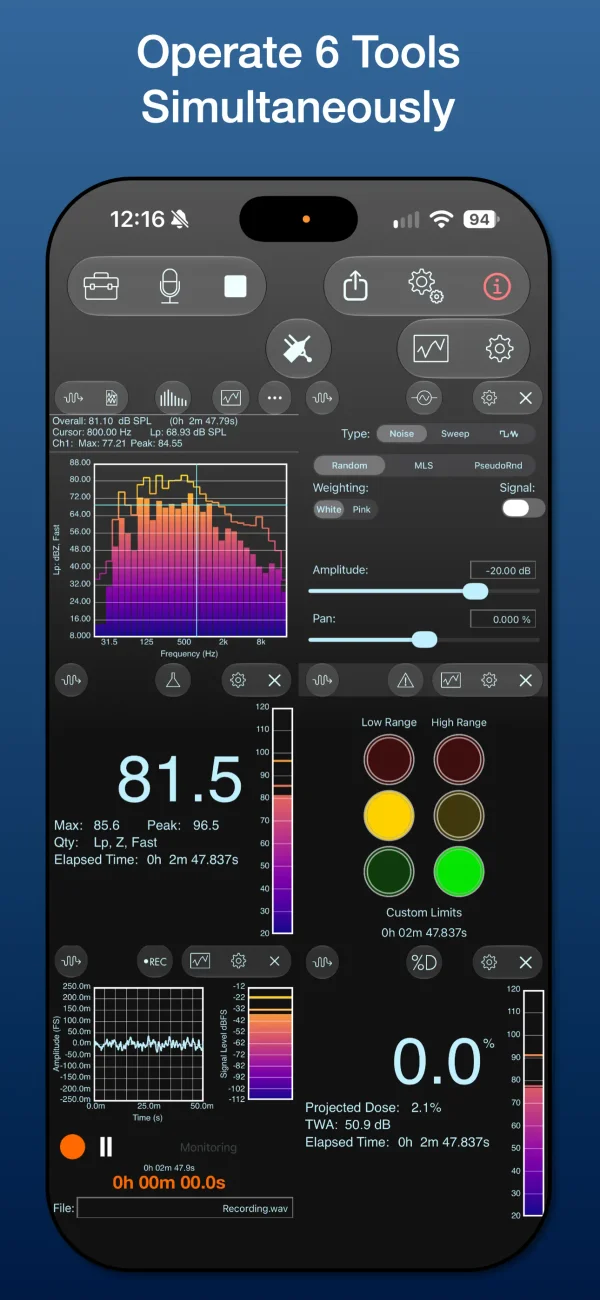
-- Powerful data monitoring and project management (Add up to 6 subtools and save configurations for easy recall at a later time.)
The SignalScope X Pro Tool Set subscription can be shared between SoundMeter X and SignalScope X. It unlocks all tools and features of the SoundMeter Pro subscription in SoundMeter X and all tools and features of the Pro Tool Set subscription in SignalScope X (iCloud login required).
Learn more about SoundMeter X at FaberAcoustical.com.
Subscription Terms:
- https://www.faberacoustical.com/apps/subscriptions/terms.html
Privacy Policy:
- https://www.faberacoustical.com/about/privacy.html
Terms and Conditions for FaberAcoustical.com:
https://www.faberacoustical.com/about/terms.html
Yenilikler
Sürüm 13.4 · 14.11.2026
- Huge MultiTool Update
- Pro users can now add more than one subtool of the same type to a MultiTool configuration, up to the total subtool limit of six. This means it is possible to do things like run a separate sound level meter on each of several different input channels, or measure the octave-band spectrum of a single input channel with different frequency weightings, simultaneously.
- MultiTool now supports the following features when managing its configurations:
— Sort the configuration list alphabetically, by creation date, or by modified date (ascending or descending).
— Create, edit, delete groups of configurations.
— Mark configurations as favorites. Favorite configurations will then be added to a permanent Favorites group, regardless of whether they belong to another user-defined group.
— Multiple selection: Multiple configurations may be selected and simultaneously favorited, moved to a group, or deleted.
— Swipe right on a configuration to favorite/unfavorite it. Swipe left to delete it.
— Manual reordering of configurations is still supported on iPhone and iPad.
- The configuration options have been moved from the Options menu to a new Configurations menu, which is accessed with the data file icon on the left end of the MultiTool’s toolbar.
- In addition to creating a copy of the current configuration, it is now possible to create a new empty configuration. Either of these may be done with new File menu items (on iPad) or keyboard commands (⌘-D or ⌘-N, respectively).
- The built-in HTTP server now serves live views for every Level Meter and Octave Analyzer instance in the MultiTool, with links on the MultiTool and subtool pages.
- SoundMeter has received various other quality-of-life improvements.
- Other bug fixes and cosmetic improvements
Uygulama gizliliği
Bu uygulamanın verileri nasıl işlediği hakkında Faber Acoustical, LLC tarafından App Store üzerinde yapılan beyan.
-
Sizinle ilişkilendirilen veriler
Toplanabilir ve kimliğinizle ilişkilendirilebilir.
- Tanımlayıcılar
- Kullanım verileri
-
Sizinle ilişkilendirilmeyen veriler
Toplanabilir ancak kimliğinizle ilişkilendirilmez.
- Kullanım verileri
Gizlilik uygulamaları, örneğin kullandığınız özelliklere veya yaşınıza göre değişiklik gösterebilir.
Bilgiler
- Satıcı
- Faber Acoustical, LLC
- Kategori
- Yardımcılar
- Sürüm
- 13.4
- Güncellendi
- 14.11.2026
- Yayın tarihi
- 21.03.2018
- Boyut
- 18,2 MB
- Gereksinim
- iOS 18.6 veya sonrası
- Yaş sınırı
- 4+
- Fiyat
- Ücretsiz
- Uygulama içi satın alma
- Evet
- Diller
- İngilizce
- Telif hakkı
- © 2026 Faber Acoustical, LLC
Bunları da beğenebilirsiniz
-
 HAA CinemaTools with HAA LinkYardımcılar
-
 Sound Spectrum AnalysisYardımcılar
-
 SmarterNoise ProYardımcılar
-
 SPLnFFT Noise MeterYardımcılar
-
 PAcalculateYardımcılar
-
 Wireless Workbench MobileYardımcılar
-
 Decibels: dB Sound Level MeterYardımcılar
-
 Sound Meter (SPL meter)Yardımcılar
-
 Ses Ölçer dBDesibel Ses Seviyesi Ölçer
-
 SpectroliteYardımcılar