SoundMeter X
Measure, Monitor, Record
Designed for iPhone, iPad
Free · In-app purchases
- Age rating4+
- CategoryUtilities
- DeveloperFaber Acoustical, LLC
- LanguagesEnglish
- Size18.2 MB
Links to the official App Store page
Download.org hosts no file of SoundMeter X. The button opens its official App Store page, published by Faber Acoustical, LLC. Listing last checked on Nov 20, 2026.
Screenshots



About
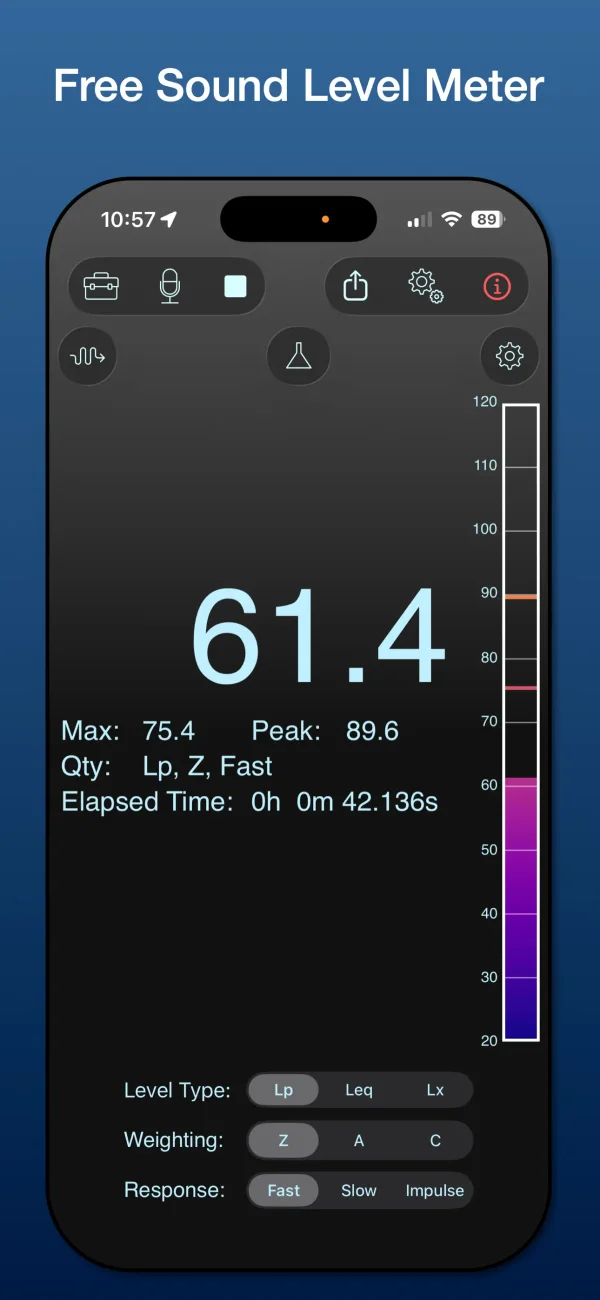
SoundMeter X turns your iPhone or iPad into a handheld data-logging sound level meter (SLM), data-logging noise dosimeter, stereo signal generator, multi-channel data recorder, and real-time whole or 1/3 octave band spectrum analyzer (subscription or perpetual license required for most features--14-day free trial available).
Input signals can be acquired from any available audio input path. Sensitivity calibration can also be performed for any audio input device and/or input channel. Direct hardware support (automatic sensitivity calibration, based on factory-defined values) for The Modal Shop’s 2-channel 485B39 USB-ICP interface and miniDSP’s UMIK-1, UMIK-2, and EARS microphones.
In addition to real-time sound level measurements, SoundMeter can stream raw sound data to audio files, and store acquired sound level data, including date, time, and location, in CSV or TXT (tab-delimited) files, MAT-files, or high-resolution PDF images for later retrieval from your device.
SoundMeter may be downloaded for free from the App Store. Additional tools and features are offered via in-app purchase.
The SoundMeter Pro subscription includes:
- User-defined custom metadata in saved audio and data files
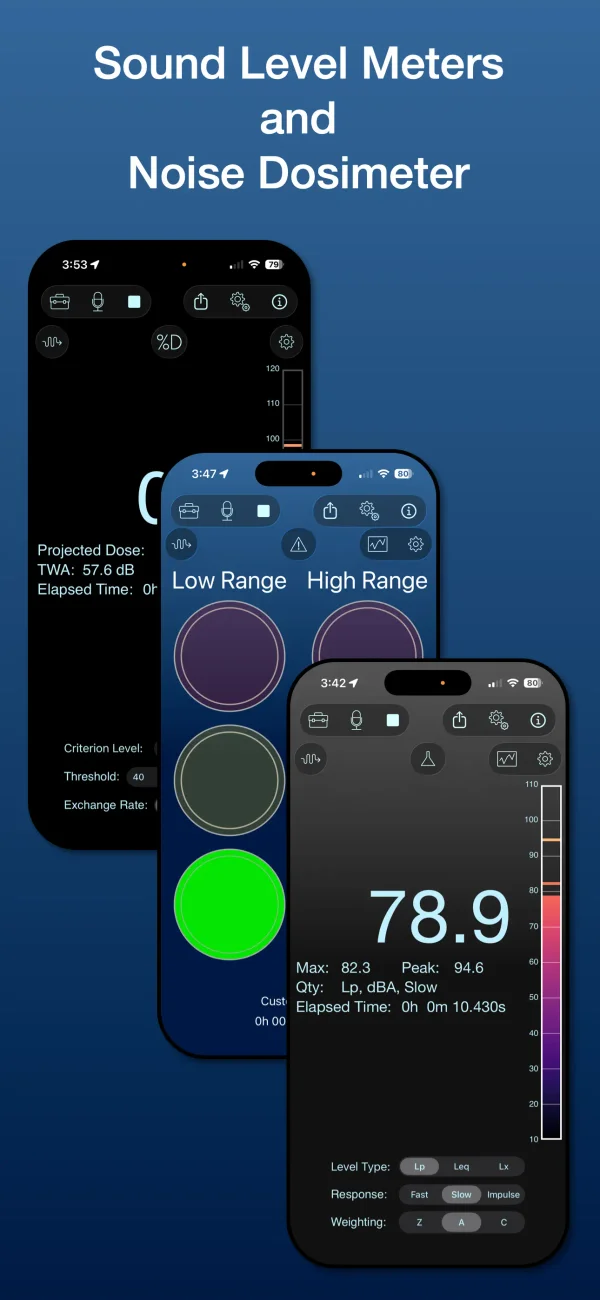
- Level MeterLp, Leq, Lx sound levels
-- Standard Flat, A, C frequency weighting
-- Standard Fast, Slow, Impulse time weighting
-- Data logging. Data can be logged as often as every 0.1 seconds for up to 8 hours, every second for up to 72 hours, or every 10 seconds for up to two weeks.
-- Event notifications
- Max Levels Meter
-- Traffic-light-style meters make it easy to monitor 2 separate sound level thresholds in 2 independent user-defined frequency bands.
-- Define lower (warning) and higher (limit) sound level thresholds for overall (full audio band) levels as well as for individual octave frequency bands.
-- Store user-defined thresholds in files for later recall.
- Noise Dosimeter
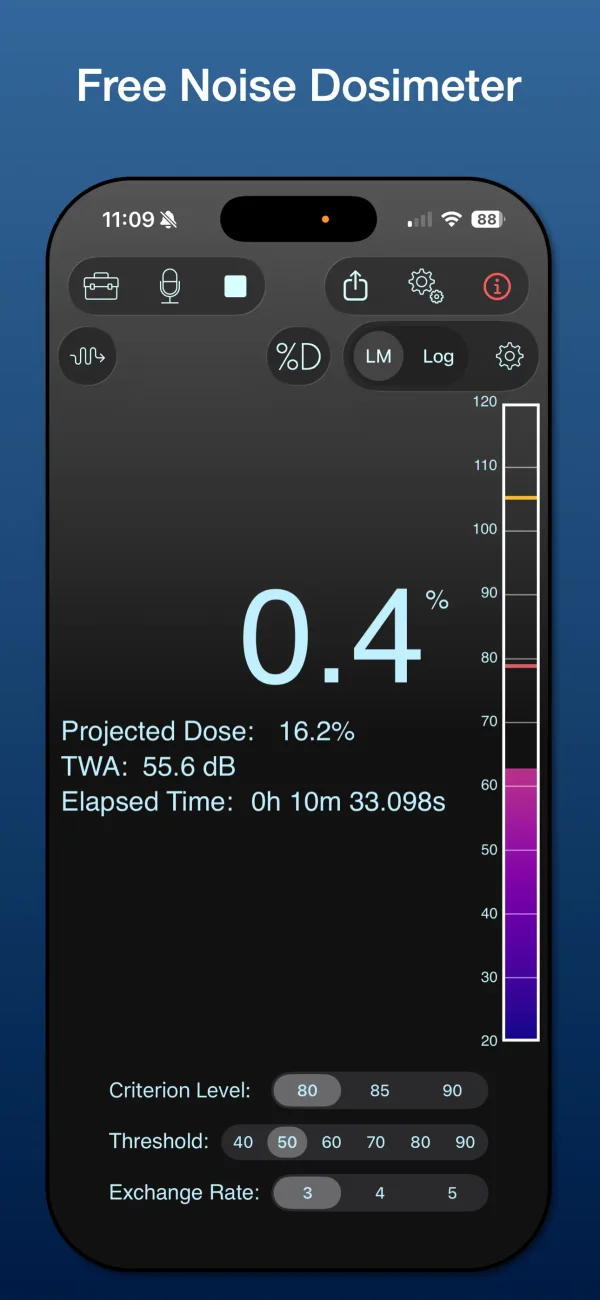
-- 8-hour Noise Dose, Projected Dose, TWA calculations
-- Criterion Levels: 80, 85, 90 dB
-- Exchange Rates: 3, 4, 5 dB
-- Data logging. Data can be logged as often as every 0.1 seconds for up to 8 hours, every second for up to 72 hours, or every 10 seconds for up to two weeks.
- Real-time Octave Spectrum Analyzer (RTA)
-- Lp, Leq, Lx sound levels
-- Supports whole or 1/3-octave frequency bands
-- Standard Flat, A, C frequency weighting
-- Standard Fast, Slow, Impulse time weighting
-- NC, RNC, and NR references curves, NC, SIL, and NR values
-- Data logging. Data can be logged as often as every 0.1 seconds for up to 8 hours, every second for up to 72 hours, or every 10 seconds for up to two weeks.
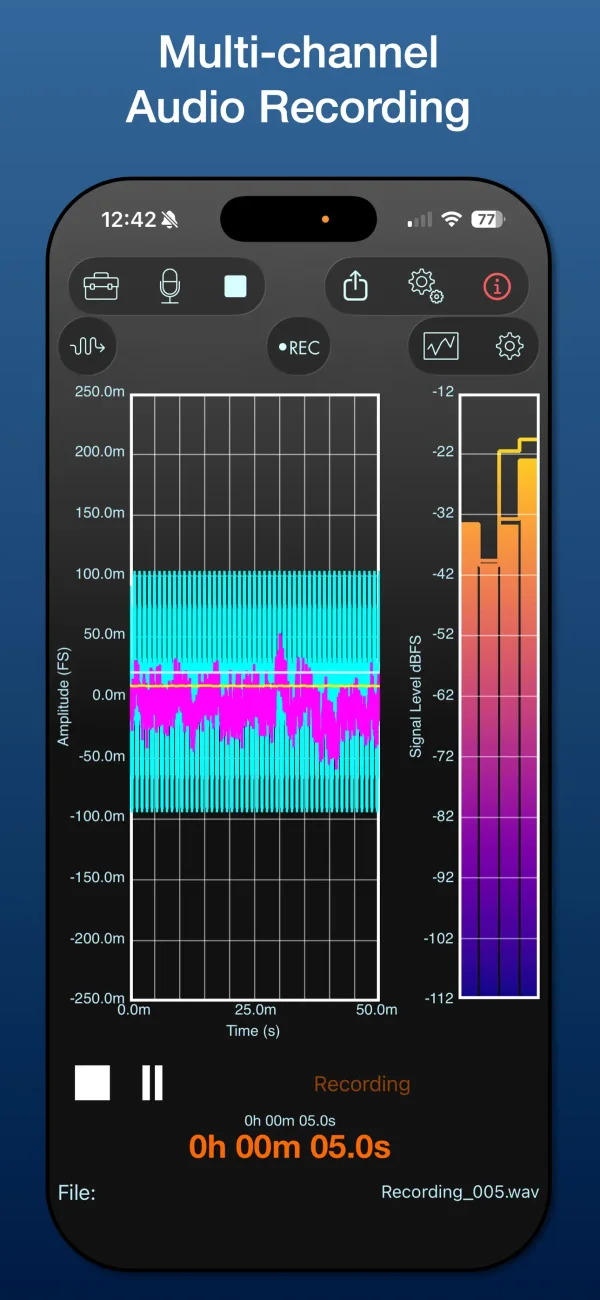
- Multi-channel Data Recorder
-- Supports up to 8 channels
-- Live monitoring of recorded data
-- Metadata (including calibrated sensitivity) embedded in audio file (AIF, CAF, WAV), optionally saved in separate data file
- Stereo Signal Generator
-- Left and right outputs assigned to arbitrary hardware output channels
-- Random and pseudorandom (periodic) noise sequences with white or pink spectrum
-- Linear and logarithmic frequency sweeps
-- Dual periodic waveforms with arbitrary frequency and phase difference
- MultiTool
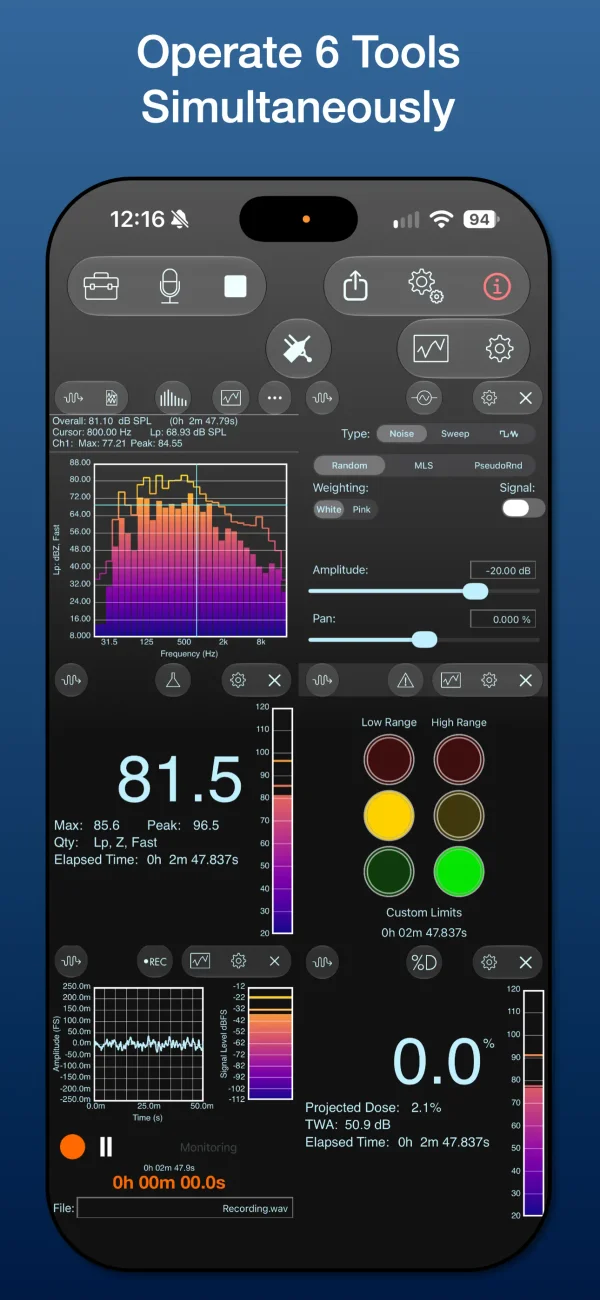
-- Powerful data monitoring and project management (Add up to 6 subtools and save configurations for easy recall at a later time.)
The SignalScope X Pro Tool Set subscription can be shared between SoundMeter X and SignalScope X. It unlocks all tools and features of the SoundMeter Pro subscription in SoundMeter X and all tools and features of the Pro Tool Set subscription in SignalScope X (iCloud login required).
Learn more about SoundMeter X at FaberAcoustical.com.
Subscription Terms:
- https://www.faberacoustical.com/apps/subscriptions/terms.html
Privacy Policy:
- https://www.faberacoustical.com/about/privacy.html
Terms and Conditions for FaberAcoustical.com:
https://www.faberacoustical.com/about/terms.html
What’s new
Version 13.4 · Nov 14, 2026
- Huge MultiTool Update
- Pro users can now add more than one subtool of the same type to a MultiTool configuration, up to the total subtool limit of six. This means it is possible to do things like run a separate sound level meter on each of several different input channels, or measure the octave-band spectrum of a single input channel with different frequency weightings, simultaneously.
- MultiTool now supports the following features when managing its configurations:
— Sort the configuration list alphabetically, by creation date, or by modified date (ascending or descending).
— Create, edit, delete groups of configurations.
— Mark configurations as favorites. Favorite configurations will then be added to a permanent Favorites group, regardless of whether they belong to another user-defined group.
— Multiple selection: Multiple configurations may be selected and simultaneously favorited, moved to a group, or deleted.
— Swipe right on a configuration to favorite/unfavorite it. Swipe left to delete it.
— Manual reordering of configurations is still supported on iPhone and iPad.
- The configuration options have been moved from the Options menu to a new Configurations menu, which is accessed with the data file icon on the left end of the MultiTool’s toolbar.
- In addition to creating a copy of the current configuration, it is now possible to create a new empty configuration. Either of these may be done with new File menu items (on iPad) or keyboard commands (⌘-D or ⌘-N, respectively).
- The built-in HTTP server now serves live views for every Level Meter and Octave Analyzer instance in the MultiTool, with links on the MultiTool and subtool pages.
- SoundMeter has received various other quality-of-life improvements.
- Other bug fixes and cosmetic improvements
App privacy
What Faber Acoustical, LLC declares on the App Store about how this app handles data.
-
Data linked to you
May be collected and linked to your identity.
- Identifiers
- Usage data
-
Data not linked to you
May be collected but is not linked to your identity.
- Usage data
Privacy practices may vary, for example with the features you use or your age.
Information
- Seller
- Faber Acoustical, LLC
- Category
- Utilities
- Version
- 13.4
- Updated
- Nov 14, 2026
- Released
- Mar 21, 2018
- Size
- 18.2 MB
- Requires
- iOS 18.6 or later
- Age rating
- 4+
- Price
- Free
- In-app purchases
- Yes
- Languages
- English
- Copyright
- © 2026 Faber Acoustical, LLC
You might also like
-
 HAA CinemaTools with HAA LinkHome Cinema Audio Analysis
-
 Sound Spectrum AnalysisAudio Frequency Analyzer (RTA)
-
 SmarterNoise ProVideo recording sound analyzer
-
 SPLnFFT Noise MeterSerious audio measurements
-
 PAcalculateThe calculator app for PA pros
-
 Wireless Workbench MobileWireless monitoring & control
-
 Decibels: dB Sound Level MeterAnalyze audio with style
-
 Sound Meter (SPL meter)Noise & decibel meter, SPL
-
 Sound Meter - Decibel ProdB Meter: Decibel Sound Level
-
 SpectroliteSmooth real-time spectrograms