
Spreadsheet data entry
Convenient G Sheets data entry
iPhone, iPod touch için tasarlandı
Ücretsiz · Uygulama içi satın alma
- Yaş sınırı4+
- KategoriYardımcılar
- GeliştiriciRuslan Musagitov
- Dillerİngilizce+ 1 dil daha
- Boyut71,7 MB
Resmi App Store sayfasına bağlanır
Download.org, Spreadsheet data entry için hiçbir dosya barındırmaz. Düğme, uygulamanın App Store üzerindeki sayfasını açar; uygulamayı orada Ruslan Musagitov yayınlar. Sayfanın son kontrolü: 12.11.2026.
Ekran görüntüleri

Hakkında
Geliştirici bu metni dilinizde sunmamış.
Effortlessly send data from your phone directly to your Google Sheets or CSV file. Perfect for on-the-go data saving and management.
This powerful tool is your ultimate companion for accounting, expense tracking as a smart spending tracker, warehouse inventory, and much more. Streamline your workflow by capturing information instantly—whether it's scanning a barcode, saving a location, or creating a new entry in your list maker.
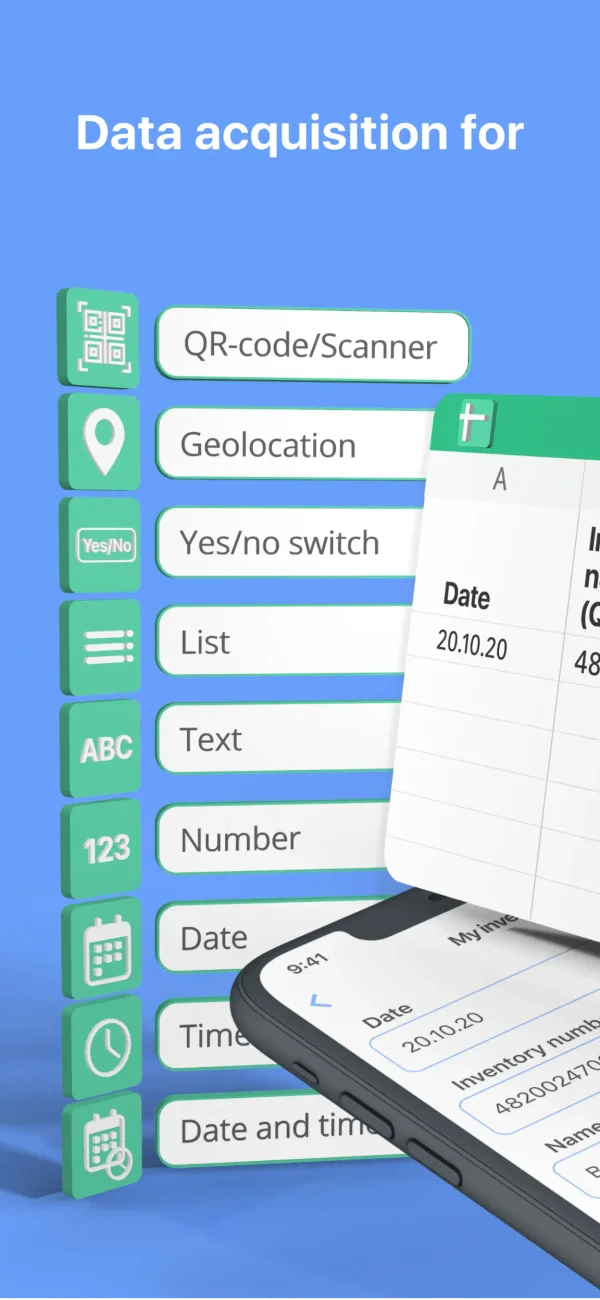
Capture & Save Various Data Types:
- Scan it: QR and Barcode data directly to your spreadsheet.
- Geolocation: Save your current coordinates or pick a point on the map.
- Text and Numbers for detailed notes.
- Dates & Timestamps: Automatic or custom entries.
- Predefined Lists: Select values from a custom list.
- Yes/No selectors for quick checks.
Seamless Integration with Google Suite
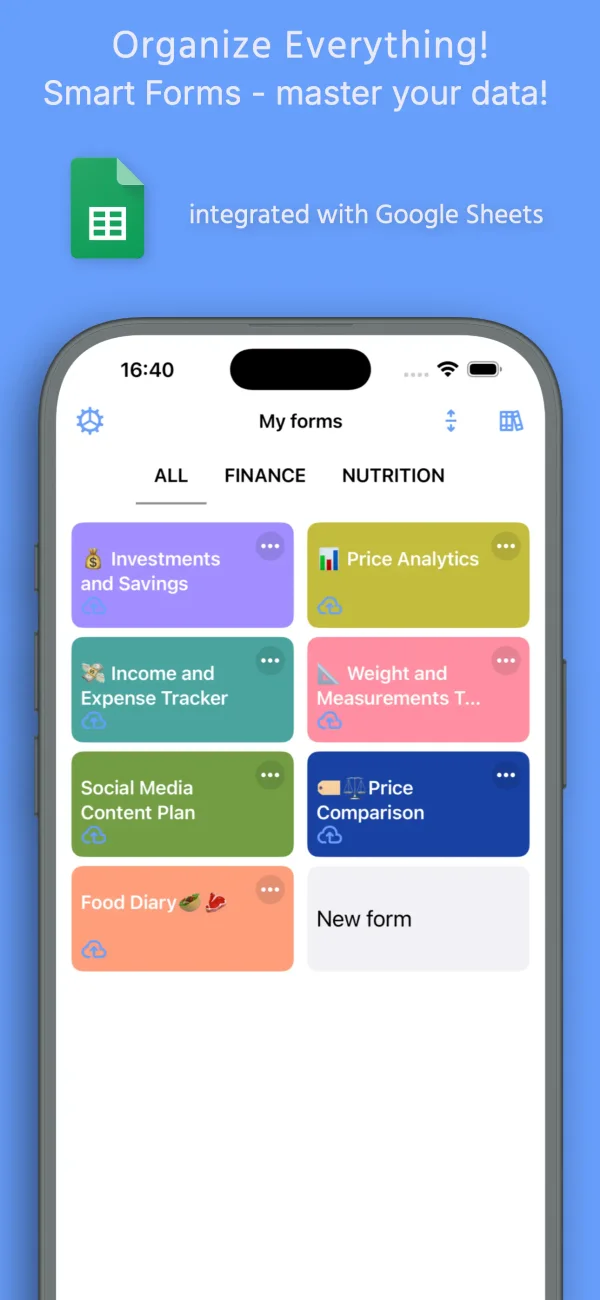
The app works flawlessly with Google Sheets, can replace Google Forms, allowing you to convert csv to Excel spreadsheet compatible files with ease. The revolutionary Scan to Sheets technology means data from codes appears in your rows and columns instantly, eliminating manual transcription.
How It Works:
- Select a form.
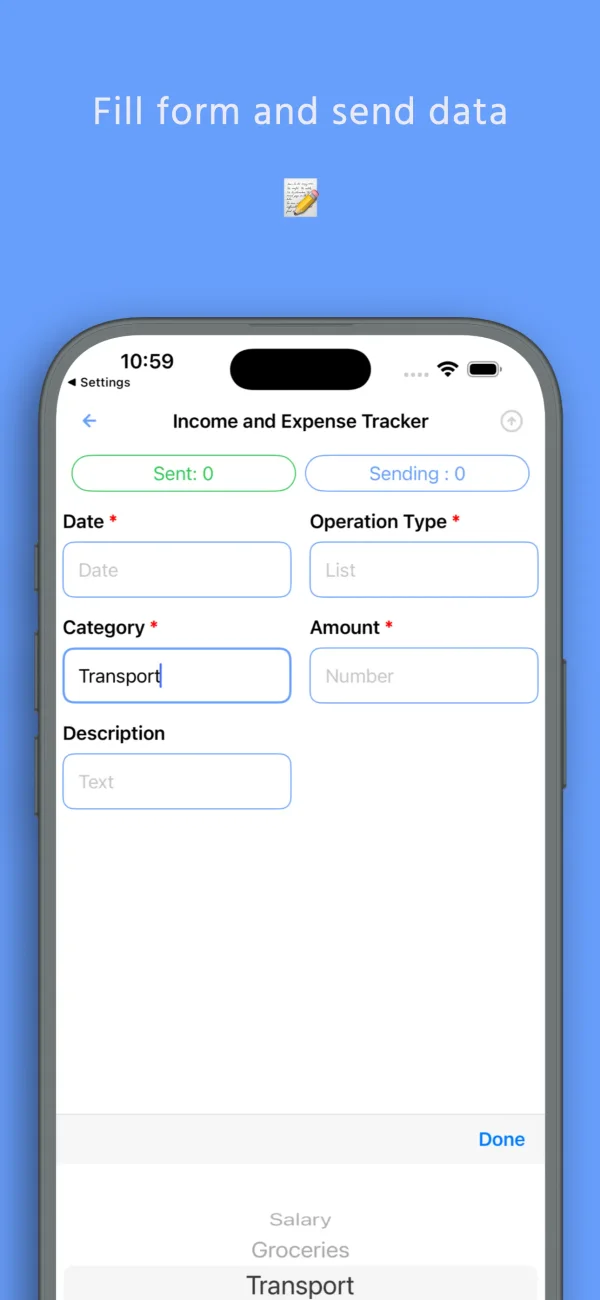
- Input data (scan, type, or select).
- Tap "Send".
- Watch as the information appears live in your spreadsheet on Google Drive.
Connect Your Google Sheet in Minutes:
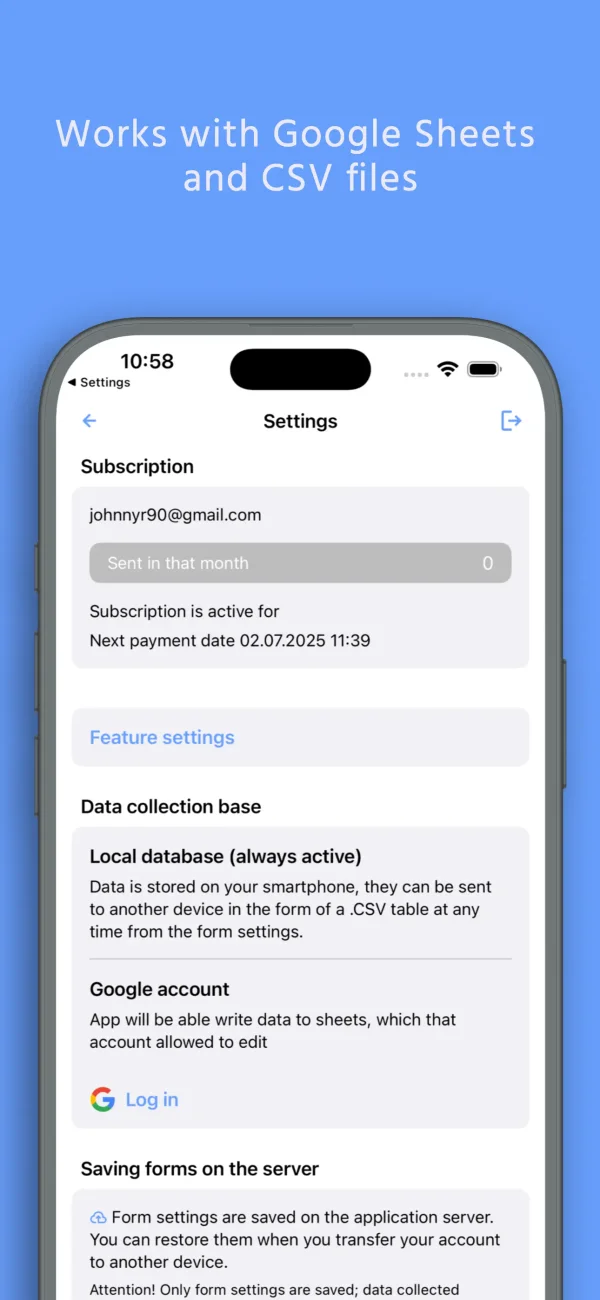
- Authorize your Google account.
- Configure your target spreadsheet URL.
What is a Form?
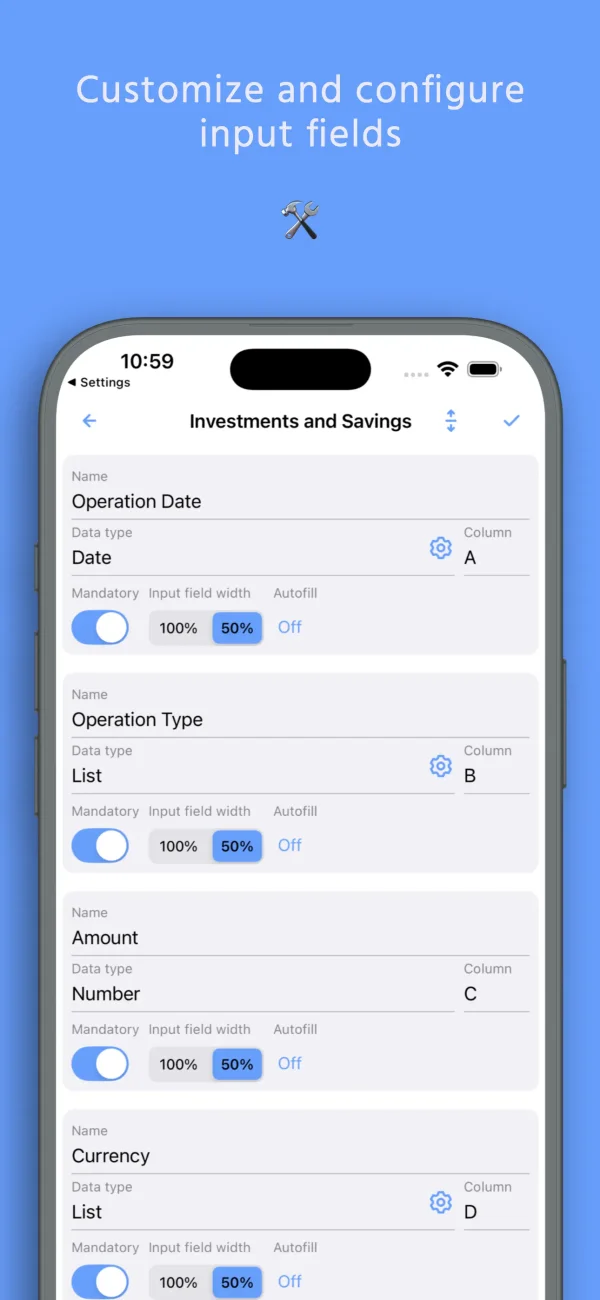
A Form defines the structure of your data entry, linking input fields to specific columns in your target spreadsheet. Create them manually for full control or choose a ready-made template from our library.
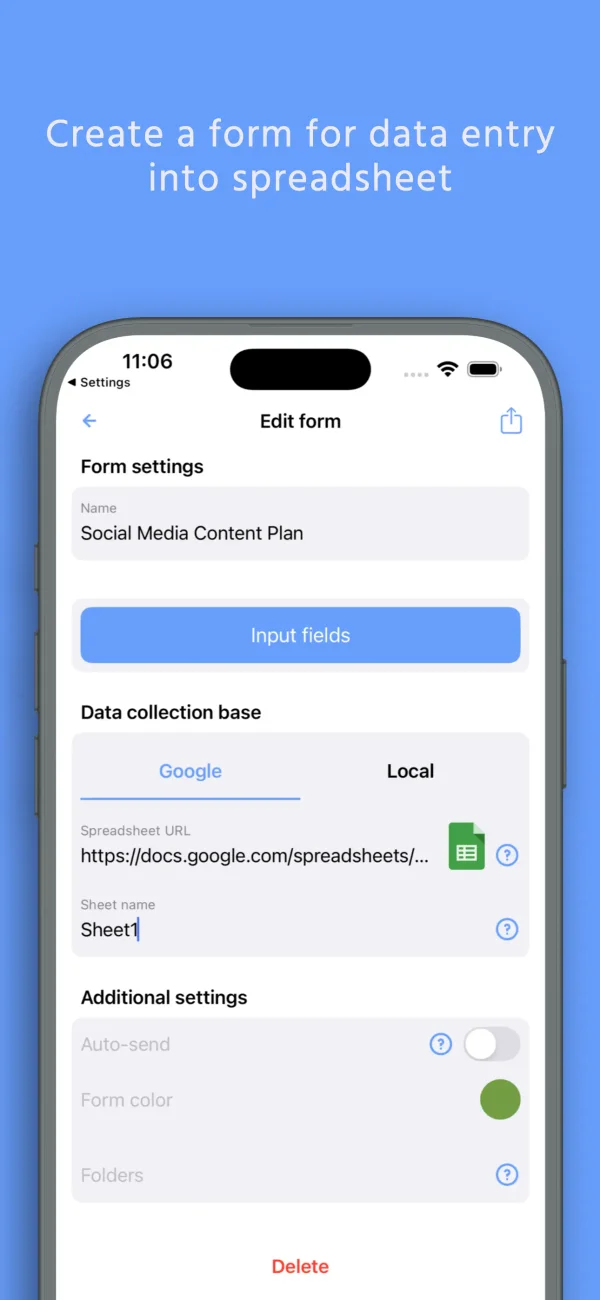
Create a Form Manually:
- Create a spreadsheet in your Google Drive.
- In the app, create a new form:
- Paste the spreadsheet URL and sheet name.
- Configure each field: name, data type, and target column.
- Save.
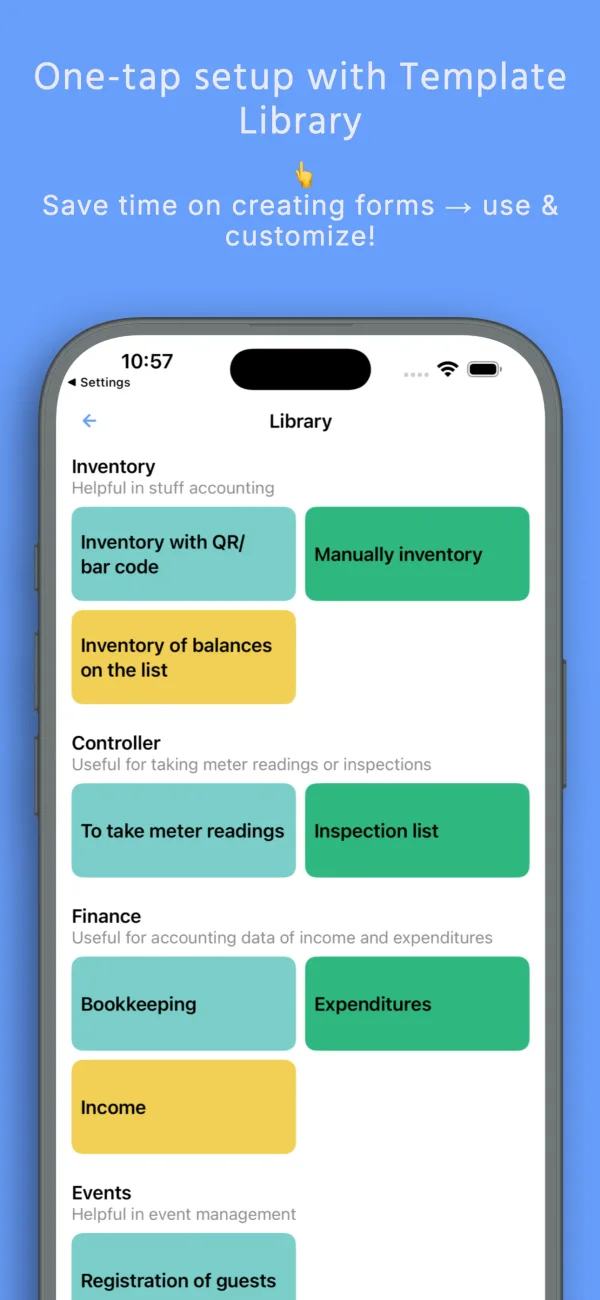
Use a Predefined Template:
- Browse the form library.
- Tap "Add to my forms" – a copy of the spreadsheet template is saved to your Drive.
Automate your data logging, enhance productivity, and ensure accurate data saving for any project. Download now to transform your phone into a powerful data hub.
Terms of Service and Privacy Policy:
https://bytepace.com/spreadsheet-data-entry/tos-and-privacy-policy
Yenilikler
Sürüm 4.4 · 28.10.2026
Share forms by email — send a saved form to another user from form settings.
Copy forms — create copies of your forms.
Bug fixes and improvements.
Uygulama gizliliği
Bu uygulamanın verileri nasıl işlediği hakkında Ruslan Musagitov tarafından App Store üzerinde yapılan beyan.
-
Veri toplanmıyor
Geliştirici bu uygulamadan hiçbir veri toplamıyor.
Gizlilik uygulamaları, örneğin kullandığınız özelliklere veya yaşınıza göre değişiklik gösterebilir.
Bilgiler
- Satıcı
- Ruslan Musagitov
- Kategori
- Yardımcılar
- Sürüm
- 4.4
- Güncellendi
- 28.10.2026
- Yayın tarihi
- 27.06.2020
- Boyut
- 71,7 MB
- Gereksinim
- iOS 15.0 veya sonrası
- Yaş sınırı
- 4+
- Fiyat
- Ücretsiz
- Uygulama içi satın alma
- Evet
- Diller
- İngilizce, Rusça
- Telif hakkı
- © Ruslan Musagitov
Bunları da beğenebilirsiniz
-
 Spreadsheets - Table MemosYardımcılar
-
 Conditions Data CollectionYardımcılar
-
 Database : PocketDBYardımcılar
-
 Sheet ViewerYardımcılar
-
 Customer DatabaseYardımcılar
-
 Spreadsheet Editor - XLSX EditYardımcılar
-
 Basit Tablo - Not YönetimiTablo formatında not alın
-
 Simple Spreadsheet:view & editYardımcılar
-
 Portable InventoryYardımcılar
-
 Make a List!Yardımcılar