
Spreadsheet data entry
Convenient G Sheets data entry
Được thiết kế cho iPhone, iPod touch
Miễn phí · Mua hàng trong ứng dụng
- Độ tuổi4+
- Danh mụcTiện Ích
- Nhà phát triểnRuslan Musagitov
- Ngôn ngữTiếng Anh+ 1 ngôn ngữ khác
- Kích thước71,7 MB
Liên kết đến trang App Store chính thức
Download.org không lưu trữ tệp nào của Spreadsheet data entry. Nút này mở trang ứng dụng trên App Store, nơi Ruslan Musagitov phát hành ứng dụng. Trang được kiểm tra lần cuối: 12/11/2026.
Ảnh chụp màn hình

Giới thiệu
Nhà phát triển chưa cung cấp nội dung này bằng ngôn ngữ của bạn.
Effortlessly send data from your phone directly to your Google Sheets or CSV file. Perfect for on-the-go data saving and management.
This powerful tool is your ultimate companion for accounting, expense tracking as a smart spending tracker, warehouse inventory, and much more. Streamline your workflow by capturing information instantly—whether it's scanning a barcode, saving a location, or creating a new entry in your list maker.
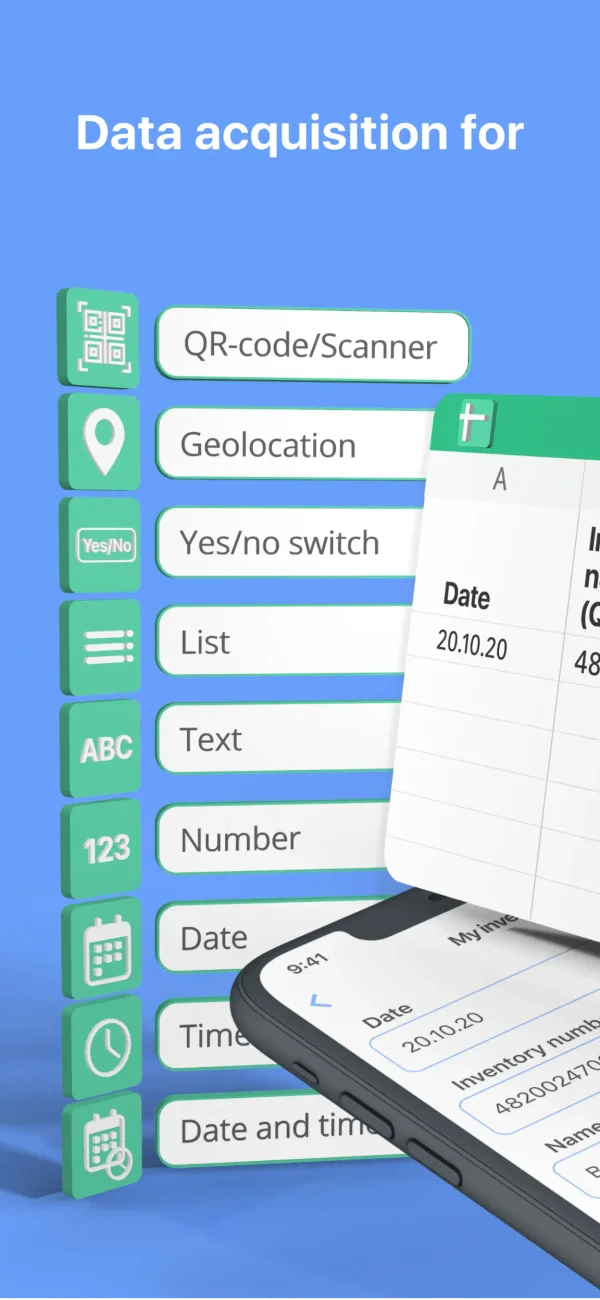
Capture & Save Various Data Types:
- Scan it: QR and Barcode data directly to your spreadsheet.
- Geolocation: Save your current coordinates or pick a point on the map.
- Text and Numbers for detailed notes.
- Dates & Timestamps: Automatic or custom entries.
- Predefined Lists: Select values from a custom list.
- Yes/No selectors for quick checks.
Seamless Integration with Google Suite
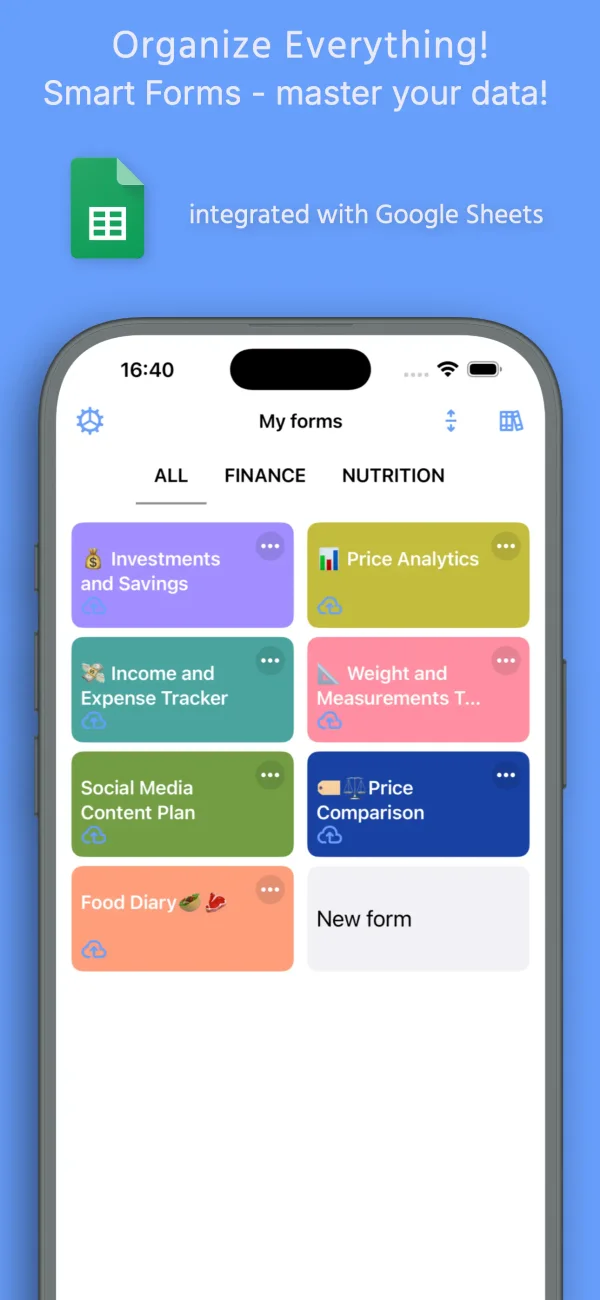
The app works flawlessly with Google Sheets, can replace Google Forms, allowing you to convert csv to Excel spreadsheet compatible files with ease. The revolutionary Scan to Sheets technology means data from codes appears in your rows and columns instantly, eliminating manual transcription.
How It Works:
- Select a form.
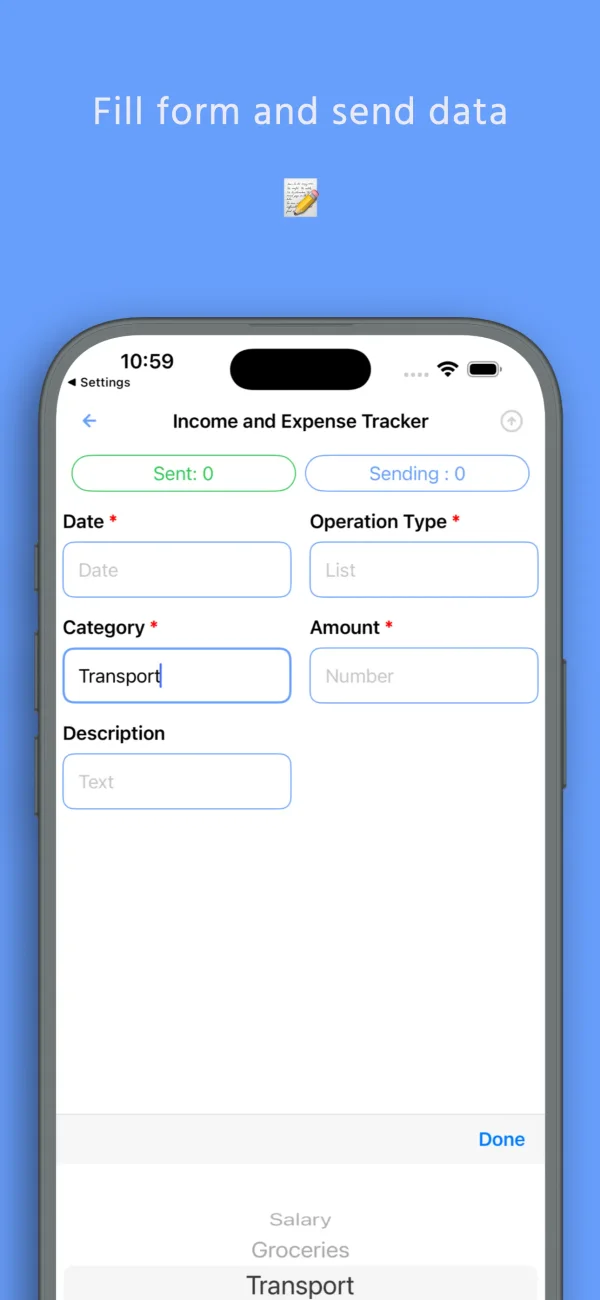
- Input data (scan, type, or select).
- Tap "Send".
- Watch as the information appears live in your spreadsheet on Google Drive.
Connect Your Google Sheet in Minutes:
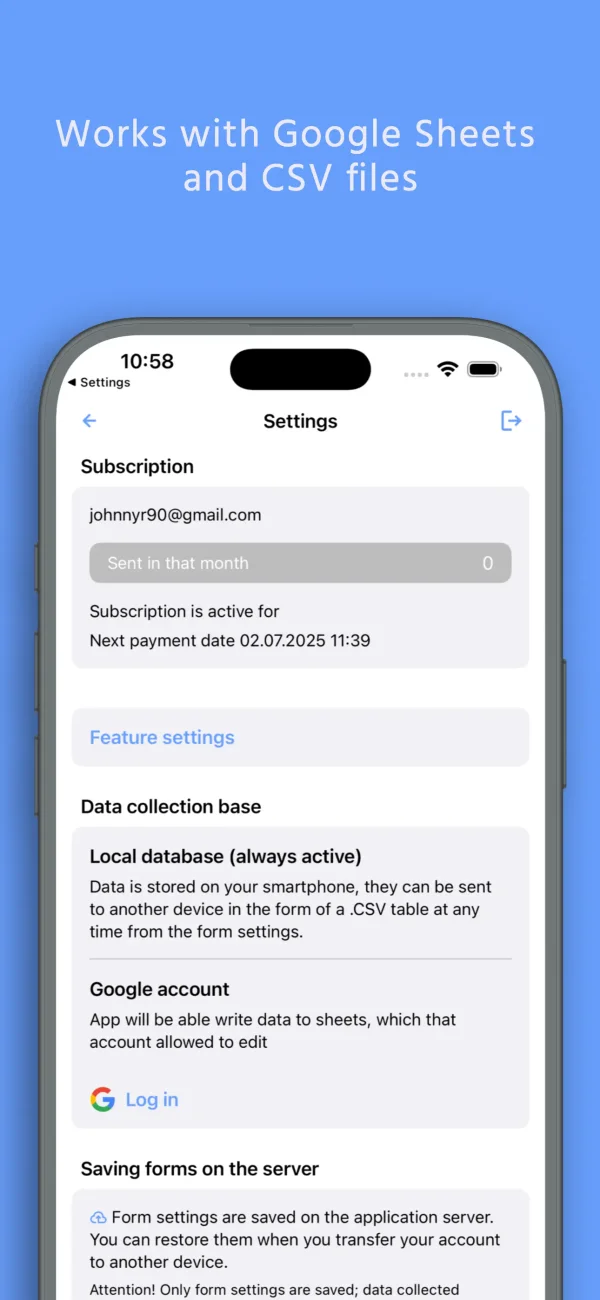
- Authorize your Google account.
- Configure your target spreadsheet URL.
What is a Form?
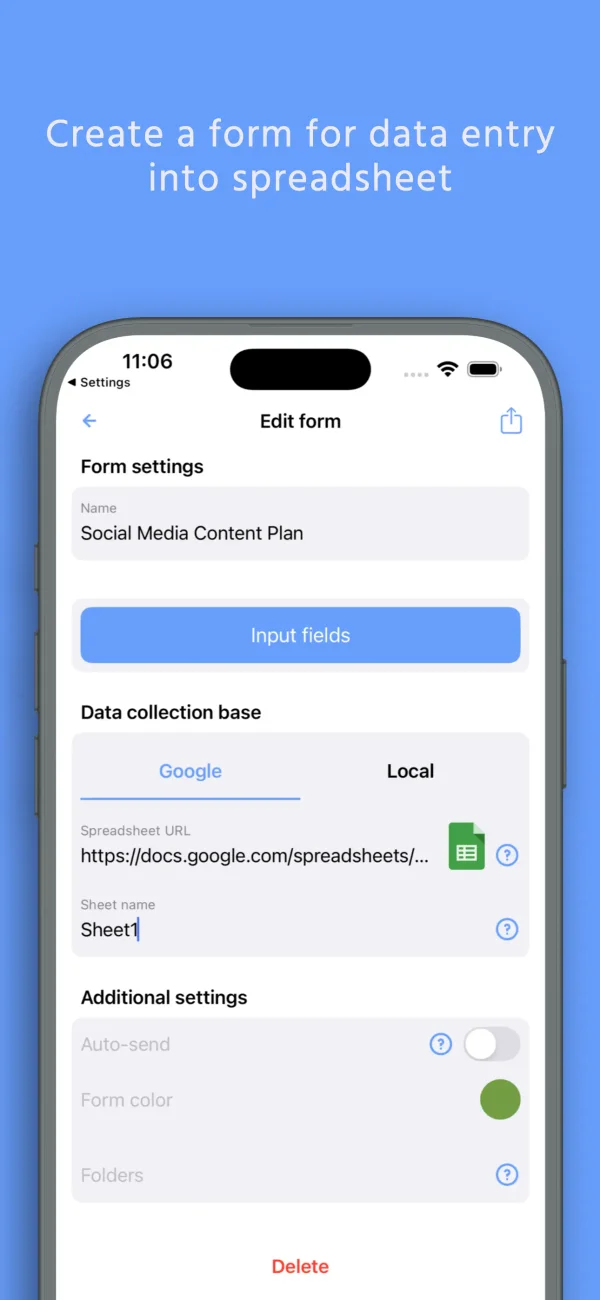
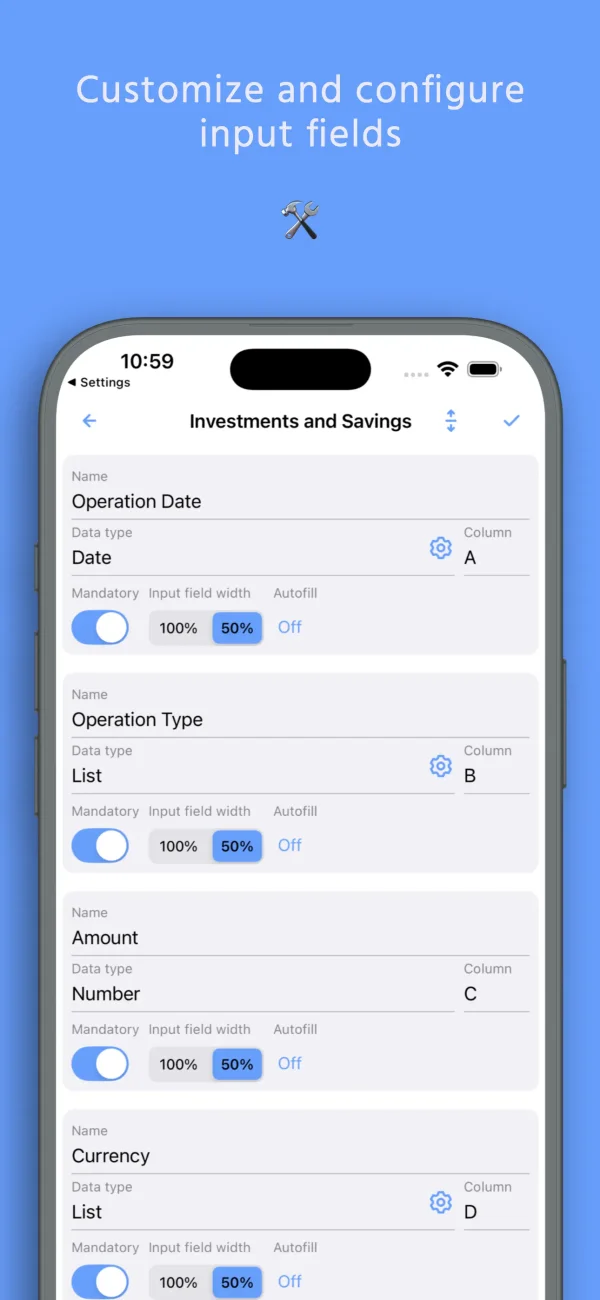
A Form defines the structure of your data entry, linking input fields to specific columns in your target spreadsheet. Create them manually for full control or choose a ready-made template from our library.
Create a Form Manually:
- Create a spreadsheet in your Google Drive.
- In the app, create a new form:
- Paste the spreadsheet URL and sheet name.
- Configure each field: name, data type, and target column.
- Save.
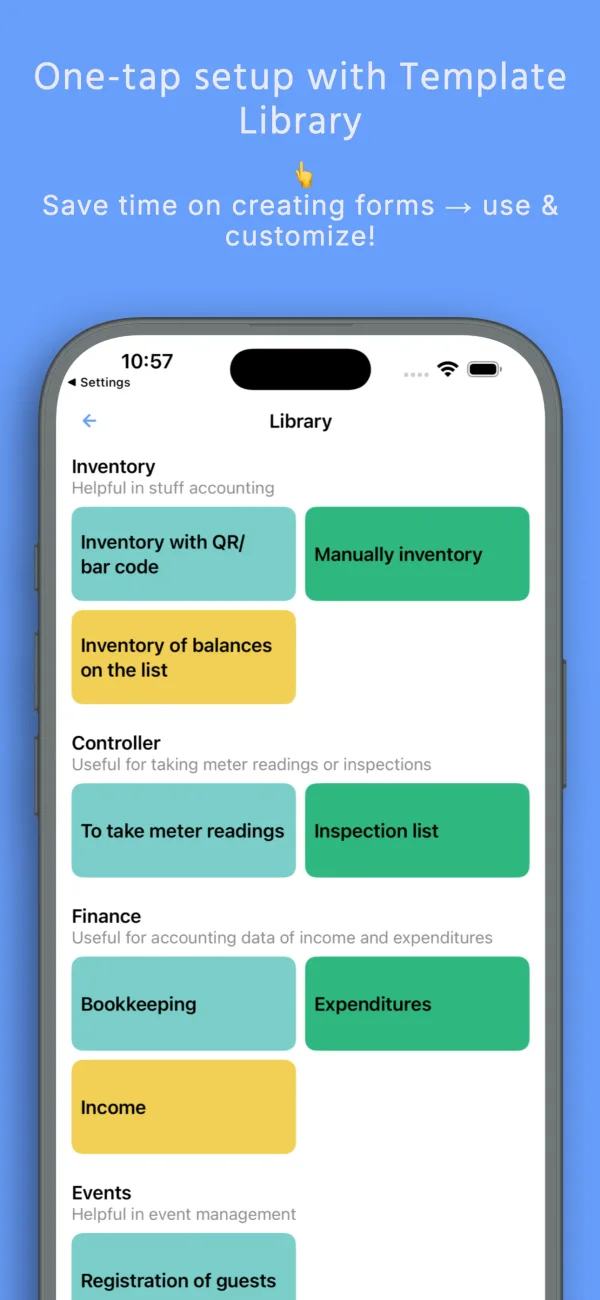
Use a Predefined Template:
- Browse the form library.
- Tap "Add to my forms" – a copy of the spreadsheet template is saved to your Drive.
Automate your data logging, enhance productivity, and ensure accurate data saving for any project. Download now to transform your phone into a powerful data hub.
Terms of Service and Privacy Policy:
https://bytepace.com/spreadsheet-data-entry/tos-and-privacy-policy
Có gì mới
Phiên bản 4.4 · 28/10/2026
Share forms by email — send a saved form to another user from form settings.
Copy forms — create copies of your forms.
Bug fixes and improvements.
Quyền riêng tư của ứng dụng
Những gì Ruslan Musagitov khai báo trên App Store về cách ứng dụng này xử lý dữ liệu.
-
Dữ liệu không được thu thập
Nhà phát triển không thu thập bất kỳ dữ liệu nào từ ứng dụng này.
Phương thức đảm bảo quyền riêng tư có thể khác nhau, chẳng hạn như tuỳ theo các tính năng bạn sử dụng hoặc độ tuổi của bạn.
Thông tin
- Người bán
- Ruslan Musagitov
- Danh mục
- Tiện Ích
- Phiên bản
- 4.4
- Cập nhật
- 28/10/2026
- Phát hành
- 27/06/2020
- Kích thước
- 71,7 MB
- Yêu cầu
- iOS 15.0 trở lên
- Độ tuổi
- 4+
- Giá
- Miễn phí
- Mua hàng trong ứng dụng
- Có
- Ngôn ngữ
- Tiếng Anh, Tiếng Nga
- Bản quyền
- © Ruslan Musagitov
Có thể bạn cũng thích
-
 Spreadsheets - Table MemosTiện Ích
-
 Conditions Data CollectionTiện Ích
-
 Database : PocketDBTiện Ích
-
 Sheet ViewerTiện Ích
-
 Customer DatabaseTiện Ích
-
 Spreadsheet Editor - XLSX EditTiện Ích
-
 Bảng Đơn GiảnDễ dàng ghi chú ở dạng bảng
-
 Simple Spreadsheet:view & editTiện Ích
-
 Portable InventoryTiện Ích
-
 Make a List!Tiện Ích