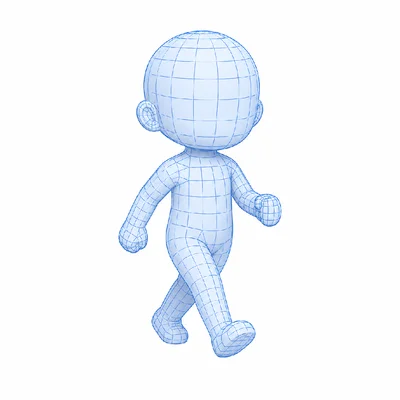
Walk Sprite Kit
Pixel-art animation guides
iPhone, iPad, iPod touch için tasarlandı
Ücretsiz · Uygulama içi satın alma
- Yaş sınırı4+
- KategoriGeliştirici Araçları
- Geliştiriciryuichi hayashida
- Dillerİngilizce+ 8 dil daha
- Boyut25,7 MB
Resmi App Store sayfasına bağlanır
Download.org, Walk Sprite Kit için hiçbir dosya barındırmaz. Düğme, uygulamanın App Store üzerindeki sayfasını açar; uygulamayı orada ryuichi hayashida yayınlar. Sayfanın son kontrolü: 15.11.2026.
Ekran görüntüleri

Hakkında
Geliştirici bu metni dilinizde sunmamış.
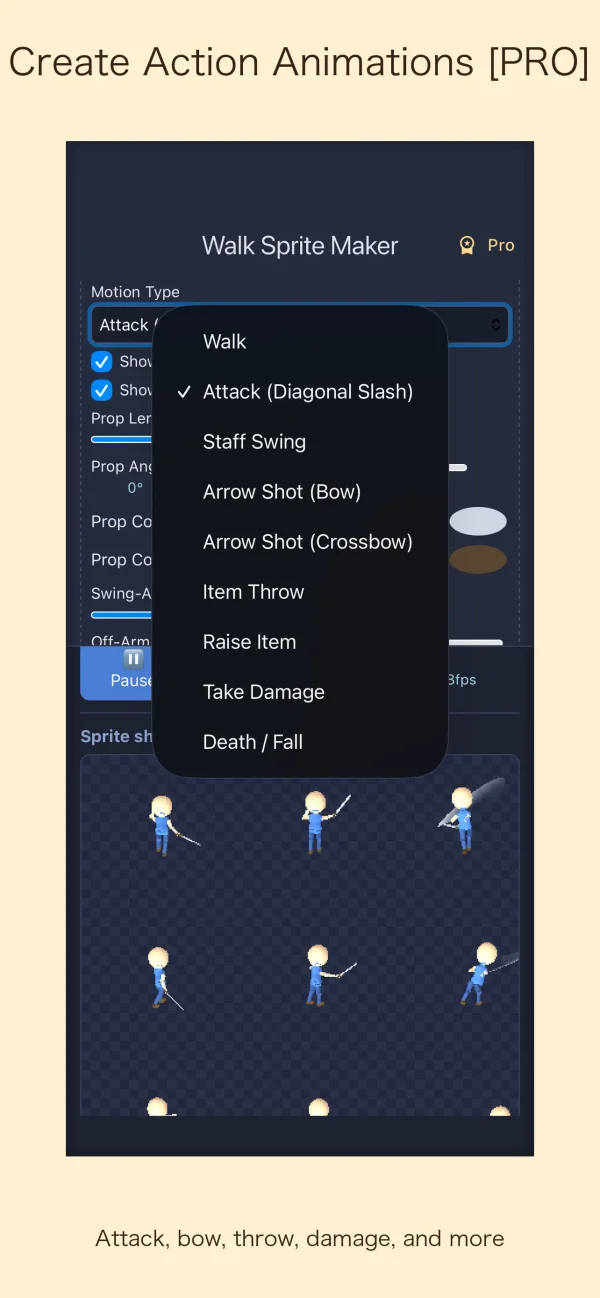
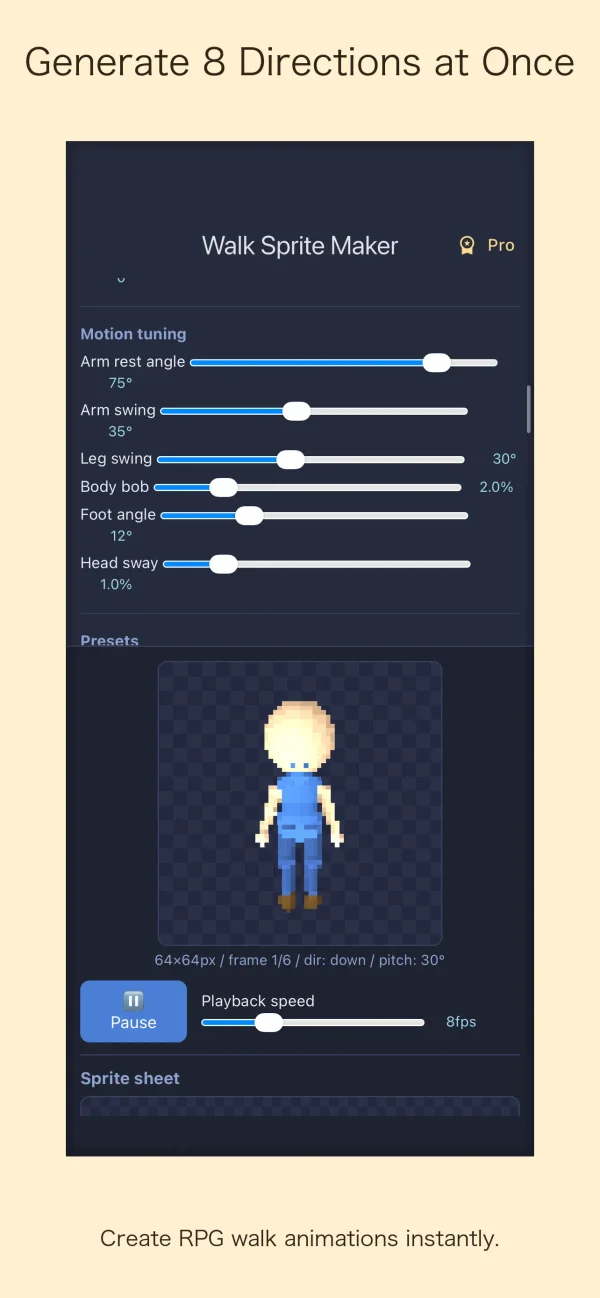
Walk Sprite Maker is a production tool for creating reference images and underdrawings for character walk animations from 3D models. It does not automatically draw finished pixel art. Instead, it helps you establish body proportions, motion, direction, and camera angle before you complete the artwork yourself. It is designed for pixel artists, indie game developers, and creators of RPG or top-down game assets.
BODY TYPES AND MODELS
• Six built-in proportions: 2-, 3-, 4-, 5-, 6-, and 8-head characters
• Import your own OBJ model
• Adjust head, torso, arm, and leg size or length independently
WALK MOTION
• Choose from 2 to 64 animation frames
• Select loop, start-idle, end-idle, or end-before-idle patterns
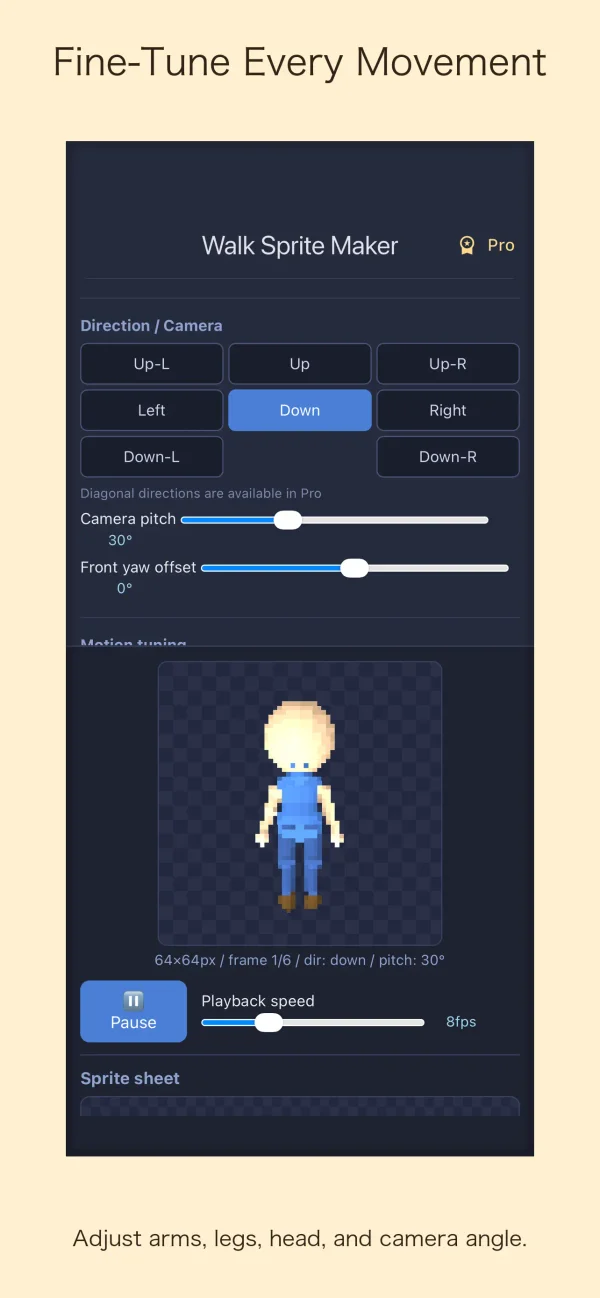
• Fine-tune arm resting angle, arm swing, leg swing, body bounce, foot angle, and head movement
• Preview the animation in real time at an adjustable playback speed
DIRECTION, CAMERA, AND DISPLAY
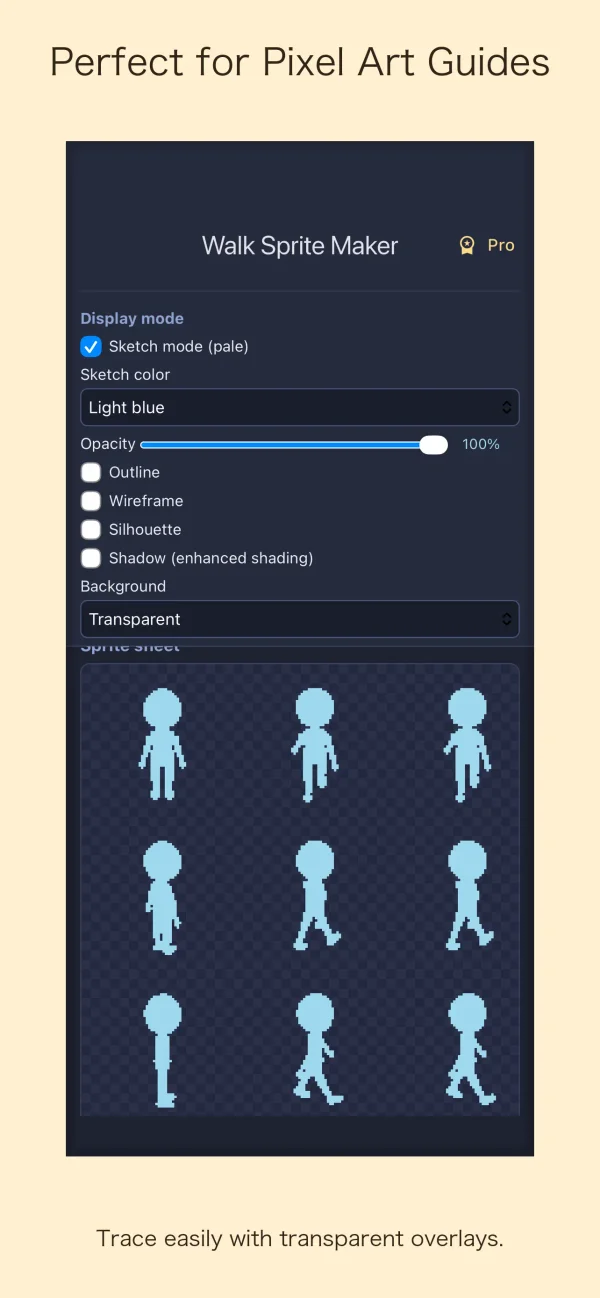
• Generate a sheet for the current direction or all four cardinal directions
• Adjust the top-down camera angle from 0 to 90 degrees and apply yaw correction
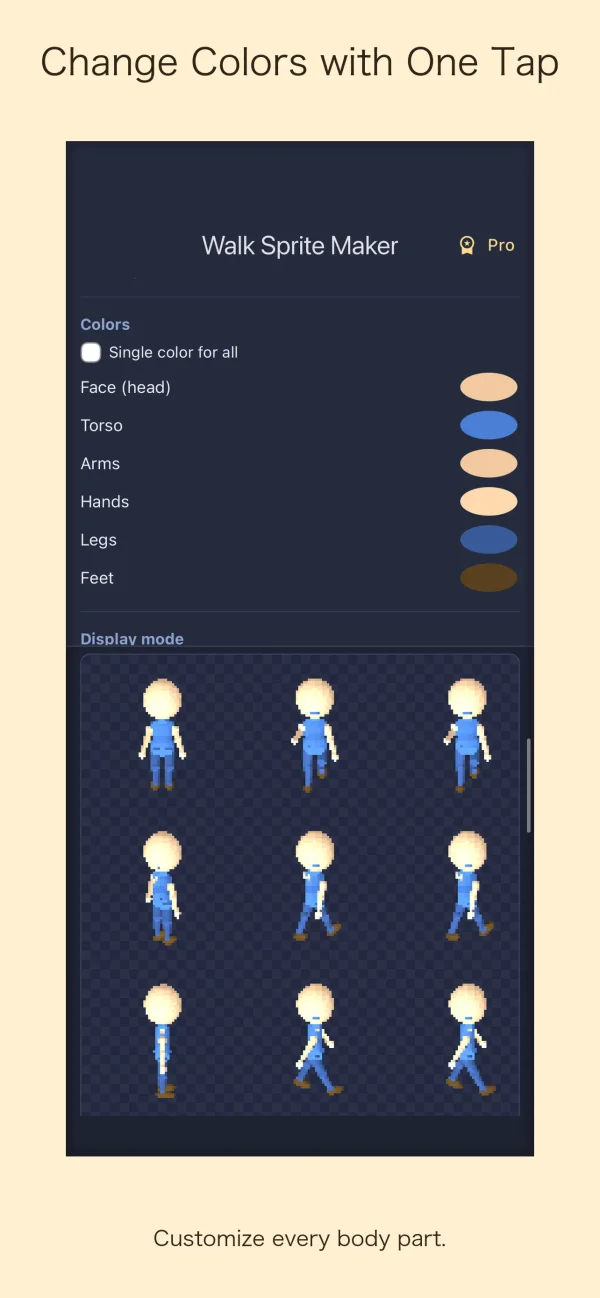
• Use separate colors for each body part or one uniform color
• Switch between sketch, outline, wireframe, silhouette, shadow, and opacity modes
• Export with a transparent or white background
SAVE AND SHARE
• Save sprite sheets as PNG
• Export each frame as an individual PNG inside a ZIP archive
• Save and load settings as JSON
• Store projects, presets, and export history on your device
• Share files with Photos, Files, and compatible drawing apps such as CLIP STUDIO PAINT, Procreate, and ibisPaint
PRO FOREVER
The one-time Pro purchase removes ads and unlocks eight-direction output, including diagonals; custom and high-resolution output up to 4096 px; storage for up to 100 projects, 100 presets, and 100 history items; output templates for padding, frame spacing, columns, and file naming; and advanced sketch customization for grids, line color, line width, and background color. A separate one-time Remove Ads purchase and a discounted Pro upgrade for existing Remove Ads owners are also available. There is no subscription.
Important: The app creates guides and source images for artwork. It does not automatically produce finished pixel art.
Yenilikler
Sürüm 1.1.1 · 18.09.2026
Fixed minor bugs.
Uygulama gizliliği
Bu uygulamanın verileri nasıl işlediği hakkında ryuichi hayashida tarafından App Store üzerinde yapılan beyan.
-
Sizi izlemek için kullanılan veriler
Başka şirketlere ait uygulamalarda ve web sitelerinde sizi izlemek için kullanılabilir.
- Tanımlayıcılar
- Kullanım verileri
- Tanılama
-
Sizinle ilişkilendirilen veriler
Toplanabilir ve kimliğinizle ilişkilendirilebilir.
- Tanımlayıcılar
- Kullanım verileri
- Tanılama
Gizlilik uygulamaları, örneğin kullandığınız özelliklere veya yaşınıza göre değişiklik gösterebilir.
Bilgiler
- Satıcı
- ryuichi hayashida
- Kategori
- Geliştirici Araçları
- Sürüm
- 1.1.1
- Güncellendi
- 18.09.2026
- Yayın tarihi
- 22.07.2026
- Boyut
- 25,7 MB
- Gereksinim
- iOS 15.0 veya sonrası
- Yaş sınırı
- 4+
- Fiyat
- Ücretsiz
- Uygulama içi satın alma
- Evet
- Diller
- İngilizce, Almanca, İtalyanca, Japonca, Korece, Portekizce, Basitleştirilmiş Çince, İspanyolca, Geleneksel Çince
- Telif hakkı
- © miryu kamiya / ryuichi hayashida
Bunları da beğenebilirsiniz
-
 gitrootsGeliştirici Araçları
-
 ARMOR: URDF & Robot SimulatorGeliştirici Araçları
-
 React HandbookGeliştirici Araçları
-
 JavaScript ManualGeliştirici Araçları
-
 Pyxen - Python Game MakerGeliştirici Araçları
-
 Mapper MZGeliştirici Araçları
-
 DevSnoop - Developer BrowserGeliştirici Araçları
-
 Swift IDE : SwiftPad CompilerGeliştirici Araçları
-
 ohmyappGeliştirici Araçları
-
 AI Game Maker & Engine: Max2DGeliştirici Araçları