- Độ tuổi4+
- Danh mụcTiện Ích
- Nhà phát triển24fire GmbH
- Ngôn ngữTiếng Anh+ 1 ngôn ngữ khác
- Kích thước24,6 MB
Liên kết đến trang App Store chính thức
Download.org không lưu trữ tệp nào của 24fire. Nút này mở trang ứng dụng trên App Store, nơi 24fire GmbH phát hành ứng dụng. Trang được kiểm tra lần cuối: 23/11/2026.
Ảnh chụp màn hình

Giới thiệu
Nhà phát triển chưa cung cấp nội dung này bằng ngôn ngữ của bạn.
Manage all your 24fire services directly from your iPhone. Whether you use KVM servers, dedicated servers, web hosting or domains, keep your infrastructure, finances and account security under control. Built natively for iOS, the app provides fast and intuitive access to all essential features.
SSH TERMINAL AND FILE MANAGEMENT
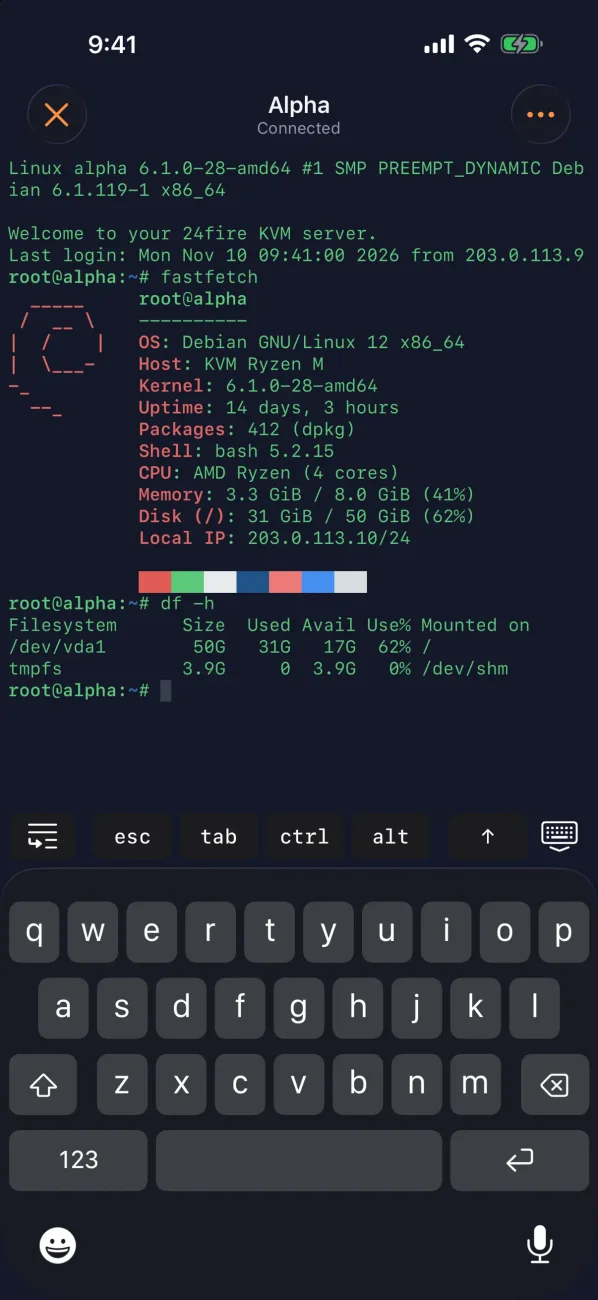
• Connect directly to your servers via SSH using your root password, a custom user password or an SSH key
• Save frequently used commands and execute them with custom placeholders
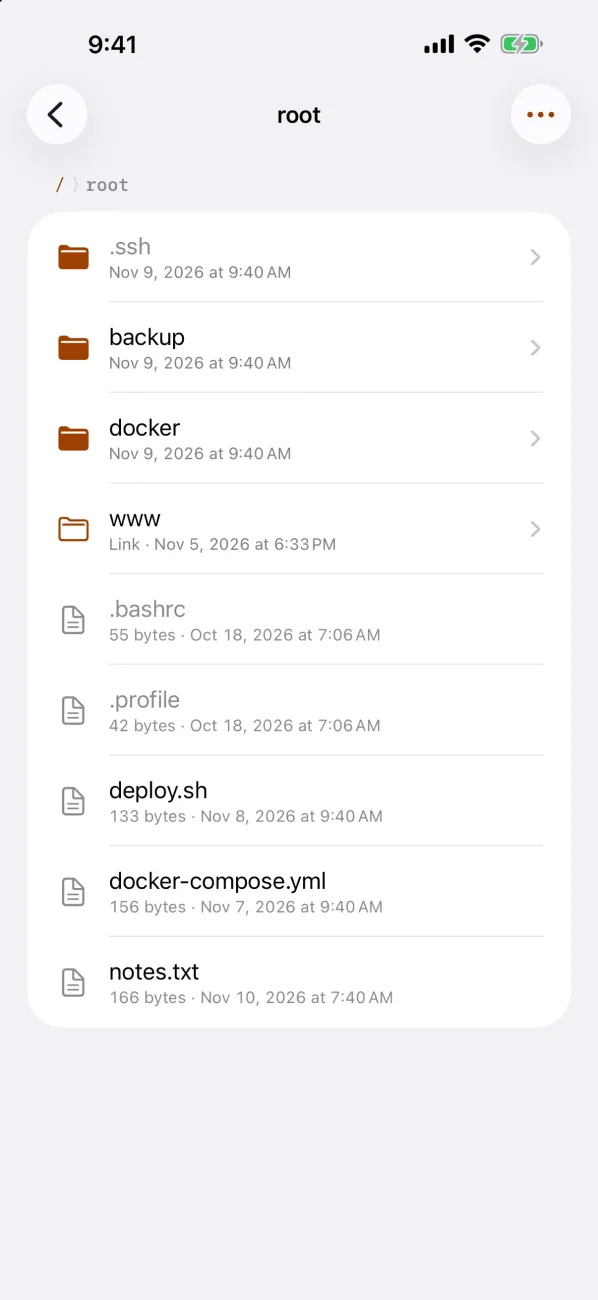
• Browse, view, upload and download server files
• Credentials remain stored locally on your iPhone. SSH connections are established directly between your device and the server.
REMOTE DESKTOP
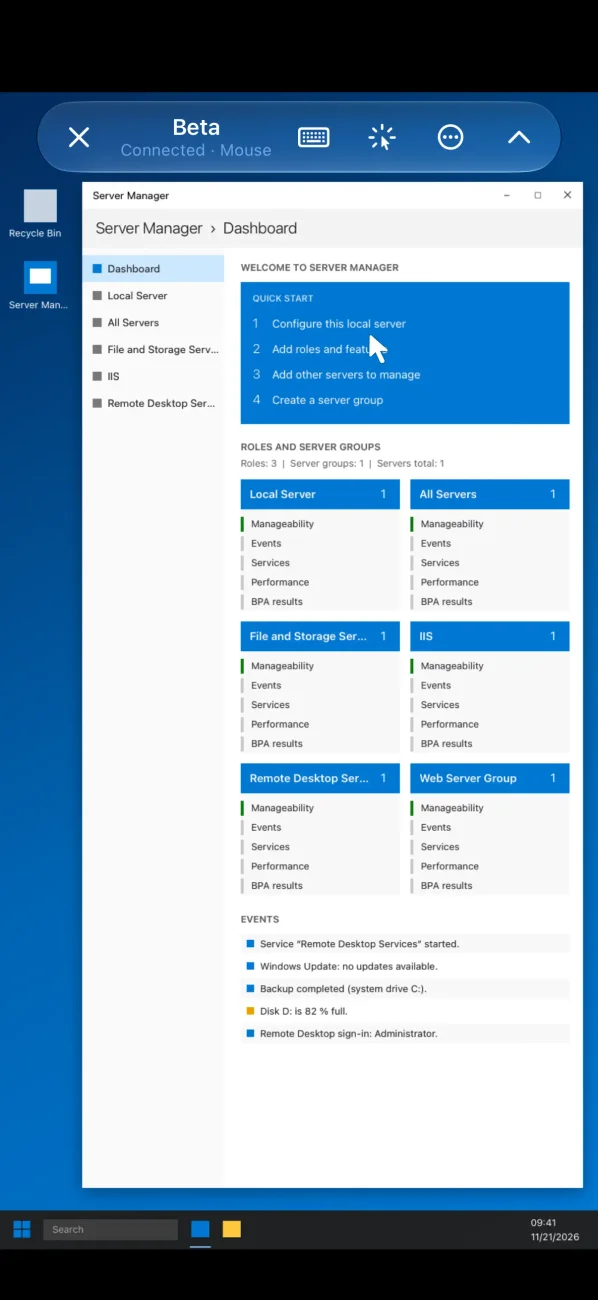
• Access and control your Windows servers directly through a remote desktop connection in the app.
• Sign in using your administrator password from the Control Panel or a separate user password.
SERVER MANAGEMENT
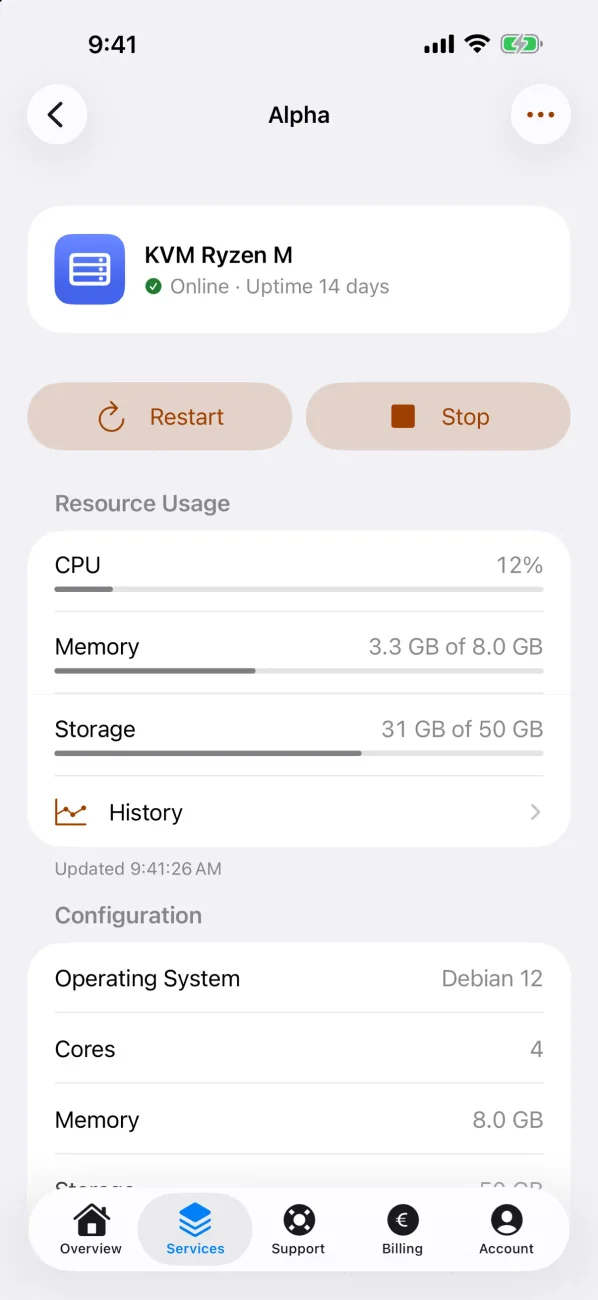
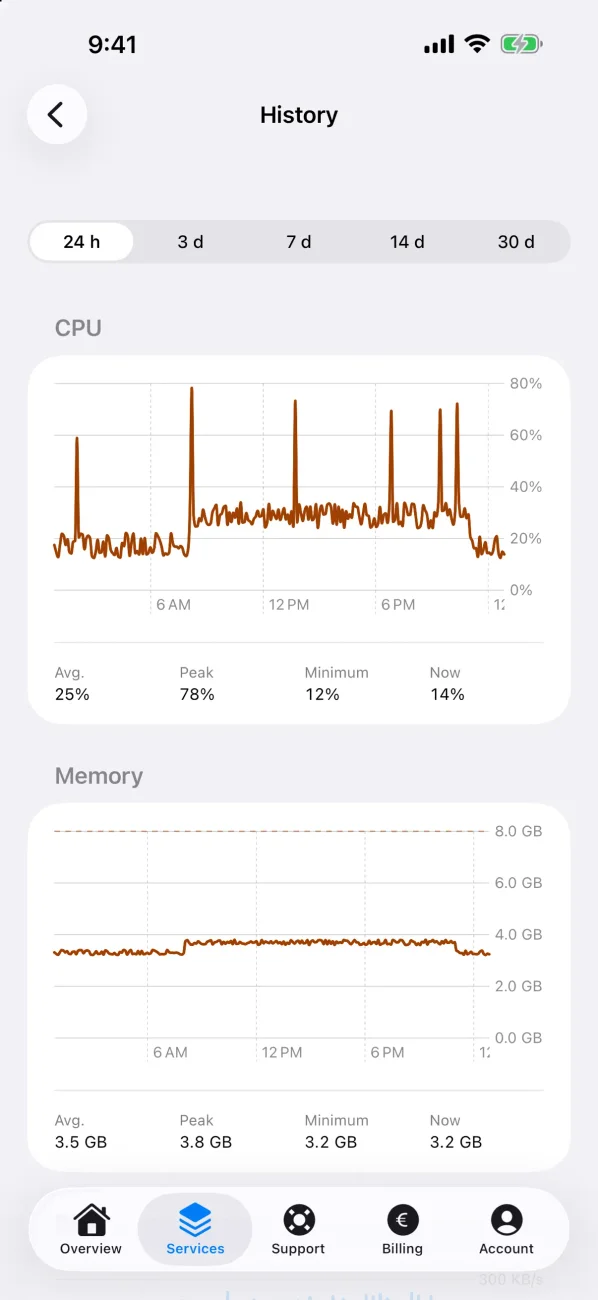
• Start, restart and stop KVM servers, with live status and resource usage information
• View CPU, memory, disk and network usage history
• Create and restore backups and manage backup schedules
• Reinstall servers, mount ISO images, and manage reverse DNS records and SSH keys
• View network and traffic statistics at a glance
DOMAINS AND WEB HOSTING
• Create, edit and delete DNS records
• Manage domain contact details and WHOIS information
• View hosting account details and access Plesk directly
SUPPORT
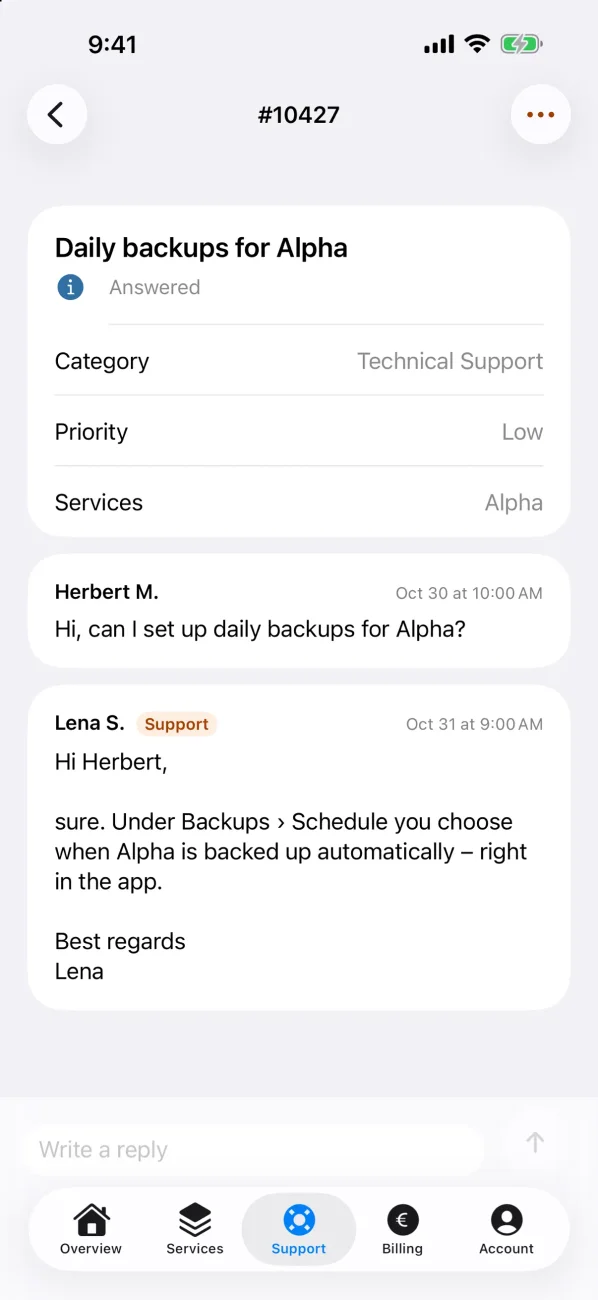
• Create, reply to and rate support tickets
• Receive notifications when the support team responds
• View platform status and current service incidents
BILLING AND SUBSCRIPTIONS
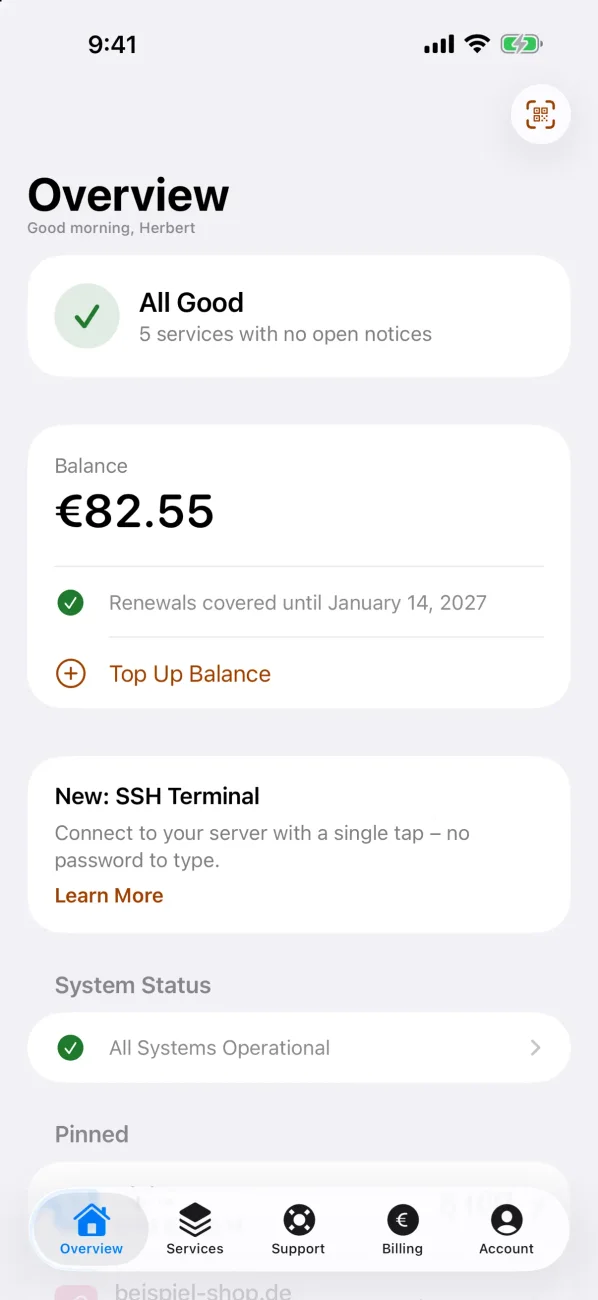
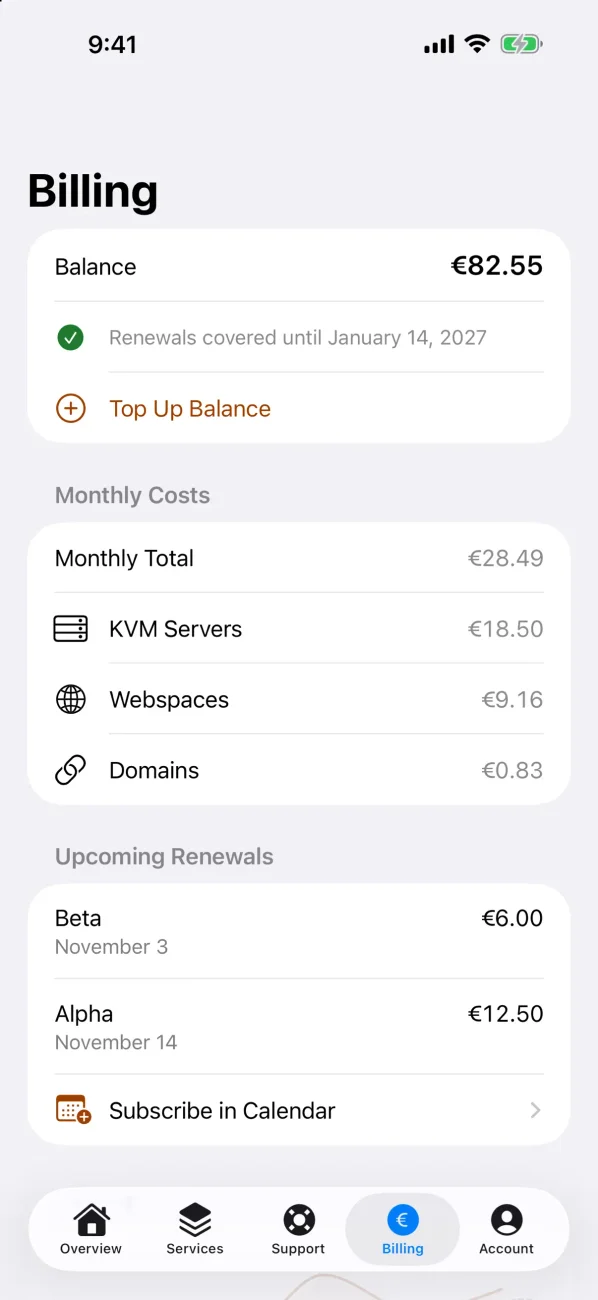
• View your account balance, upcoming renewals and projected costs
• Manage automatic product renewals
• Subscribe to renewal dates in your calendar
• Review your transaction history
SECURITY AND ACCESS MANAGEMENT
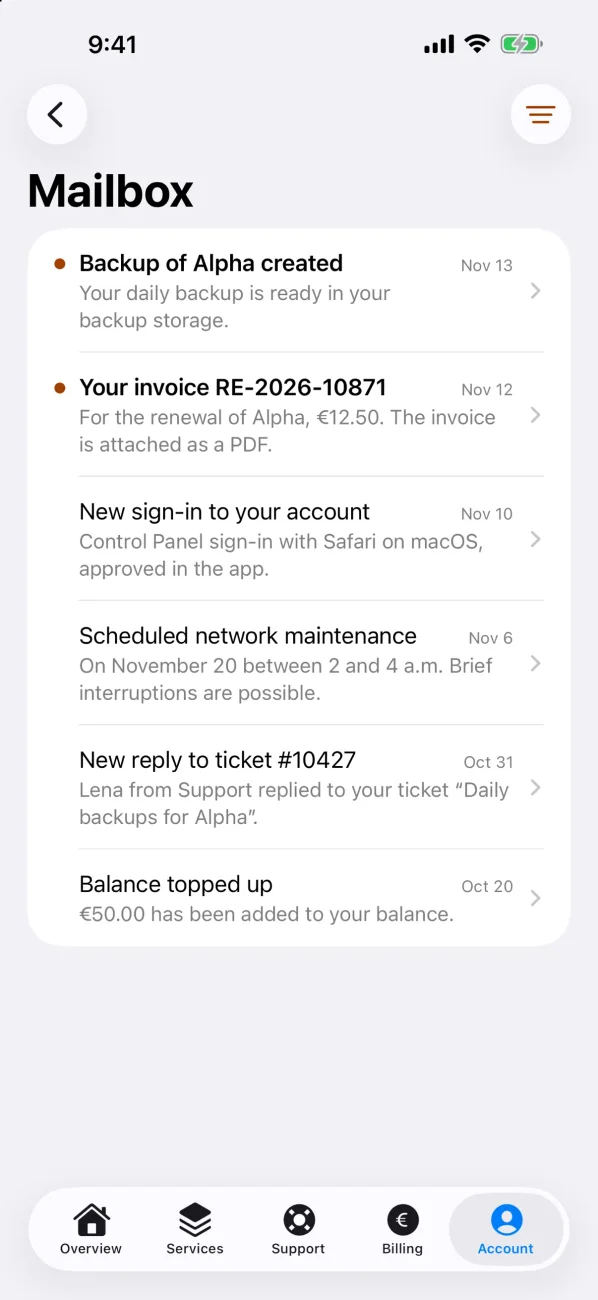
• Approve or decline Control Panel sign-in requests directly from your iPhone or Apple Watch
• FireID Connect for passwordless sign-in on your computer using a QR code
• Protect sensitive actions with Face ID
• Review and manage signed-in devices and recent sign-in activity
• Share services with other contacts and manage access permissions centrally
• Device pairing using cryptographic keys stored in the Secure Enclave
iOS INTEGRATION
• Widgets for account status, balance and servers
• Access your services directly through Spotlight Search
• Server controls in Control Center, on the Lock Screen and via the Action button
• Live Activities for ongoing backups, restorations and server reinstalls
• Use Shortcuts and Siri to control servers, check your balance, create backups and open the SSH terminal
• Support for light and dark mode, Dynamic Type and VoiceOver
REQUIREMENTS
A 24fire customer account is required to use the app. Don't have one yet? Register at 24fire.de.
Có gì mới
Phiên bản 1.2.0 · 22/11/2026
Remote Desktop
Connect to your Windows server directly from its details. Sign in using either your administrator password or a separate user password.
Quyền riêng tư của ứng dụng
Những gì 24fire GmbH khai báo trên App Store về cách ứng dụng này xử lý dữ liệu.
-
Dữ liệu liên kết với bạn
Có thể được thu thập và liên kết với danh tính của bạn.
- Mục mua
- Thông tin liên hệ
- Nội dung của người dùng
- Mã định danh
Phương thức đảm bảo quyền riêng tư có thể khác nhau, chẳng hạn như tuỳ theo các tính năng bạn sử dụng hoặc độ tuổi của bạn.
Thông tin
- Người bán
- 24fire GmbH
- Danh mục
- Tiện Ích
- Phiên bản
- 1.2.0
- Cập nhật
- 22/11/2026
- Phát hành
- 08/11/2026
- Kích thước
- 24,6 MB
- Yêu cầu
- iOS 18.0 trở lên
- Độ tuổi
- 4+
- Giá
- Miễn phí
- Ngôn ngữ
- Tiếng Anh, Tiếng Đức
- Bản quyền
- © 2026 24fire GmbH