- Độ tuổi4+
- Danh mụcLối Sống
- Nhà phát triểnShuji Fukumoto
- Ngôn ngữTiếng Anh+ 1 ngôn ngữ khác
- Kích thước19,2 MB
Liên kết đến trang App Store chính thức
Download.org không lưu trữ tệp nào của Action Logger. Nút này mở trang ứng dụng trên App Store, nơi Shuji Fukumoto phát hành ứng dụng. Trang được kiểm tra lần cuối: 14/11/2026.
Ảnh chụp màn hình

Giới thiệu
Nhà phát triển chưa cung cấp nội dung này bằng ngôn ngữ của bạn.
Action Logger
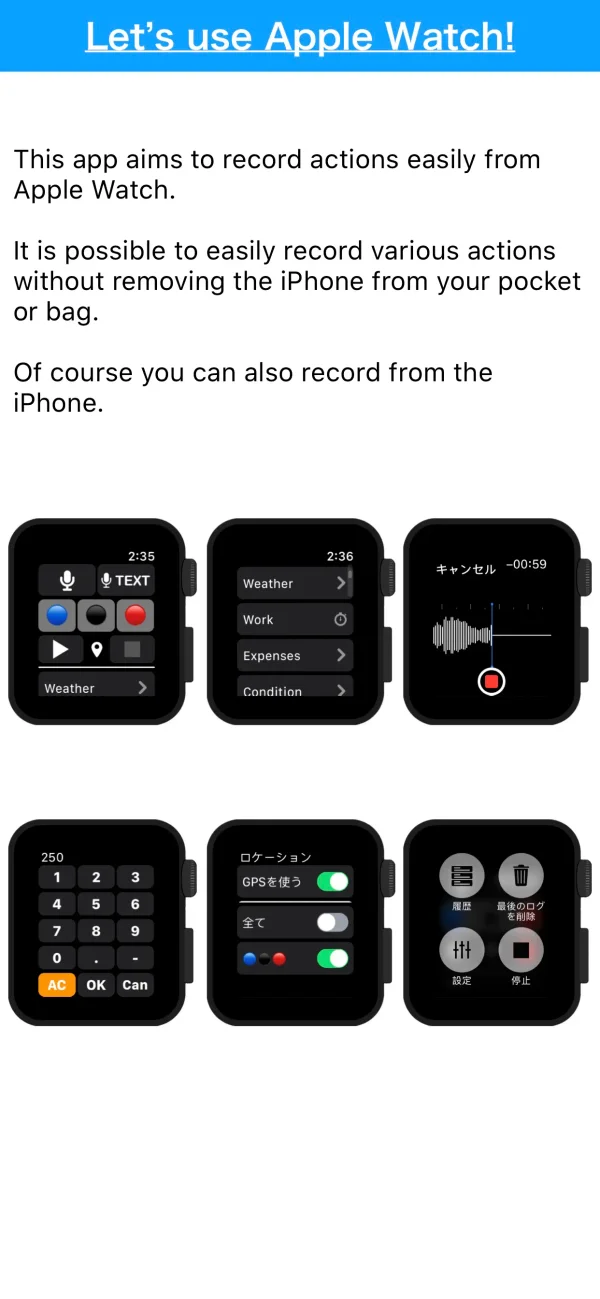
Let’s use Apple Watch !
●Record immediately when you come up with it
You can record “Time” and “Title”. Just tap the title in the list on App Watch, take a log the time and title. You can app the number and location information.
* Just tap the title on the list to record time, title and location(option).
* Record edit points during video recording.
* Voice dictation.
* Voice recorder
●Record the number
* Car mileage
* Transportation expenses
* Income, Spending
* The count of push-ups / sit-ups.
* Weight, Body fat
●Health
These items are related with Health app on iPhone.
* Body temperature
* body weidht
* body fat
●Record the time
* Record edit poins during video recording. “He made a goal!"
* When you have meal.
●Work intensively and take a rest
* Preset timer
Pomodoro: Work 50 minuts and take a rest for 10 minuts. Set upt the Timer action “Work” as 50 minuts timer, and “Rest” for 10 minuts. Tap “Work" when you start woking. When 50 minute later, notification comes to your Apple Watch. Take a rest and start timer “Rest"
Also add 3 minuts, 3- seconds timer as you use frequently.
The difference with other timer, it remains as log. You can total the time at Statistics.
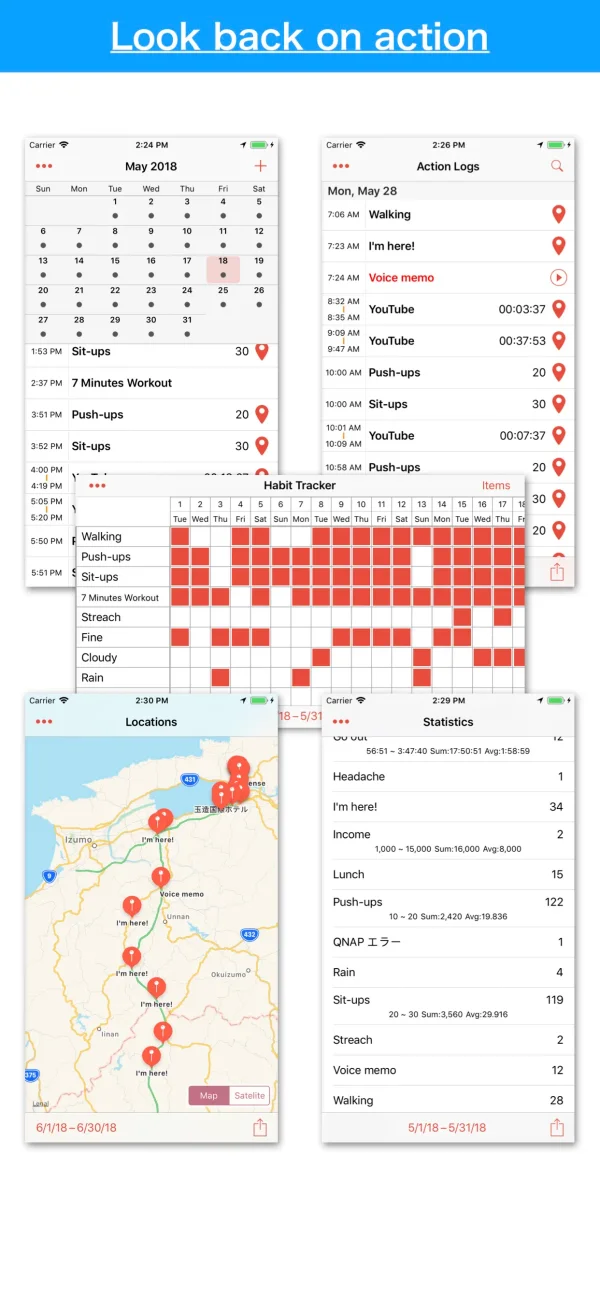
●Habit tracker
You can summarize the selected items in the specified period. Habit tracker doesn’t total for each action. Just shows “Done” or not. Record when you "Clean up room”. “I have not done it for a while, so I have to do it”.
●Statistics
Count the actions. When you record the action with number, shows the sum, average, min, max for the specified period. You can see: How much did you spend the money? How far did I swim?
●Location
To record the time and location, see them on the map. The place take a photo, the place where beautiful flowers.
When you go on a trip, you can keep track of the trip if you record it in key points.
You can export location data as GPX. Use it with Google Map and so on.
■ Privacy policy
http://umap.net/wp/privacypolicy
Có gì mới
Phiên bản 2.6.1 · 17/12/2025
Improvements & Bug Fixes
•You can now tap a summarized item to jump directly to the corresponding date
•Fixed an issue where tapping a search result sometimes did nothing
•Fixed an issue where the map could close immediately after being tapped
In addition, we made various minor bug fixes and performance improvements.
Quyền riêng tư của ứng dụng
Những gì Shuji Fukumoto khai báo trên App Store về cách ứng dụng này xử lý dữ liệu.
-
Dữ liệu không được thu thập
Nhà phát triển không thu thập bất kỳ dữ liệu nào từ ứng dụng này.
Phương thức đảm bảo quyền riêng tư có thể khác nhau, chẳng hạn như tuỳ theo các tính năng bạn sử dụng hoặc độ tuổi của bạn.
Thông tin
- Người bán
- Shuji Fukumoto
- Danh mục
- Lối Sống
- Phiên bản
- 2.6.1
- Cập nhật
- 17/12/2025
- Phát hành
- 05/08/2018
- Kích thước
- 19,2 MB
- Yêu cầu
- iOS 17.5 trở lên
- Độ tuổi
- 4+
- Giá
- Miễn phí
- Mua hàng trong ứng dụng
- Có
- Ngôn ngữ
- Tiếng Anh, Tiếng Nhật
- Bản quyền
- © 2018 Shuji Fukumoto