Amber - Simple Markdown
Write Markdown like a note
Được thiết kế cho iPhone, iPad, Mac
99.000đ
- Độ tuổi4+
- Danh mụcHiệu Suất
- Nhà phát triểnDONGWOOK LEE
- Ngôn ngữTiếng Anh+ 3 ngôn ngữ khác
- Kích thước13,9 MB
Liên kết đến trang App Store chính thức
Download.org không lưu trữ tệp nào của Amber - Simple Markdown. Nút này mở trang ứng dụng trên App Store, nơi DONGWOOK LEE phát hành ứng dụng. Trang được kiểm tra lần cuối: 18/11/2026.
Ảnh chụp màn hình
Giới thiệu
Nhà phát triển chưa cung cấp nội dung này bằng ngôn ngữ của bạn.
Your writing should stay yours—and remain easy to open with other tools.
Amber is a Markdown document app that stores regular .md files in iCloud Drive. You can see the originals in the Files app on iPhone and iPad or in Finder on Mac, so your work never depends on a proprietary document format.
Natural to write, clear to read
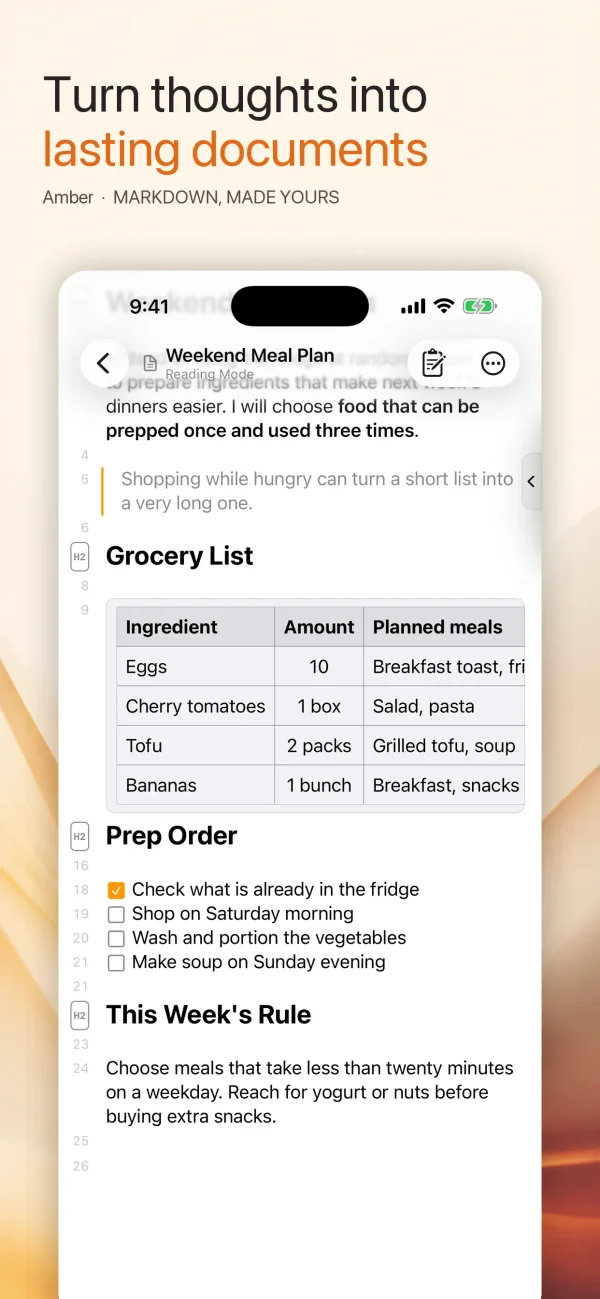
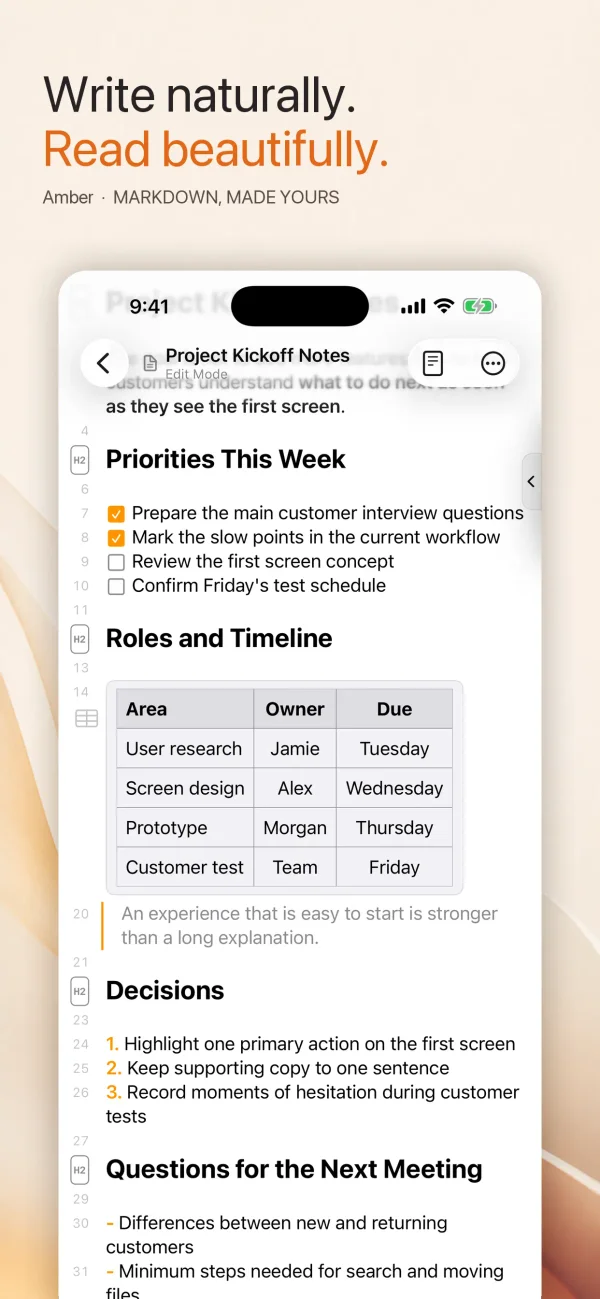
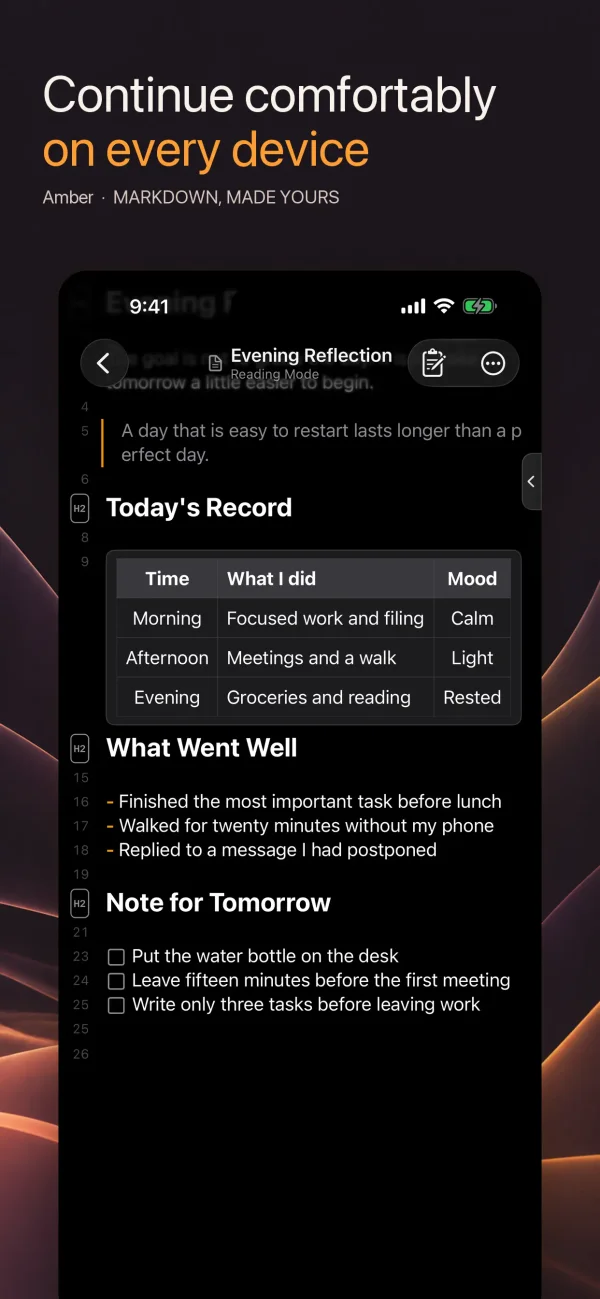
Markdown markers appear when you need them, while headings, lists, quotes, links, images, checkboxes, and code blocks stay easy to read. Reading Mode lets you select and copy without worrying about accidental edits. Editing Mode gets you straight back to writing.
Tables you can edit in place
Amber turns Markdown tables into clear, editable grids. Change cells, add or remove rows and columns, choose header rows or columns, and adjust alignment without leaving the document. The source remains regular Markdown.
Stay oriented in long documents
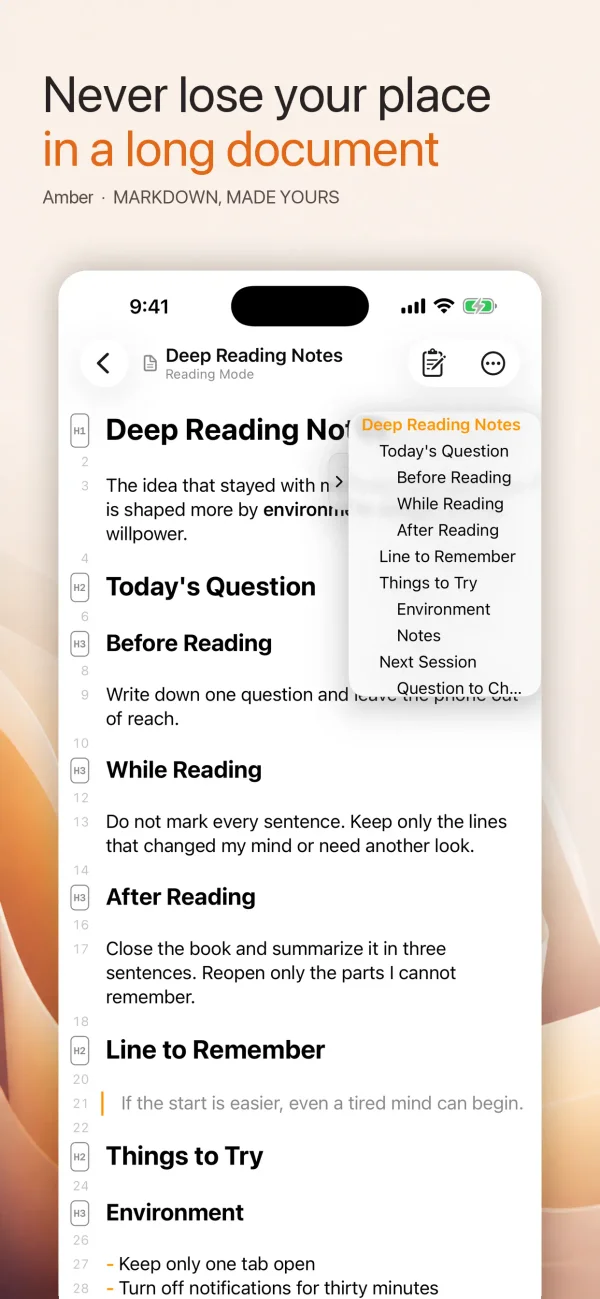
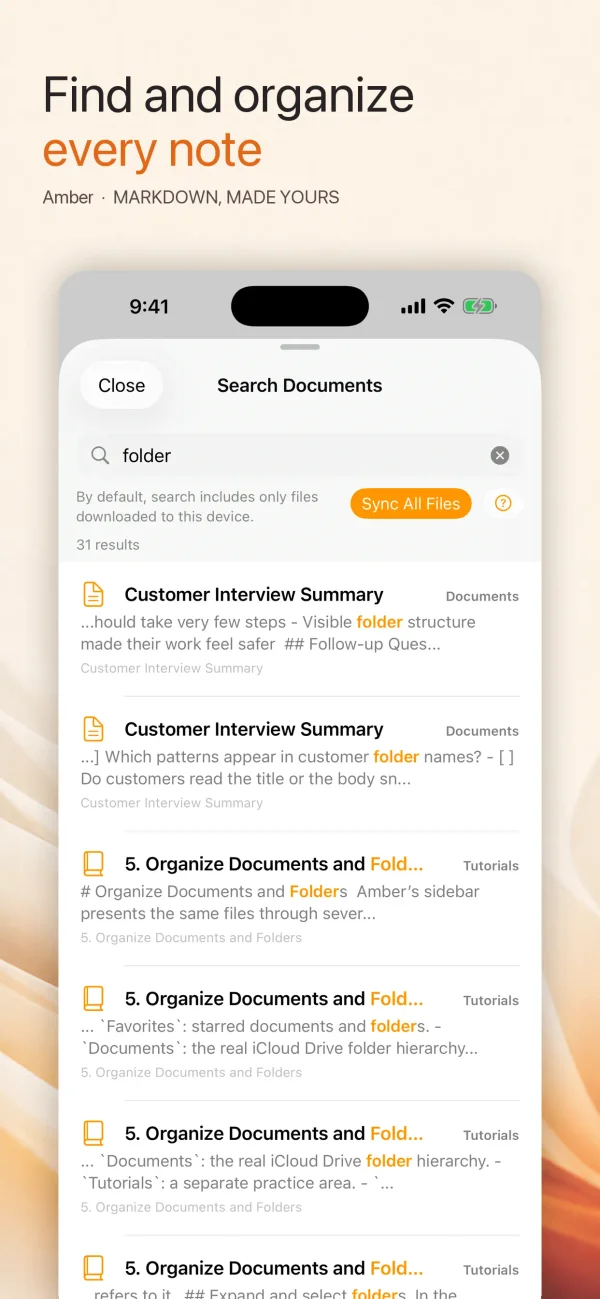
Jump to any section with the heading navigator, or fold a heading to see only the shape of your document. Find within the current file, search your entire library, use line numbers, and move back or forward between documents.
Keep a growing library organized
Recent Documents, Favorites, and folders keep important files close. Choose a destination before creating a document or folder, then rename, move, delete, and restore items with a familiar flow on iPhone, iPad, and Mac.
Recover from accidental changes
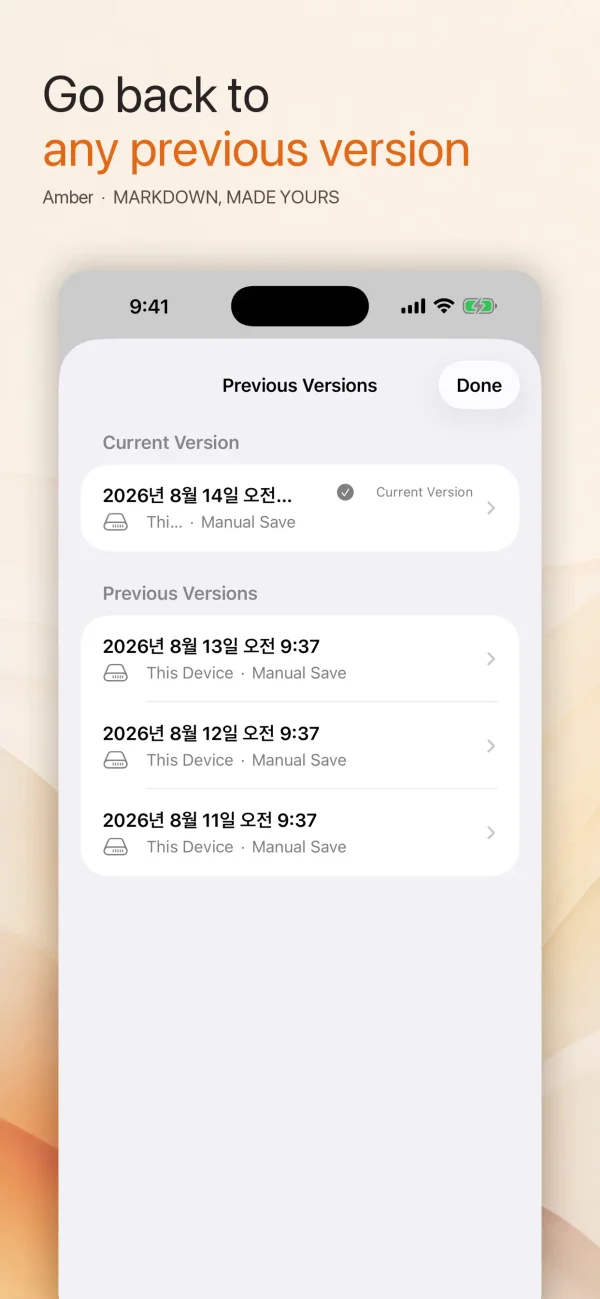
Amber can keep earlier contents in version history on the current device. Preview an older version, compare it with the current document, and restore the one you need. History is stored separately on each device rather than in iCloud, and its storage limit is under your control.
Continue across iPhone, iPad, and Mac
Your documents sync through iCloud Drive. Capture a thought on iPhone, shape a longer draft on iPad, and work with the original files in Finder on Mac. No separate Amber account is required.
Amber includes an interface and built-in guides in Korean, English, Japanese, and Russian.
Terms of Use and EULA:
https://www.apple.com/legal/internet-services/itunes/dev/stdeula/
Privacy Policy:
https://drfranken.net/apps/amber/privacyPolicy_en.html
Có gì mới
Phiên bản 2.0 · 22/08/2026
Amber 2.0 is a major update that refreshes the reading and writing experience across iPhone, iPad, and Mac.
• View Markdown tables as clear grids, then edit cells, rows, columns, headers, and alignment right in the document.
• Use Reading Mode to select and copy without accidental changes, or switch to Editing Mode and start writing immediately.
• Recent Documents, Favorites, folders, search, creation, Trash, and Settings now feel consistent across devices.
• Find what you need faster with improved search across your entire library, even with many documents or very long files.
• Move back and forward between documents, see a centered title and current mode, and jump through long files with the heading navigator.
• Enjoy more natural headings, lists, quotes, dividers, links, images, checkboxes, code blocks, folding, and line numbers.
• Get smoother typing and scrolling in long documents, plus more reliable document switching and iCloud syncing.
• Learn Amber from the beginning with completely rewritten guides in four languages.
Quyền riêng tư của ứng dụng
Những gì DONGWOOK LEE khai báo trên App Store về cách ứng dụng này xử lý dữ liệu.
-
Dữ liệu không được thu thập
Nhà phát triển không thu thập bất kỳ dữ liệu nào từ ứng dụng này.
Phương thức đảm bảo quyền riêng tư có thể khác nhau, chẳng hạn như tuỳ theo các tính năng bạn sử dụng hoặc độ tuổi của bạn.
Thông tin
- Người bán
- DONGWOOK LEE
- Danh mục
- Hiệu Suất
- Phiên bản
- 2.0
- Cập nhật
- 22/08/2026
- Phát hành
- 18/03/2026
- Kích thước
- 13,9 MB
- Yêu cầu
- iOS 17.4 trở lên
- Độ tuổi
- 4+
- Giá
- 99.000đ
- Ngôn ngữ
- Tiếng Anh, Tiếng Nhật, Tiếng Hàn, Tiếng Nga
- Bản quyền
- © 2026 drfranken
Có thể bạn cũng thích
-
 Obsession: Goal AccountabilityHiệu Suất
-
 TypeFlow: Bàn phím AI Nhà vănKiểm tra Ngữ pháp & Dịch thuật
-
 OraKit – PDF & File ToolsQuét, OCR, chuyển đổi, bảo vệ
-
 FlipScapeHiệu Suất
-
 Calendar ScheduleHiệu Suất
-
 Calculator Keyboard - FasterHiệu Suất
-
 CalUnityHiệu Suất
-
 Just Did - Task TrackerHiệu Suất
-
 Recall ContactsHiệu Suất
-
 Shift Calendar - Work PlannerGiờ làm & lương ước tính