Boreal PDF
Scan, sign, compress PDFs
Được thiết kế cho iPhone
Miễn phí · Mua hàng trong ứng dụng
- Độ tuổi4+
- Danh mụcHiệu Suất
- Nhà phát triểnBorealbit Technology Limited
- Ngôn ngữTiếng Anh+ 1 ngôn ngữ khác
- Kích thước6,9 MB
Liên kết đến trang App Store chính thức
Download.org không lưu trữ tệp nào của Boreal PDF. Nút này mở trang ứng dụng trên App Store, nơi Borealbit Technology Limited phát hành ứng dụng. Trang được kiểm tra lần cuối: 18/11/2026.
Ảnh chụp màn hình

Giới thiệu
Nhà phát triển chưa cung cấp nội dung này bằng ngôn ngữ của bạn.
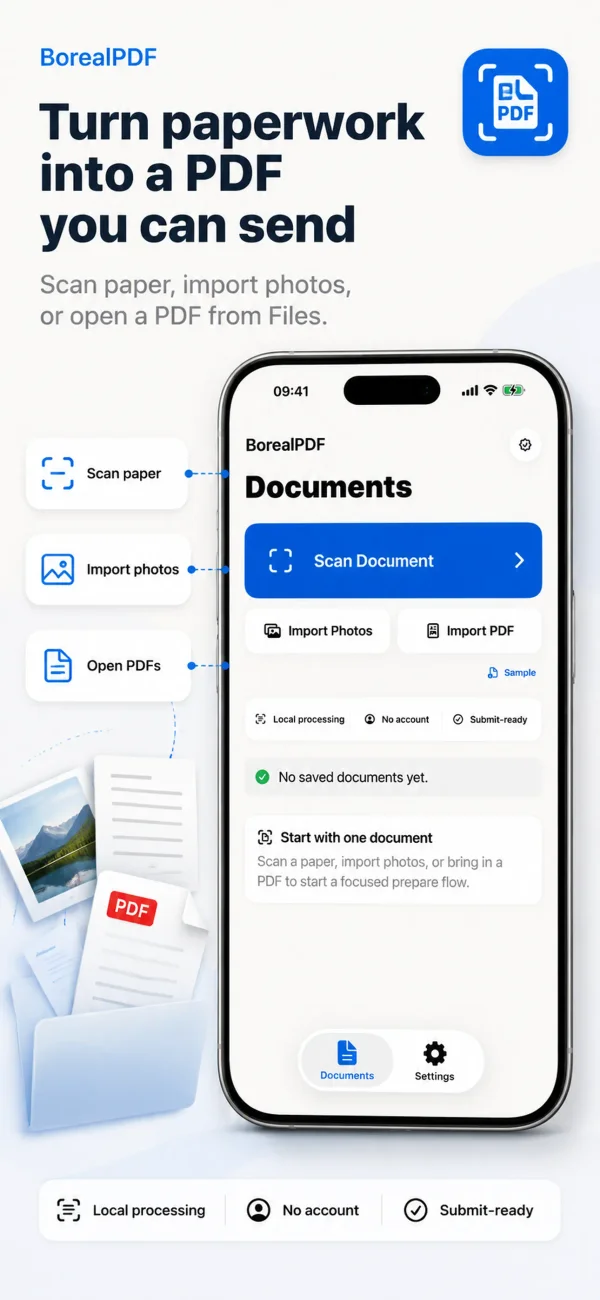
Boreal PDF helps you turn paper forms, receipts, certificates, contracts, and
application documents into cleaner PDFs from iPhone.
Start with a camera scan, selected photos, or an imported PDF. Boreal PDF keeps
the workflow focused on the practical steps before submission: straighten the
page, improve text readability, fill in missing marks, reduce file size, and
export a PDF you can review before sending.
Key tools:
- Scan paper documents or import photos and PDFs.
- Auto-crop, rotate, retake, reorder, merge, or split pages.
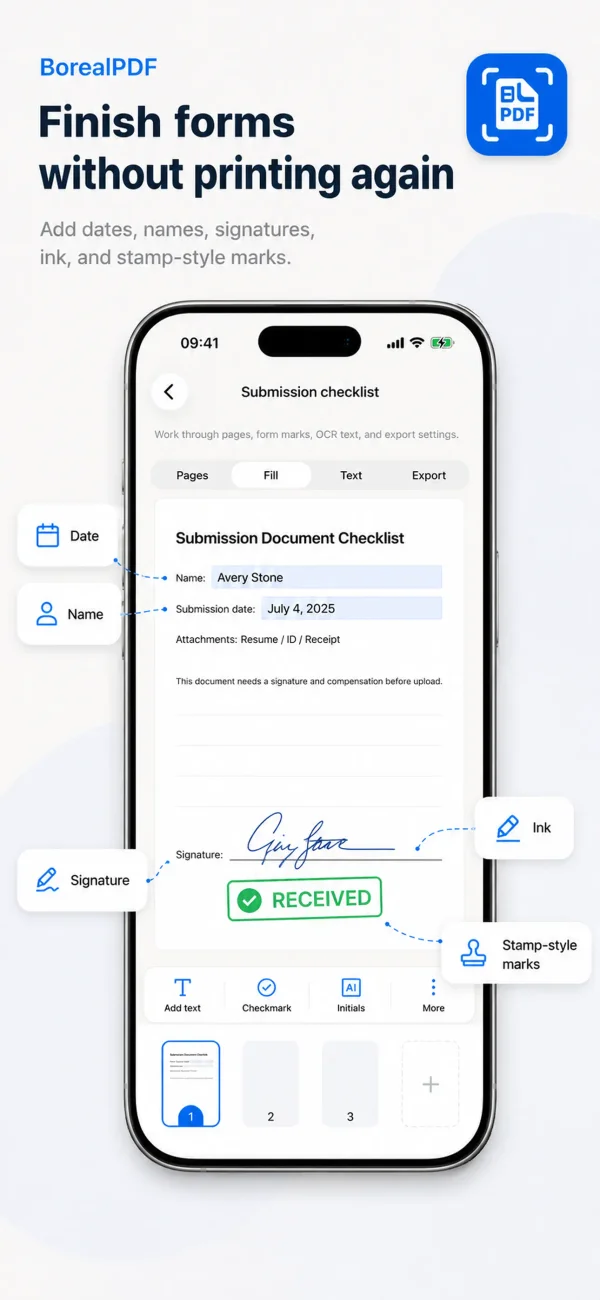
- Add dates, names, signatures, freehand ink, and stamp-style marks.
- Compress PDFs toward common upload limits.
- Run OCR for printed Japanese and English text.
- Preview the final PDF, then save, share, or print it from iOS.
Boreal PDF is local-first by design. The companion website does not provide
cloud document storage, account sync, or server-side PDF processing. OCR works
best on clear printed text; handwriting, glare, low light, and heavy skew can
reduce accuracy, so always review important documents before submitting them.
Boreal PDF is free to start with 5 documents per day. Within that allowance,
form marks, compression, OCR, searchable PDF, and watermarked export stay in
the workflow. Pro removes the daily document limit and unlocks watermark-free
final export. A 24-hour Pro Pass is available for short-term access, alongside
monthly and yearly Pro subscriptions. Current prices, trial availability,
renewal terms, and regional availability are shown on the App Store.
Privacy Policy: https://borealpdf.borealbit.com/privacy
Terms of Use (EULA): https://www.apple.com/legal/internet-services/itunes/dev/stdeula/
Terms of Service: https://borealpdf.borealbit.com/terms
Có gì mới
Phiên bản 1.0.5 · 16/07/2026
A smoother document workflow now guides you through page review, optional signing and form marks, PDF creation, and final preview. You can save exported PDFs to Files, reopen them from Saved Exports, and share or delete saved copies. This update also improves daily free-use tracking, preview navigation, and overall reliability.
Quyền riêng tư của ứng dụng
Những gì Borealbit Technology Limited khai báo trên App Store về cách ứng dụng này xử lý dữ liệu.
-
Dữ liệu không được thu thập
Nhà phát triển không thu thập bất kỳ dữ liệu nào từ ứng dụng này.
Phương thức đảm bảo quyền riêng tư có thể khác nhau, chẳng hạn như tuỳ theo các tính năng bạn sử dụng hoặc độ tuổi của bạn.
Thông tin
- Người bán
- Borealbit Technology Limited
- Danh mục
- Hiệu Suất
- Phiên bản
- 1.0.5
- Cập nhật
- 16/07/2026
- Phát hành
- 14/07/2026
- Kích thước
- 6,9 MB
- Yêu cầu
- iOS 17.0 trở lên
- Độ tuổi
- 4+
- Giá
- Miễn phí
- Mua hàng trong ứng dụng
- Có
- Ngôn ngữ
- Tiếng Anh, Tiếng Nhật
- Bản quyền
- © 2026 Borealbit Technology Limited
Có thể bạn cũng thích
-
 BitEditorHiệu Suất
-
 My Ideas BookHiệu Suất
-
 Plotted: Planner & To Do ListHiệu Suất
-
 TVAirScreenHiệu Suất
-
 Handwritten Quick Notes: JotHiệu Suất
-
 TenantDesk: Rental InspectionHiệu Suất
-
 Reopen in PrivateHiệu Suất
-
 Connect2VPN - Fast & Safe VPNHiệu Suất
-
 Summary AI - QuickSummaryHiệu Suất
-
 SpeedTest: WIFI Speed TestHiệu Suất