- Độ tuổi4+
- Danh mụcHiệu Suất
- Nhà phát triểnMANABU YONEOKA
- Ngôn ngữTiếng Anh+ 11 ngôn ngữ khác
- Kích thước1,8 MB
Liên kết đến trang App Store chính thức
Download.org không lưu trữ tệp nào của Calendaroll. Nút này mở trang ứng dụng trên App Store, nơi MANABU YONEOKA phát hành ứng dụng. Trang được kiểm tra lần cuối: 08/11/2026.
Ảnh chụp màn hình

Giới thiệu
Nhà phát triển chưa cung cấp nội dung này bằng ngôn ngữ của bạn.
A calendar where your schedule never breaks at the end of the month.
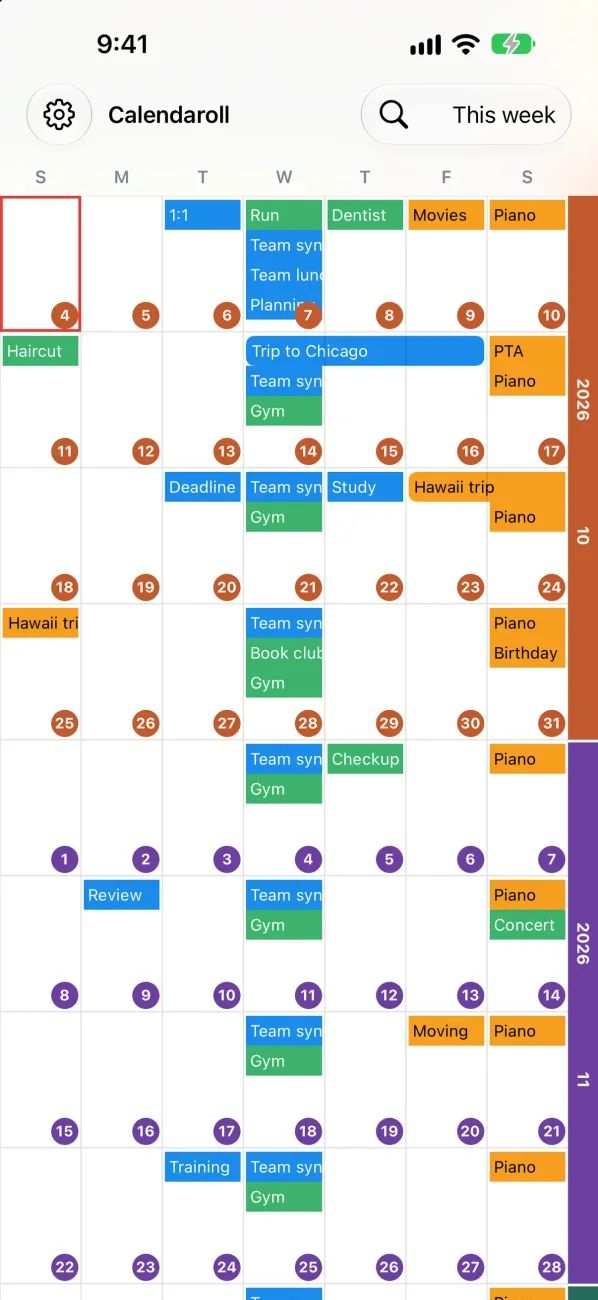
Calendaroll lays out the events from the calendars on your iPhone in weekly rows, so you can see next week, next month and beyond just by scrolling down.
■ Weeks in one continuous flow
No more flipping between month pages. Weekly rows continue endlessly, so next month's plans are right there even at the end of the month. Color-coded dates and month labels on the right edge tell you where you are at a glance.
■ Multi-day events as bands
Trips, business travel and other multi-day events appear as bands across the days, so you can instantly tell a busy stretch from a quiet one.
■ Tap a day for the details
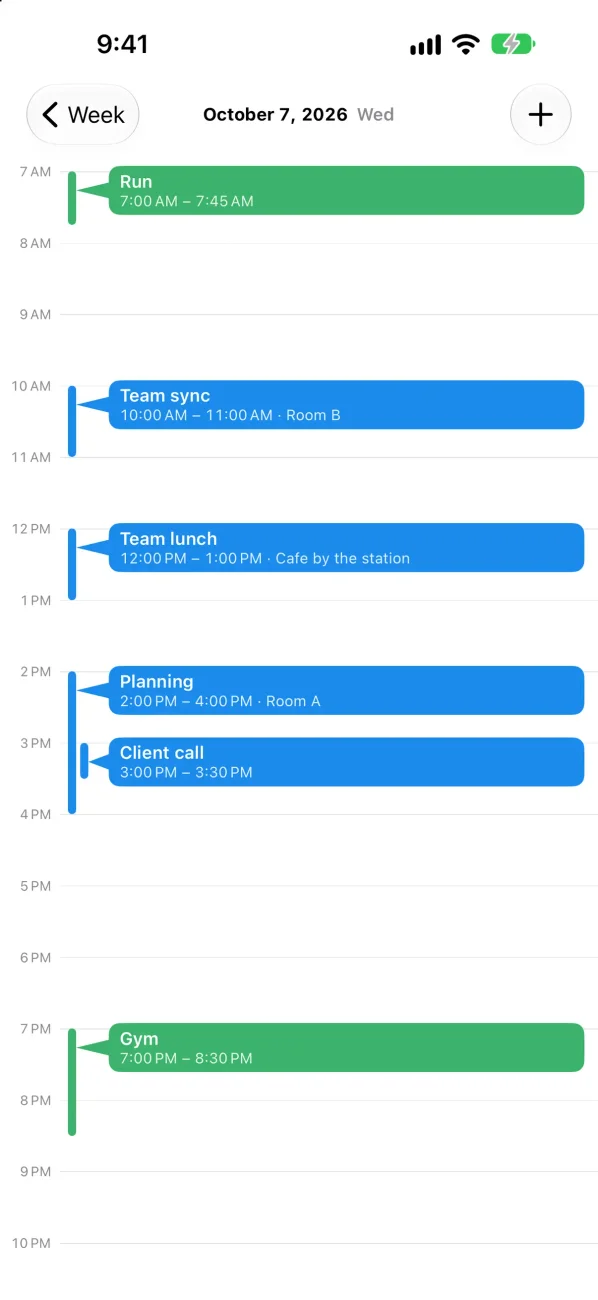
Tap a date to switch to a day view with that day's events laid out by time. Pinch to go back to the week view.
■ Add and edit events
Create, edit and delete events using the standard iPhone screens. You can also duplicate an existing event to create a new one quickly.
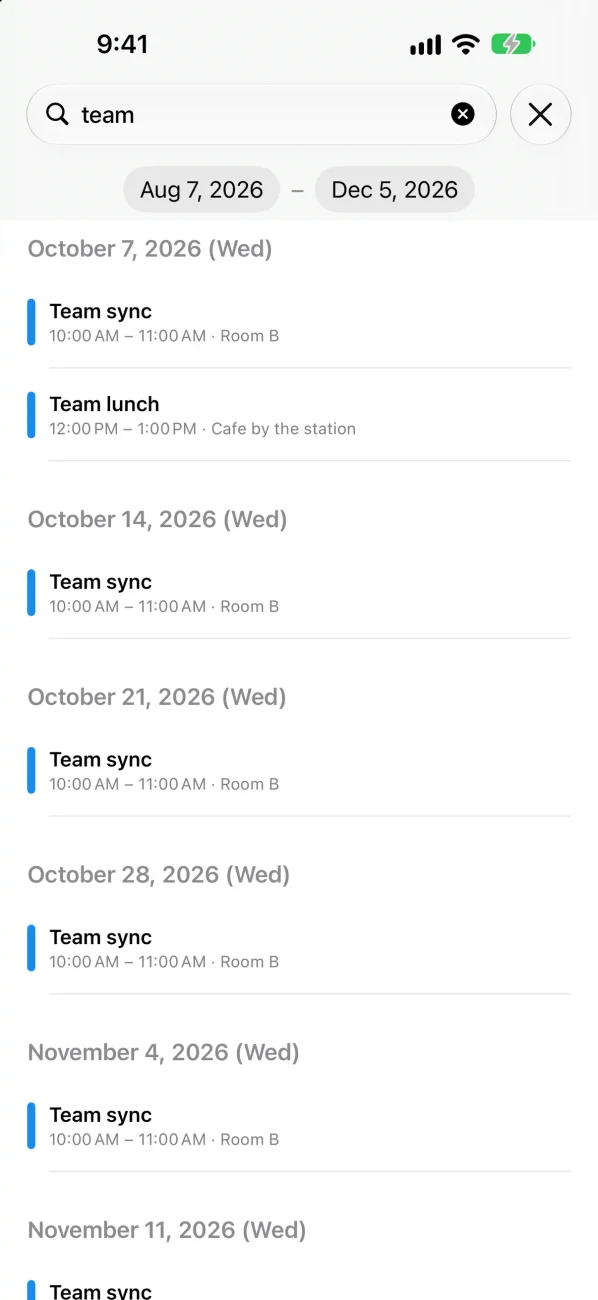
■ Search your events
Search event titles, locations and notes over any date range you choose.
■ Home-screen widgets
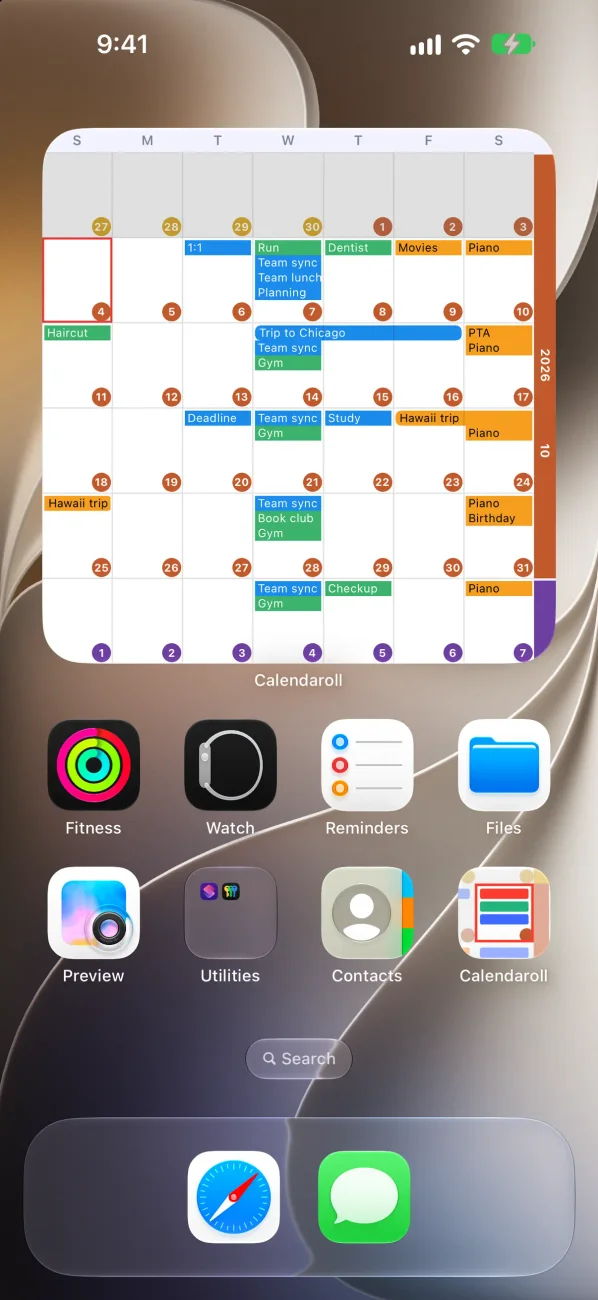
Medium and large widgets show the weeks around today on your home screen. Tap a date to open that day in the app.
■ Works with the calendars you already use
Shows events from the calendars already on your iPhone, such as iCloud or Google. Choose which calendars to show in Settings.
■ Make it your own
Set the first day of the week (Sunday or Monday), the number of events shown per day, text size, the time range of the day view, and a light or dark theme.
■ Your events stay on your device
Calendaroll never connects to the internet and contains no ads or analytics. No account is needed. Everything happens on your iPhone.
Note: Widgets are refreshed on iOS's schedule, so changes to your events may take a while to appear there. Opening the app brings everything up to date.
Có gì mới
Phiên bản 0.2.3 · 03/11/2026
• When a day has more events than fit in its cell, the bottom line now shows a dot for each extra event in its calendar color. You can see at a glance that more events are hidden, in both the week view and the widget.
Quyền riêng tư của ứng dụng
Những gì MANABU YONEOKA khai báo trên App Store về cách ứng dụng này xử lý dữ liệu.
-
Dữ liệu không được thu thập
Nhà phát triển không thu thập bất kỳ dữ liệu nào từ ứng dụng này.
Phương thức đảm bảo quyền riêng tư có thể khác nhau, chẳng hạn như tuỳ theo các tính năng bạn sử dụng hoặc độ tuổi của bạn.
Thông tin
- Người bán
- MANABU YONEOKA
- Danh mục
- Hiệu Suất
- Phiên bản
- 0.2.3
- Cập nhật
- 03/11/2026
- Phát hành
- 02/11/2026
- Kích thước
- 1,8 MB
- Yêu cầu
- iOS 17.6 trở lên
- Độ tuổi
- 4+
- Giá
- Miễn phí
- Ngôn ngữ
- Tiếng Anh, Tiếng Pháp, Tiếng Đức, Hindi, Tiếng Indonesia, Tiếng Nhật, Tiếng Hàn, Tiếng Bồ Đào Nha, Tiếng Nga, Tiếng Trung Giản thể, Tiếng Tây Ban Nha, Tiếng Trung Phồn thể
- Bản quyền
- © 2026 Manabu YONEOKA