Chroma key background
Chroma key screen
Được thiết kế cho iPhone, iPad, iPod touch
Miễn phí
- Độ tuổi4+
- Danh mụcẢnh & Video
- Nhà phát triểnBroSister
- Ngôn ngữTiếng Anh
- Kích thước24,3 MB
Liên kết đến trang App Store chính thức
Download.org không lưu trữ tệp nào của Chroma key background. Nút này mở trang ứng dụng trên App Store, nơi BroSister phát hành ứng dụng. Trang được kiểm tra lần cuối: 12/11/2026.
Ảnh chụp màn hình
Giới thiệu
Nhà phát triển chưa cung cấp nội dung này bằng ngôn ngữ của bạn.
ChromaKey Screen – Your Pocket Studio
The perfect green screen for video compositing.
An essential tool for green screen backgrounds, studio lighting, tracking markers, and background removal.
Turn your smartphone or tablet into a professional green screen and soft light—anytime, anywhere.
ChromaKey Screen delivers clean, vibrant, and perfectly even color screens optimized for chroma keying and background removal, without any extra equipment.
Create a professional filming setup instantly, whether you’re at home, outdoors, or on the go.
[Key Features]
1. Perfect Chroma Key Colors
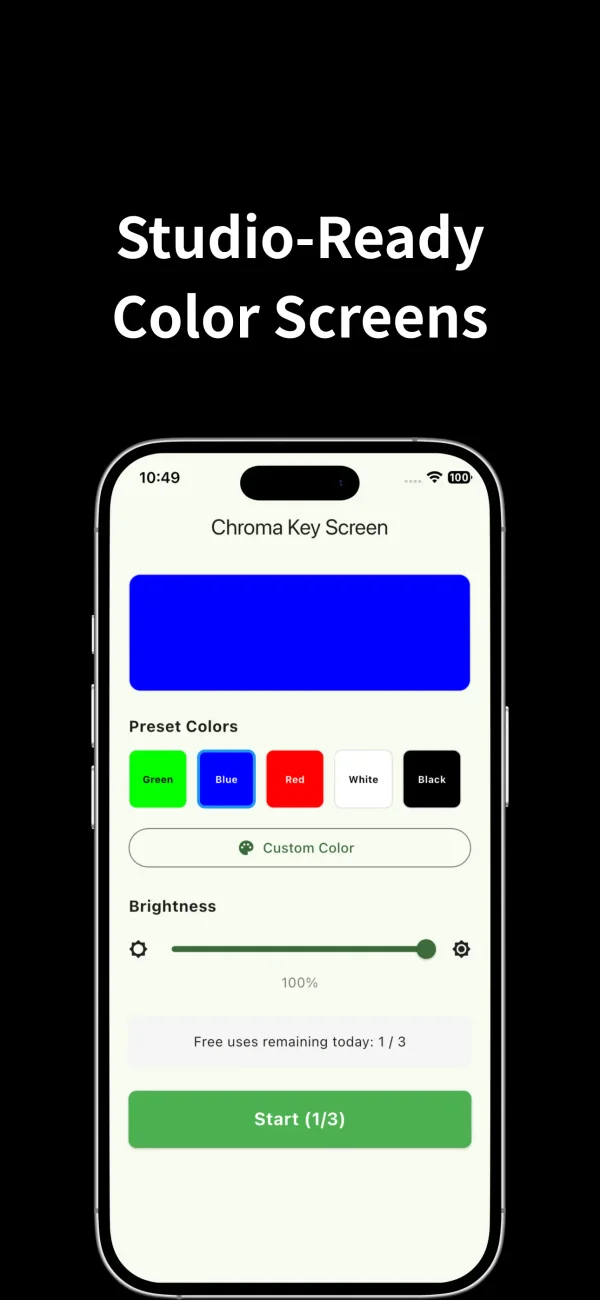
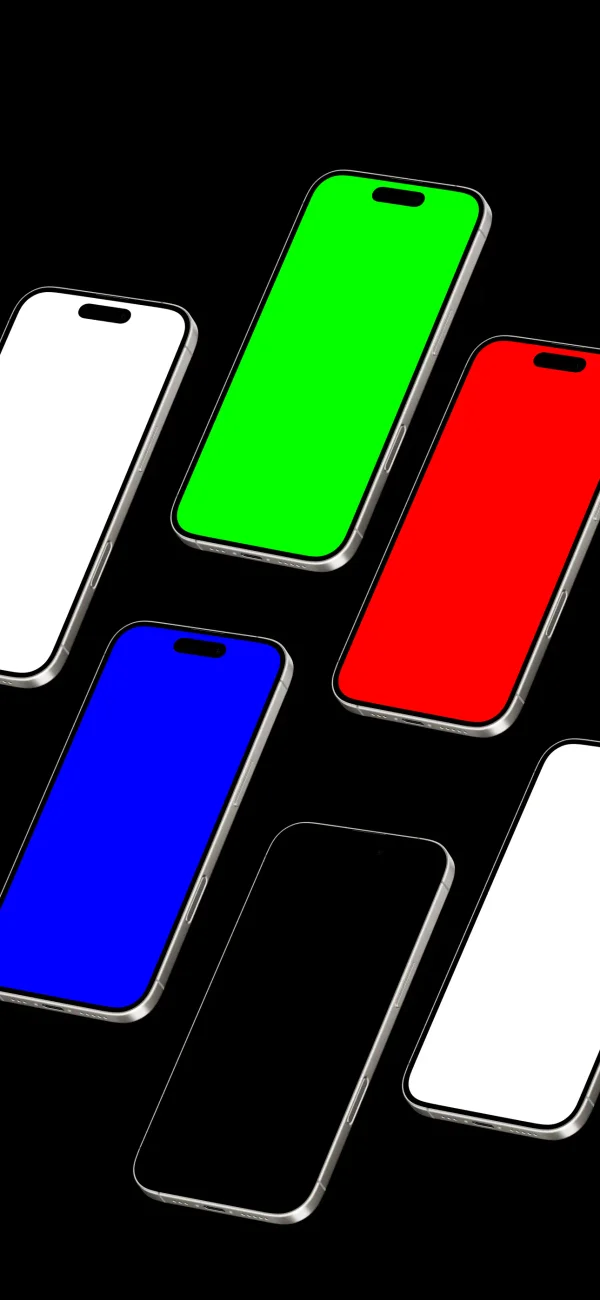
- Green & Blue Screens : Industry-standard colors optimized for video compositing and chroma key effects.
- Multiple Background Colors : Red, magenta, white, black, and more—choose the right color for any shooting scenario.
- Custom Color Picker : Fine-tune and create your own background color with precise control.
2. Studio Lighting Mode (Soft Light)
- Maximize screen brightness to use your device as a softbox or reflector.
- Ideal for selfies, talking-head videos, and product shots.
- Adjustable color temperature for warm or cool lighting effects.
3. Tracking Markers
- Display motion tracking markers (crosshairs) for professional VFX work.
- Helps stabilize compositing even with camera movement.
4. Touch Lock & Fullscreen Mode
- Lock the screen to prevent accidental touches during recording.
- Hides the status bar for a true edge-to-edge fullscreen color display.
Who Is This App For?
YouTube & TikTok Creators
- Create chroma key intros using your phone or tablet screen.
- Film props, figures, or hands without needing a green fabric.
Video Editing & VFX Beginners
- Practice chroma keying in Premiere Pro, After Effects, or DaVinci Resolve.
- Quickly get a solid-color background when filming outdoors or on the move.
Photographers & Product Reviewers
- Use as a clean background board for small products and accessories.
- Add extra light in low-light environments.
Online Meetings & Live Streaming
- Use the white screen as a soft face light for Zoom or video calls.
How to Use
1. Choose a Color
2. Launch the app and select green, blue, white, or any preset color.
3. Use the color picker to create a custom background if needed.
4. Adjust Brightness & Options
5. Swipe up or down to control screen brightness.
6. Enable tracking markers from the options menu if required.
7. Start Shooting
8. Place your device behind the subject as a background or light source.
9. Record with another camera and apply a chroma key effect (e.g., Ultra Key) in your editing software.
Why Choose ChromaKey Screen?
- Optimized Colors : Uses standard RGB values for clean and accurate keying.
- Battery Efficient : Lightweight design with minimal heat and power usage.
- Simple & Intuitive : No complicated setup—tap once and start filming.
- Completely Free : No watermarks, no feature locks, no subscriptions.
Download ChromaKey Screen now
and upgrade your videos to a professional level—anytime, anywhere.
Quyền riêng tư của ứng dụng
Những gì BroSister khai báo trên App Store về cách ứng dụng này xử lý dữ liệu.
-
Dữ liệu được sử dụng để theo dõi bạn
Có thể được sử dụng để theo dõi bạn trên các ứng dụng và trang web do công ty khác sở hữu.
- Mã định danh
- Dữ liệu sử dụng
-
Dữ liệu liên kết với bạn
Có thể được thu thập và liên kết với danh tính của bạn.
- Mã định danh
- Dữ liệu sử dụng
-
Dữ liệu không liên kết với bạn
Có thể được thu thập nhưng không liên kết với danh tính của bạn.
- Chẩn đoán
Phương thức đảm bảo quyền riêng tư có thể khác nhau, chẳng hạn như tuỳ theo các tính năng bạn sử dụng hoặc độ tuổi của bạn.
Thông tin
- Người bán
- BroSister
- Danh mục
- Ảnh & Video
- Phiên bản
- 1.0
- Cập nhật
- 25/02/2026
- Phát hành
- 25/02/2026
- Kích thước
- 24,3 MB
- Yêu cầu
- iOS 13.0 trở lên
- Độ tuổi
- 4+
- Giá
- Miễn phí
- Ngôn ngữ
- Tiếng Anh
- Bản quyền
- © BroSister
Có thể bạn cũng thích
-
 Chroma GridẢnh & Video
-
 Eraser & Background RemoverẢnh & Video
-
 Reflara: Vertical & HorizontalẢnh & Video
-
 Background Remover Video PhotoẢnh & Video
-
 SoftFillLightẢnh & Video
-
 Tạo Ảnh AI: Zenith StudioẢnh Chân Dung Chuyên Nghiệp
-
 GreenCam: Video Phông XanhTách & Đổi Nền Thời Gian Thực
-
 Screen ForgeẢnh & Video
-
 AnimatedPics - Image AnimationẢnh & Video
-
 Eclat: Cinematic RAW CameraẢnh & Video