DayJournal: Planner & Notes
Digital Calendar & Handwriting
Được thiết kế cho iPhone, iPad
Miễn phí · Mua hàng trong ứng dụng
- Độ tuổi4+
- Danh mụcHiệu Suất
- Nhà phát triểnPathompong Puengrostham
- Ngôn ngữTiếng Anh+ 4 ngôn ngữ khác
- Kích thước12,7 MB
Liên kết đến trang App Store chính thức
Download.org không lưu trữ tệp nào của DayJournal: Planner & Notes. Nút này mở trang ứng dụng trên App Store, nơi Pathompong Puengrostham phát hành ứng dụng. Trang được kiểm tra lần cuối: 20/11/2026.
Ảnh chụp màn hình

Giới thiệu
Nhà phát triển chưa cung cấp nội dung này bằng ngôn ngữ của bạn.
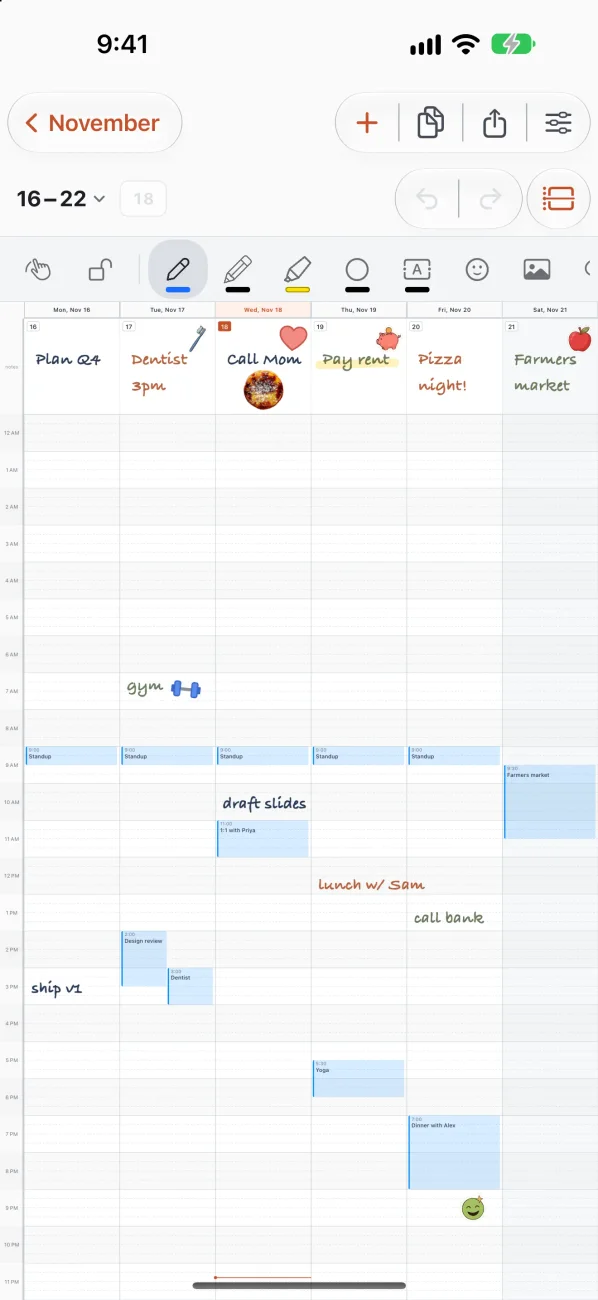
DayJournal is a planner you write in. Pick up Apple Pencil and write directly on the calendar — in the day, the week, the month or the year — and your handwriting belongs to the date you wrote it on, not to a spot on the screen.
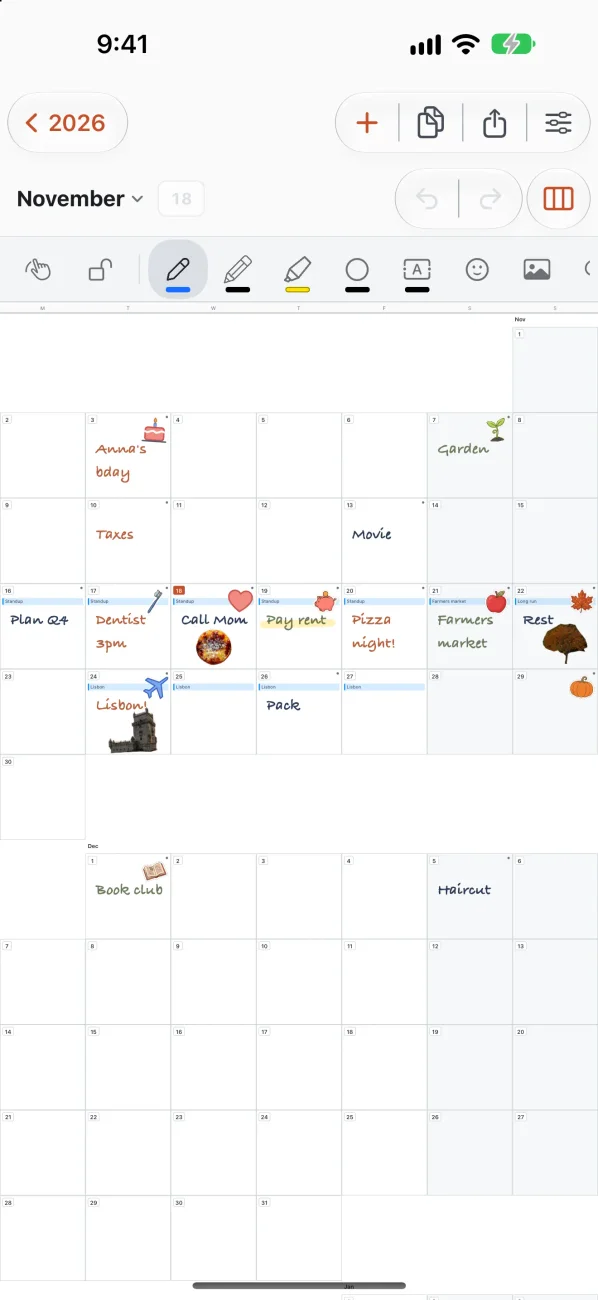
Write a note in a day's box on the month grid and it's there, larger, at the top of that day in the week and in the day view. Zoom in to write, zoom out to see the whole month. Travel across time zones and Monday's note is still on Monday.
A CALENDAR THAT'S ALSO PAPER
• Day, week, month and year views, each laid out like a printed page and zoomed like one — the writing, the dates and the lines grow together
• Scroll straight through the months, weeks and years
• Write across several days and the line runs across them, in every view
PICTURES ON YOUR PAGES
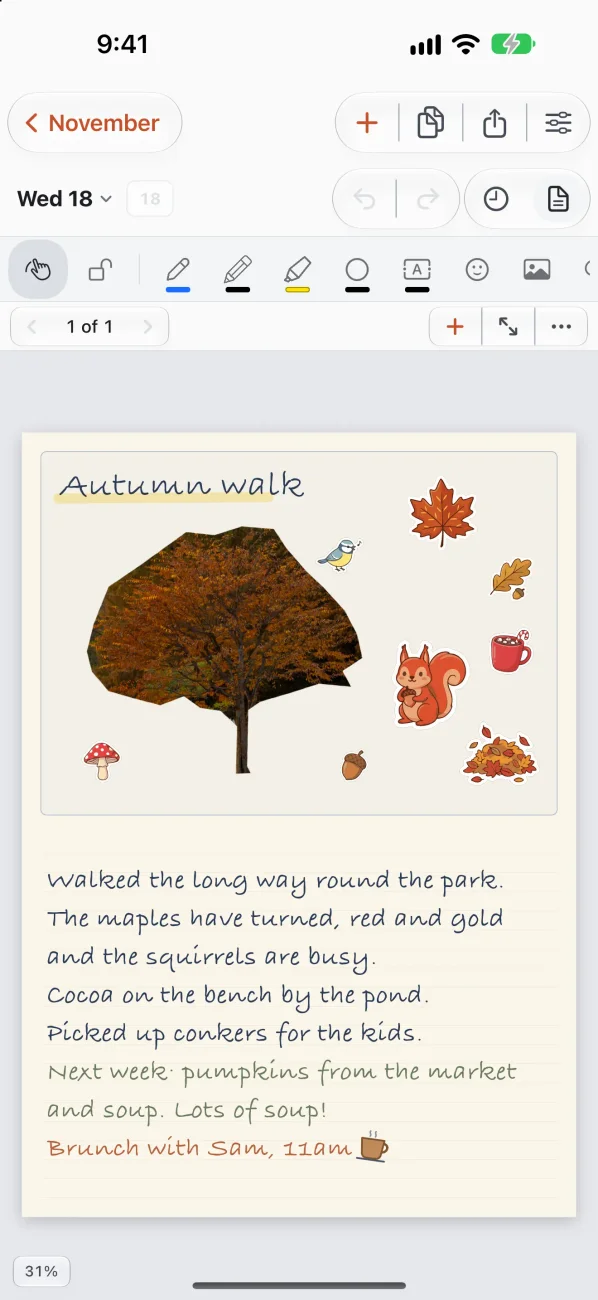
• Your own photos on any page, from your library, the camera or a paste, moved and resized like your handwriting
• Crop them, or cut out any shape by hand on iOS 26 and later
• Location and other details are removed before a picture is saved
YOUR EVENTS, IN SYNC
• Two-way sync with the calendars already on your device — iCloud, Google, Exchange and more
• Events show as blocks on the same page you write on
• Press and drag down the hours to create an event exactly as long as you need, or tap + for timed and all-day events
A SHEET OF PAPER FOR EVERY DAY
• Add full A4 pages to any day — as many as you like
• Blank, ruled or dotted, on white or a soft tint, chosen per page
• Layouts to fill in: Cornell notes, checklists, a habit tracker and more
NOTEBOOKS
• Notebooks for everything that isn't about a date — meeting notes, lists, sketches
• File them in folders and sort by name or last edited
• Browse every page you've written, by month, in the Notes library
ON YOUR HOME SCREEN, AND ON PAPER
• Widgets for this month, today's note and the hour you're in, with DayJournal Plus
• Export a page or a whole notebook as a PDF — to print, save to Files or send — with DayJournal Plus
A PENCIL CASE THAT'S YOURS
• Three pen slots, each set to a pen, a pencil or a highlighter, in any color and width
• A pencil that looks like graphite on paper — press harder to go darker
• Pressure-sensitive ink that follows your hand, with gentle smoothing that keeps your handwriting yours
• Draw a line, arrow, rectangle, ellipse or triangle and it snaps into a clean shape, with an optional fill
• Text boxes for notes you want to type, with bold, italic, lists, alignment and any font on your device
• Stickers: a free pack, and every other pack with DayJournal Plus
MOVE THINGS AROUND
• Lasso any handwriting to move, resize, rotate or recolor it
MADE FOR THE HAND THAT WRITES
• Palm rejection, so resting your hand never scrolls the page
• On iPhone, write with your finger; on iPad, Apple Pencil writes and your finger scrolls
YOURS, AND PRIVATE
• Works completely offline — no account needed
• Your planner lives on your device
• Optional sign-in syncs your handwriting and pictures between your iPhone and iPad
DAYJOURNAL PLUS
• Free: every view and tool, sync, five pictures and up to five notebooks — each day with paper counts as one, the pages inside never do
• DayJournal Plus adds unlimited notebooks and pictures, every color theme and sticker pack, widgets and PDF export
• Pictures sync up to 100 MB, or 1 GB with Plus; if Plus ends, those beyond your most recent 100 MB leave sync after 180 days and stay on your devices
• Monthly or yearly, starting with a 7-day free trial
• Payment is charged to your Apple Account. The subscription renews automatically unless canceled at least 24 hours before the end of the current period, and can be managed or canceled in your App Store account settings
• Terms of Use: https://www.apple.com/legal/internet-services/itunes/dev/stdeula/
• Privacy Policy: https://dayjournal.app/privacy
In English, Spanish, Japanese, Korean and Thai. Requires iOS 18 or later. Apple Pencil is recommended on iPad; on iPhone, everything works with a finger.
Có gì mới
Phiên bản 1.5.1 · 19/11/2026
Pictures are here. Put your own photos on any page — from your library, the camera or a paste — crop them, cut out shapes by hand, and move them like your handwriting. Five pictures are free; DayJournal Plus makes them unlimited and syncs up to 1 GB of them between your devices.
Quyền riêng tư của ứng dụng
Những gì Pathompong Puengrostham khai báo trên App Store về cách ứng dụng này xử lý dữ liệu.
-
Dữ liệu liên kết với bạn
Có thể được thu thập và liên kết với danh tính của bạn.
- Mục mua
- Thông tin liên hệ
- Nội dung của người dùng
- Mã định danh
Phương thức đảm bảo quyền riêng tư có thể khác nhau, chẳng hạn như tuỳ theo các tính năng bạn sử dụng hoặc độ tuổi của bạn.
Thông tin
- Người bán
- Pathompong Puengrostham
- Danh mục
- Hiệu Suất
- Phiên bản
- 1.5.1
- Cập nhật
- 19/11/2026
- Phát hành
- 01/10/2026
- Kích thước
- 12,7 MB
- Yêu cầu
- iOS 18.0 trở lên
- Độ tuổi
- 4+
- Giá
- Miễn phí
- Mua hàng trong ứng dụng
- Có
- Ngôn ngữ
- Tiếng Anh, Tiếng Nhật, Tiếng Hàn, Tiếng Tây Ban Nha, Tiếng Thái
- Bản quyền
- © 2026 Pathompong Puengrostham
Có thể bạn cũng thích
-
 Plana - Handwriting PlannerHiệu Suất
-
 Scribble Calendar & PlannerHiệu Suất
-
 Handwriting Journal PlannerHiệu Suất
-
 iPlan Today - Pencil PlannerHiệu Suất
-
 Pencil Planner: PencilTimeHiệu Suất
-
 Pencil Calendar - PencilCalHiệu Suất
-
 Pencil Calendar: CalendarPadHiệu Suất
-
 Ultimate Planner AppHiệu Suất
-
 Digital Planner for iPad Day+Hiệu Suất
-
 Notes for iPad - Pencil NotesHiệu Suất