Scribble Calendar & Planner
Handwritten Planner & Journal
Được thiết kế cho iPhone, iPad
Miễn phí · Mua hàng trong ứng dụng
- Độ tuổi12+
- Danh mụcHiệu Suất
- Nhà phát triểnGabor Auth
- Ngôn ngữTiếng Anh+ 6 ngôn ngữ khác
- Kích thước54,1 MB
Liên kết đến trang App Store chính thức
Download.org không lưu trữ tệp nào của Scribble Calendar & Planner. Nút này mở trang ứng dụng trên App Store, nơi Gabor Auth phát hành ứng dụng. Trang được kiểm tra lần cuối: 29/11/2026.
Ảnh chụp màn hình
Giới thiệu
Nhà phát triển chưa cung cấp nội dung này bằng ngôn ngữ của bạn.
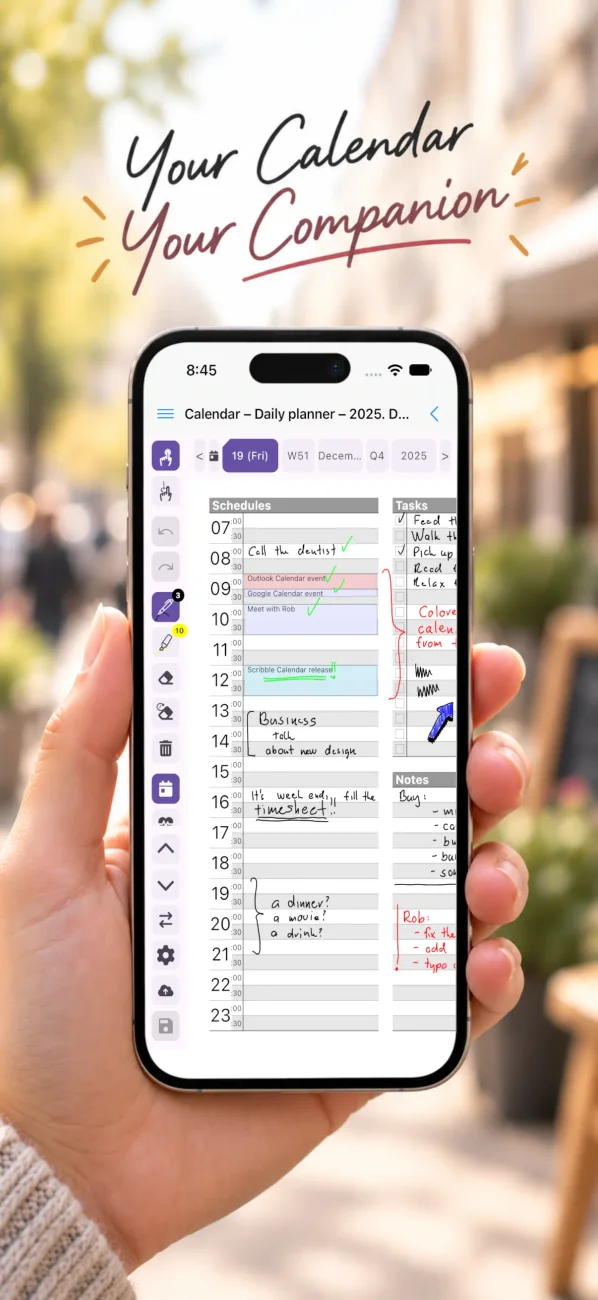
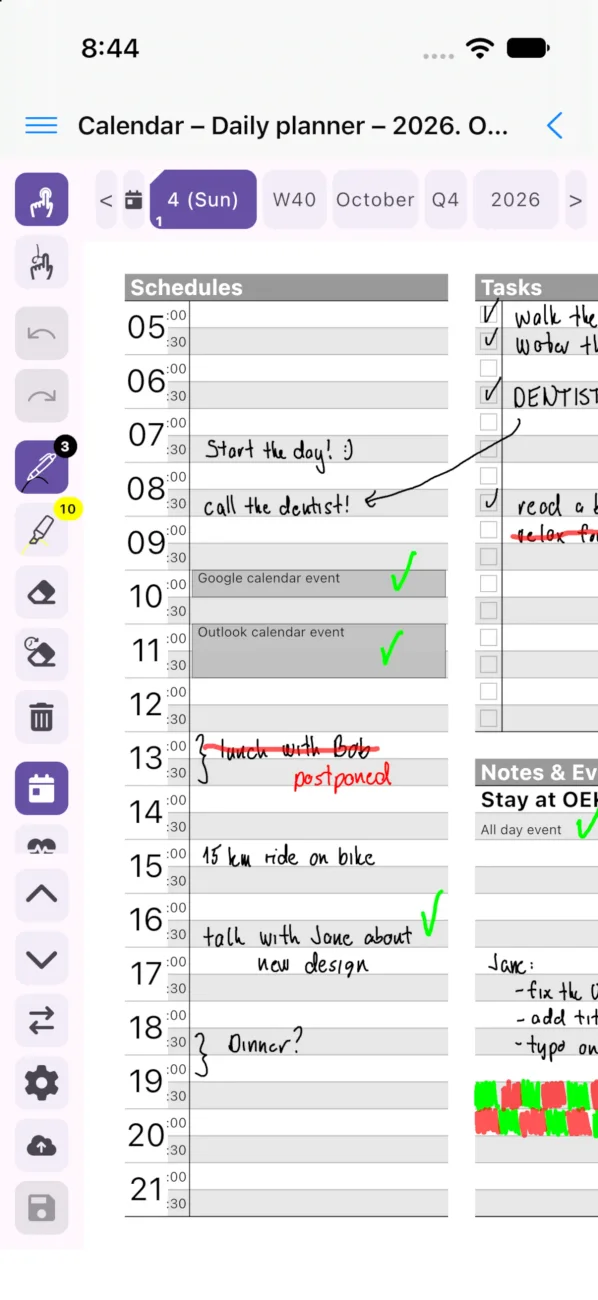
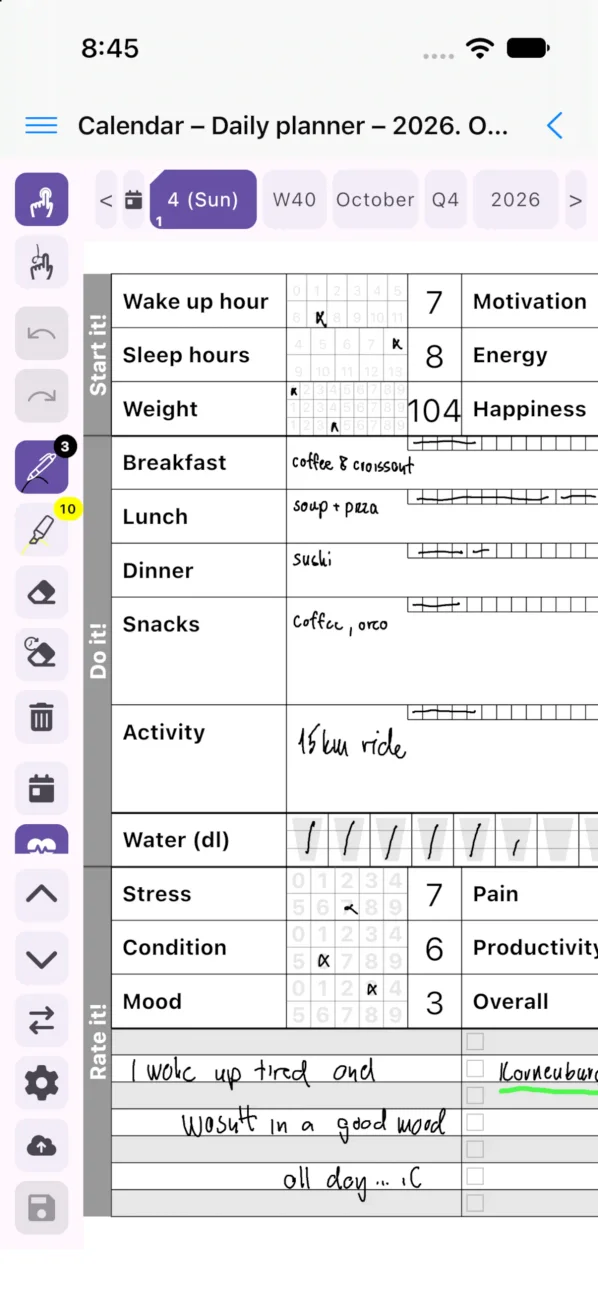
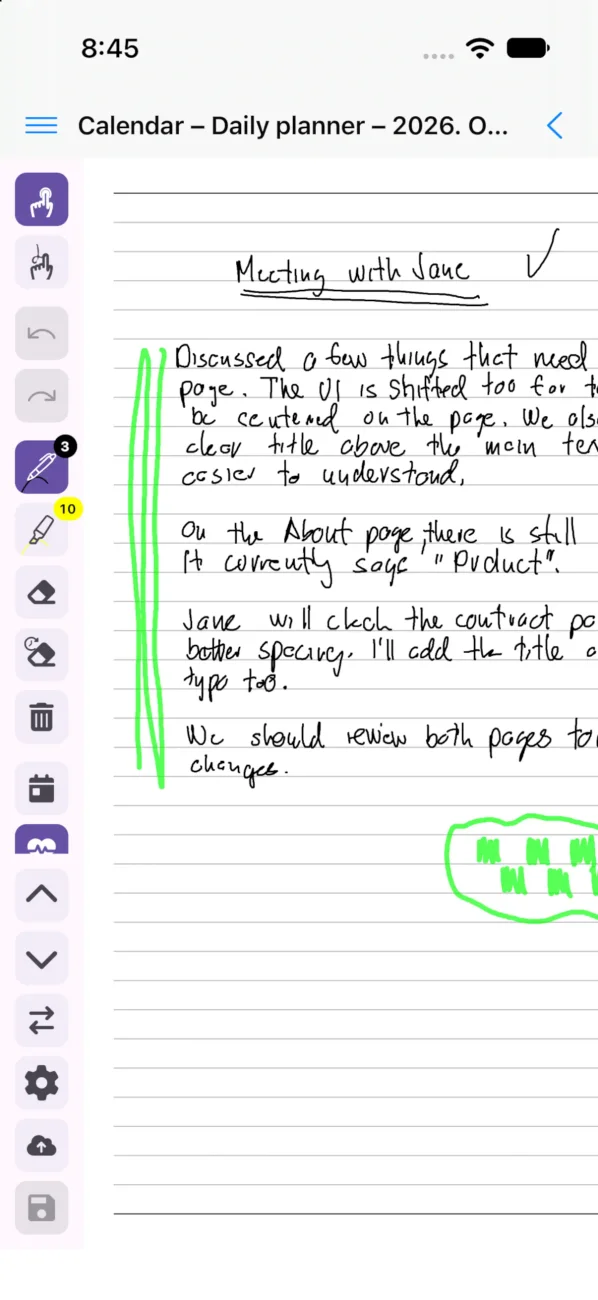
Scribble Calendar & Planner feels like a canvas for your life - a place where you don't just schedule dates, but draw your days and design your future. Write, sketch, annotate and plan with Apple Pencil or any compatible stylus. Turn scattered thoughts into something you can see, shape and make your own.
PLAN. FOCUS. REFLECT.
Plan your days with clarity. Focus your time on what matters. Reflect on your habits, health and how your days really feel. In a world where calendars are often rigid and impersonal, Scribble Calendar offers softness, freedom and a bit of soul... a quiet invitation to plan with intention, reflect with clarity and live with purpose.
EVERYTHING YOU NEED TO ORGANIZE YOUR LIFE
• Versatile Views - Switch between Yearly, Quarterly, Monthly, Weekly and Daily planning pages.
• Infinity Notes - Endless space for sketches, mind maps, brain dumps and whatever is on your mind.
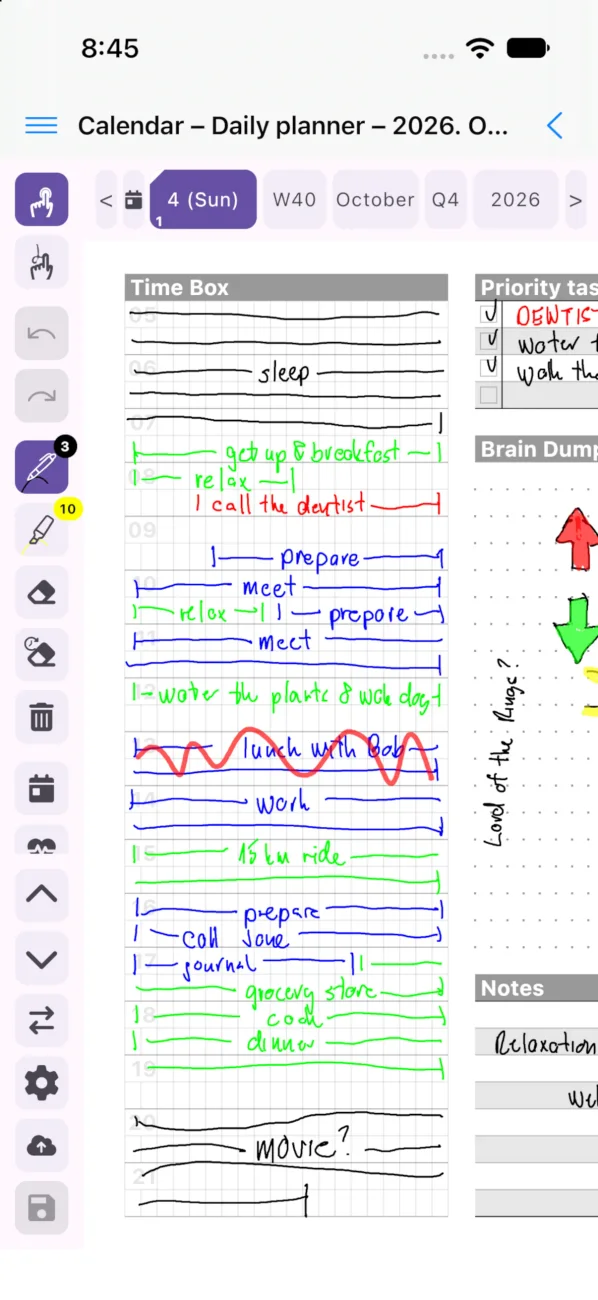
• Time-Boxed Daily Planner - Give your day a shape, see where your time goes, and stay focused without the stress.
• Mood & Health Tracker - Keep track of your mood, sleep, water and food in your own handwriting.
• Habit Tracking - Build awareness around the habits and routines that shape your days.
• Calendar Integration - Your device's calendars appear alongside your handwritten plans.
MADE FOR WRITING
• Full-Screen Mode - Hide the toolbars and give the page the whole screen.
• Swipe to Turn Pages - Move through your planner as naturally as a paper one.
• Your Colors - Themes and dark mode, so your planner looks the way you like it.
PRIVACY-FIRST BY DESIGN
Your life, your timeline, your design. No sign-up is required, and your pages are never uploaded to a cloud service of ours. Keep them on your device, or sync them between your devices through your own iCloud Drive. When you sync, our sync server only keeps track of which device changed which page, so two devices never overwrite each other - the pages themselves stay in your own storage. Your planner stays yours.
FREE TO WRITE, OPTIONAL TO UPGRADE
Write, draw and plan on the yearly, quarterly, monthly, weekly and daily pages for free, and your planner stays on your device. Premium, a one-time purchase, lets you create and edit calendar events in the app and unlocks the Green and Blush color themes. The sync subscription uploads your pages to your own cloud storage and keeps them in step across your devices: Simple two-way sync, or Smart sync, which also merges a page changed on two devices. You can move between the two levels as your needs change. Downloading pages from your cloud storage is free.
A DIFFERENT KIND OF DIGITAL PLANNER
Whether you use it as a productivity tool, a digital bullet journal, a handwritten calendar or a life organizer, Scribble Calendar helps you get thoughts out of your head, focus on what matters today, and design where you want to go next.
Your life is your canvas.
Optimized for iPad, iPad Pro and Apple Pencil.
Terms of Use: https://scribblecalendar.com/tos
Privacy Policy: https://scribblecalendar.com/privacy
Có gì mới
Phiên bản 1.12.1 · 28/11/2026
New in 1.12.1
• The premium Green and Blush themes are now clearly visible on the pages, with a stronger paper tint and colored lines.
Fixes:
• The first swipe after a pen stroke now turns the page.
• On a Mac, the mouse can now be switched from drawing to scrolling and tapping.
• A page the sync downloads while it is open is no longer written over by your next stroke.
• A page that cannot be transferred no longer holds back the pages behind it in the background sync.
• Events on a Day page synced from another device now open.
• The Day page no longer crashes on open in rare cases.
• Requests to our sync server no longer time out now and then without reaching it.
• An unsent erased stroke in the Team Drawer is now removed.
Quyền riêng tư của ứng dụng
Những gì Gabor Auth khai báo trên App Store về cách ứng dụng này xử lý dữ liệu.
-
Dữ liệu liên kết với bạn
Có thể được thu thập và liên kết với danh tính của bạn.
- Nội dung của người dùng
- Mã định danh
-
Dữ liệu không liên kết với bạn
Có thể được thu thập nhưng không liên kết với danh tính của bạn.
- Mục mua
- Vị trí
- Mã định danh
- Dữ liệu sử dụng
- Chẩn đoán
Phương thức đảm bảo quyền riêng tư có thể khác nhau, chẳng hạn như tuỳ theo các tính năng bạn sử dụng hoặc độ tuổi của bạn.
Thông tin
- Người bán
- Gabor Auth
- Danh mục
- Hiệu Suất
- Phiên bản
- 1.12.1
- Cập nhật
- 28/11/2026
- Phát hành
- 15/10/2026
- Kích thước
- 54,1 MB
- Yêu cầu
- iOS 17.0 trở lên
- Độ tuổi
- 12+
- Giá
- Miễn phí
- Mua hàng trong ứng dụng
- Có
- Ngôn ngữ
- Tiếng Anh, Tiếng Séc, Tiếng Hà Lan, Tiếng Pháp, Tiếng Đức, Tiếng Ba Lan, Tiếng Tây Ban Nha
- Bản quyền
- © 2026 Gábor Auth
Có thể bạn cũng thích
-
 InkThink - Handwritten PlannerHiệu Suất
-
 Handwriting Journal PlannerHiệu Suất
-
 iPlan Today - Pencil PlannerHiệu Suất
-
 Titanova: Life PlannerHiệu Suất
-
 Pencil Planner: PencilTimeHiệu Suất
-
 Pencil Calendar - PencilCalHiệu Suất
-
 Monthly Planner - Month+Hiệu Suất
-
 Ultimate Planner AppHiệu Suất
-
 Daily Planner DiaryHiệu Suất
-
 Digital Planner for iPad Day+Hiệu Suất