
HTML Viewer & Editor - HKit
Review Source Code & CSS Files
Được thiết kế cho iPhone, iPad
Miễn phí · Mua hàng trong ứng dụng
- Độ tuổi4+
- Danh mụcCông Cụ Nhà Phát Triển
- Nhà phát triểnHarsukhbhai Kaneriya
- Ngôn ngữTiếng Anh
- Kích thước12,7 MB
Liên kết đến trang App Store chính thức
Download.org không lưu trữ tệp nào của HTML Viewer & Editor - HKit. Nút này mở trang ứng dụng trên App Store, nơi Harsukhbhai Kaneriya phát hành ứng dụng. Trang được kiểm tra lần cuối: 23/11/2026.
Ảnh chụp màn hình
Giới thiệu
Nhà phát triển chưa cung cấp nội dung này bằng ngôn ngữ của bạn.
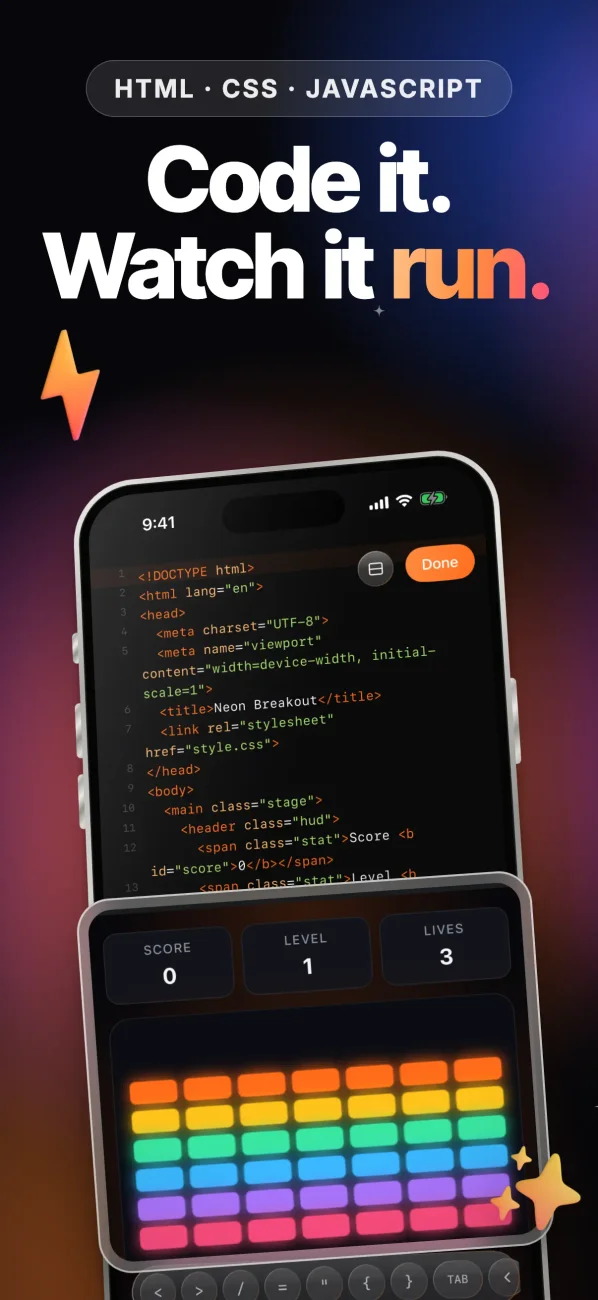
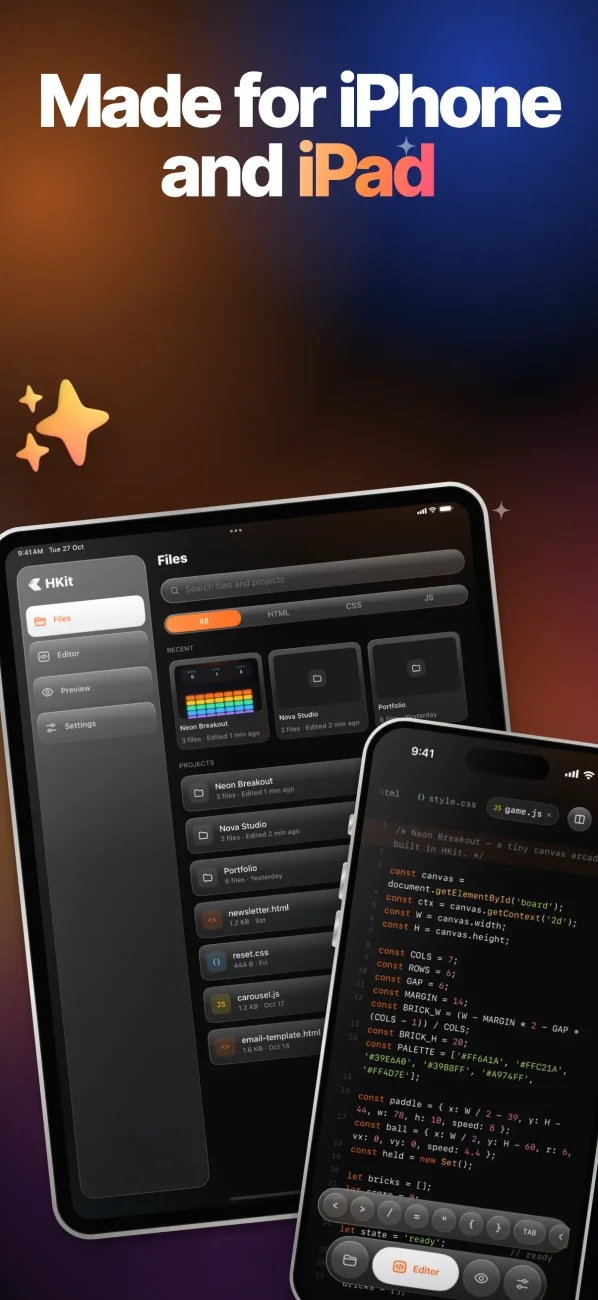
Write, run and inspect web code anywhere with HKit, the HTML viewer and editor for iPhone and iPad. Type HTML, CSS and JavaScript and watch your page update as you type!
Whether you're a web developer, a student learning to code, or just someone who needs to open an .html file, HKit makes editing and previewing web pages fast, simple, and fun.
Key Features:
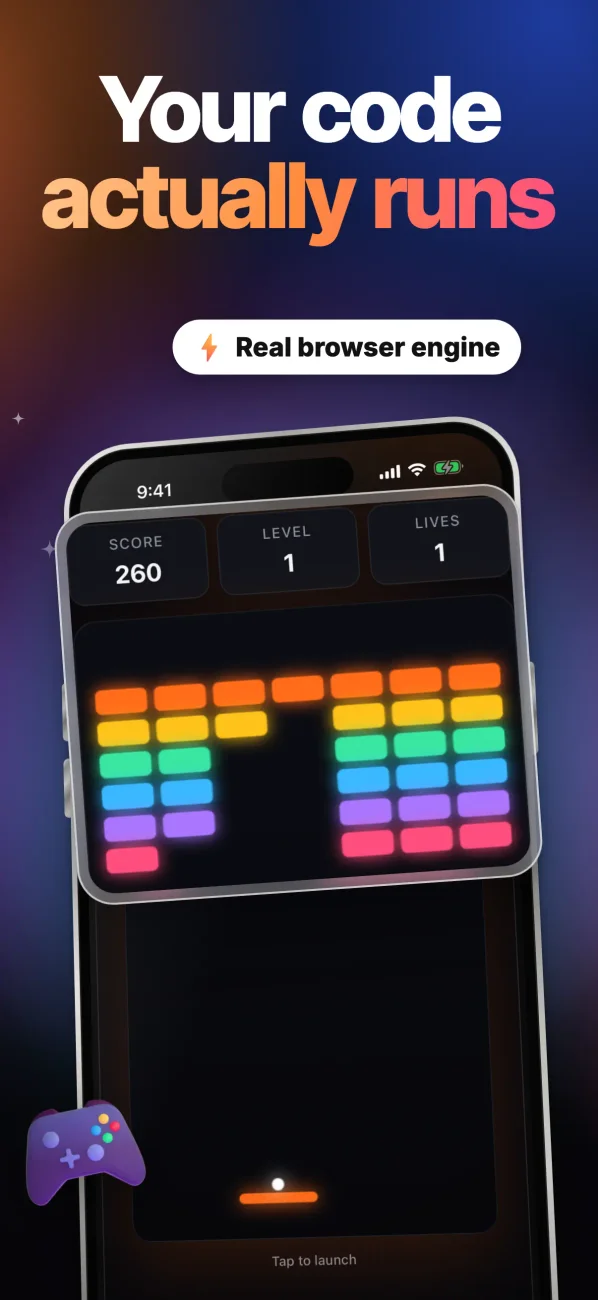
→ Live Preview: Your page re-renders as you type, with JavaScript running for real. Switch between phone, tablet and desktop widths to check a responsive layout in one tap.
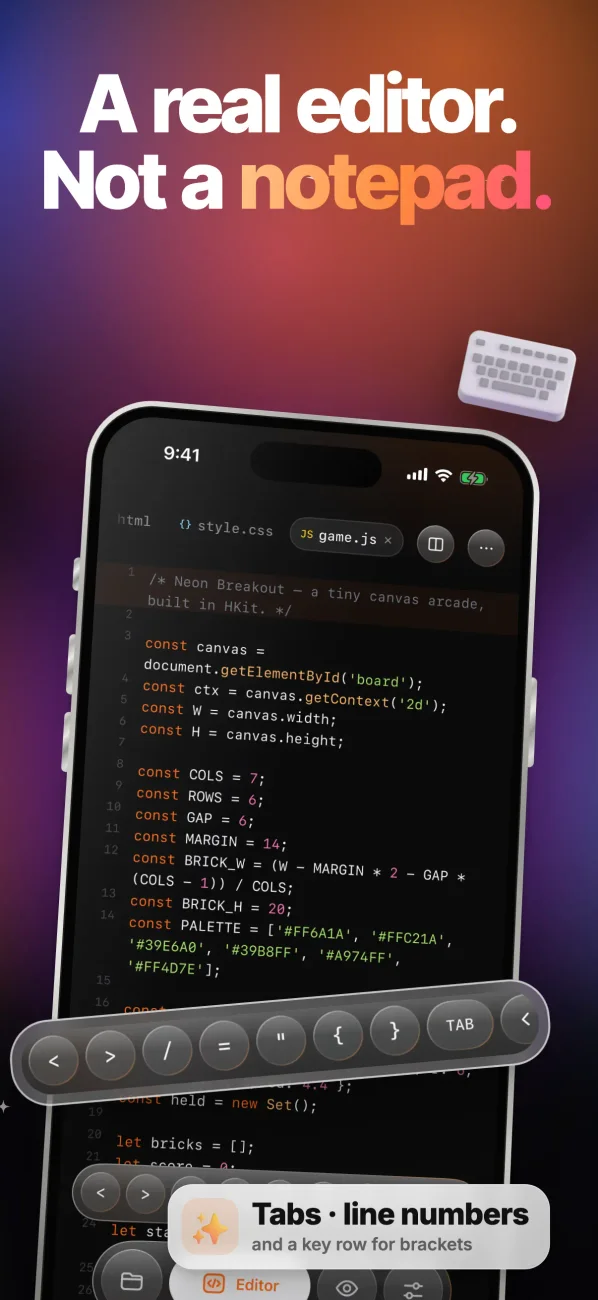
→ A Real Code Editor: Syntax highlighting for HTML, CSS, JavaScript and JSON, with file tabs, line numbers, auto-indent, auto-closing tags, word wrap, and undo and redo.
→ Key Row for Code: The brackets, slashes and quotes your keyboard buries sit one tap away above it, along with Tab, cursor keys, undo and redo.
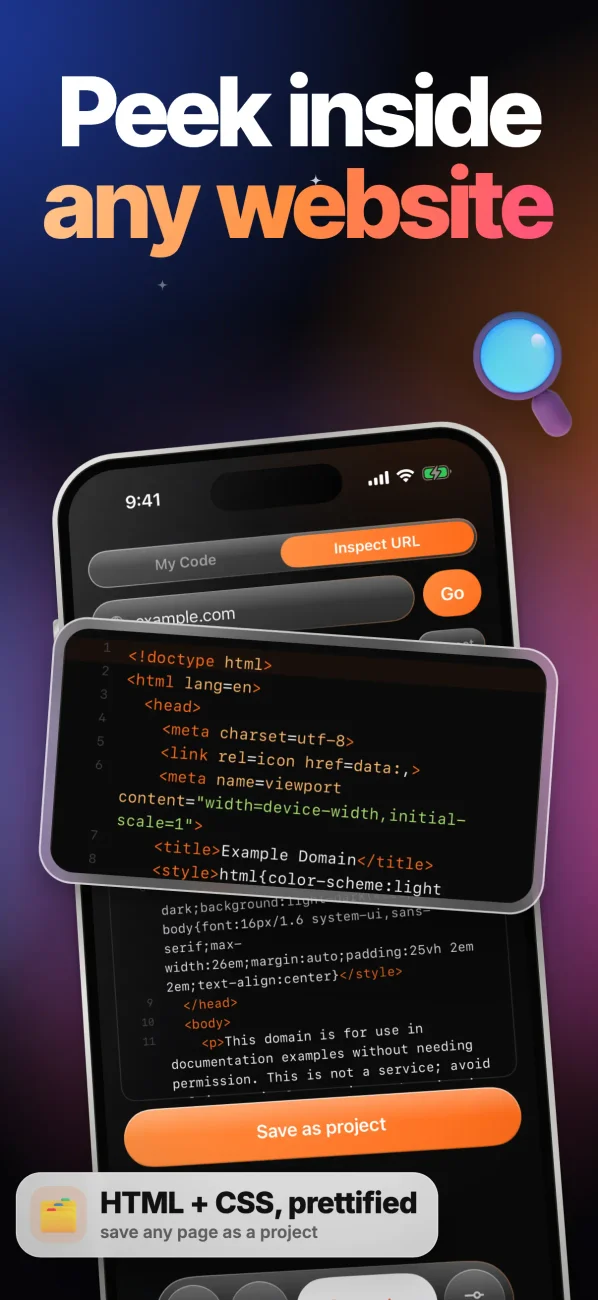
→ Inspect Any Website: Enter the address of any public web page to view its source code, neatly formatted and colour-coded file by file, then save it as a project to study or remix.
→ Find & Replace: Search a file with optional regular expressions, see the match count, and replace one or all.
→ Split Screen: Put code and preview side by side, drag the divider to any size, and flip between horizontal and vertical.
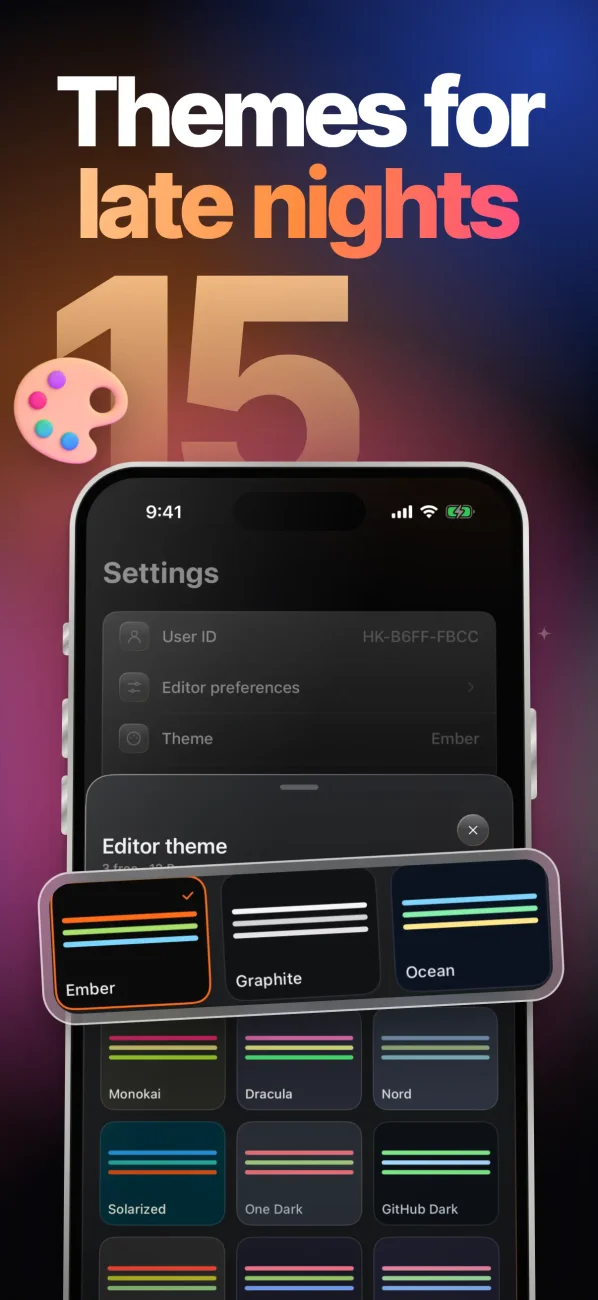
→ Themes for Late Nights: 15 syntax colour themes, from warm to cool, with an adjustable font size from 10 to 20 pt.
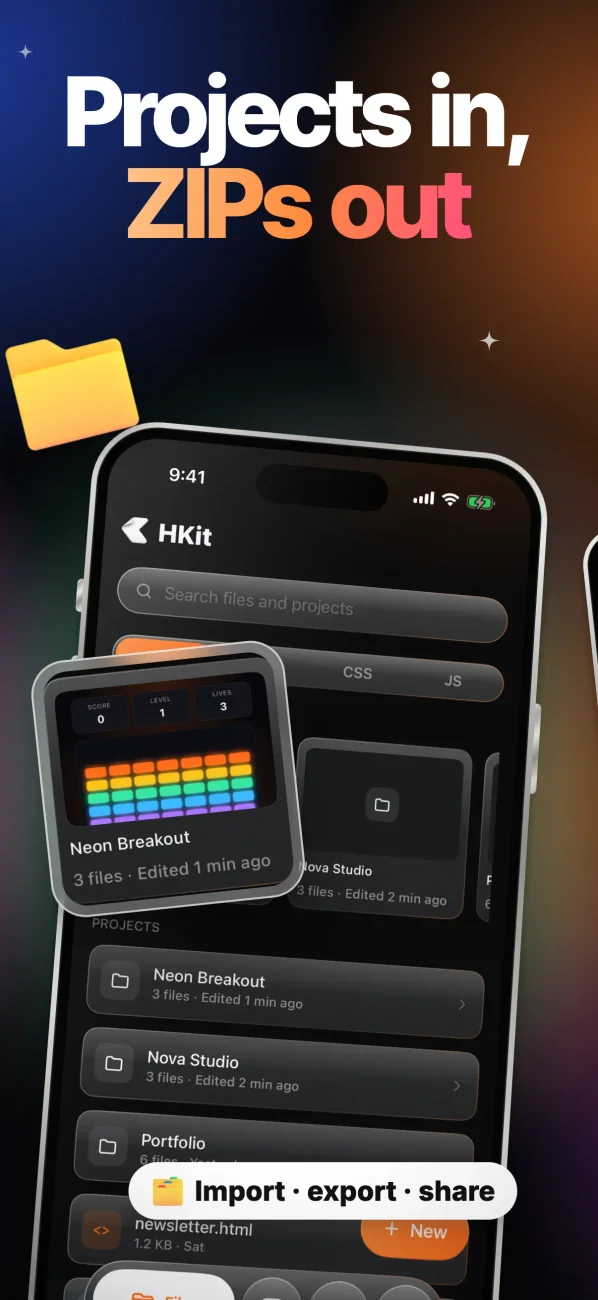
→ Projects In, ZIPs Out: Import files from the Files app, paste a URL or code, or open a whole ZIP. Organise everything into projects and share any project back out as a .zip.
→ Try It Free: Start with 3 projects, 3 themes, live preview, find & replace, Inspect URL and 4 code snippets, with three demo projects ready to open.
Download HKit now and start building web pages right from your pocket!
About Premium Subscription:
The free version offers limited access. A PRO subscription is required to unlock unlimited projects, all 15 themes, split screen, code formatting and minifying, the minimap, the JavaScript console, the element inspector for websites, iCloud Drive import, and all 7 snippets.
Privacy Policy: https://sites.google.com/view/hkit-app/privacy-policy
Terms of Use: https://sites.google.com/view/hkit-app/terms-conditions
Support: https://sites.google.com/view/hkit-app/support
Có gì mới
Phiên bản 1.1 · 19/11/2026
- Bug fixes & Improvements
Quyền riêng tư của ứng dụng
Những gì Harsukhbhai Kaneriya khai báo trên App Store về cách ứng dụng này xử lý dữ liệu.
-
Dữ liệu không được thu thập
Nhà phát triển không thu thập bất kỳ dữ liệu nào từ ứng dụng này.
Phương thức đảm bảo quyền riêng tư có thể khác nhau, chẳng hạn như tuỳ theo các tính năng bạn sử dụng hoặc độ tuổi của bạn.
Thông tin
- Người bán
- Harsukhbhai Kaneriya
- Danh mục
- Công Cụ Nhà Phát Triển
- Phiên bản
- 1.1
- Cập nhật
- 19/11/2026
- Phát hành
- 05/11/2026
- Kích thước
- 12,7 MB
- Yêu cầu
- iOS 17.0 trở lên
- Độ tuổi
- 4+
- Giá
- Miễn phí
- Mua hàng trong ứng dụng
- Có
- Ngôn ngữ
- Tiếng Anh
- Bản quyền
- © Harsukhbhai Kaneriya
Có thể bạn cũng thích
-
 Python Editor - Learn & CodeCông Cụ Nhà Phát Triển
-
 Next PayoutCông Cụ Nhà Phát Triển
-
 DOM Lens: Web InspectorCông Cụ Nhà Phát Triển
-
 HTML Editor - Build WebsitesCông Cụ Nhà Phát Triển
-
 HTML Editor + ViewerCông Cụ Nhà Phát Triển
-
 Máy chủ web Localhost & HTMLChuyển tệp qua WiFi
-
 HTML & Markdown ViewerCông Cụ Nhà Phát Triển
-
 HTML Opener: Web Code RunnerCông Cụ Nhà Phát Triển
-
 HTML Viewer & Editor: AI CodeCông Cụ Nhà Phát Triển
-
 Image ∞ Base64Công Cụ Nhà Phát Triển