Image Converter & Compressor
Batch HEIC to JPG, PNG & PDF
Được thiết kế cho iPhone
Miễn phí · Mua hàng trong ứng dụng
- Độ tuổi4+
- Danh mụcĐồ Họa & Thiết Kế
- Nhà phát triểnOsawa Shunsuke
- Ngôn ngữTiếng Anh+ 8 ngôn ngữ khác
- Kích thước15,0 MB
Liên kết đến trang App Store chính thức
Download.org không lưu trữ tệp nào của Image Converter & Compressor. Nút này mở trang ứng dụng trên App Store, nơi Osawa Shunsuke phát hành ứng dụng. Trang được kiểm tra lần cuối: 17/11/2026.
Ảnh chụp màn hình
Giới thiệu
Nhà phát triển chưa cung cấp nội dung này bằng ngôn ngữ của bạn.
Convert HEIC to JPG, save photos as PNG or PDF, and create WebP or AVIF images for the web. Image Converter & Compressor lets you batch convert photos and images on your iPhone.
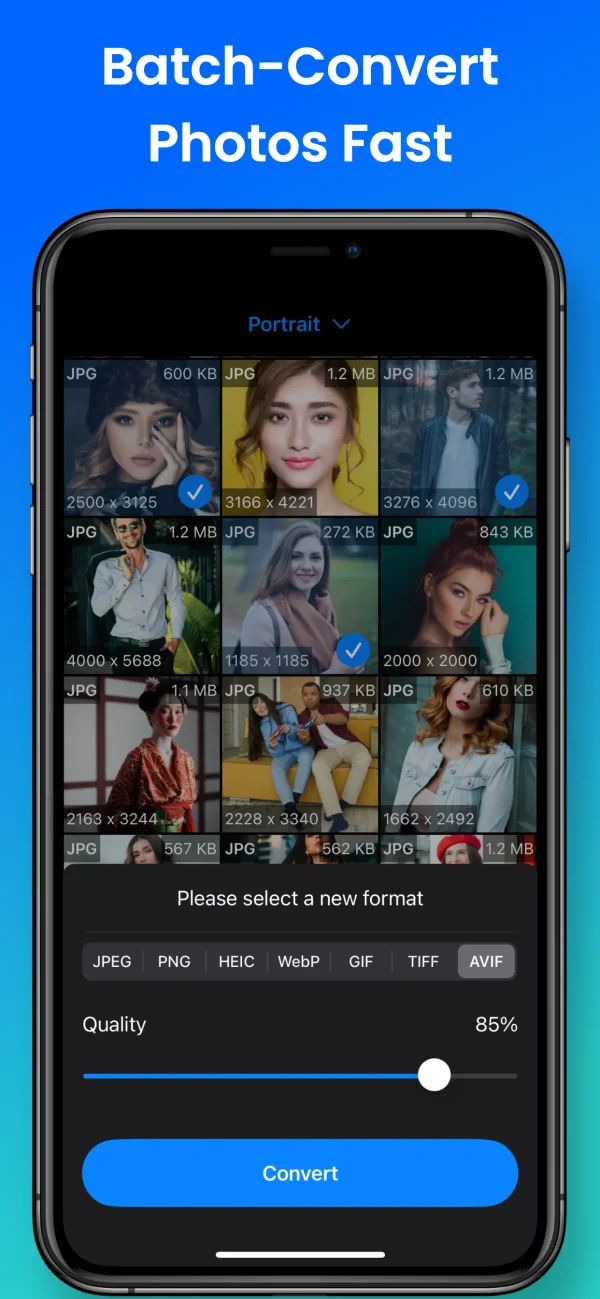
Select images from your photo library or Files, then choose an output format. Keep your images in a consistent format or adjust the balance between image quality and file size.
8 OUTPUT FORMATS
Convert images to JPEG (JPG), PNG, HEIC, WebP, AVIF, GIF, TIFF, or PDF.
• Convert HEIC photos to JPEG (JPG) for sharing or uploading to services that require JPG.
• Export photos and screenshots as PNG.
• Create WebP and AVIF images for websites and blogs.
• Save as HEIC, TIFF, or a still GIF to suit your needs.
• Turn photos and images into PDF files to share.
GIF output is a still image. Creating or preserving GIF animation is not supported. PDF conversion creates a separate file for each image.
ADJUST QUALITY AND COMPRESS IMAGES
JPEG, HEIC, WebP, and AVIF support quality settings. The free version converts at an 85% quality setting. Pro lets you adjust quality from 10% to 100%.
Choose a higher setting to prioritize image quality, or a lower setting to reduce file size for email attachments and web use.
The percentage is an encoding quality setting. Even 100% does not guarantee identical quality to the original. Output file size varies by image and format. Quality adjustment is not available for PNG, GIF, TIFF, or PDF.
BATCH CONVERSION
Select multiple images from your photo library or Files and convert them to the same format in one batch. Track the number of images being processed as conversion progresses.
PREVIEW, SAVE, AND SHARE
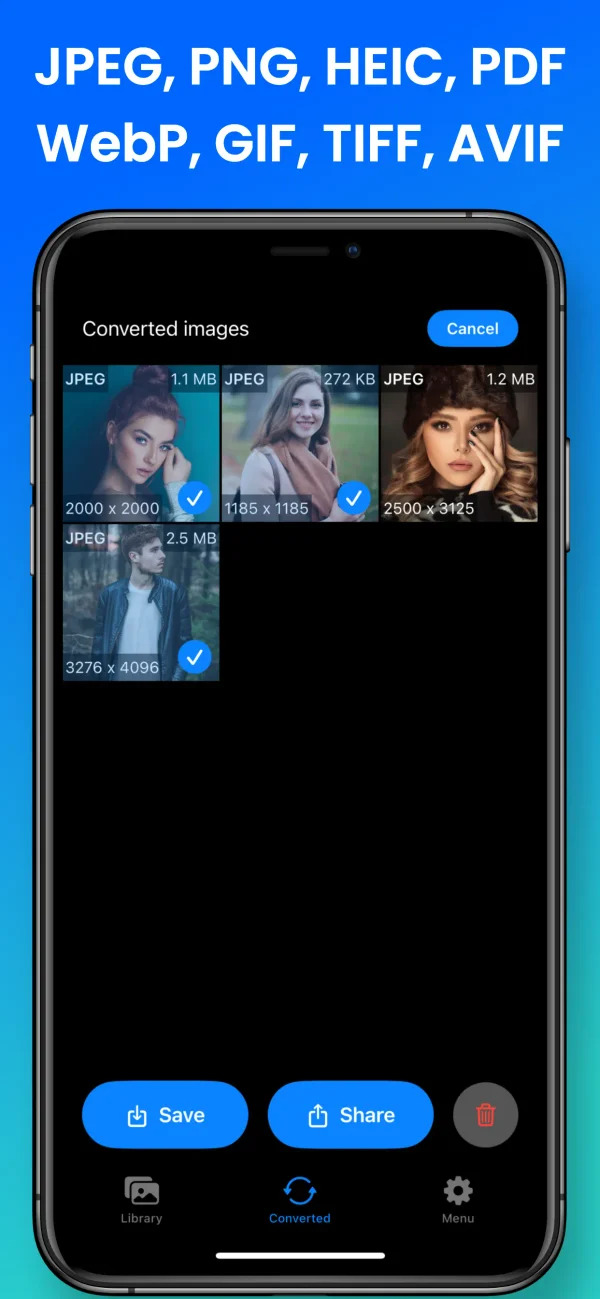
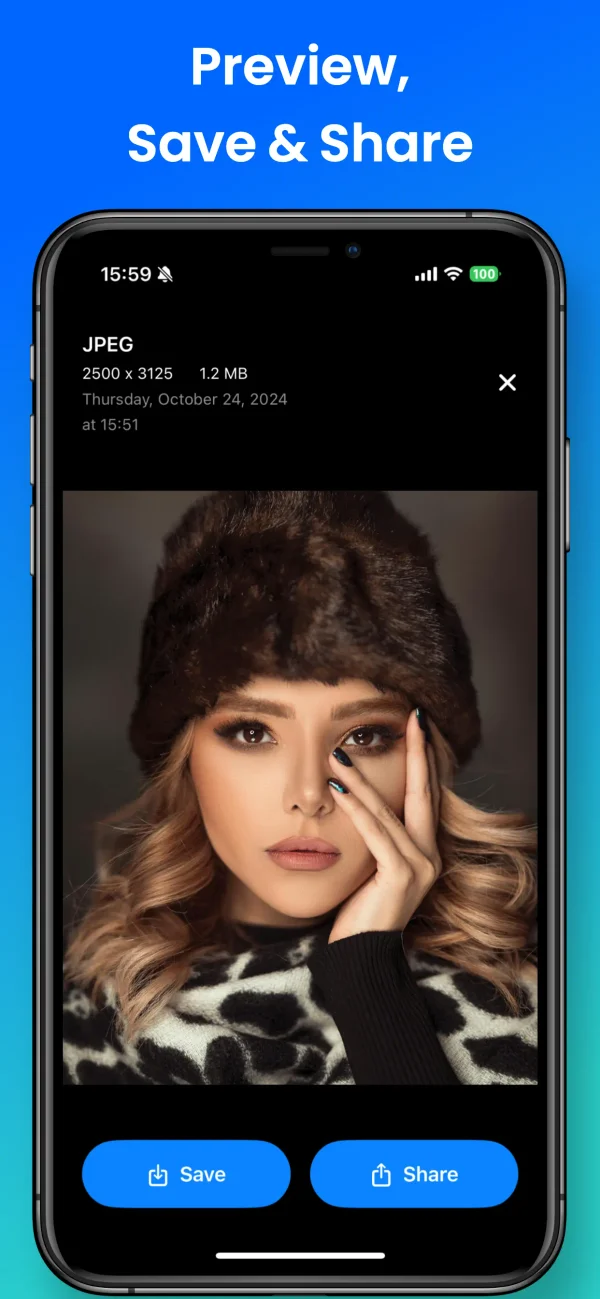
Preview converted images before saving or sharing. Share or delete multiple converted files at once. When saving to your photo library, you can also choose an album or create a new one.
Save PDFs to Files or another destination using the share menu.
KEEP CAPTURE DATE AND LOCATION
Pro can carry over the capture date and location information included in your original image. Turn each option on or off separately.
Supported output formats for this feature: JPEG, PNG, HEIC, and TIFF.
FREE AND PRO
The free version lets you convert, save, share, or delete up to 4 images per operation. Formats that support quality settings use an 85% setting.
Pro is a one-time purchase and includes:
• Quality adjustment from 10% to 100% for JPEG, HEIC, WebP, and AVIF.
• Batch conversion of 5 or more images.
• Saving, sharing, or deleting 5 or more converted files at once.
• Capture date and location preservation in supported formats.
• Ad removal.
Có gì mới
Phiên bản 2.4 · 16/11/2026
• You can now delete any number of images at once in the Converted tab. A confirmation appears before deleting
Quyền riêng tư của ứng dụng
Những gì Osawa Shunsuke khai báo trên App Store về cách ứng dụng này xử lý dữ liệu.
-
Dữ liệu được sử dụng để theo dõi bạn
Có thể được sử dụng để theo dõi bạn trên các ứng dụng và trang web do công ty khác sở hữu.
- Vị trí
- Mã định danh
- Dữ liệu sử dụng
- Chẩn đoán
-
Dữ liệu liên kết với bạn
Có thể được thu thập và liên kết với danh tính của bạn.
- Vị trí
- Mã định danh
- Dữ liệu sử dụng
- Chẩn đoán
Phương thức đảm bảo quyền riêng tư có thể khác nhau, chẳng hạn như tuỳ theo các tính năng bạn sử dụng hoặc độ tuổi của bạn.
Thông tin
- Người bán
- Osawa Shunsuke
- Danh mục
- Đồ Họa & Thiết Kế
- Phiên bản
- 2.4
- Cập nhật
- 16/11/2026
- Phát hành
- 24/10/2024
- Kích thước
- 15,0 MB
- Yêu cầu
- iOS 17 trở lên
- Độ tuổi
- 4+
- Giá
- Miễn phí
- Mua hàng trong ứng dụng
- Có
- Ngôn ngữ
- Tiếng Anh, Tiếng Pháp, Tiếng Đức, Tiếng Nhật, Tiếng Hàn, Tiếng Bồ Đào Nha, Tiếng Trung Giản thể, Tiếng Tây Ban Nha, Tiếng Trung Phồn thể
- Bản quyền
- © Shunsuke Osawa
Có thể bạn cũng thích
-
 HEIC2JPG ConverterĐồ Họa & Thiết Kế
-
 Waifu2x: Làm Nét Ảnh HD với AIKhử mờ hình nhòe, tranh anime
-
 背景透過 - 自動で背景を透明化Đồ Họa & Thiết Kế
-
 PQ+ AI Photo EnhancerĐồ Họa & Thiết Kế
-
 文字生成AI For 画像生成AI - TryPromptĐồ Họa & Thiết Kế
-
 画像生成AIĐồ Họa & Thiết Kế
-
 Nekomimi.AI – AI Art GeneratorĐồ Họa & Thiết Kế
-
 Colorize / Color to Old PhotosĐồ Họa & Thiết Kế
-
 美少女生成AI -Mints-Đồ Họa & Thiết Kế
-
 Image Converter: JPG PDF PNGĐồ Họa & Thiết Kế