Kit Manager
Roland SPD-SX pad wave editor
Được thiết kế cho iPhone, iPad, Mac
149.000đ
- Độ tuổi4+
- Danh mụcNhạc
- Nhà phát triểnEric Silverman
- Ngôn ngữTiếng Anh+ 42 ngôn ngữ khác
- Kích thước15,8 MB
Liên kết đến trang App Store chính thức
Download.org không lưu trữ tệp nào của Kit Manager. Nút này mở trang ứng dụng trên App Store, nơi Eric Silverman phát hành ứng dụng. Trang được kiểm tra lần cuối: 20/11/2026.
Ảnh chụp màn hình

Giới thiệu
Nhà phát triển chưa cung cấp nội dung này bằng ngôn ngữ của bạn.
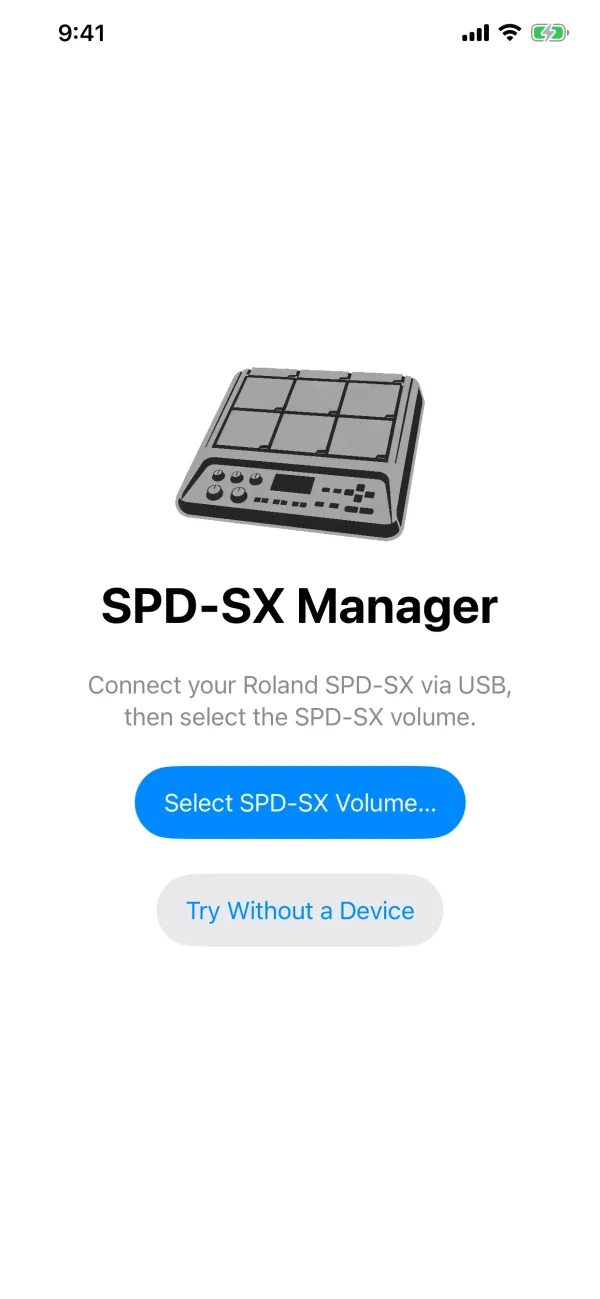
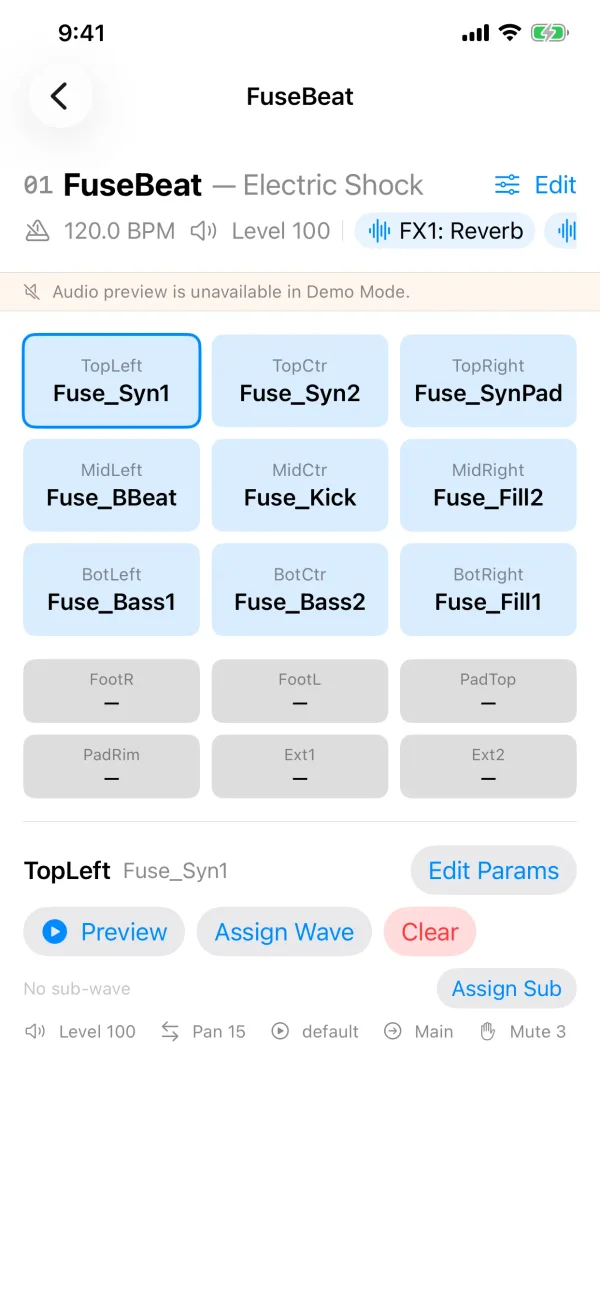
Kit Manager gives you full control of your Roland SPD-SX from your Mac or iPhone. Build kits, edit waves, wire up pads, put together setlists, and back up the whole device.
Connect the pad via USB and everything on it is right in front of you: kits, waves, chains, system settings. No menu-diving required.
Kits and pads
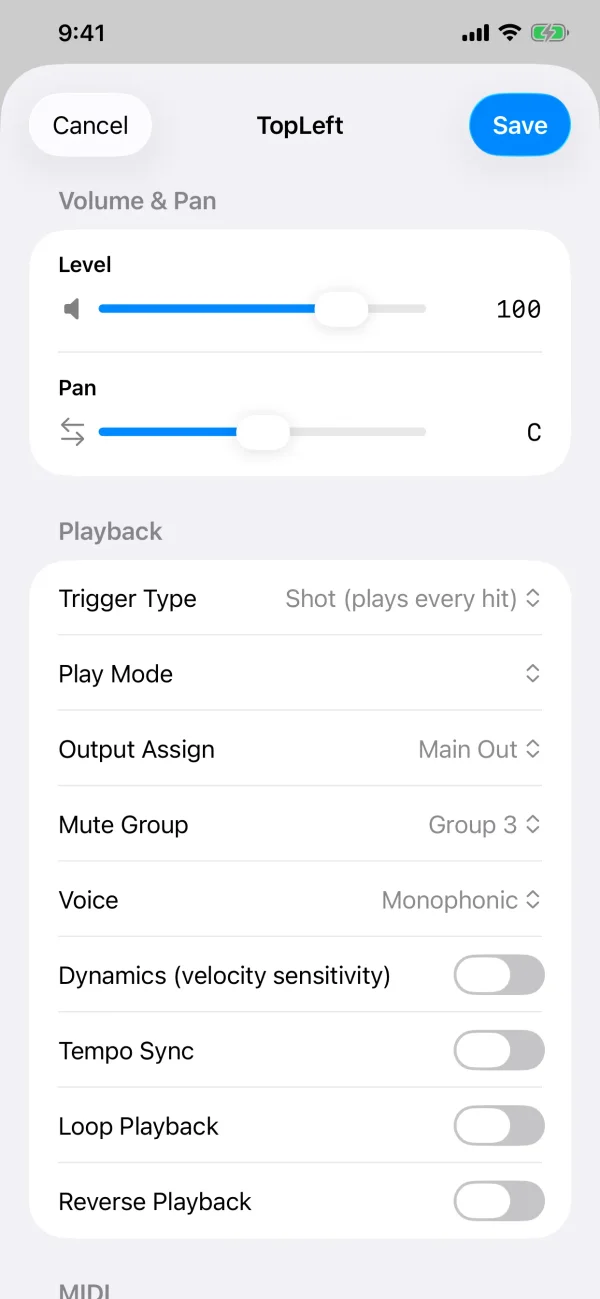
Create new kits or edit existing ones. Rename them, set tempo and output level, reorder slots, copy and paste to build variations. For each of the 25 pads you get the full parameter set: wave assignment, level, pan, play mode, MIDI output, pad linking. Everything the device supports, laid out so you can actually find it.
Wave library
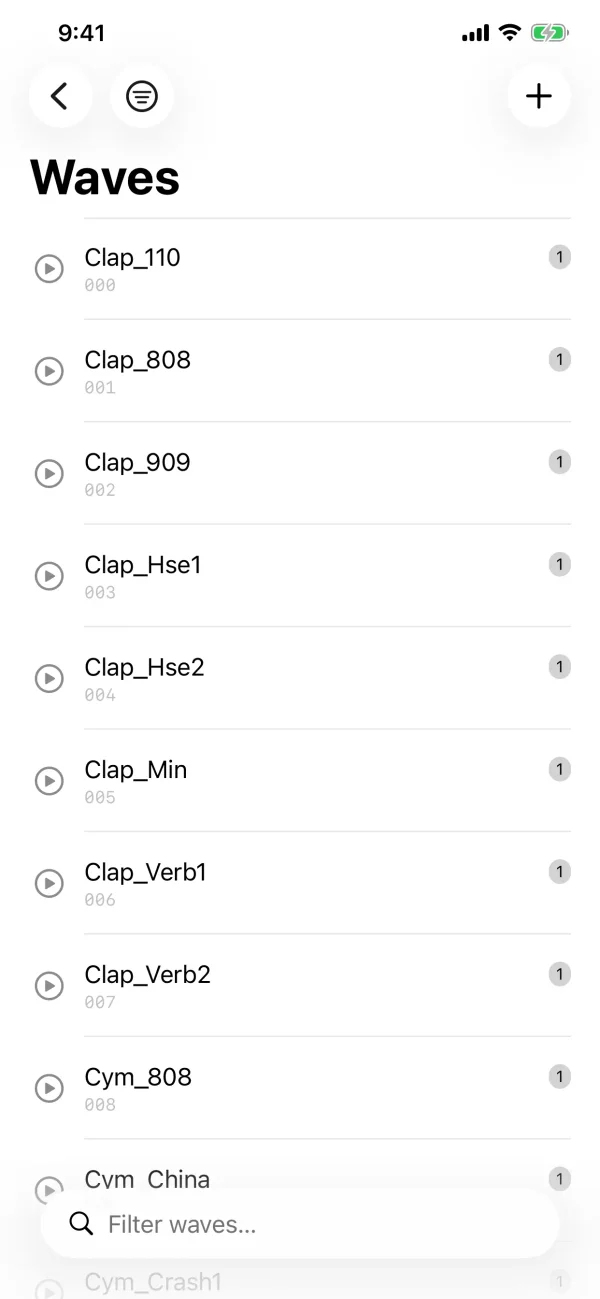
Browse every wave on your SPD-SX, rename them to something you'll actually remember, and delete the ones taking up space. Export waves directly off the device when you need them elsewhere.
Kit chains
Build all 8 kit chains with up to 20 steps each. You see kit names instead of slot numbers, so building a setlist actually makes sense. Drag to reorder, add and remove steps, enable and activate chains on the fly.
Backup and restore
Back up your entire SPD-SX to a folder on your Mac or iPhone. Restore from any backup when you need to roll back or move your setup to another device. You can also open and edit a backup directly, so you can configure kits, chains, and system settings without the device in front of you, then restore when you are ready.
System settings
The SPD-SX has a lot of global settings buried across its menu system. Kit Manager puts them all on one screen: display, MIDI, audio output, foot switches, pad sensitivity, V-Link, metronome, master FX. Change what you need and move on.
Demo mode
Not near your SPD-SX? The app ships with sample data so you can explore everything before you plug in.
Có gì mới
Phiên bản 1.1.1 · 19/11/2026
Pad OUTPUT now uses the same names as the SPD-SX (MASTER OUT, KIT FX1, KIT FX2, SUB OUT, PHONES ONLY), including PHONES ONLY, which was missing before.
Reliability — switching cards while a long operation is still running no longer applies its result to the new card. A card is added to Recent only once it has fully loaded, so a cancelled or failed connect isn't reopened at the next launch.
Quyền riêng tư của ứng dụng
Những gì Eric Silverman khai báo trên App Store về cách ứng dụng này xử lý dữ liệu.
-
Dữ liệu không được thu thập
Nhà phát triển không thu thập bất kỳ dữ liệu nào từ ứng dụng này.
Phương thức đảm bảo quyền riêng tư có thể khác nhau, chẳng hạn như tuỳ theo các tính năng bạn sử dụng hoặc độ tuổi của bạn.
Thông tin
- Người bán
- Eric Silverman
- Danh mục
- Nhạc
- Phiên bản
- 1.1.1
- Cập nhật
- 19/11/2026
- Phát hành
- 23/03/2026
- Kích thước
- 15,8 MB
- Yêu cầu
- iOS 17.0 trở lên
- Độ tuổi
- 4+
- Giá
- 149.000đ
- Ngôn ngữ
- Tiếng Anh, Tiếng Ả Rập, Bengali, Bulgarian, Tiếng Catalan, Tiếng Croatia, Tiếng Séc, Tiếng Đan Mạch, Tiếng Hà Lan, Tiếng Phần Lan, Tiếng Pháp, Tiếng Đức + 31 ngôn ngữ khác
- Bản quyền
- © Eric Silverman