LayerMapper MApp
Projection Mapping Software
Được thiết kế cho iPhone, iPad
Miễn phí · Mua hàng trong ứng dụng
- Độ tuổi4+
- Danh mụcĐồ Họa & Thiết Kế
- Nhà phát triểnDenis Grzechnik
- Ngôn ngữTiếng Anh+ 14 ngôn ngữ khác
- Kích thước45,5 MB
Liên kết đến trang App Store chính thức
Download.org không lưu trữ tệp nào của LayerMapper MApp. Nút này mở trang ứng dụng trên App Store, nơi Denis Grzechnik phát hành ứng dụng. Trang được kiểm tra lần cuối: 16/11/2026.
Ảnh chụp màn hình
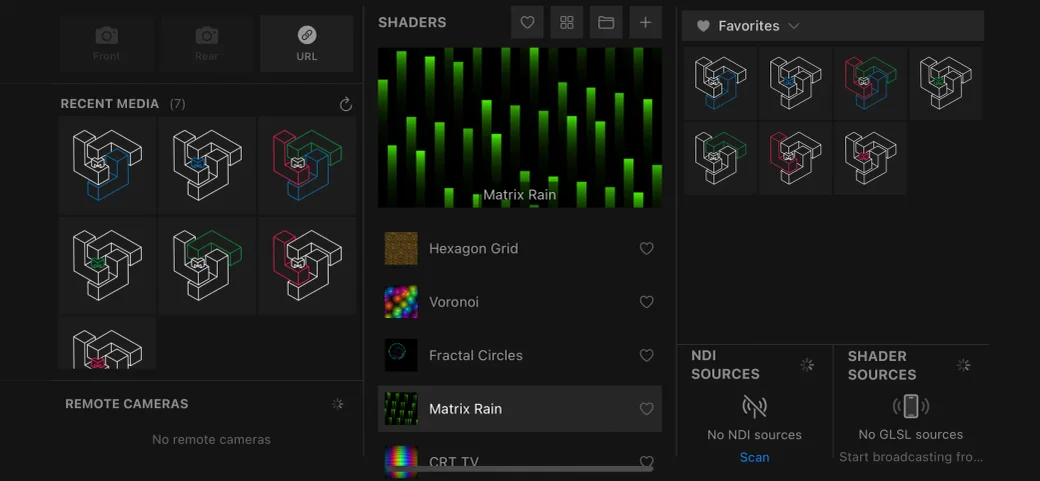
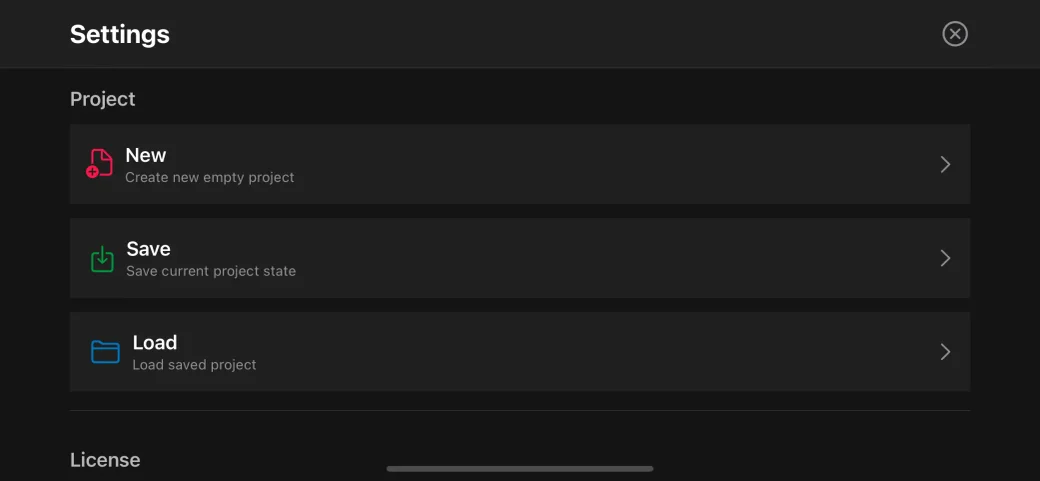
Giới thiệu
Nhà phát triển chưa cung cấp nội dung này bằng ngôn ngữ của bạn.
LayerMapper MApp – Professional Projection Mapping & Real-Time Animation
Turn your iPhone or iPad into a high-end projection mapping controller. The ultimate tool for VJs, live performers, and visual artists who need desktop-class power in a mobile format – from a single projector to a full multi-surface show.
KEY FEATURES:
CLIP GRID & INPUTS
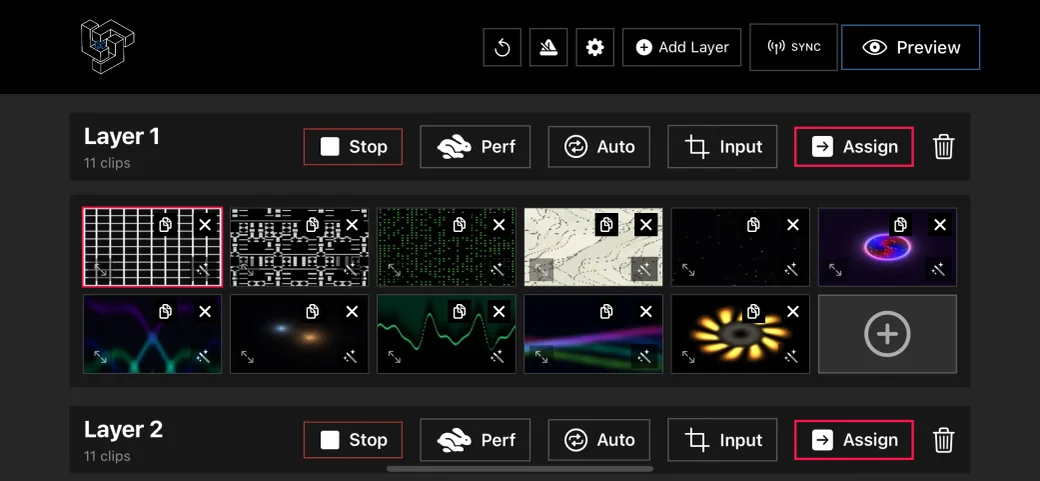
Unlimited clips per layer for total creative freedom.
Photos and videos straight from your Photo Library.
Dual Camera Input: use the front and back cameras at the same time as two live sources.
HDMI Capture via USB grabber (UVC) – bring in any console, camera, or computer.
YouTube Input and Web/URL Input – play videos or load any live web page onto your meshes.
Custom GLSL shaders, NDI Input, and Camera Input.
AI Shader Generator, plus AI Shader Input received from other devices via multicast.
Audio-Reactive: drive shader and clip parameters live from music or the microphone.
Cue Points and a frame-accurate Clip Timeline for repeatable shows.
Fast tap-to-assign workflow with thumbnail previews.
UNLIMITED COMPOSITION
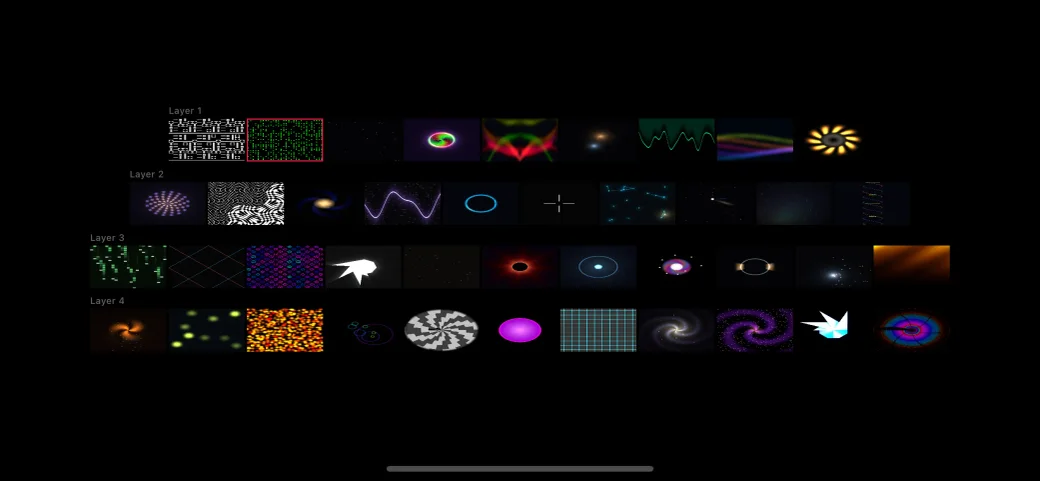
Unlimited layers – build compositions as complex as your vision requires.
Professional Blend Modes: Normal, Add, Multiply, Screen, Overlay, Alpha.
MESHES & GEOMETRY
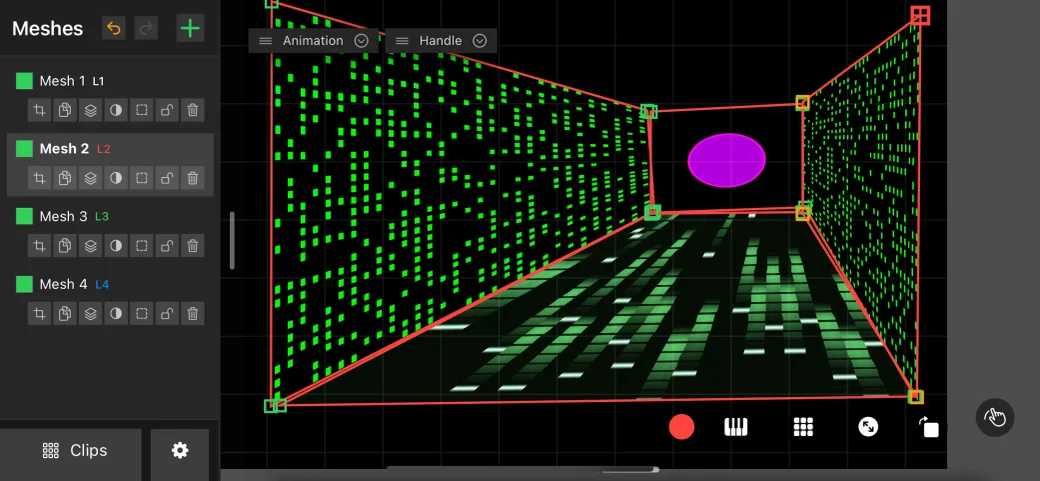
Multiple output meshes for complex, real-world surfaces.
Advanced correction: multi-point keystone, homography, circular meshes, and Bézier curves.
Assign clips or whole layers to meshes; full Z-order and instant visibility control.
PROJECTION LASERS
Create stunning laser-style beam shows using projectors and atmospheric haze.
Record slice motion with live clip textures and save it as reusable presets.
ANIMATION & SYNC
Real-time corner recording (30 FPS), overdub layering, and seamless loops.
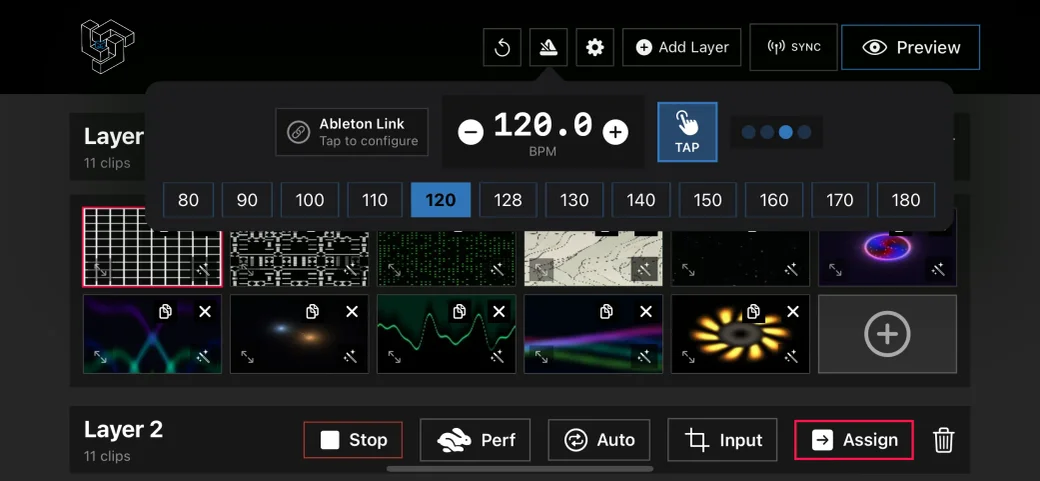
BPM Sync & Ableton Link – stay perfectly in time with music hardware and software across the network.
CONTROL SURFACES
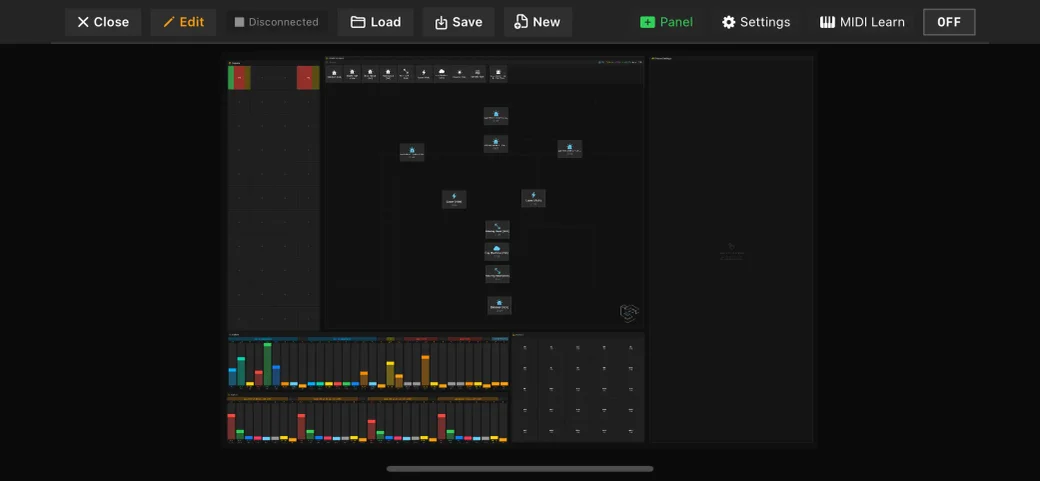
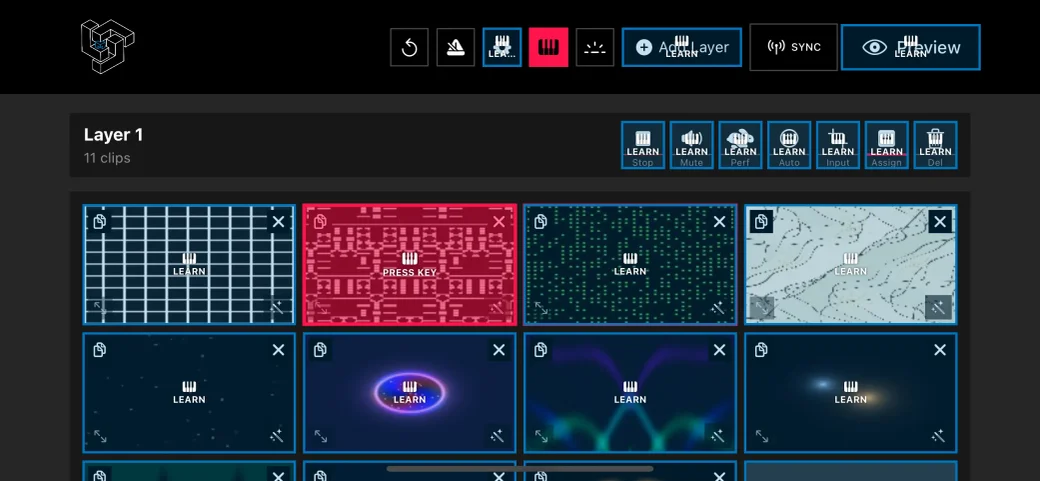
MIDI Learn: map any control to external MIDI controllers – faders, pads, and knobs.
DMX / Art-Net: integrate with professional lighting rigs and trigger DMX live.
STREAMING & NETWORK OUTPUT
Live Streaming: broadcast your Output straight to YouTube, Facebook, or a custom RTMP endpoint.
Direct-LAN to TV: send your Output over the local network to the LayerMapper receiver on Xiaomi TV Box, and similar devices – no cables required.
PRESET SYSTEM
16 instant recall slots (P1-P16) for live switching.
Save entire setups: meshes, layers, media, and automations.
HIGH-PERFORMANCE OUTPUT
60 FPS Metal-accelerated rendering.
Clean HDMI Output: a dedicated video feed with no UI clutter.
External Player companion app for remote playback and control, with AirPlay support.
Performance Mode (maximum frame rate) and Realtime Mode (original FPS).
REQUIREMENTS:
iOS 17.0 or later (Metal-supported devices).
Access: Camera, Microphone, Photo Library, and Local Network (Ableton Link, Direct-LAN, NDI, multicast).
External MIDI and Art-Net/DMX optional. HDMI or AirPlay for external display.
REQUIRES IN-APP PURCHASE • 30-DAY FREE TRIAL
SUBSCRIPTIONS (auto-renewable):
• Monthly: $11.00/month – 30-day free trial for new subscribers.
• Yearly: $44.00/year – 30-day free trial for new subscribers.
• Lifetime: $88.00 one-time – permanent access, no subscription.
TERMS:
• Payment is charged to your Apple ID at confirmation of purchase.
• Free trial converts to paid unless cancelled at least 24 hours before it ends.
• Subscription auto-renews unless turned off at least 24 hours before the period ends; your account is charged within 24 hours before renewal.
• Manage or cancel in your Account Settings. Any unused trial is forfeited on purchase.
PRIVACY: We do not collect, store, or share your personal data. All media stays on your device. Purchases are processed securely by Apple.
SUPPORT: layermapper@gmail.com
Terms of Use (EULA): https://layermapper.com/terms
Privacy Policy: https://layermapper.com/privacy
Có gì mới
Phiên bản 4 · 04/10/2026
Version 4 brings a major set of live-performance features to LayerMapper on iOS:
Live Streaming — broadcast your Output straight to YouTube, Facebook, or a custom RTMP endpoint.
Clip Timeline — a new timeline in the Clips view for precise, frame-accurate clip editing.
Cue Points — set cue points on your clips and trigger them instantly during a show.
Cue Panel in Preview — a dedicated, movable Cue panel right in the Preview view for fast, hands-on triggering.
Direct-LAN to TV Box — send your Output over the local network to the LayerMapper receiver on TV Box.
Bug fixes & stability improvements.
Quyền riêng tư của ứng dụng
Những gì Denis Grzechnik khai báo trên App Store về cách ứng dụng này xử lý dữ liệu.
-
Dữ liệu không liên kết với bạn
Có thể được thu thập nhưng không liên kết với danh tính của bạn.
- Mục mua
Phương thức đảm bảo quyền riêng tư có thể khác nhau, chẳng hạn như tuỳ theo các tính năng bạn sử dụng hoặc độ tuổi của bạn.
Thông tin
- Người bán
- Denis Grzechnik
- Danh mục
- Đồ Họa & Thiết Kế
- Phiên bản
- 4
- Cập nhật
- 04/10/2026
- Phát hành
- 09/12/2025
- Kích thước
- 45,5 MB
- Yêu cầu
- iOS 17.6 trở lên
- Độ tuổi
- 4+
- Giá
- Miễn phí
- Mua hàng trong ứng dụng
- Có
- Ngôn ngữ
- Tiếng Anh, Tiếng Ả Rập, Tiếng Hà Lan, Tiếng Pháp, Tiếng Đức, Tiếng Ý, Tiếng Nhật, Tiếng Hàn, Tiếng Ba Lan, Tiếng Bồ Đào Nha, Tiếng Nga, Tiếng Trung Giản thể + 3 ngôn ngữ khác
- Bản quyền
- © Denis Grzechnik
Có thể bạn cũng thích
-
 Pro Mapper Projection MappingĐồ Họa & Thiết Kế
-
 EasyMapper Projection MappingĐồ Họa & Thiết Kế
-
 Capture MobileĐồ Họa & Thiết Kế
-
 Storyboard Creator AIAI Storyboard Generator
-
 Omniscient - Blender CGI LidarTheo dõi camera cho VFX
-
 Metaspace - 3D SketchbookĐồ Họa & Thiết Kế
-
 Motion Design with AI — PlaysĐồ Họa & Thiết Kế
-
 Linearity Move Motion GraphicsAnimation Design, Video Maker
-
 ZBrush - 3D Model MakerĐồ Họa & Thiết Kế
-
 Feather: Draw in 3DĐồ Họa & Thiết Kế