
Leaf: Document Scanner & PDF
Edit, Sign, Stamp & Fill Forms
Được thiết kế cho iPhone
Miễn phí
- Độ tuổi4+
- Danh mụcHiệu Suất
- Nhà phát triểnIvan Kotlyar
- Ngôn ngữTiếng Ả Rập+ 10 ngôn ngữ khác
- Kích thước7,5 MB
Liên kết đến trang App Store chính thức
Download.org không lưu trữ tệp nào của Leaf: Document Scanner & PDF. Nút này mở trang ứng dụng trên App Store, nơi Ivan Kotlyar phát hành ứng dụng. Trang được kiểm tra lần cuối: 12/11/2026.
Ảnh chụp màn hình

Giới thiệu
Nhà phát triển chưa cung cấp nội dung này bằng ngôn ngữ của bạn.
Leaf is a document scanner and a PDF editor in one app. Scan, edit and send documents right on your phone — no subscription and no ads.
EDIT A DOCUMENT LIKE PAPER
• Fix a date, an amount or a name on a scan — the new letters are taken from the document itself, so the edit looks native
• Move a line somewhere else or erase it
• Add a stamp and a signature at their real size. Take a photo of a stamp or sign with your finger — the background is removed automatically
• Add text, a date, a check mark, a cross, a highlighter, an arrow or a box
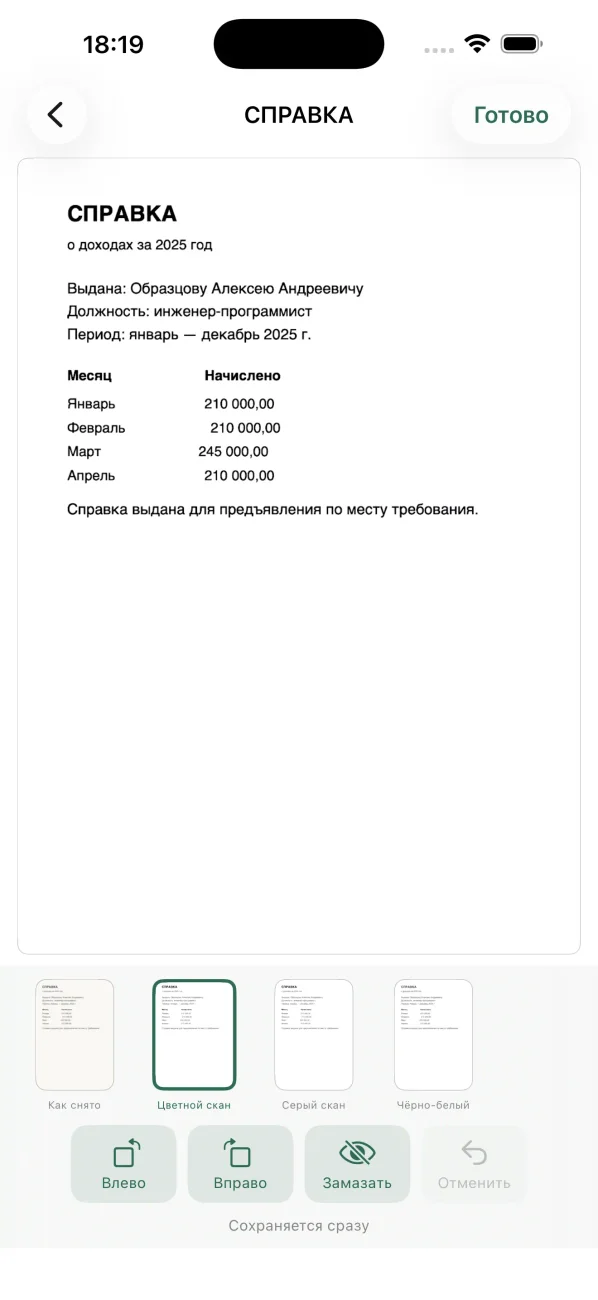
• Pinch to zoom the page — small text is edited precisely
PDF WITHOUT QUALITY LOSS
• Open PDFs you receive: text stays text and remains searchable, the file does not turn into a picture
• Fill in forms — fields, check boxes and lists
• Send with the values filled in, or keep the fields fillable for the recipient
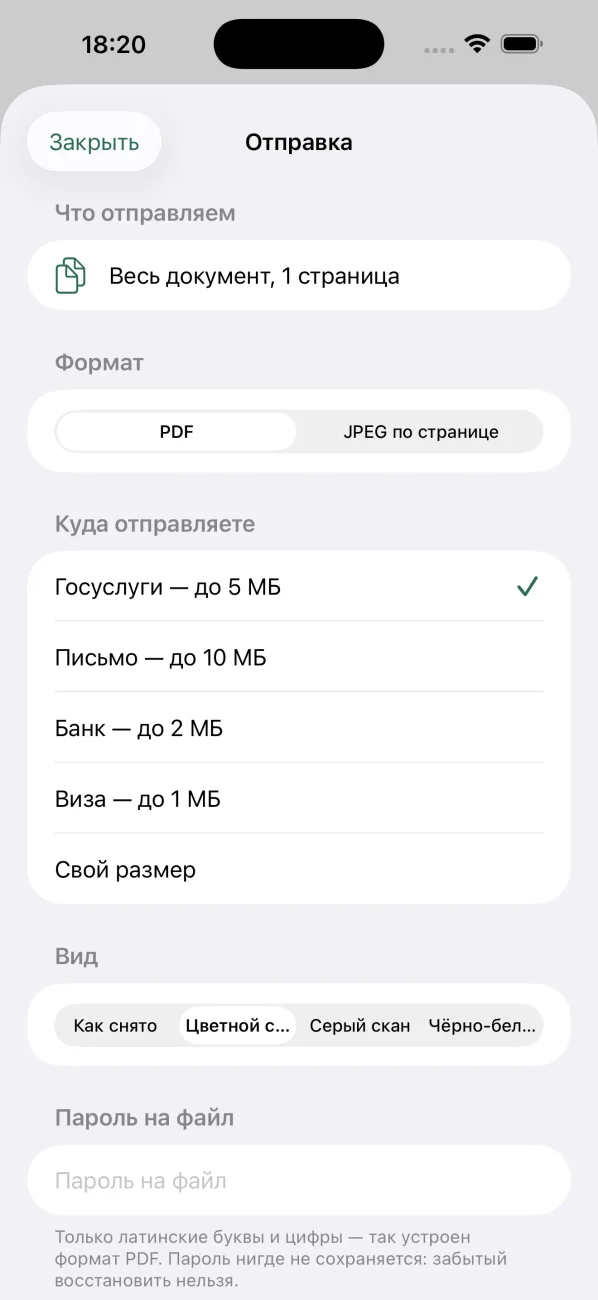
• Password-protect the file, forbid printing and copying
A FILE OF THE RIGHT SIZE
Choose where you are sending it — a government portal, email, a bank, a visa application — or set your own limit. The app picks the quality by itself and shows the final size before saving. If the file does not fit, it tells you how to make it lighter.
LIKE A REAL SCANNER
• Automatic page edge detection and batch scanning
• Two-sided documents: scan the fronts, flip the stack, scan the backs — the pages are put in order automatically
• Hand shadows, yellowed paper and uneven light are removed
• Colour, grey and black-and-white looks — you see the difference on your own document
REAL REDACTION
What you cover is destroyed, not hidden under a black box: in the file you send there is neither image nor text left under the redaction. The app finds card, passport and phone numbers by itself and offers to cover them with a single tap.
ORDER IN YOUR DOCUMENTS
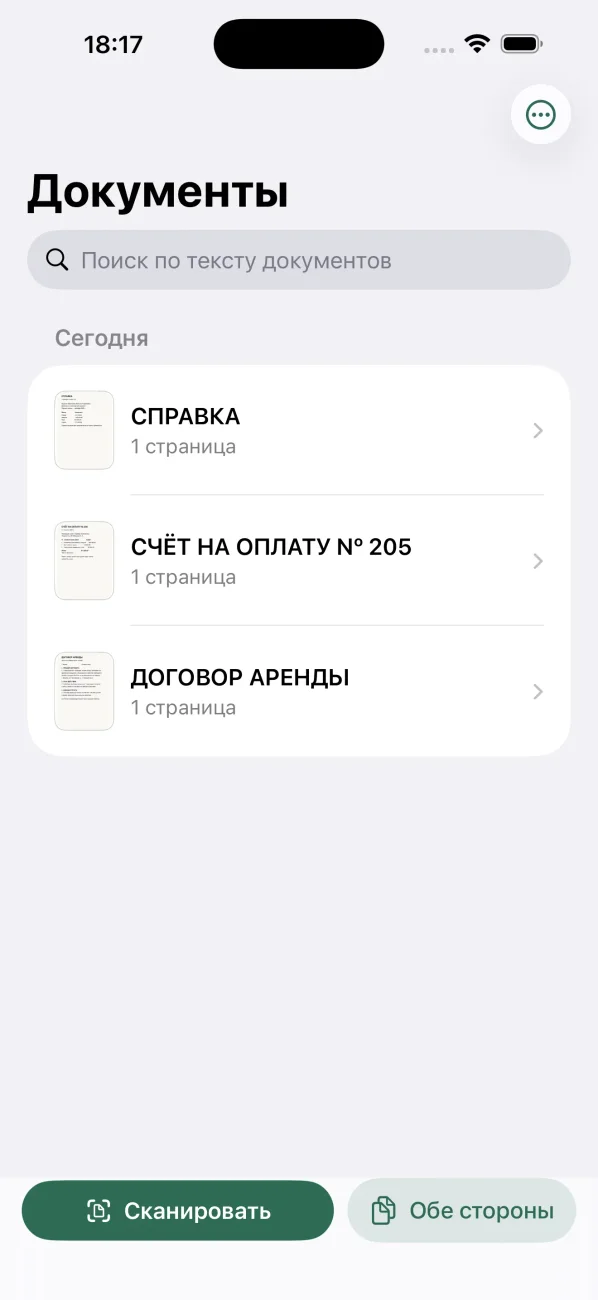
• Search the text of all documents, PDFs included
• Sort by date, name or page count; list, grid or compact view
• Folders, merging and splitting documents, page order
• The title is picked up from the page heading
• Import from Photos and Files, share and print
YOUR DOCUMENTS STAY WITH YOU
Documents are stored only on your phone: no sign-up and no cloud. Text recognition runs right on the device. Face ID lock.
Free, with no ads and no limit on the number of documents. 11 languages, light and dark themes.
Có gì mới
Phiên bản 1.2.1 · 25/10/2026
Editor fixes.
• In PDFs you receive, an edited line no longer swaps letters: a typed “i” no longer turns into “t” or “o” or comes out smaller
• The text field types exactly what you press: no autocorrect and no automatic capital after a full stop
Quyền riêng tư của ứng dụng
Những gì Ivan Kotlyar khai báo trên App Store về cách ứng dụng này xử lý dữ liệu.
-
Dữ liệu không được thu thập
Nhà phát triển không thu thập bất kỳ dữ liệu nào từ ứng dụng này.
Phương thức đảm bảo quyền riêng tư có thể khác nhau, chẳng hạn như tuỳ theo các tính năng bạn sử dụng hoặc độ tuổi của bạn.
Thông tin
- Người bán
- Ivan Kotlyar
- Danh mục
- Hiệu Suất
- Phiên bản
- 1.2.1
- Cập nhật
- 25/10/2026
- Phát hành
- 06/09/2026
- Kích thước
- 7,5 MB
- Yêu cầu
- iOS 26.0 trở lên
- Độ tuổi
- 4+
- Giá
- Miễn phí
- Ngôn ngữ
- Tiếng Ả Rập, Tiếng Trung Giản thể, Tiếng Pháp, Tiếng Anh, Kazakh, Tiếng Bồ Đào Nha, Tiếng Nga, Tiếng Tây Ban Nha, Tiếng Đức, Tiếng Thổ Nhĩ Kỳ, Tiếng Ukraina
- Bản quyền
- © 2026 Ivan Kotlyar
Có thể bạn cũng thích
-
 Bayran Office: PDF EditorHiệu Suất
-
 OCR, Read & Convert DocumentsHiệu Suất
-
 PDF Chỉnh Sửa - Quét & KýĐọc, Điền biểu mẫu, Gộp
-
 PDF Editor - No Ads, Read ScanHiệu Suất
-
 BossPDF: PDF Editor & ScannerHiệu Suất
-
 ScanDoc: Quét PDFQuét tài liệu thành PDF
-
 PDFWorldEditor: PDF EditorHiệu Suất
-
 PlainPDF: Scanner & PDF EditorHiệu Suất
-
 BookyAISửa văn bản trong PDF, ký tên
-
 PDFWise – PDF Reader & ToolsHiệu Suất