OCR, Read & Convert Documents
PDF, OCR, Scanner & CV
Được thiết kế cho iPhone, iPad
Miễn phí · Mua hàng trong ứng dụng
- Độ tuổi4+
- Danh mụcHiệu Suất
- Nhà phát triểnAnatol Radzko
- Ngôn ngữTiếng Ý+ 2 ngôn ngữ khác
- Kích thước28,4 MB
Liên kết đến trang App Store chính thức
Download.org không lưu trữ tệp nào của OCR, Read & Convert Documents. Nút này mở trang ứng dụng trên App Store, nơi Anatol Radzko phát hành ứng dụng. Trang được kiểm tra lần cuối: 21/11/2026.
Ảnh chụp màn hình
Giới thiệu
Nhà phát triển chưa cung cấp nội dung này bằng ngôn ngữ của bạn.
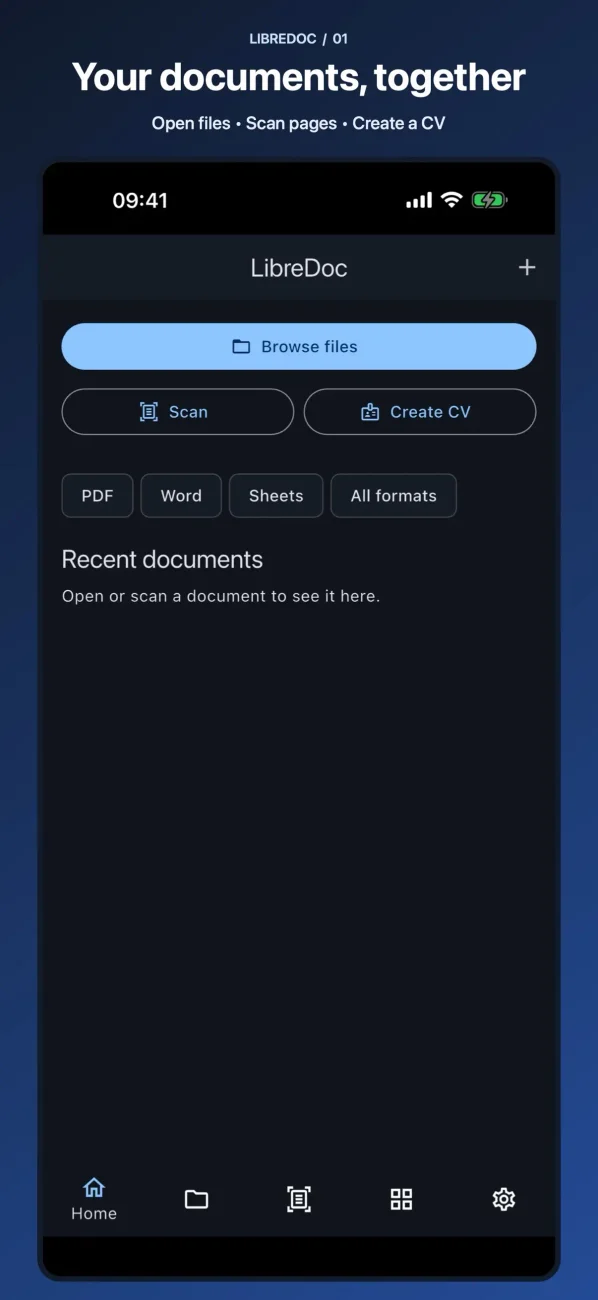
Scan paper, edit PDF text, open files and build a CV in one workspace. LibreDoc processes your document contents on the device and does not require a LibreDoc account.
Read and edit on the page
Open supported documents, resume reading, scan paper with on-device OCR, and add notes or highlights. Tap a word and edit on the PDF page. Save several changes in one session. LibreDoc approximates the original size, typeface, text colour and background; complex layouts can differ. Visual editing is not secure redaction.
Build a CV
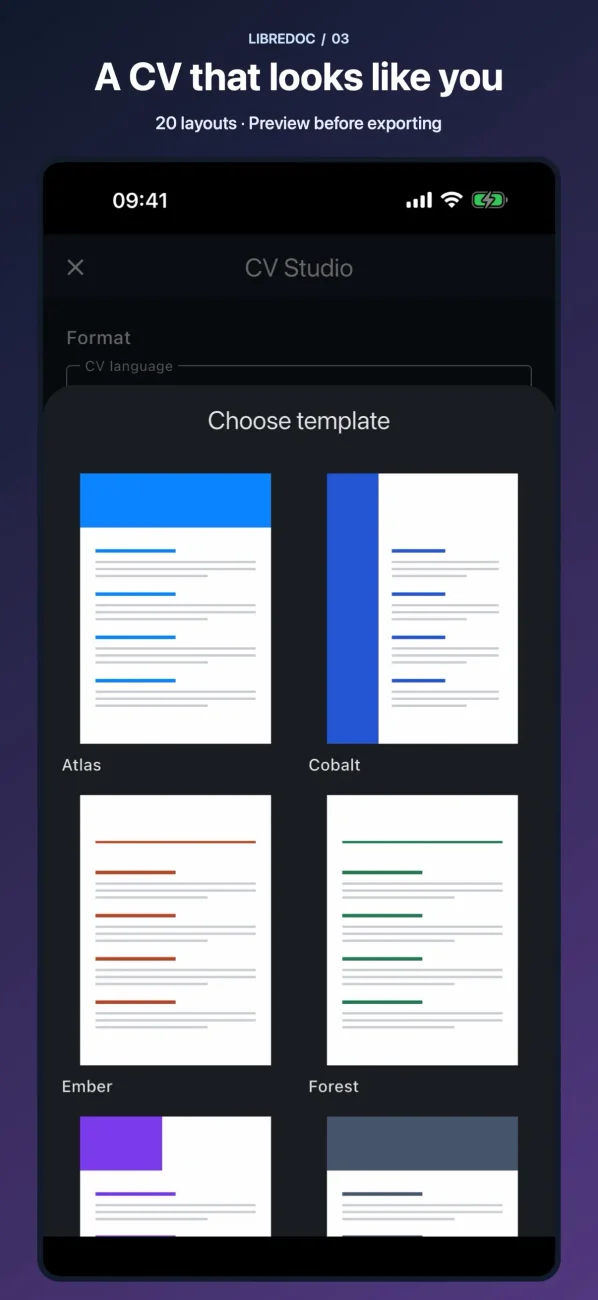
Choose from 20 layouts and six CV languages. Add experience, education and an optional portrait. Adjust the photo in the chosen layout and check a watermarked preview before exporting. Each clean PDF export uses one credit, including for subscribers.
Convert, print and share
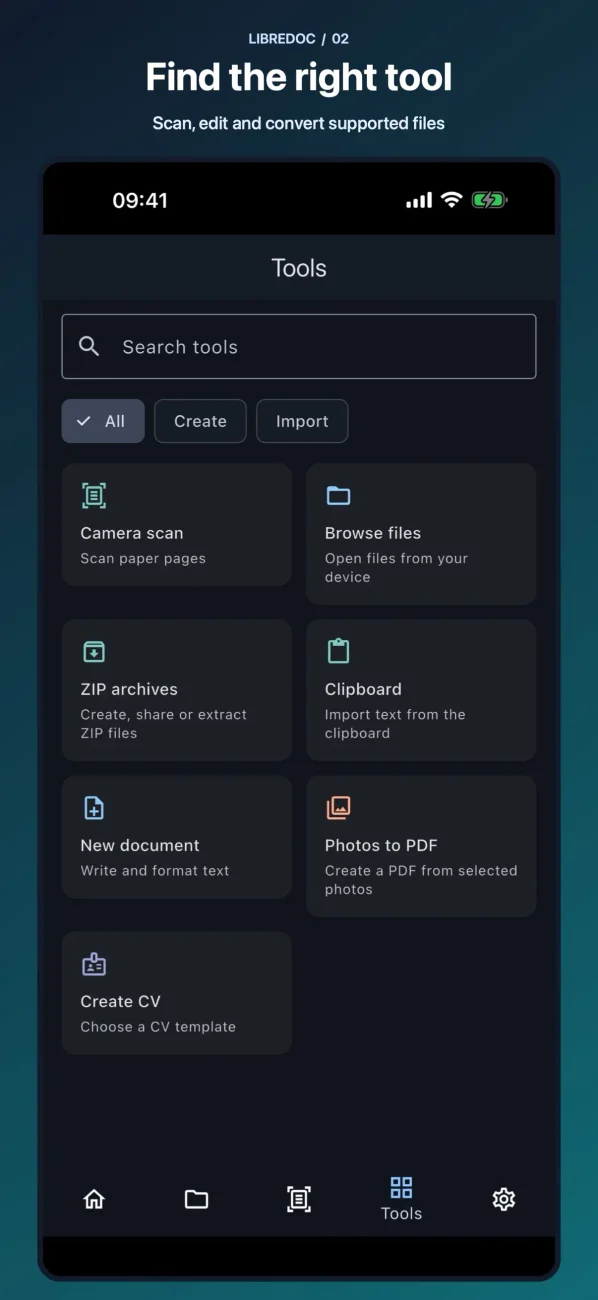
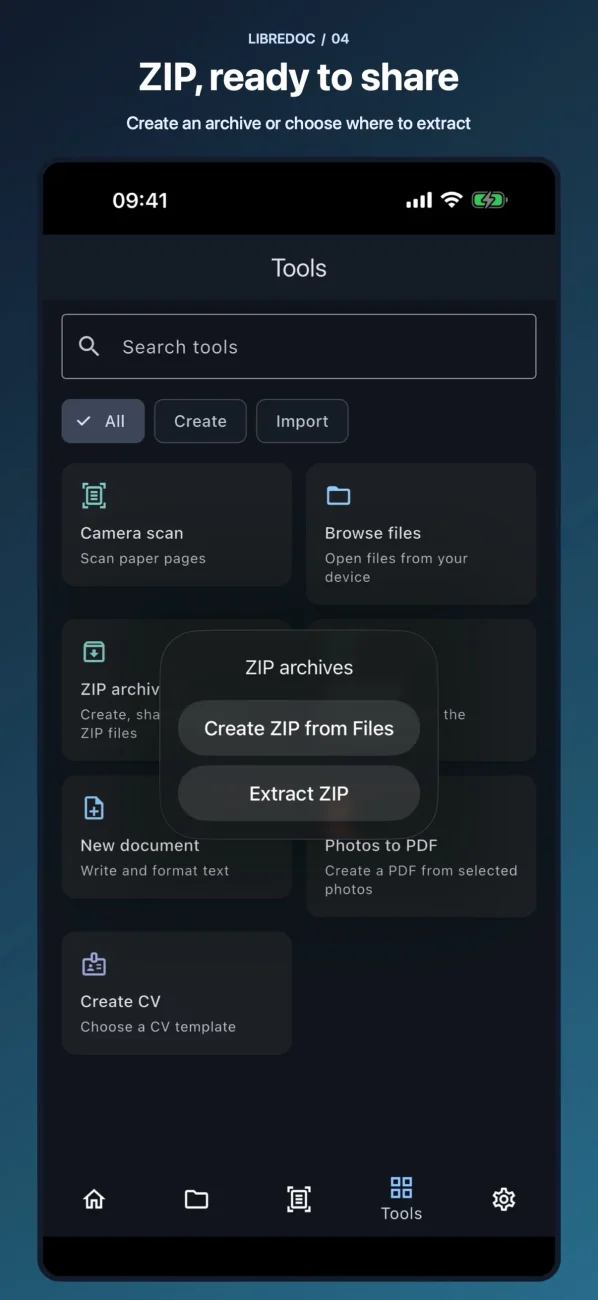
Open and convert supported PDF, Office, image, text and e-book files. Create and share a ZIP or choose where to extract it. Display and print embedded PDFs from supported PDF.p7m containers. LibreDoc does not verify digital signatures; keep the original container.
One PDF editing session and two conversions are available per local calendar day without watching a rewarded ad. Additional access is available through optional rewarded ads or subscriptions. Full Pro removes ads. The App Store shows prices before purchase.
Có gì mới
Phiên bản 1.2.1 · 18/11/2026
Edit multiple words directly on a PDF page and save them in one session. LibreDoc better matches text colour, size and background, and opens more supported PDF.p7m files. Digital signatures are not verified. This release also brings a redesigned workspace, in-template CV portrait adjustment and ZIP tools.
Quyền riêng tư của ứng dụng
Những gì Anatol Radzko khai báo trên App Store về cách ứng dụng này xử lý dữ liệu.
-
Dữ liệu được sử dụng để theo dõi bạn
Có thể được sử dụng để theo dõi bạn trên các ứng dụng và trang web do công ty khác sở hữu.
- Mã định danh
-
Dữ liệu liên kết với bạn
Có thể được thu thập và liên kết với danh tính của bạn.
- Vị trí
- Mã định danh
- Dữ liệu sử dụng
- Chẩn đoán
-
Dữ liệu không liên kết với bạn
Có thể được thu thập nhưng không liên kết với danh tính của bạn.
- Chẩn đoán
Phương thức đảm bảo quyền riêng tư có thể khác nhau, chẳng hạn như tuỳ theo các tính năng bạn sử dụng hoặc độ tuổi của bạn.
Thông tin
- Người bán
- Anatol Radzko
- Danh mục
- Hiệu Suất
- Phiên bản
- 1.2.1
- Cập nhật
- 18/11/2026
- Phát hành
- 18/08/2026
- Kích thước
- 28,4 MB
- Yêu cầu
- iOS 18.0 trở lên
- Độ tuổi
- 4+
- Giá
- Miễn phí
- Mua hàng trong ứng dụng
- Có
- Ngôn ngữ
- Tiếng Ý, Tiếng Anh, Tiếng Nga
- Bản quyền
- © 2026 Anatol Radzko
Có thể bạn cũng thích
-
 PDF Toolkit: PDF Editor & ScanHiệu Suất
-
 LiftNetHiệu Suất
-
 Privascan: PDF Scanner & OCRHiệu Suất
-
 Skanae: Quét tài liệu PDFRiêng tư, ngoại tuyến & OCR
-
 PDF Scanner & Doc EditorHiệu Suất
-
 ReadSync - PDF ReaderHiệu Suất
-
 PDF Editor & Scanner Tài LiệuScan, Quét, Chỉnh Sửa & Chữ Ký
-
 My Documents: Secure VaultHiệu Suất
-
 Simple Notes WidgetHiệu Suất